




-
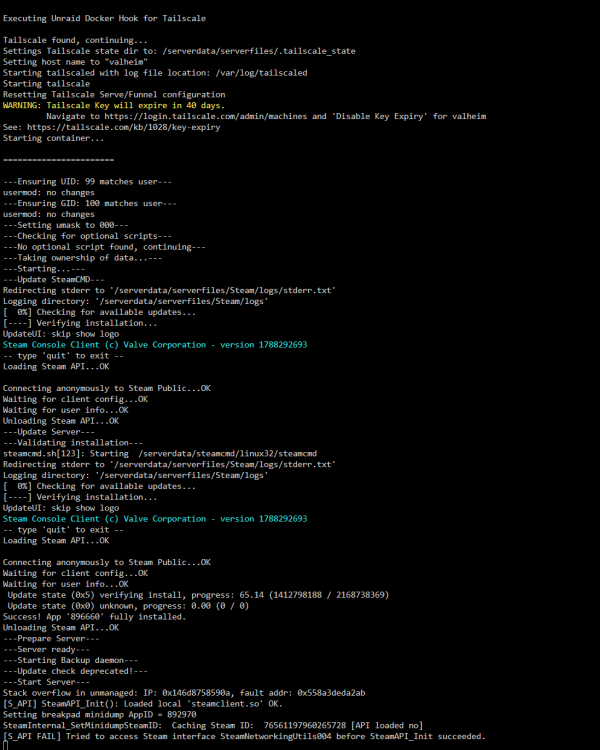
As of today, my Valheim connection issues have returned. Logs are still showing the line beginning with "Stack overflow in unmanaged..." Very bizarre, for my server to go from being unable to connect, to working fine for several days, then back to being unable to connect again.
-
Thanks for the help! I do need to spend more time learning more about how shares and the mover works on Unraid, as well as generally how to work with the filesystem structure on Linux. I'll edit my post to reflect your advice so that future readers don't unintentionally lose data.
-
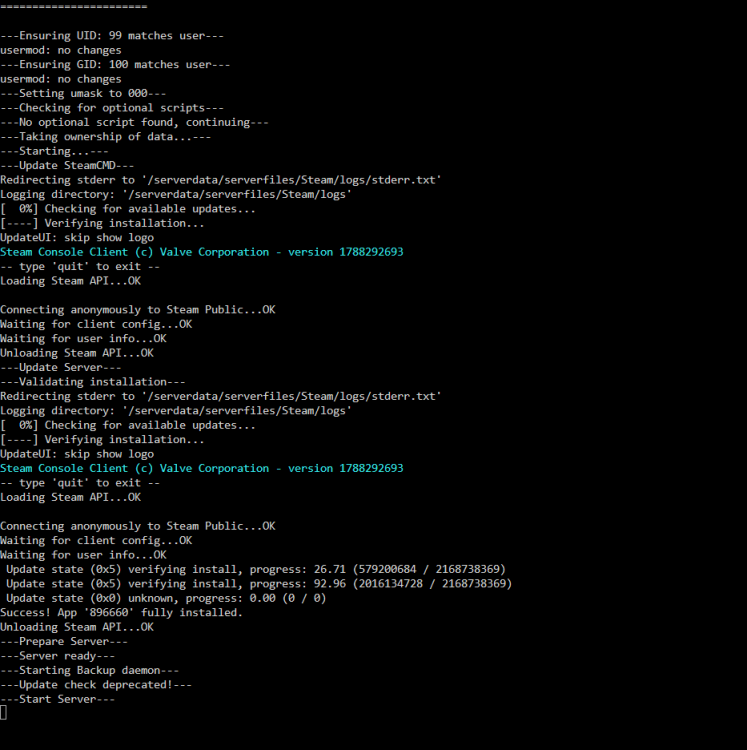
Update from my post yesterday re: being unable to connect to my Valheim server. Without changing anything since I last tried troubleshooting yesterday without success (see my earlier post for details), I am now able to connect. However, the server that we've been playing on all week seems to be deleted; I loaded into a brand new server. (ouch). The only thing that I did, which I am clueless whether it had any impact, was in Undraid under Settings, then Tailscale, then Status tab, I clicked "Ping" beside the line entry for my Valheim server. Before I clicked ping, the server status was listed as Idle. It immediately established a connection and changed to Active, showing a Direct connection. The status returned to Idle fairly shortly after I logged out of the server. Here are my logs from today, after I successfully logged into the server. I had the foresight to copy + paste everything I could find stored under /mnt/cache/appdata/valheim to my windows PC yesterday, so hopefully I can restore the server and not lose out on a half dozen or so hours of game progress. I did notice that the most recent tar.gz files (someone please correct me if these are not the server backup files) had been saved Sept 13th, despite us playing on the server up until Sept 15th. I'm not sure what to make of that. edit: the tar.gz files were NOT on mnt/cache, I found them under mtn/user/appdata/valheim. I have just discovered a whole bunch of files in /mnt/cache/appdata/valheim/.config/unity3d/IronGate/Valheim that look like backups to my non-tech-savvy eye. These files date back months. Now I'm unsure how to go about moving any files to restore the server we were playing on earlier this week. If anyone could offer some suggestions I would greatly appreciate it! edit 2: we're back! Successfully restored the world we were playing on earlier this week. For anyone who stumbles across this in the future, and is a Linux/Unraid newbie like me, here's what I did: Stop all docker containers. Disable docker in settings. Open terminal, type mc then hit enter to open midnight commander. Find where your server files are backed up to (for me, it was /mnt/user/appdata/valheim/.config/unity3d/IronGate/Valheim). Copy those files to where Valheim files are stored on your cache (for me, identical path as above but /mnt/cache instead of /mnt/user). In my case, I had some backup files that were created AFTER my server was wiped and a new server was created (just today), so I deleted those files. Just use the date/timestamps as your guide. Hope this can help someone! edit 3: per the reply from @altrusimo below, the above steps could cause data loss and are not the recommended way to go about things. See their post for more details, as well as the post from @MrBeardSmith below for a simpler way to have your backups set up.
-
I think I am having the same issue that Squanky described. My logs also have the line that starts with "Stack overflow in unmanaged: When I try to connect to the server I get a few seconds of the game trying to connect, then get booted back to the main menu without a password box ever popping up. I reset my Valheim server after the 1.0 launch and have been playing on the server with a few friends without issue until today (it was working fine just yesterday). We are all connecting via Tailscale. I'm currently in the process of updating from Unraid 7.2.4 to 7.3.2 since that worked for Squanky, will report back with results of that. Appreciate that you're still active on these forums and helping us folks troubleshoot, ich777! edit: Updating to Unraid 7.3.2 didn't fix things. I also stopped the Valheim container, deleted the steamapps folder, started the container again, as you suggested earlier. That didn't seem to help either. Not sure if this will help or not, but here are what my logs look like when I try to connect to the server. I've noticed that the logs window auto-closes itself after my game has tried to connect to the server and failed, is that normal behaviour? I'm managing things via remote access on my windows PC using the Unraid webGUI.

View in the app
A better way to browse. Learn more.


