Skip to content
View in the app

A better way to browse. Learn more.

Unraid

A full-screen app on your home screen with push notifications, badges and more.

To install this app on iOS and iPadOS
  1. Tap the Share icon in Safari
  2. Scroll the menu and tap Add to Home Screen.
  3. Tap Add in the top-right corner.
To install this app on Android
  1. Tap the 3-dot menu (⋮) in the top-right corner of the browser.
  2. Tap Add to Home screen or Install app.
  3. Confirm by tapping Install.

rolsch

Members
  • Joined

  • Last visited

Everything posted by rolsch

  1. rolsch replied to rolsch's topic in Deutsch
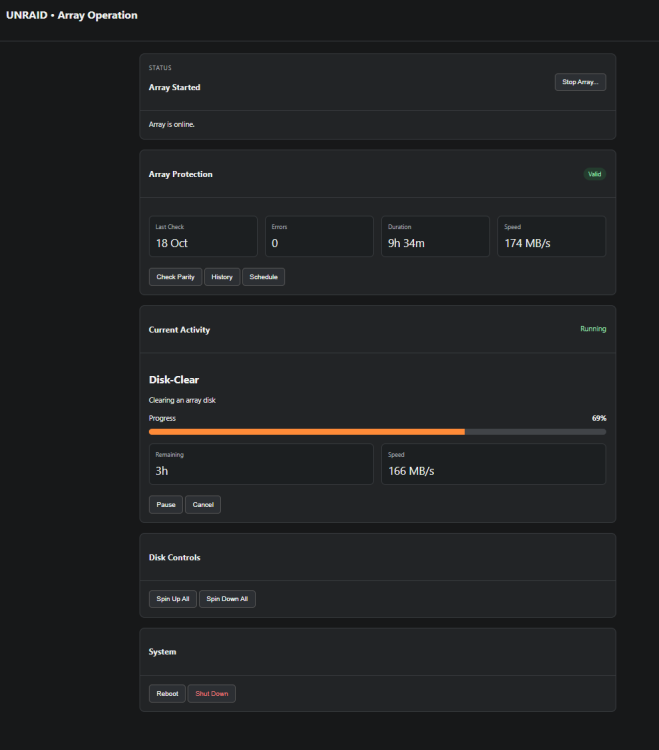
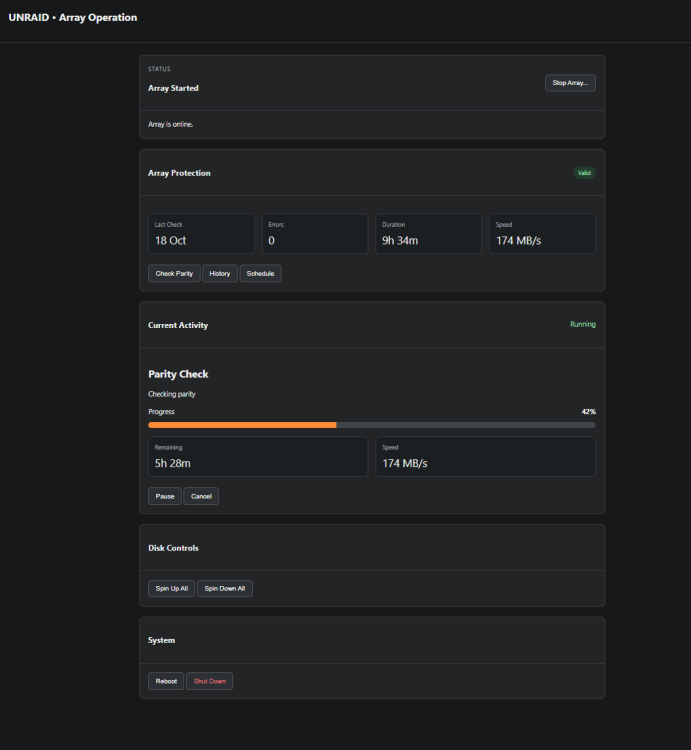
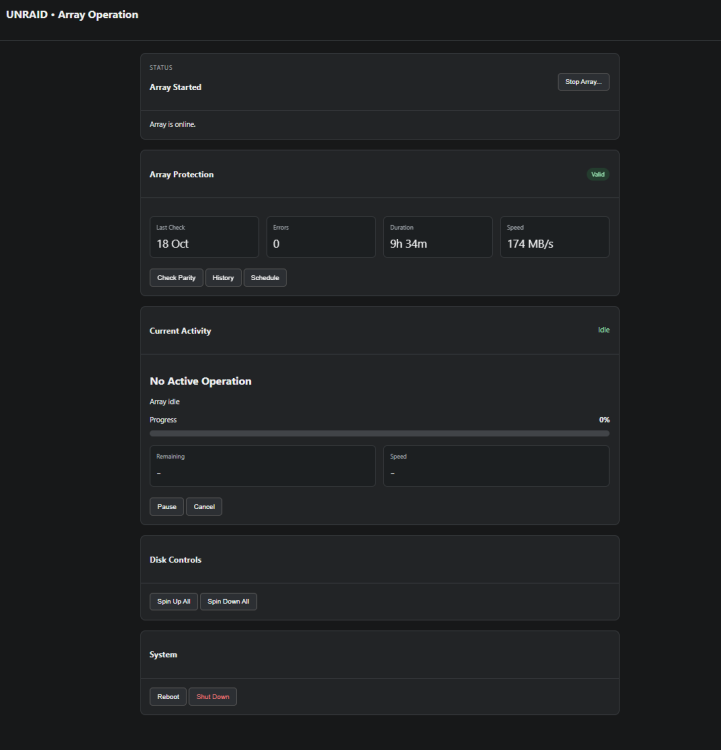
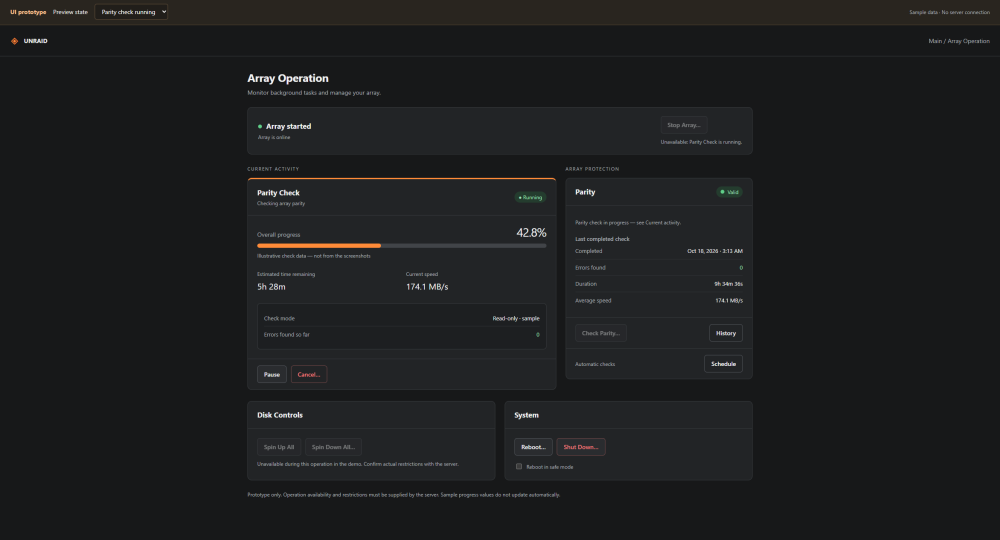
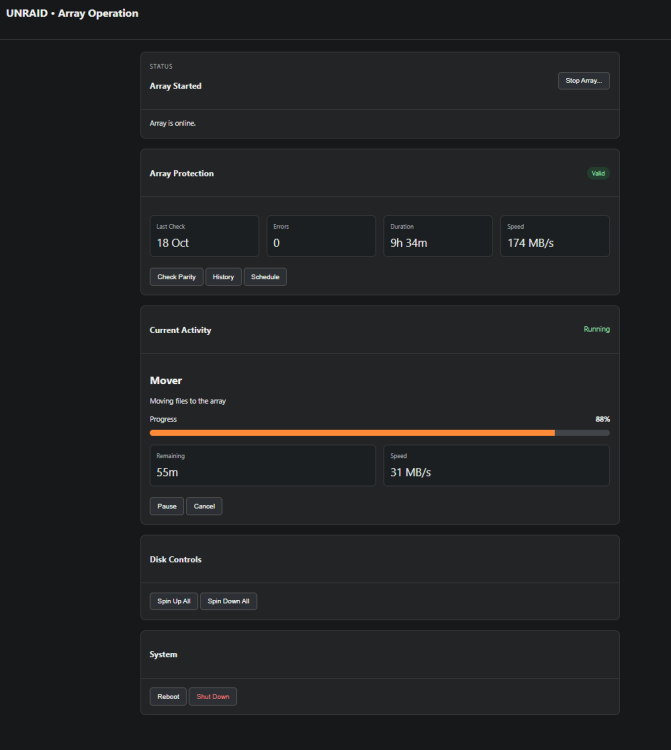
    Danke für die Antworten bzw. Rückfragen. Ganz grob stelle ich mir diese Sektion so vor. - hier bei Mover fehlt noch die Info zum Dateitransfer...
  2. rolsch posted a topic in Deutsch
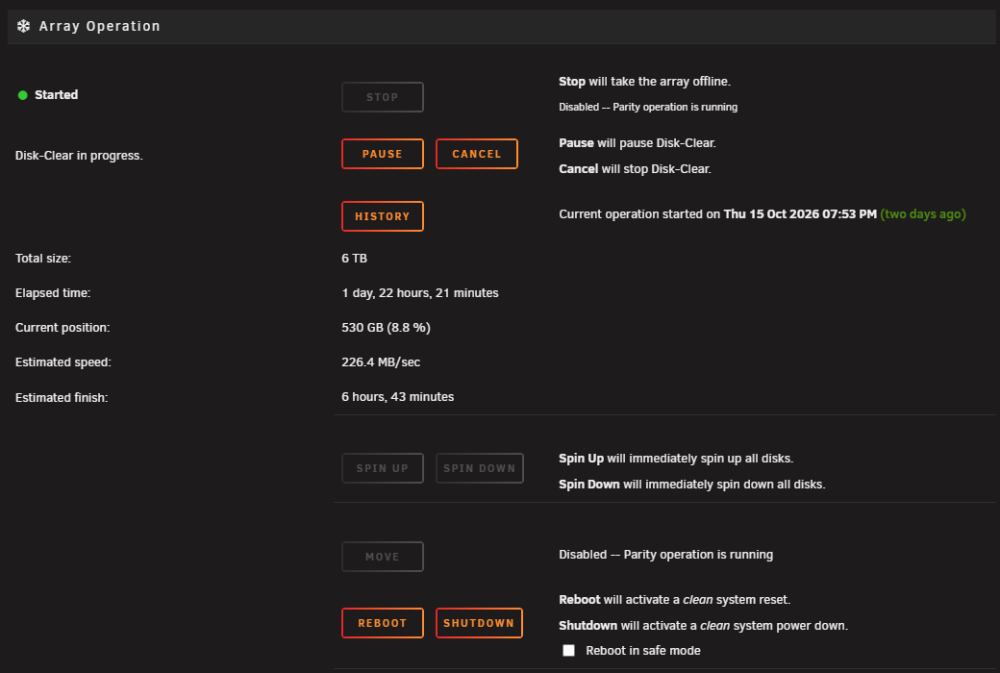
    Hallo zusammen. Frage eines UNRAID-Noob zum WebUI->Main, Rubrik "Array Operation": Ist diese Ansicht so gewollt? Ich finde die gegenüber den anderen Rubriken seeehr unübersichtlich. Man muss erstmal genau schauen was wohin gehört, die Zuordnung finde ich sehr schlecht dargestellt...?
Account

Navigation

Search

Search

Configure browser push notifications

Chrome (Android)
  1. Tap the lock icon next to the address bar.
  2. Tap Permissions → Notifications.
  3. Adjust your preference.
Chrome (Desktop)
  1. Click the padlock icon in the address bar.
  2. Select Site settings.
  3. Find Notifications and adjust your preference.