joelones
Members
-
Joined
-
Last visited
Everything posted by joelones
-
Thoughts here? I've upgrade from Kypton to Leia and cannot reliably get the kodi headless to update the db via json rpc VideoLibrary.scan method anymore. I have the advancedsettings.xml that was posted earlier in this thread and a passwords.xml that has credential information for the smb path/username/password. From what I remember the initial sources were configure with another client and then subsequent updates commands would work with this headless docker, it no longer works. I just setup all my other clients to Leia and noticed that I had to change the smb max version to v3 to get them to access unRAID smb shares. Like so: <setting id="smb.maxprotocol">3</setting> <setting id="smb.minprotocol" default="true">0</setting> Of course this was done via the GUI. Not sure if this has to be on this headless as well. I know it's in guisettings.xml but every time I try to change to the above on headless it reverts back to: <setting id="smb.maxprotocol" default="true">3</setting> <setting id="smb.minprotocol" default="true">0</setting> Even if I stop the docker, edit and restart. Odd...
-
@bastl So I updated to 6.8 stable and decided to try this workaround. I did try the Skylake emulation for my AMD FX8320 and it didn't quite seem to like it very much and gave an unsupported CPU error when I tried to start the VM. I guess my CPU is either too old or lacks the instructions to emulate Skylake properly. Maybe I need to model an older Intel CPU, like Sandybridge or something?? I know my model is a Opteron_G5. I had no choice but to opt for Emulated QEMU64 mode, hopefully the lack of AES-NI won't impact overall CPU performance with respect to VPN usage. EDIT: I seem to have gotten pfSense to boot with AES-NI on my AMD wit this: <cpu mode='custom' match='exact' check='full'> <model fallback='forbid'>Opteron_G5</model> <vendor>AMD</vendor> <feature policy='require' name='vme'/> <feature policy='require' name='x2apic'/> <feature policy='require' name='tsc-deadline'/> <feature policy='require' name='hypervisor'/> <feature policy='require' name='arat'/> <feature policy='require' name='tsc_adjust'/> <feature policy='require' name='bmi1'/> <feature policy='require' name='mmxext'/> <feature policy='require' name='fxsr_opt'/> <feature policy='require' name='cmp_legacy'/> <feature policy='require' name='cr8legacy'/> <feature policy='require' name='osvw'/> <feature policy='disable' name='rdtscp'/> <feature policy='disable' name='svm'/> </cpu>
-
Ok thanks. I may just wait for 6.9 at this point knowing that we'll have to upgrade back to the v5 kernel anyway. Hopefully the GSO bug is squashed as well, but this is definitely a viable option at this point thanks to your testing.
-
@bastl well done! I'm assuming the "Intel Skylake CPU" option is the way to go to keep AES-NI compatibility? Any downside to that? I'm on a rather old AMD FX8320 CPU.
-
Experiencing the same...
-
I did a memtest and also swapped the dimms with 4 known working ones, same issue. Further info:
-
Yeah I think it was. Thanks.
-
With the recent update, I'm seeing this: *** Running /etc/my_init.d/20_apt_update.sh... Err:1 http://ppa.launchpad.net/iconnor/zoneminder-1.32/ubuntu xenial InRelease Could not connect to ppa.launchpad.net:80 (91.189.95.83), connection timed out Err:2 http://ppa.launchpad.net/ondrej/php/ubuntu xenial InRelease Unable to connect to ppa.launchpad.net:http:
-
Memtest on an already stable system with older kernel? I've been on 6.5.3 for years without issues and reverted back and it's stable.
-
Just tried to upgrade tpo 6.7.2 and I'm experiencing hard random crashes (system unresponsive & always within first 5minutes of boot) and tried to tail the syslog to catch culprit, to no avail. Running the libreELEC dvb build along with two VMs (passing in a quad card NIC to pfsense). I tried setting "PCIe ACS override: to both" from Downstream, previous setting on 6.5.3 was set to "Yes". Has been rock stable on 6.5.3. I'm running an old AMD FX8320 cpu and ASRock 970 EXTREME4 motherboard. No further BIOS updates for this mobo since 2015. This is my append: append vfio-pci.ids=1b73:1100 pcie_acs_override=downstream initrd=/bzroot The pci.ids correspond to the NIC, and I've also got a WinTV HVR-1600, card which I'm not passing through. Any thoughts here? Wait for v5 of the kernel or end of life for this mobo/cpu?
-
@gridrunnerThanks for this guide. Well done! A couple of comments though. Firstly, I'm not totally keen on the idea of port forwarding directly to my unRAID box's IP address. Shouldn't we worry about this? As such I tried to put nextcloud on it's own IP address via the br0 bridge and continued along with the guide and it did not work. I ran into errors about nginx not being able to resolve the nextcloud docker or something similar. I later realized it probably had something to due with the inherent restriction that docker has when you attempt to have a Docker container trying to talk to its own host, since this is considered a security breach. I'm not sure there's a real way around this restriction here? In any case, I know you can install letsencrypt on pfSense, and I'd love to see a pfSense, letsencrypt and haproxy guide as this particular setup is above my pay grade, so to speak...
-
Thanks, yeah seems to work with external storage. I simply added a new host path to the docker and then added a local external storage setting to that host path.
-
I haven't read the previous 60 some odd pages, and not sure if it's been answered, is there some way to add symlink outside of the /data folder, say another share? My gut feeling is no but just wanted to ask.
-
Have others experienced this sort of issue: Couldn't download media cover for [76119][NOVA]: HttpCurl method HEAD not supported System.NotSupportedException: HttpCurl method HEAD not supported at NzbDrone.Common.Http.Dispatchers.CurlHttpDispatcher.GetResponse (NzbDrone.Common.Http.HttpRequest request, System.Net.CookieContainer cookies) [0x000d6] in <8faeb593f49341d6a7a6d2c3c281887c>:0 at NzbDrone.Common.Http.Dispatchers.FallbackHttpDispatcher.GetResponse (NzbDrone.Common.Http.HttpRequest request, System.Net.CookieContainer cookies) [0x00097] in <8faeb593f49341d6a7a6d2c3c281887c>:0 at NzbDrone.Common.Http.HttpClient.ExecuteRequest (NzbDrone.Common.Http.HttpRequest request, System.Net.CookieContainer cookieContainer) [0x0007e] in <8faeb593f49341d6a7a6d2c3c281887c>:0 at NzbDrone.Common.Http.HttpClient.Execute (NzbDrone.Common.Http.HttpRequest request) [0x00008] in <8faeb593f49341d6a7a6d2c3c281887c>:0 at NzbDrone.Common.Http.HttpClient.Head (NzbDrone.Common.Http.HttpRequest request) [0x00007] in <8faeb593f49341d6a7a6d2c3c281887c>:0 at NzbDrone.Core.MediaCover.CoverAlreadyExistsSpecification.AlreadyExists (System.String url, System.String path) [0x0001d] in <f8c4a2c9e6194b509efc6018724d76df>:0 at NzbDrone.Core.MediaCover.MediaCoverService.EnsureCovers (NzbDrone.Core.Tv.Series series) [0x00044] in <f8c4a2c9e6194b509efc6018724d76df>:0 At first I thought it had something to do with sonarr being behind a VPN or something. But I did a random wget from within the docker to the thetvdb and it seems to download jpg fine. Thoughts?
-
Seeing this as well.
-
@gridrunner Thanks for the info.
-
I can also confirm this behavior and I'm also removing the extra paths except /media.
-
@gridrunner I noticed in your video you mentioned something about sending a WOL packet to your backup pfSense box to initiate a startup when your VM switches off. Do you mind sharing how you implemented this solution? Don't you have to shutdown your backup pfSense in such a way that keeps the NIC powered so that you can send a WOL packet when you need to wake it up? I also have some other questions and posted it in the general support Thanks.
-
@JTok Tried the new version of the script, appears it finished with another error due to a log file, although I believe it did its thing? drwxrwxrwx 1 nobody users 120 Apr 11 11:29 ../ -rw-rw-rw- 1 root root 4380 Apr 11 11:34 20180411_1129_unraid-vmbackup.log -rw-rw-rw- 1 root root 4380 Apr 11 11:34 20180411_1129_unraid-vmbackup_error.log root@Tower:/mnt/user/backup/domains# I was left with a single zipped tarball within the backup directory. Also, decompressing the backup reveals that it recreates the complete backup path as specified in the script variable, (mnt/user/backup/domains/srv-ubuntu/,... in my case). Not sure that was intended or not? Shouldn't it simply decompress the files without the whole path? total size is 131,072 speedup is 1.00 2018-04-11 11:29 information: backup of srv-ubuntu nvram to /mnt/user/backup/domains/srv-ubuntu/20180411_1129_bab60192-5d43-b8df-1be5-a7a9c7ab6c7f_VARS-pure-efi.fd complete. '/mnt/user/kvm/domains/srv-ubuntu/vdisk1.img' -> '/mnt/user/backup/domains/srv-ubuntu/20180411_1129_vdisk1.img' 2018-04-11 11:30 information: backup of vdisk1.img vdisk to /mnt/user/backup/domains/srv-ubuntu/20180411_1129_vdisk1.img complete. 2018-04-11 11:30 warning: /mnt/user/kvm/isos/mini.iso of srv-ubuntu is not a vdisk. skipping. 2018-04-11 11:30 information: vm_original_state is shut off. not starting srv-ubuntu. 2018-04-11 11:30 information: started creating new tarball. tar: Removing leading `/' from member names /mnt/user/backup/domains/srv-ubuntu/20180411_1129_srv-ubuntu.xml tar: Removing leading `/' from hard link targets /mnt/user/backup/domains/srv-ubuntu/20180411_1129_bab60192-5d43-b8df-1be5-a7a9c7ab6c7f_VARS-pure-efi.fd /mnt/user/backup/domains/srv-ubuntu/20180411_1129_vdisk1.img tar: /mnt/user/backup/domains/srv-ubuntu/*.qcow2: Cannot stat: No such file or directory tar: Exiting with failure status due to previous errors 2018-04-11 11:34 information: finished creating new tarball. removed '/mnt/user/backup/domains/srv-ubuntu/20180411_1129_srv-ubuntu.xml' removed '/mnt/user/backup/domains/srv-ubuntu/20180411_1129_bab60192-5d43-b8df-1be5-a7a9c7ab6c7f_VARS-pure-efi.fd' removed '/mnt/user/backup/domains/srv-ubuntu/20180411_1129_vdisk1.img' 2018-04-11 11:34 information: removing xml, nvram, and image files after tarball. 2018-04-11 11:34 information: backup of srv-ubuntu to /mnt/user/backup/domains/srv-ubuntu completed. 2018-04-11 11:34 information: nubmer of days to keep backups set to indefinitely. 2018-04-11 11:34 information: number of backups to keep set to infinite. 2018-04-11 11:34 information: finished attempt to backup srv-ubuntu to /mnt/user/backup/domains. 2018-04-11 11:34 information: cleaning out logs over 1. 2018-04-11 11:34 information: cleaning out error logs over 10. find: `/mnt/user/backup/domains/logs/*unraid-vmbackup_error.log': No such file or directory 2018-04-11 11:34 warning: errors found. creating error log file. sending incremental file list 20180411_1129_unraid-vmbackup.log sent 4,454 bytes received 35 bytes 8,978.00 bytes/sec total size is 4,336 speedup is 0.97 2018-04-11 11:34 Stop logging to log file. 2018-04-11 11:34 Stop logging to log file. Script Finished Wed, 11 Apr 2018 11:34:59 -0400
-
Great script. Thoughts on why the script bailed on me, seems like it can't fine the log file. 2018-03-23 15:03 information: number_of_error_log_files_to_keep is 10. this is probably a sufficient error number of log files to keep. 2018-03-23 15:03 information: started attempt to backup srv-ubuntu to /mnt/user/backup/domains 2018-03-23 15:03 information: srv-ubuntu can be found on the system. attempting backup. 2018-03-23 15:03 action: /mnt/user/backup/domains/srv-ubuntu does not exist. creating it. mkdir: created directory '/mnt/user/backup/domains/srv-ubuntu' 2018-03-23 15:03 information: srv-ubuntu is shut off. can_backup_vm set to y 2018-03-23 15:03 action: can_backup_vm flag is y. starting backup of srv-ubuntu xml configuration and vdisk(s). 2018-03-23 15:03 action: actually_copy_files is 1. sending incremental file list srv-ubuntu.xml sent 5,479 bytes received 35 bytes 11,028.00 bytes/sec total size is 5,379 speedup is 0.98 2018-03-23 15:03 information: backup of srv-ubuntu xml configuration to /mnt/user/backup/domains/srv-ubuntu/20180323_1503_srv-ubuntu.xml complete. 2018-03-23 15:03 action: actually_copy_files is 1. '/mnt/user/kvm/domains/srv-ubuntu/vdisk1.img' -> '/mnt/user/backup/domains/srv-ubuntu/20180323_1503_vdisk1.img' 2018-03-23 15:04 information: backup of vdisk1.img vdisk to /mnt/user/backup/domains/srv-ubuntu/20180323_1503_vdisk1.img complete. 2018-03-23 15:04 warning: /mnt/user/kvm/isos/mini.iso of srv-ubuntu is not a vdisk. skipping. 2018-03-23 15:04 information: vm_original_state is shut off. not starting srv-ubuntu. tar: Removing leading `/' from member names tar: /mnt/user/backup/domains/srv-ubuntu/*.{xml,img,qcow2}: Cannot stat: No such file or directory tar: Exiting with failure status due to previous errors 2018-03-23 15:04 information: backup of srv-ubuntu to /mnt/user/backup/domains/srv-ubuntu completed. 2018-03-23 15:04 information: nubmer of days to keep backups set to indefinitely. 2018-03-23 15:04 information: cleaning out backups over 1 in location /mnt/user/backup/domains/srv-ubuntu/ ls: cannot access '/mnt/user/backup/domains/srv-ubuntu/*.qcow2': No such file or directory 2018-03-23 15:04 information: finished attempt to backup srv-ubuntu to /mnt/user/backup/domains. 2018-03-23 15:04 information: cleaning out logs over 1. 2018-03-23 15:04 information: cleaning out error logs over 10. ls: cannot access '/mnt/user/backup/domains/logs/*unraid-vmbackup_error.log': No such file or directory 2018-03-23 15:04 warning: errors found. creating error log file. sending incremental file list 20180323_1503_unraid-vmbackup.log sent 3,951 bytes received 35 bytes 7,972.00 bytes/sec total size is 3,832 speedup is 0.96 Script Finished Fri, 23 Mar 2018 15:04:08 -0400 Full logs for this script are available at /tmp/user.scripts/tmpScripts/unraid-vmbackup/log.txt # ls -al /mnt/user/backup/domains/logs/ total 8 drwxrwxrwx 1 root root 106 Mar 23 15:04 ./ drwxrwxrwx 1 root root 74 Mar 23 15:03 ../ -rw-rw-rw- 1 root root 3832 Mar 23 15:04 20180323_1503_unraid-vmbackup.log -rw-rw-rw- 1 root root 3832 Mar 23 15:04 20180323_1503_unraid-vmbackup_error.log # ls -al /mnt/user/backup/domains/srv-ubuntu total 3533176 drwxrwxrwx 1 root root 129 Mar 23 15:04 ./ drwxrwxrwx 1 root root 74 Mar 23 15:03 ../ -rw-rw-rw- 1 root root 45 Mar 23 15:04 20180323_1503_srv-ubuntu.tar.gz -rw-rw-rw- 1 root root 5379 Mar 23 15:03 20180323_1503_srv-ubuntu.xml -rwxrwxrwx 1 root root 10737418240 Mar 23 15:04 20180323_1503_vdisk1.img*
-
Trying to enable the extra as per @gridrunner post on my FX8320, +aes seems ok but +avx causes a kernel panic on boot up. lscpu | grep Flags Flags: fpu vme de pse tsc msr pae mce cx8 apic sep mtrr pge mca cmov pat pse36 clflush mmx fxsr sse sse2 ht syscall nx mmxext fxsr_opt pdpe1gb rdtscp lm constant_tsc rep_good nopl nonstop_tsc cpuid extd_apicid aperfmperf pni pclmulqdq monitor ssse3 fma cx16 sse4_1 sse4_2 popcnt aes xsave avx f16c lahf_lm cmp_legacy svm extapic cr8_legacy abm sse4a misalignsse 3dnowprefetch osvw ibs xop skinit wdt lwp fma4 tce nodeid_msr tbm topoext perfctr_core perfctr_nb cpb hw_pstate vmmcall bmi1 arat npt lbrv svm_lock nrip_save tsc_scale vmcb_clean flushbyasid decodeassists pausefilter pfthreshold
-
I don't do it that way. I put external DNS' under General Setup and then use firewall rules to block via the blacklists. Sites that are blocked are resolved to 10.10.10.1 and show a 1x1 pixel when tried via a browser.
-
That's the Virtual IP for the DNS blocker DNSBL portion of the pfBlockerNG package. I'm not exactly sure why you put 10.10.10.1 under General Setup, I always thought you'd have to put an external DNS server there which is will be used by the pfSense box.
-
I realize that has little to do with the docker, but more with plugins. I'm using the "Copy Completed" plugin and I notice that my settings tend to revert after X amount of time. Perhaps someone has a thought. The config file below has the following permissions. Has anyone noticed your settings not sticking?
-
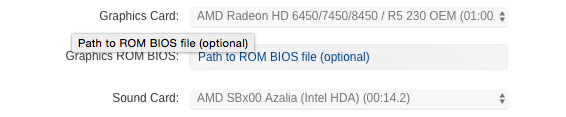
Any thoughts on onboard audio to get working? IOMMU group 10 [RESET] 00:14.2 Audio device [0403]: Advanced Micro Devices, Inc. [AMD/ATI] SBx00 Azalia (Intel HDA) [1002:4383] (rev 40) IOMMU group 0 I believe my board has the ALC892, I tried toledo's audio_CloverALC but got the follow: Error: no IOReg/HDEF; BIOS/audio/disabled or ACPI problem