





NLS
Members
-
Joined
-
Last visited
Everything posted by NLS
-
Can you point me to how? Also can you point me on any documentation of why this would be a problem with wireguard? (my router does have it's own VPN features, including wireguard, so I might not use this UNRAID feature). BTW I might (and probably have) always had this issue without knowing it. My previous router, was able to manage distinct DNS entries depending on domain (a feature I was using), so probably was used by UNRAID but then transparently still used my own DNS - because my router queried it instead of UNRAID. So I didn't see the problem. The current router (as stupid AVM Fritz by my ISP), cannot do that, cannot even set two DNS in its own DHCP.
-
..it stopped after 10 minutes of trying to stop it (!?). I stopped array, shutdown, moved cables again, rebooted. Now disk shows fine, like it was never removed. I started in maintenance mode without the original ex-disabled disk. Stopped again and added it back. It started rebuilding it from the beggining, with fine reads from all disks and write to the ex-disabled. So, assuming that the above problem, didn't write-back to parity anything (how could it, after all), I probably fixed it. The rebuild is slow because now I was forced to use some of my (deteriorating?) SATA controllers' ports and a couple of on-board SATA ports - but at least if NOTHING else happens (I have disabled mover too for now), I will be back to fully working and protected order in a few days. I expect the last remaining issues to be resolved with the arrival of my new-to-me 9400 16i controller that will take over the ageing dual LSI 2008 compatible controllers. Wish me luck. For whoever read about my Odyssey over 4-5 different threads (for different issues), I think you will do it. Remaining issue (aside from above waiting to be ticked "ok"), is the docker DNS issue I now have (has its own thread).
-
(seems I will monopolize UNRAID support with my system - a system that worked fine for years) So after reaching a "looking stable" state in my UNRAID (you can see other threads of my odyssey), where I have a system that looks like it is notrebooting, has a valid parity, 10 valid data disks and a disk that has been disabled... I decided I will do the proper thing (since the disabled disk was fine and a result of my other issues, to rebuild that (very important) disk, by "removing" it and re-adding it and letting system rebuild it (over the correct data) from the other disks. And a new thing happened! One OTHER disk (that was not part of any of the previous issues), started having thousands of read errors! I suspect cable again, but whatever I suspect I cannot try. Because it DOES NOT cancel my data rebuild! I clicked 4-5 times already, it pops that it will stop data-rebuild, yet IT DOESN'T STOP!!! Rebuild shows like it will take 2.5 years (estimated finish) and I am left without a way out!!! What can I do!? Why doesn't it stop!? With disk's read errors it has messed the rebuild already? How can I stop it, check the disk (cables etc.) and re-start the rebuild!? This is an unbelievable mess!
-
In my UNRAID network setup, I have defined three DNS servers: 1) My own - Which is a technetium docker within UNRAID, accessible fine by everybody (other PC use it fine for resolution and I can access its web interface), set in its own IP, as the docker is defined to use "br0" network. 2) My router. 3) 8.8.8.8 (as a fall back) Seeing UNRAID's /etc/resolv.conf indeed shows those three IP. When I try to ping addresses that are defined in my internal DNS, it doesn't resolve them. Using nslookup, I find that it uses my router as DNS! What is wrong? Note that from within UNRAID console my own DNS does NOT respond to ping, while from my PC it does. UNRAID cannot access its own docker network? (I verified with a second docket that uses br0 and own IP... pingable from my PC, not pingable from UNRAID that hosts it)
-
Yeah thought of making this its own topic, because the original had so many issues opened and closed, that even for the furure search of a user, it wouldn't help them.
-
One more thing @itimpi please. Assuming I do new config (retaining the assignments) and then start it with "parity is valid" and then doing a parity check without writing back corrections. In case I DO find issues (discrepancy between parity and data), is there a way to control what corrects what? (parity to data vs data to parity)
-
Yes I plan to do a parity check of course (I do every month anyway), but I am considering for once to not allow it to make fixes, just report problems. OK thanks for this.
-
I know (and have done before) that if you enable a disk that you know works, the proper process is to remove it and re-add it and let it rebuild. But I want to NOT rebuild and instead just re-use it. Is there a way to do that? Maybe by disabling parity, enabling the other disk and then (assuming UNRAID accepts it again as part of the array), re-enable the parity? Or maybe by doing the "normal" process but somehow just make parity check and not write back? Any idea? Why I want to do that: Not only I trust the disabled disk and existing data, but actually I am afraid that other events (like temp issues with other disks) may ruin disk's content instead of building it.
-
OK new update. Someone up there really hates me. Got new (old) mobo and CPU someone was selling as a set. A Colorful Z690 Gaming Pro. Had two PCIe x16 and it includes onboard 2.5Gbit LAN. CPU is intel 12600. After fighting the Chinese mobo to update firmware (it needed update using efi shell, because of some major changes), fighting mobo to see all my RAM, fighting mobo for various things AND AGAIN having to choose booting from legacy mode (which makes me believe the issue with UEFI boot IS UNRAID after all, but I don't care right now)... also loosing the initial boot menu (for some reason Colorful doesn't show at all the initial boot steps (leading to believe it doesn't do anything) and only shows UNRAID booting after the scren mode change. Anyway, I boot, I reach the GUI, login and immediately see these issue, old and new: 1- My disk 1 is disabled (this was from previous attempts to fix my freezing... something caused it to "disable" although I am 99.99% sure the disk is fine. 2- It doesn't see the 2.5Gbit network at all. The leds light up, I see my switch detecting 2.5Gbit, but no traffic. Which is weird because it is intel on-board NIC. Unfortunately this mobo doesn't have another PCIe slot capable to host my 10Gbit PCIe card. So I am left with this (unsupported???) on-board NIC, until my single SATA controller arrives that can replaces the two SATA controllers I use now. Which is weeks from now. 3- My disk 7, is identified ok, understands it is xfs, but shows as "unmountable"!!! I tried reconnecting the cables to it, no change. ...at least I had GUI. Notice the tense. HAD. So since network was not identified, I thought of deleting /config/network.cfg yes? (I renamed it not deleted it) Well after reboot, I never saw web GUI again. UNRAID boots, I can login the graphical interface (locally on server), but the web page NEVER starts. System did create new network.cfg (as I see from the console), but no web interface at all and I suspect no network either. So, a) How can I help UNRAID detect this on-board NIC? (which is intel with an older but not too old chipset, which should be supported by the kernel) b) Will this give my web interface back? c) What to do to diagnose my disk 7, maybe fix xfs errors? d) How can I re-enable disk 1 without rebuilding it? (remember disk 1 99.99% sure data are ok AND with disk 7 problem I cannot rebuild from parity anyway) Maybe I should disable parity, "accept" somehow disks with the data they have (and probably repair disk 7) and then rebuild parity from data? (instead of data from parity) Help??? EDIT: Reverting to old network.cfg, I can have my web interface back (locally), but no network. At least with the GUI I might help you to help me more... Also I notice that MAC address is empty. So I guess the NIC is not detected at all??? EDIT 2: Network works now! After forcing it to update some things by disabling bonding and re-enabling it, seems to have fixed this. So now we remain with c and d above. Plus now (let's call it "e") my disk 10 is missing. I will shuffle the cables again to see. DAMN. I will probably need to wait for new controller (and cables that come with it) and start array from scratch. EDIT 3: OK shuffling the cables (pending full replacement) fixed both "e" and "c". So I MIGHT rebuild disk 1 after all IF server proves stable. But since I trust the data in disk 1, I wonder if there is a way to enable that disk and NOT rebuild it. Is there a way? Maybe removing parity from config? Can someone with more experience in this point to the steps to verify?
-
Well the only things untouched, are: - The two SATA controllers. I ordered another to swap both with a single stronger one. Will take a few weeks to get. Also this replaces SATA cables, as it uses different port (card side). - Motheboard. - CPU. - Disks, M.2 cache. I DO NOT plan to change or blame those. I am close to getting a used mobo + CPU of similar specs but different make. From 5600G to i7 12600.
-
I'll wake this up when I get the card.
-
...follow up. Did the setting to protect me from Ryzen bug. No go. Same issue. Then I removed the 10Gbit NIC that I thought could be the culprit after all. And I indeed looked like it was. I booted the server and had enough time switch my UNRAID network to the old on-board 1Gbit NIC. Seemed to work. I even managed to update my VM (which is NethServer 8). Not my plugins though. Nor I did anything to re-enable my 18TB disk that got disabled, until system indeed showed stable for hours. A wise choice. Because then... it suddenly rebooted. So we are officially back to "something else". Only motherboard/CPU are the old ones. SATA controllers too, although I am waiting for another. But also could be software as other OS seem to trigger it and other not. And all this on software and hardware I've used for months to years. This is crazy. EDIT: Pending to re-enable syslog and see if it manager to write anything. If I have time to enable it, that is. Also, waiting for controllers. Maybe I'll get some mid range intel CPU and mobo. Then nothing really remains, it should work. The only thing I cannot really change (and don't see them as problem) are the actual disks.
-
Thanks for the info. I thought 9400 needs EFI shell flashing. I remember my old controllers, needed flashing in DOS environment and I had an issue with newer OS that didn't allow unrestricted access to hardware. So which is the definite guide to flash the 9400?
-
Thank you for elaborate reply. I know about IR mode and IT mode, I don't know what "tri-mode" that it claims is. My UNRAID has 12 SATA3 disks. Will it make a difference to flash non-NVMe enabled firmware? In any case I ordered an open-box "IT" one, so there is a good chance it won't need any flashing.
-
Actually no, I haven't. Will read now. Thing is, my system was running with this CPU for maybe a couple of years.
-
...and then I tried another Windows live build (MediCat VHD)... Windows 11 and this also saw all my devices including the 10Gbit network card that I was leaning on blaming after the above... AND IT WORKS! I am now at 100 minutes without crash. I really don't know what to think.
-
Will do as requested, but thing is I've done it before (when the crashes were more rare) and it wrote nothing out of the ordinary. It just stopped in its tracks. In other news, other tests I did since last post: - WinPE never crashed. It did detect my disks (so controller drivers were installed), but my Marvel 10Gbit was not detected. (I mention this why, read below) - memtest86, was fine for 4 passes, at least 8 hours tonight. I stopped it. - Today I booted Hiren's BootCD (which is among my many diagnostic tools). I wanted to try one more Windows boot, before trying various Linux live images. IT JUST CRASHED after a few minutes. Next time it rebooted after a minute. Now it froze again! Only difference I can think (but could be others) with the simple WinPE I tried before... my Marvel 10Gbit was detected and used. Hmmm...
-
Guys I am planning to swap my two older "SAS2 2008" compatible cards (supporting 8 disks each), with a single of those 9400-16i ones. My old ones where flashed to "IT firmware", but I don't even remember why. JBOD was not working without it? In any case, questions: 1) If someone has made such a move, are those 9400-16i faster than what I have? (because really my disk access was never great) 2) Why I need to flash them? What is wrong with the "tri-mode" firmware they have? (yeah it's been years since I last dwelved in this) 3a) Reading the last post above, if I need NVMe support (I don't), the compatible firmware is a bit slower? 3b) NVMe, meaning SSD storage on SATA bus? Because I thought NVMe is only for M.2 storage. In that case, I don't know if in the future I would use some SSD on my server. If though, it just means using some NVMe to SATA board, I don't care for those. (edit) 4) I am now a bit confused after reading the links. If I get a card that is labeled like this "Lenovo 430-16i 9400-16i 12Gb/s NVMe Tri-Mode HBA", WHAT is the best/latest firmware I should flash it IF I should? (as per #3b above) Can you directly point me to it? Thanks for getting up to date.
-
UPDATE: Issue was resolved and then happened again, please check post: --- ORIGINAL POST --- So, this needs a bit of history first. I am a long time UNRAID user (10+ years), I am in IT, but the issue is one of those that in the end need a... second server to debug and cannot really afford that (also timewise). My UNRAID machine is in latest 6.12.15 version, haven't moved to 7.X yet, waiting for the second public release. Or would wait if my server worked. The machine itself, has been upgraded several times and is a rather modern setup. Current setup is, my own case (back from the time of 3 x 320GB disks), 12 disks of various sizes 4TB-18TB (11 data + 1 parity), 1 M.2 (cache disk, in zfs format if that matters), 2 PCIe SAS2 2008 compatible controllers where (most) disks are on, 10Gbit PCIe NIC, 48GB RAM (2x16 + 2x8 and yes this was running fine for months)., AMD 5600G (wanted a cheap graphics capable CPU as I have no spare PCIe). The whole thing is on UPS of course. I have several containers installed but run 6-7 only (the others are stopped on a need-to-use basis) and one running VM. So... I had some crashes in the past, but the rate was not something to worry me really. It could be once every few months. And started to happen more and more. Again I was thinking "I should start looking into what is wrong" but didn't have the time. After all every time it just rebooted and was back ok in a few minutes. I just realised it rebooted by seeing uptime and that parity was checking. I did RAM test back then (first thing that comes to mind with reboots), without issues. And last month, it started being nightmare. 2 times a day, 5 times a day... then cannot run more than 20-30 min without rebooting. And ok rebooting is not as bad as freezing. Sometimes was freezing and rebooting after a while. A few times just freeze and I needed manually to reboot. I clearly have to resolve this. First thing I tried, is play a bit with UEFI versions, as I did have some issues in the past with this. Tried older and came up to the latest, but thing is I am forced to boot the stick in legacy mode (that was an old problem to be honest, but was not critical... I always had issue with UNRAID in UEFI mode... many times it never reached the blue boot menu). Anyway, with legacy I was booting. But freezing/rebooting was not resolved. 10 min, 20, 30 tops... boom. A few times it crashed even before reaching GUI which led me to believe issue is hardware. But I am not so sure now (see below). Other thing I tried. Safe UEFI settings, even XMP off. Same problem, although (because I closed all auto-CPU overclock that current CPUs do) I got 10 degrees celcius down (was not in unsafe AMD levels before anyway). Then I tried using my RAM half and half. Left the 2 x 16 on it. Still crashed after a while. Left the 2 x 8 on it (on the other two slots), again the same. It is not RAM. Then I changed my boot USB stick. I did the proper process, booted with the new(er) one, boom after a while. Not the stick. Somewhere between attempts (and since I opened the box a few times for cleanups and resitting of some of the cables, I managed to break one SATA port of a disk (at least it is an older 4TB one). But it works because the pins are in place and I can fit the stuck plastic. The disk shows ok. I will of course replace when system is stable. Main issue remains. BTW with all the reboots, one of my newest (18TB) became "disabled" (although I am almost sure it has no issue). Which makes it vital to keep a stable system for long enough to enable and rebuild. What else to try... So my next attempt, I found a working similar PSU, a bit better model (than my already good Corsair gold+), same Wattage (which I remind you was ok for years), hopping a faulty PSU is the problem. It wasn't. Rebooted once before reaching GUI and and one 2-3 minutes after GUI booted. I managed to see my machine running just before that (disks where ok except the disabled one). So what remains from hardware are all the disks (duh!), the two controllers, NIC, motherboard and CPU... I am at a loss! Then I thought of trying a Live OS from my debug stick. I would boot a Linux image, but before that I booted WinPE 11. Well it works. I am now 100 minutes online. It can see all the disks (controllers were detected), but of course doesn't "use" them as they are Linux formatted (and I don't want OS to touch them anyway, because it will crap my parity). But hasn't crashed. This confuses me. If it doesn't crash, tomorrow I will boot a live Linux image. Also half of the time I even made it "stress CPU" from CPU-Z. Which is not really stressing it (one core 100% but ~30% of total), but DOES look a bit like normal UNRAID use (although in UNRAID threads where indeed spread on the cores). Could UNRAID be the issue? Yes I know, it worked fine all this time. Some Linux driver? The remaining hardware is not easy to replace (esp. without being sure what to pinpoint as issue). My next steps are these (except the live Linux boot): - Again stress test RAM (although it 99% is not that, as I tried half and half, but this is... for free) - Replace my 10Gbit NIC, as I happen to have a second same one. Or even remove it and return to my mobo's own 1Gbit NIC. - Replace my two SATA controllers with a single 16 port one. This does cost, will take time to try (as ebay takes several days from China), but I wanted to replace those two controllers anyway. Of course then I need to see what to do with the broken port. I will need to... move the broken plastic! But ok. ...but CPU and mobo... REALLY tough to replace (and by then I would have replaced everything else except the disks). That it actually runs (with the stress test) in WinPE11, for 2 hours (in this edit), is really weird and makes me return to thinking it is UNRAID the issue. The things that don't run in WinPE11, is the 10Gbit NIC (it hasn't detected it), the disks are detected but practically off (as Windows doesn't recognize the partitions). Everything else is on... Any ideas? I am at a loss. I need some fresh idea. It is one of the cases that as IT pros we don't want to face. Because you need to have a spare for every component to test. Which at home, is not easy. EDIT: I have tried no plugins safe mode, somewhere between my other experiments. I don't remember the result, but most probably it froze too, because else I would be positive what is wrong. Will redo that to document it though. Right now after 3 hours of NO crash in WinPE11 (!!!) with CPU-Z stress test (which is not much of a stress), I am doing memtest86. No errors yet.
-
I am still on 6.12.15 (and will wait a 7.X update before moving to 7).
-
Can someone explain this to me? ... #1 (my installed) #2 #3 ...and no alarm or anything by Common Problems. (please tag me if you reply)


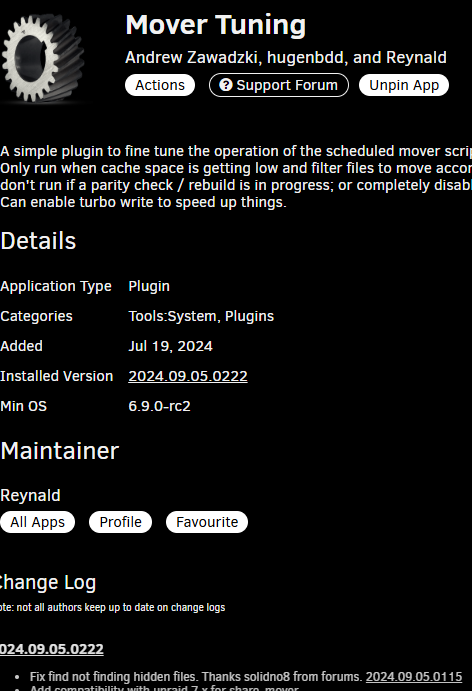
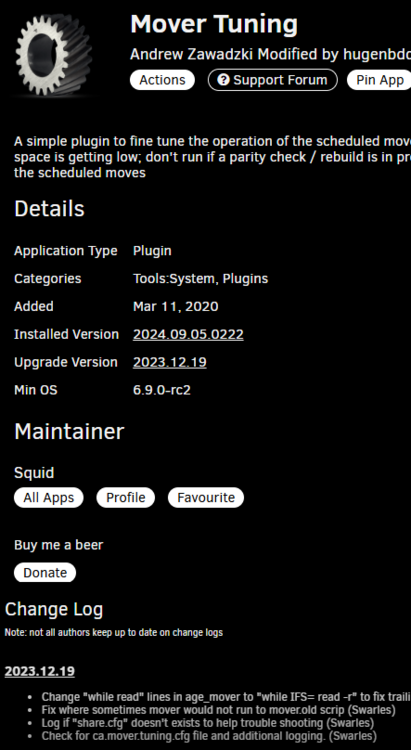
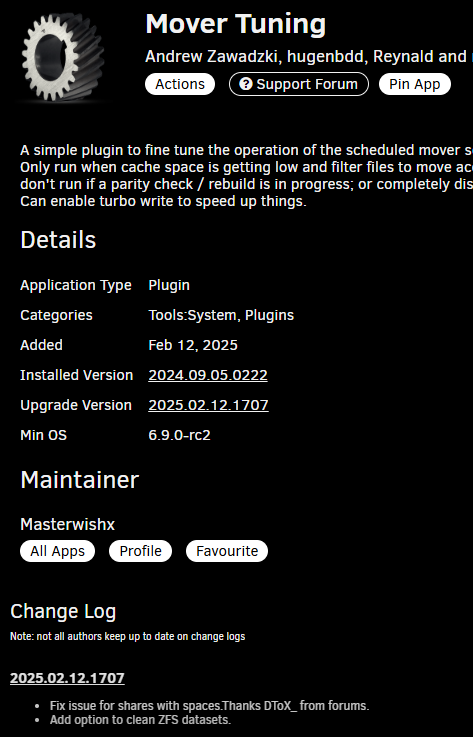
-
Actually I want mover to also remove the source folder from cache, which it normally did and now it doesn't and I don't know why.
-
I had it before, I have made all updates that showed as available while on .14. On .15 Common Problems reported the plugin is not compatible. Since I see no reaction from the author (maybe busy, hasn't shown up for 2 weeks), I removed until it gets resolved. Maybe indeed it works, but since I don't actively utilise this yet, I don't mind.
-
So seemingly 6.12.15 also doesn't like it. I will remove, until the author shows some lifesigns.
-
Is this like an alternative (or better) SWAG?


