





live4soccer7
Members
-
Joined
-
Last visited
Everything posted by live4soccer7
-
It is the SAS2-EL2. It was very difficult to see and even then it was a blurry image through my phone camera.
-
I just checked the global settings and while you can set it to SAT, you can not specify "12" in the global setting. My guess is that it wouldn't work properly. Luckily, this will get fixed in the next release.
-
I am not sure. I thought about changing to global setting, but I also have 25 or so other disks a part of the unraid array that I didn't want to lose data for. I would imagine the global setting would persist. I would like to run smart tests on all 48 disks and be able to see the temps. The smart tests for now because the unit is newer and the seller said he would replace and disks that failed the smart test.
-
Thanks. I have compared pics and given the serial number and the build model number to supermicro and everything indicates SAS2 EL1
-
Any major issues with v6.10-rc1? I'm kind of needing that to work to help report issues with disks from smart reports.
-
I have a scenario where I have to change from the "default" settings on the spin up and spin down settings when you click into a disk. Same things for SMART test controller. I change the settings and then once I go back into their they are set back to say "Default". I have clicked apply in that specific section the settings applies to. I have then tried clicking "done" and also just going back to the main tab. If they do persist, it is only for a few minutes/hours and then they seem to revert back to say "Default". Any ideas? Edit: I'm usually trying to change these when the array has already been started.
-
That's sort of what I've grasped from all of this. haha. I was thinking share parameters/ownership or whatever was applied during a file transfer and not strictly based on the share being created and the file just being transferred to that folder.
-
I did mv. Gone, no where to be found. I was using MC. same file. I thought, well I'll be sure all these files are a part of the share. That was definitely not the correct thinking. lol. It isn't a big deal because I can reproduce the data, but it does put me about a week back.
-
This: If you mix user shares and disks when moving/copying files, you can actually lose data, because Linux doesn't realize that the source path and the destination path might actually be the same file, and so tries to overwrite what it is trying to read. This is often referred to as the User Share Copy Bug. I tried it out of curiosity, pretty sure lost that data. It wasn't a ton though, so not a big deal. I've been searching the whole server for it.
-
I'm curious, what happens or doesn't happen if you go from disk shares to user shares or vice versa?
-
SM said it was BPN-SAS2-846EL1, which is what I was thinking. I am also trying to confirm with the seller as I really don't want a SAS1 backplane.
-
Thank you. I will try to give them a call. I am trying to compare some pics online as well.
-
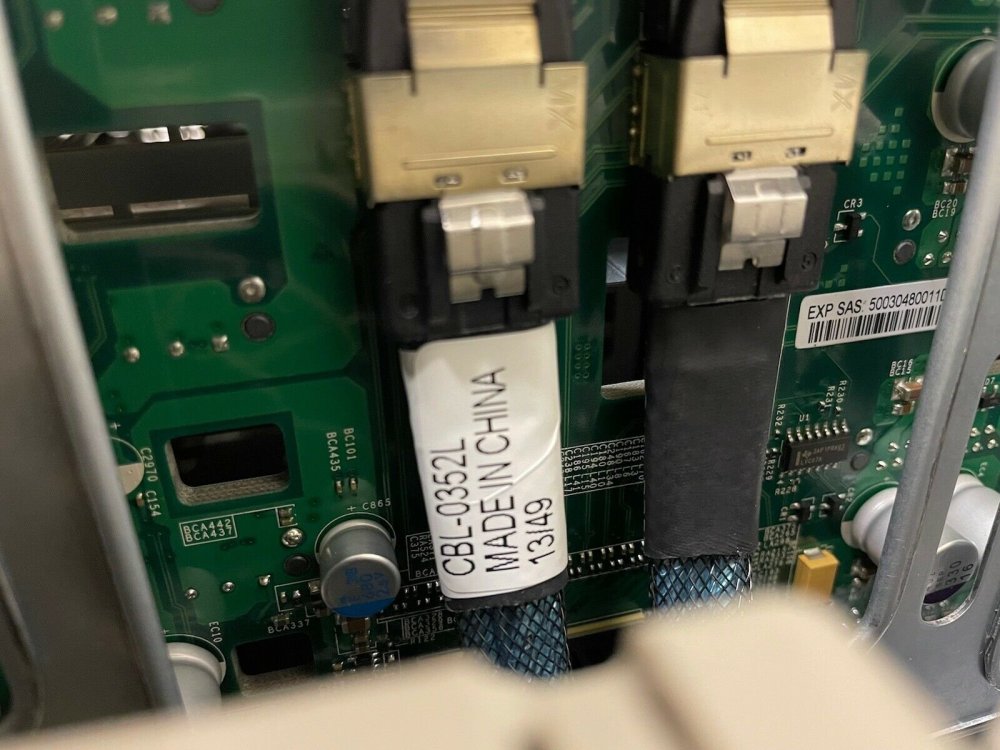
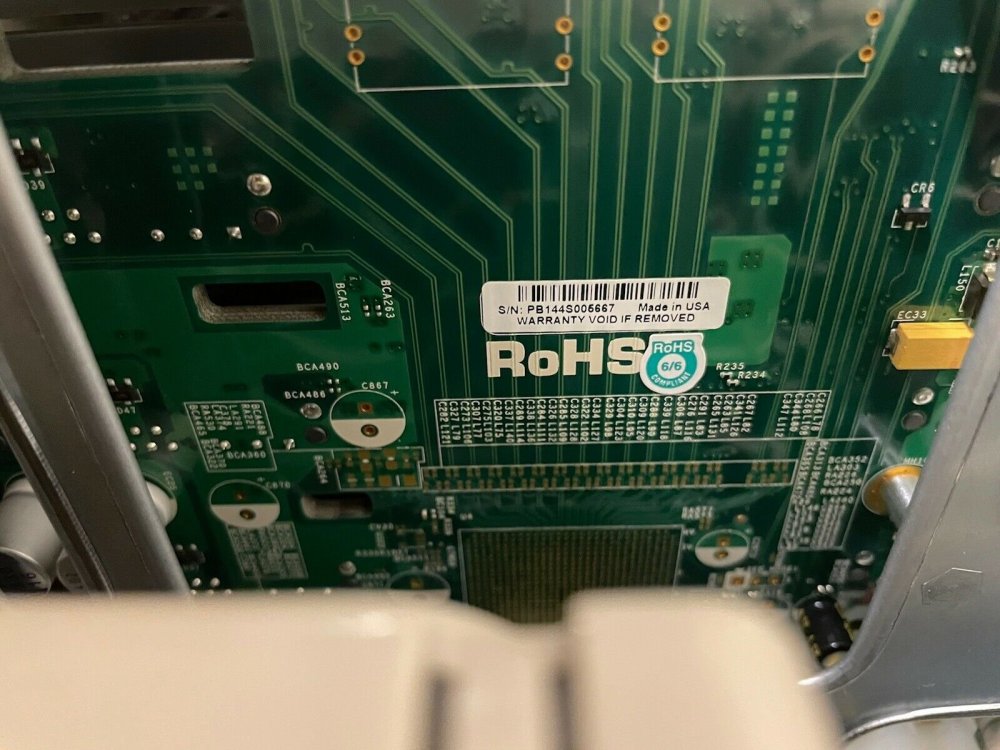
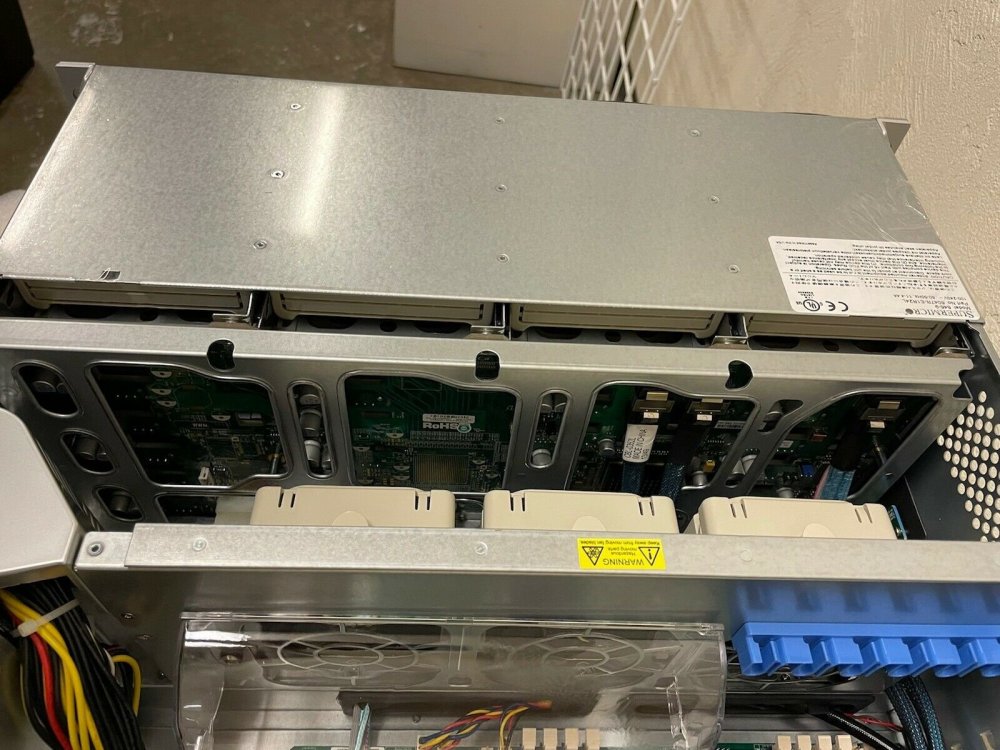
I am buying this, but am having the seller check which backplane is installed. He does not know much about it and can't seem to locate the number of the backplane for some reason. I think he simply has no idea what/where to look. I pretty much just want to be sure it is one of the SAS2 backplane/expanders and not the BPN-SAS-846A backplane. I'm not terribly familiar with them and never had one in person, so I can't tell from the pics. This is the cable that is in the picture: https://store.supermicro.com/supermicro-internal-to-external-minisas-2-ports-low-profile-cascading-85cm-cable-cbl-0352l-lp.html
-
Well.... I learned the hard way that if you don't do background and your ssh loses connection then the transfer will fail. That lost about 16 hours. haha. Is there a way to check progress of the background process? I started a new one. Also, what is the behavior of "background" for copying a file if it already exists in the destination? I see that it doesn't ask you or mention it. I had too many files to manually go through, so I just copied all the original files to the destination again.
-
Great tips! How can I get into the menus at the top from just a keyboard?
-
That did the trick. Instead of using the browser, I used a client. Never had a problem with the mv function and using "F6" in the browser so never thought about that. Transferring a few files now.
-
Thanks. That's kind of what I was beginning to think. When I hit "F5" nothing comes up to actually copy, as if the button doesn't actually work. I'm a little new to MC and started recently using it over Krusader
-
Weird. maybe the system needs a reboot or something because that's definitely not happening. Could the "Copy on Write" setting have anything to do with it? It is set to auto.
-
Yes, I was going from /mnt/user/share1 --> /mnt/user/share2 (raid0 pool)
-
Interesting. When I did a mv command in mc it didn't actually put the file on the "cache drive" pool, but just instantaneously changed the share the file belonged too. Is this expected? I was moving from a share on the actual unraid array. I have "Use Cache Pool" set to ONLY
-
I think I've got it. I'll have to do a quick test.
-
Easy enough, but once you change the pool that is used as the "cache" in the share settings then there is only one pool that has that share unless this persists in the DB for past selections???
-
Great idea! I just did raid 5, but it is giving me some wonky numbers for free/available space. I'm not sure if it is a bug within unraid or some other issue. I have two identical raid5 setups and one says 92tb available and the other is 96. Regardless, I'm going with what you suggested on the raid0. I just did half the disks with 4 raid0 pools (6 disks a pool to keep numbers even). When I create a new share, how can I add the "pools" to the share? I just see use cache and then I can select one pool/cache, but not multiple.
-
The data isn't terribly important and doesn't need backups. If it were lost, it'd take about 3 weeks to reconstruct. I'm almost tempted to just go with raid0 at this point.
-
They are 4TB disks. The idea is to maximize space. Each raid 5 I create, I would lose 4tb worth of space. So, when I go to the pool for the raid and click to change to raid5, it says *see help. I don't see this and there is no additional information in the wiki/manual. https://wiki.unraid.net/Manual/Storage_Management#Change_Pool_RAID_Levels In the manual it says: BTRFS supports raid0, raid1, raid10, raid5, and raid6 (but see the section below about raid5/6) I can not find this section.



