






Whaler_99
Members
-
Joined
-
Last visited
Everything posted by Whaler_99
-
So, good news. I got two Moelx to Sata power splitters, hooked them up and the last two drives connected direct to PSU without any splitters. Rather than adding in the three new drives, I did a new config with existing and started the rebuild and... no errors and everything been going fine. Going fine for an hour now, usually I got the errors and red ball withing 1 to 10 mins. Thanks @trurl and @itimpi for the suggestion. This looks to have resolved it.
-
Don't have any, ordered two sets of Molex to Sata, they will be here tomorrow, so I will swap those along with the drives. Might as well use the new ones. Thanks for the suggestion on that, would never have though of that piece in particular.
-
Interesting. They are indeed SATA to SATA ones. I'll check how many Molex to Sata ones I have and maybe swap out to those.
-
Yeah, I ran smart, nothing, all clear. Even pulled one out and ran an extended test, fine. Like I said, I've swapped the entire PSU, I am using splitters, the 1 ->4 units, three of em, all on different PSU leads. I changed out those as well and yeah, cable management SUCKS, lol, as in nothing bundled up, etc. I heard tie up the data cables neatly can cause issues. I'm at a loss as to what might be happening here, driving me nuts, hence the three new drives. Try that and then pull what data I can off the three old ones
-
Yeah, I figured New Config is going to be the way to go. I've attached the Diag, wonder what they might say. I continued to get rad errors after every attempted fix. I replace drive cables at least three times, swapped power supplies, swapped controllers and even swapped out the mobo/cpu for a different one in case it was some weird PCIe issue or something. I've essential swapped everything but the disks, lol. Diag.zip
-
2 x Parity disks and 10 x Data disks. Few days ago 3 of my drives got red balled with tons of read errors. I've basically replaced every thing in the server other than the drives and same issue, so ordered three new drives. I'll mount the three old ones using unassigned plugin to see what data I can get off them. Question on best way forward. 1 - stop array 2 - Unassing bad drives. 3 - shutdown 4 - add new drives and power back up Now, should I just use new config at this point, since I can't do a rebuild do to losing three drives? So new config would be the quickest and esiest way forward, building new parity off all my existing disks? Thanks for any suggestions.
-
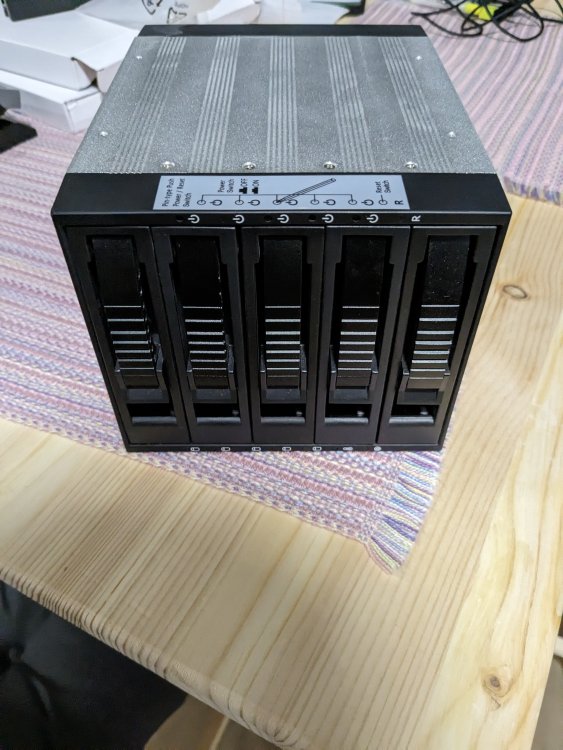
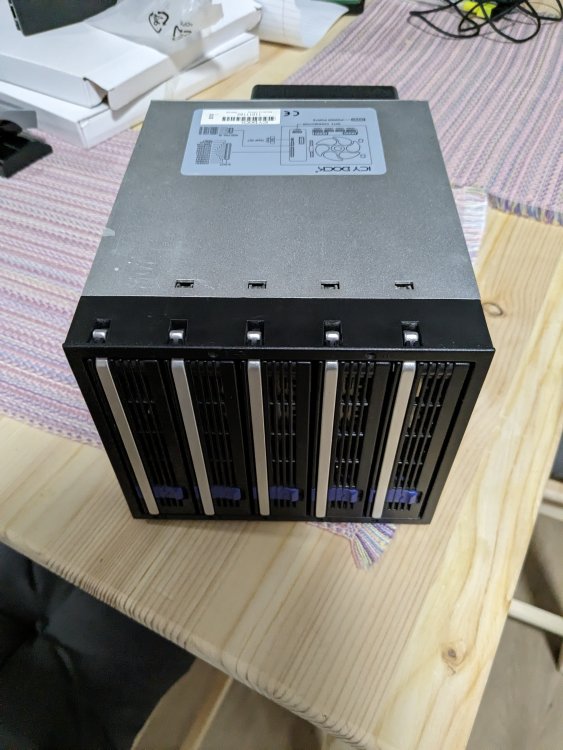
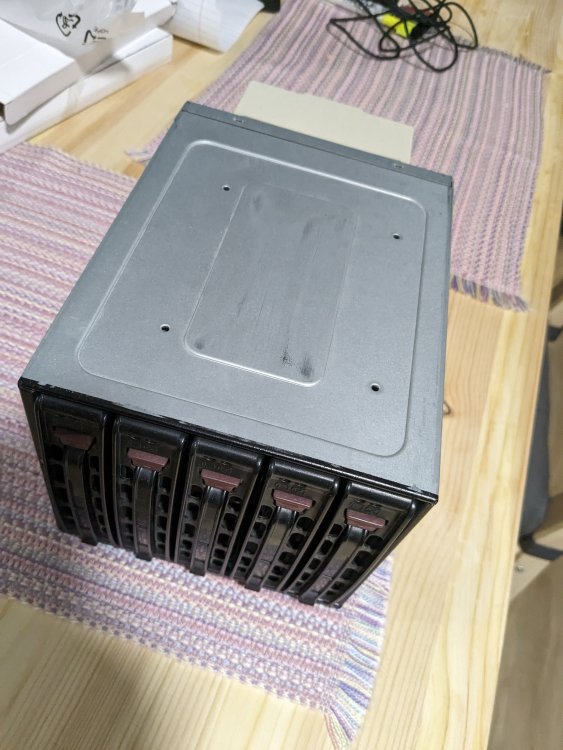
I have four 3x5 SATA drive cages I am no longer using. 1 - One x iStarUSA - Model - BPU-350SATA-BLACK - $80 2 - One x Icy Dock - Similar to the MB155SP-B unit, except this is an older model, uses 3 x Molex power connectors. - $80 3 - Two x Supermicro - Model - CSE-M35T-1B - $100 each Each units includes all their drive sleds, screws for the hard drives and mounting screws. I am willing to ship, I'm on the west coast of BC, buyer pays shipping. If you want all four I will ship for free.
-
Resolved, updated from 6.10 to 6.12 and network option now back in the VM config.
-
I added a 2.5Gb NIC to the server today. I switch Eth0 (onboard) and Eth1 (new one) so the 2.5 would be primary, setup DNS and then port down on the onboard as that is now unplugged. Now when I go into VM Manager, my one Win 10 VM has no networking options. They are gone and when started, has no networking. Hopefully someone can help sort out what happened here and how I can add the NIC back into the VM. Thanks! tower-diagnostics-20230716-2348.zip Win10XML.txt
-
Sorry, yes, you'd need to check Github for any options or forks. Also, there is this -
-
Fan control, I'd recommend https://getfancontrol.com/ as a good way to control fans and ramp them up when needed based on temps. Here is a video on how to do a lot fo the setup and config -
-
I'll have to pass, I'm in Canada, shipping from there... just to risky and expensive, but thanks!
-
Where abouts are you located?
-
Doesn't work at least on my system. I can excluded an entire selection, but that isn't what I want. I want to exclude my Plex cache and transcode folders only.
-
OK, how do I exclude more than one folder? I've got two for plex I want to exclude. If I past one folder in, it's there, but then how do I add a second?
-
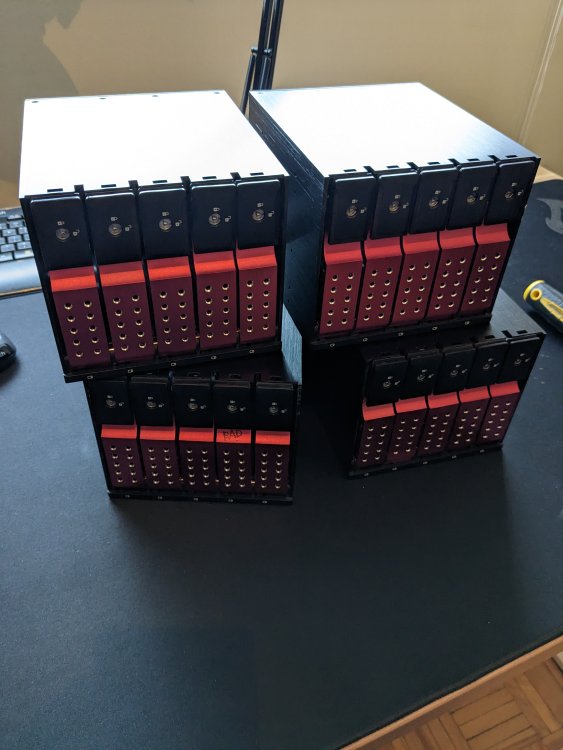
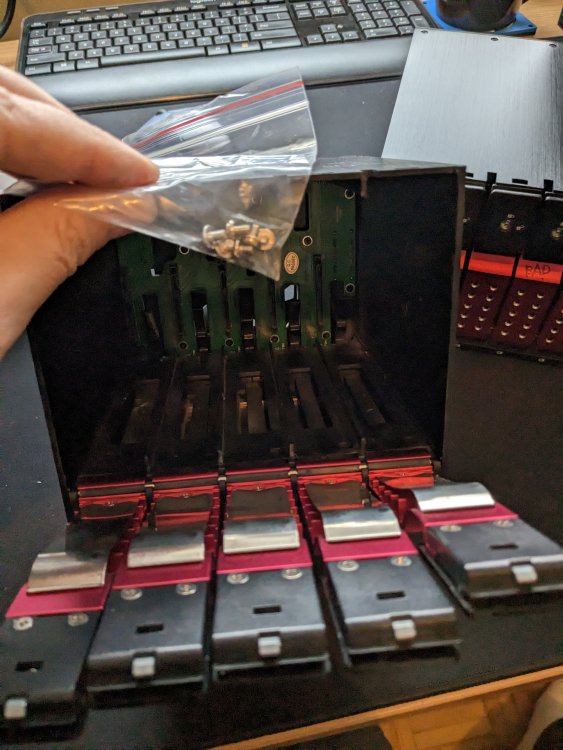
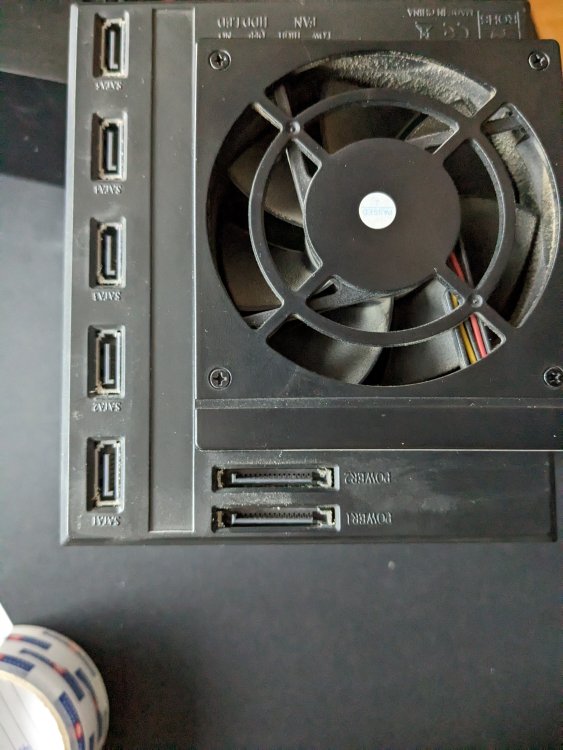
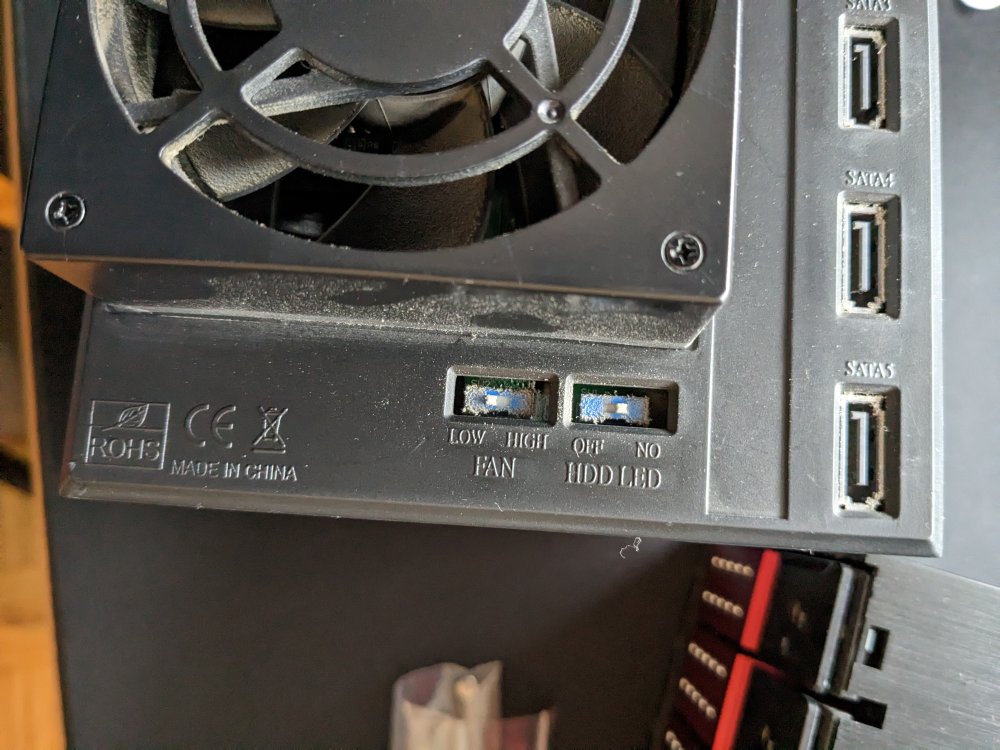
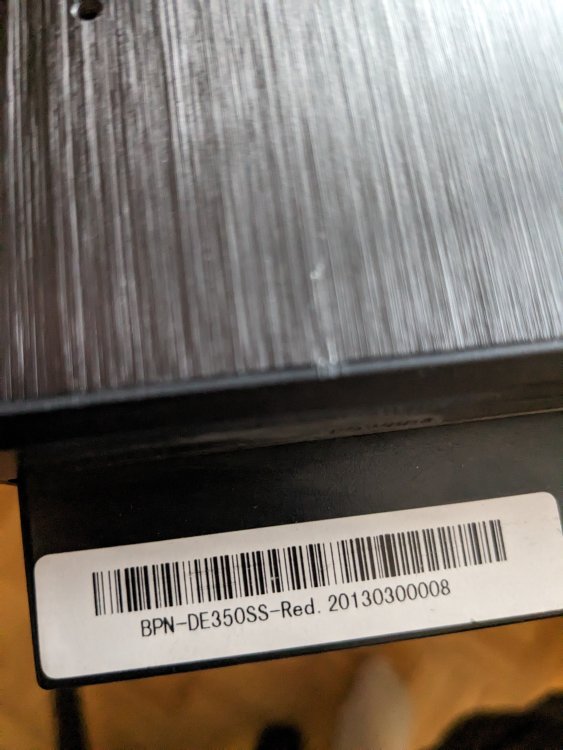
I have 4 of these units I no longer need. All 4 are the red version. One unit has what I believe from my limited testing, a single drive slot dead. But, it may work, I didn't do a lot of testing. You can see it marked in one of the pictures. I've included a little baggy in each that has the mounting screws I used. http://www.istarusa.com/en/istarusa/products.php?model=BPN-DE350SS Price is $140 CAD each, $115 CAD for the unit with one bad slot. If you buy all 4, I'll do $475 CAD. I'm located near Barrie, Ontario, Canada for local meetup, but can ship. Contact me to work out logistics.
-
Still available if anyone is interested.
-
I upgraded from 6.9.x to 6.10.3. Since the upgrade, every time I reboot the server, the setting for Default Spin Down Delay gets reset to never. I go in, change it to 15 minutes, hit save. Works fine until a reboot and gets reset back to never.
-
Helped me as well.
-
Sorry, phrased wrong. Add it back into the server, but not the array itself. To do a preclear on it.
-
Yes I do, so do the normal routine to replace the drive. After replacement drive rebuilds and array back to normal, I add it back in, anything special I need to do considering it would have been part of the array previously?
-
Recently replaced a 3TB with 8TB drive. Drive was precleared, all good. After rebuild, I started moving data from another small drive onto it and errors re: Current Pending Sector and Offline Uncorrectable popped up. I stopped the disk copy, ran a smart extended disk test which came up ok. Started copying some data again, no errors but seems very slow. Wondering if this disk is going? # ATTRIBUTE NAME FLAG VALUE WORST THRESHOLD TYPE UPDATED FAILED RAW VALUE 1 Raw read error rate 0x000f 083 064 006 Pre-fail Always Never 220584408 3 Spin up time 0x0003 092 092 000 Pre-fail Always Never 0 4 Start stop count 0x0032 099 099 020 Old age Always Never 1936 5 Reallocated sector count 0x0033 100 100 010 Pre-fail Always Never 0 7 Seek error rate 0x000f 083 060 045 Pre-fail Always Never 194565708 9 Power on hours 0x0032 072 072 000 Old age Always Never 24975h+44m+59.718s 10 Spin retry count 0x0013 100 100 097 Pre-fail Always Never 0 12 Power cycle count 0x0032 100 100 020 Old age Always Never 104 183 Runtime bad block 0x0032 100 100 000 Old age Always Never 0 184 End-to-end error 0x0032 100 100 099 Old age Always Never 0 187 Reported uncorrect 0x0032 100 100 000 Old age Always Never 0 188 Command timeout 0x0032 100 100 000 Old age Always Never 0 0 0 189 High fly writes 0x003a 100 100 000 Old age Always Never 0 190 Airflow temperature cel 0x0022 067 057 040 Old age Always Never 33 (min/max 28/35) 191 G-sense error rate 0x0032 100 100 000 Old age Always Never 0 192 Power-off retract count 0x0032 100 100 000 Old age Always Never 37 193 Load cycle count 0x0032 095 095 000 Old age Always Never 10495 194 Temperature celsius 0x0022 033 043 000 Old age Always Never 33 (0 17 0 0 0) 195 Hardware ECC recovered 0x001a 083 064 000 Old age Always Never 220584408 197 Current pending sector 0x0012 100 100 000 Old age Always Never 16 198 Offline uncorrectable 0x0010 100 100 000 Old age Offline Never 16 199 UDMA CRC error count 0x003e 200 200 000 Old age Always Never 0 240 Head flying hours 0x0000 100 253 000 Old age Offline Never 3579h+07m+24.507s 241 Total lbas written 0x0000 100 253 000 Old age Offline Never 86117390702 242 Total lbas read 0x0000 100 253 000 Old age Offline Never 508513967238 If someone could take a look and let me know. Anything to worry about with those to options sitting at 16? Don't seem to be increasing. tower-smart-20220805-0739.zip
-
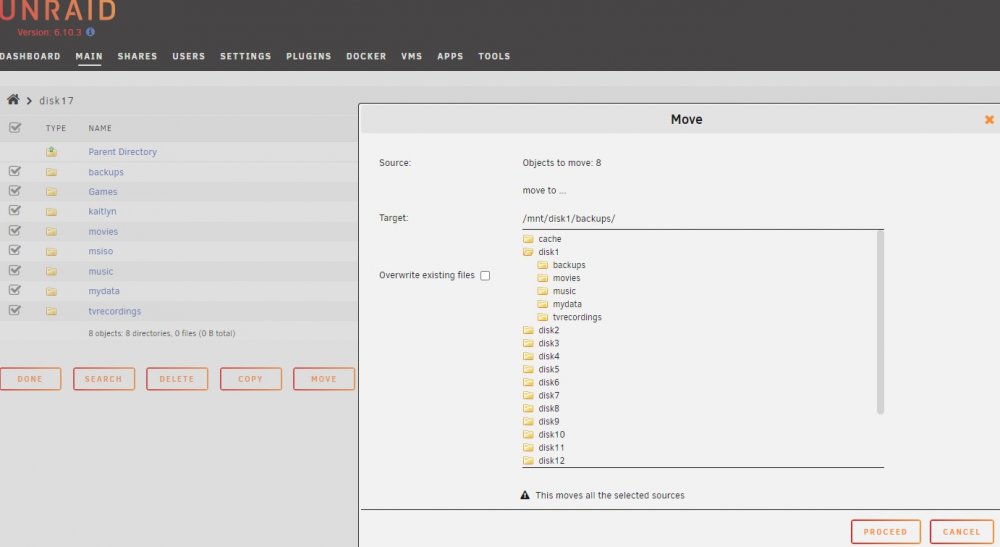
Just a question on moving all the folders from one disk to another. I saw another post on the intelligence of File Manager, wanting to move like directories between disks, keep things the same. I've gone into Disk17, selected all the root folders and then click Move. Target, I choose Disk1 and it's automatically adding in "backups" to the path, the first folder from Disk17, which also is one Disk1. I assume at this point I need to manually edit this and remove the "backups/" portion to copy everything to the root, otherwise it would copy everything from Disk17 to the "backups" folder on Disk1. Or... is it just not displaying properly and all the root folders on Disk17 will be copied to the root of Disk1? It's just showing me "backups" as that is first folder?
-
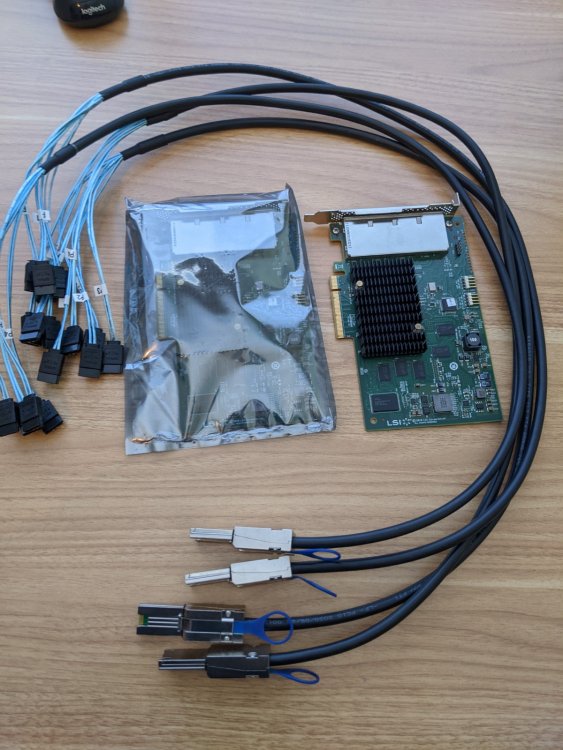
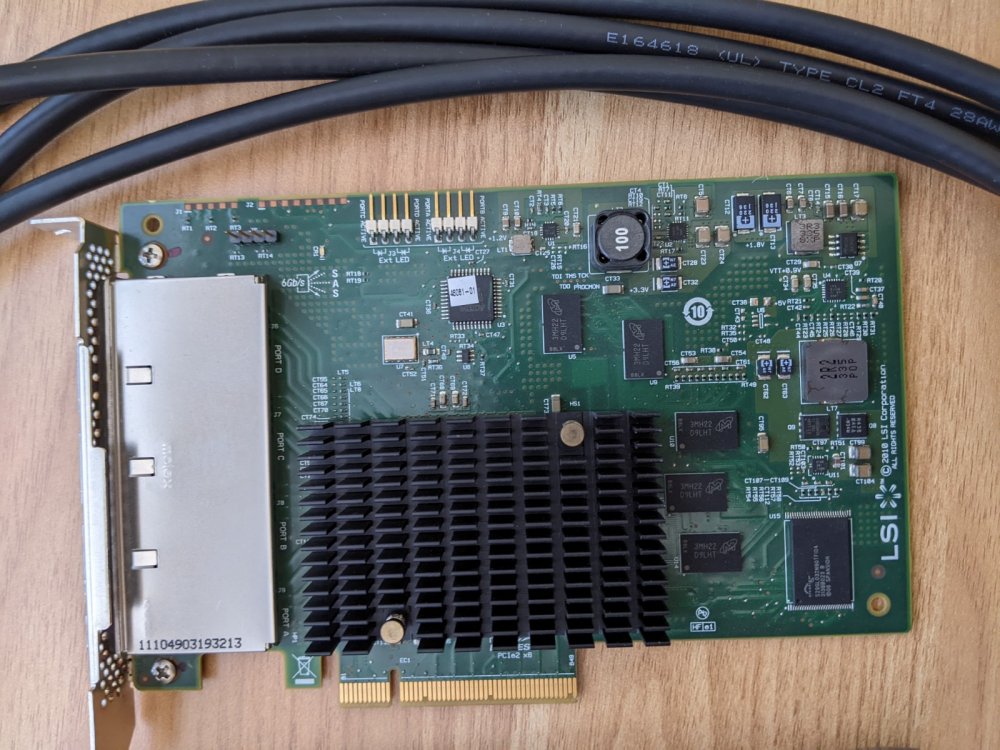
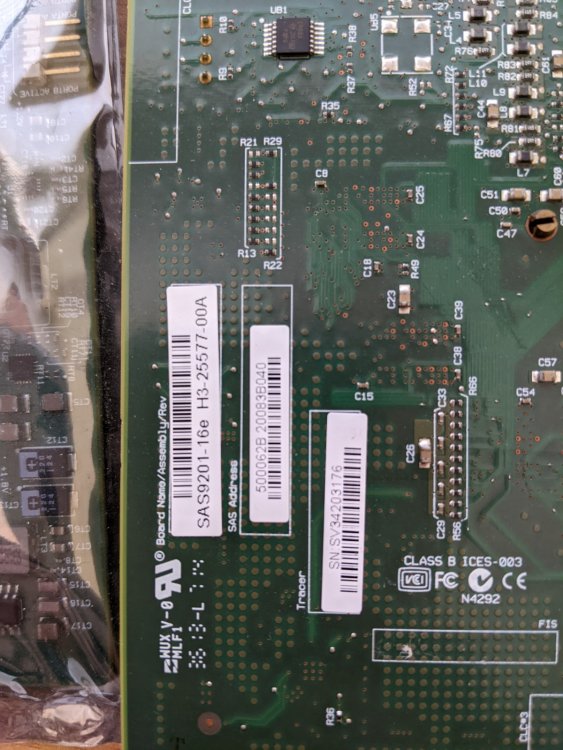
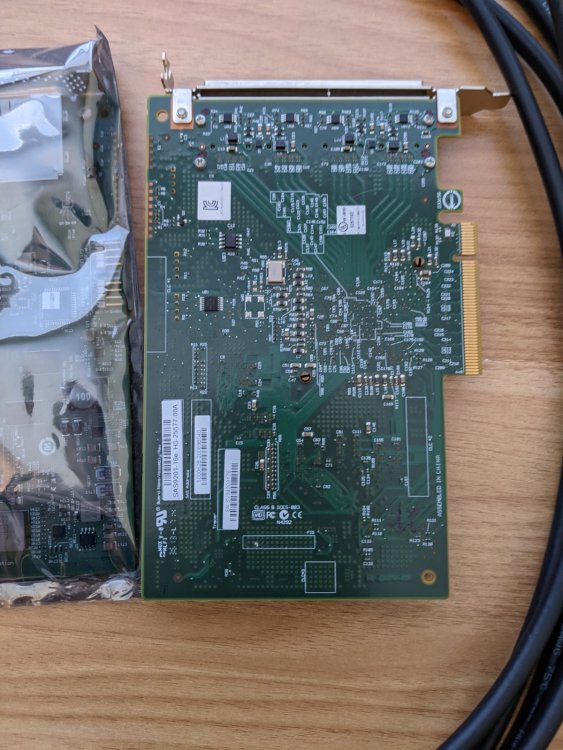
Was helping my son design and 3D print an external drive cage solution for some testing and no longer need the hardware. I have 2 x LSI 9201-16E cards. These are 4 port, 16 drive drive cards for external connection, in IT mode. I bought 2 to have one spare. Also have 4 x of the cable connecters, SFF-8088 (mini sas) to 4 x SATA. Cards and cables worked fine. Can ship if willing to cover. Looking for $250 for everything.
-
If you NEED knew ones, then they will be fine. But if you can migrate the Icy Docks over, I'd say save your money and use them. The new ones are not going to bring anything new or revolutionary over your existing ones and cost a few bucks as well.




