





barnonline
Members
-
Joined
-
Last visited
-
Sigh.... It turns out I remembered the wrong docker image. I used: jc21/nginx-proxy-manager I shuld have used: jlesage/nginx-proxy-manager Works as it should now
-
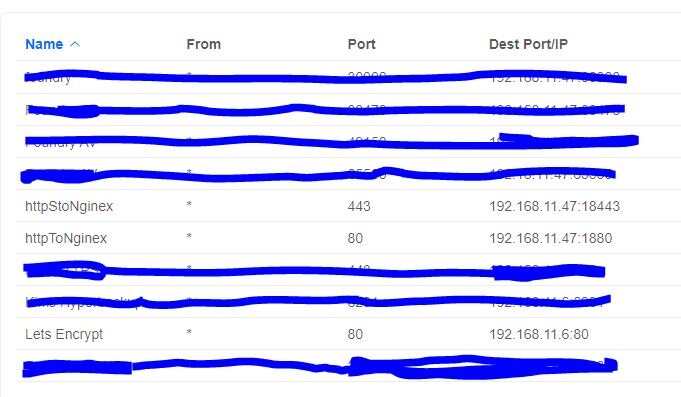
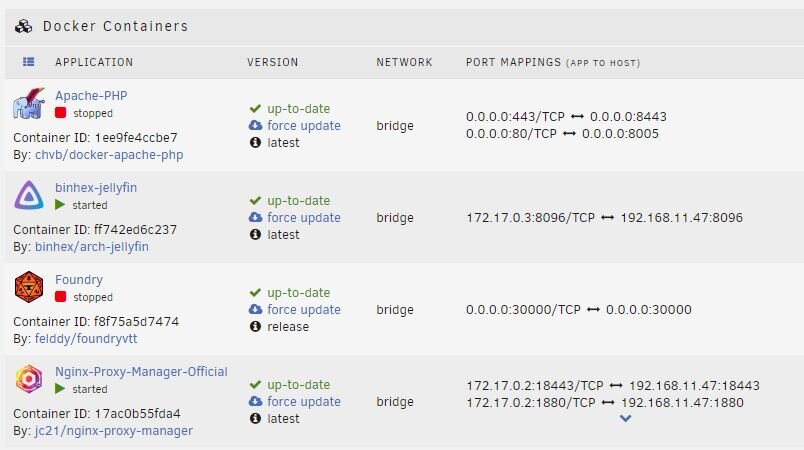
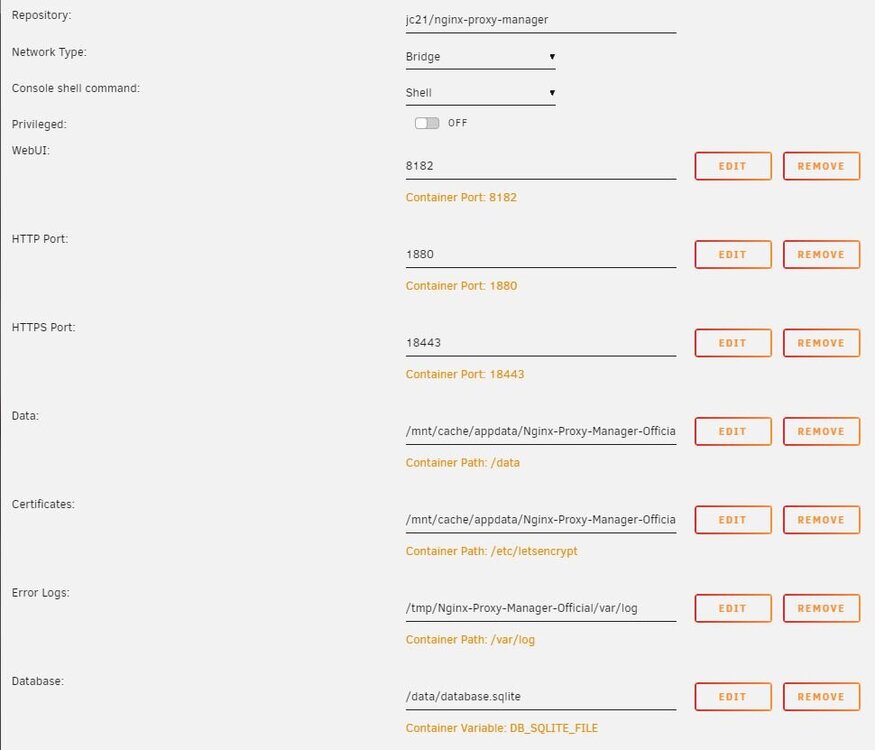
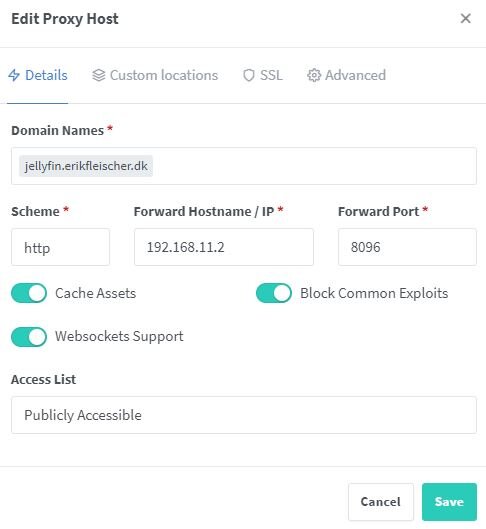
Pretext: after a reboot all my dockers where gone. I still had the appdata folder intact, so I reinstalled all the dockers, and luckily I could remember most of the setup, -but I'm struggling with remember the nginx configuration, and now I have managed to confuse myself thoroughly. The facts: All the containers runs, and I can acces them via WebUI and see that they look fine, but I can't acces them from the outside due to the nginx configuration. I get an: err connection refused I have added screenshots of configurations. The only ones that have been changed, -may have been changed is the dockersetup and the nginx_docker_config as they have been recreated from memory So the router portfarwarding and the nginx_reverse_proxy is just added for reference. And I simply cannot remember if the nginx docker was host/brigde/or Custom br0 I have struggled for hours and I'm so confused right now.
-
Oh well... Sometimes it is faster to redo than to figure out what went wrong. I opted to install the dockers again, luckily I could pretty much remember all the paths and so on. I have now also installed the Appdata Backup plugin.
-
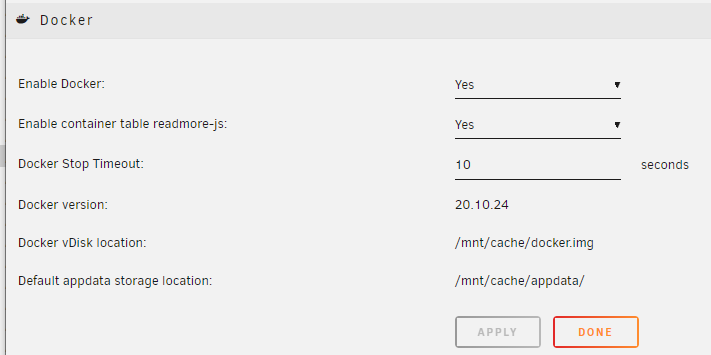
Update: I noticed that the Default appdata storage location was /mnt/user/appdata/ I have now changed it to /mnt/cache/appdata/ but it made no difference.
-
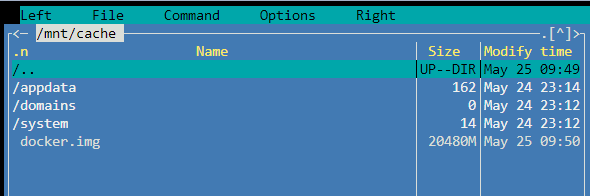
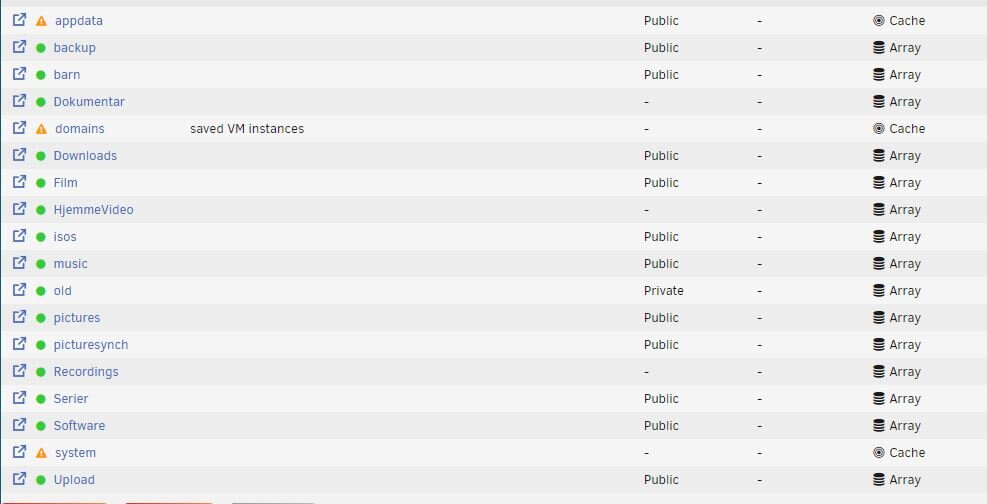
The docker image file is not in the system share, but on top level of the cache drive. I just went into the docker tab, and clicked on "add container" and then abandoned it without adding anything, and I can see on the modify time that the docker.img have been touched. Regarding the shares (top level folders) appdata, domains & system only exists on the cache drive, NOT on the array.
-
After I rebooted my machine, it would not start the array due to: cache - too many missing/wrong devices So I found another topic regarding a workaround. 1) Unassign the drive from the current cache pool 2) Make a new pool called temp, and assign the drive to that pool, start the array 3) Stop the array, and re-assign the drive to the original pool 4) Start the array and reboot the machine The macine should now be "in the same state" as before all this started. (appdate, domains and system now on the cache) Except when I go under the Docker and VMS there is nothing.... The data is on the SSD, and as far as I understand it as long as the data is on the share, the docker and vms should "just" find it. any suggestions?
-
The reason was the router, it did not take the changes I made. After rebooting the router, everything works as it should. And now the router takes the changes.
-
I'm new to all things docker. I have a docker with Foundry VTT, that I cannot acces from the internet. Let me first explain another scenario works: Currently Foundry runs on a VM with windows server. The physical Unraid machine have 192.168.11.47 That VM has 192.168.11.80 and in the settings it is Network Source: br0 Network Model: virtio-net On my router I have made some portforwarding to 192.168.11.80:30000 All the above works just fine. But if I try to use a docker (felddy) I'm only capable of accessing the docker from my LAN on 192.168.11.47:30000 On my router I have made a new forwardings and disabled the others I have tried Host: 192.168.11.47:30001/TCP <-> 192.168.11.47:30001 br0: 192.168.11.50:30000/TCP <-> 192.168.11.50:30000 What am I doing wrong?
-
I'm new to all things docker. I have a docker with Foundry VTT, that I cannot acces from the internet. Let me first explain another scenario works: Currently Foundry runs on a VM with windows server. The physical Unraid machine have 192.168.11.47 That VM has 192.168.11.80 and in the settings it is Network Source: br0 Network Model: virtio-net On my router I have made some portforwarding to 192.168.11.80:30000 All the above works just fine. But if I try to use a docker (felddy) I'm only capable of accessing the docker from my LAN on 192.168.11.47:30000 On my router I have made a new forwardings and disabled the others I have tried Host: 192.168.11.47:30001/TCP <-> 192.168.11.47:30001 br0: 192.168.11.50:30000/TCP <-> 192.168.11.50:30000 What am I doing wrong?

