





nate
Members
-
Joined
-
Last visited
-
I recently had to replace a drive in my array due to a drive failure. It was Disk 5 in my array. It was a 6tb drive and I replaced it with an 8tb drive. My cache drive is 8tb drive. It seems to have rebuilt fine. After startup of the array everything seems fine for a little bit but then it seems when something is tried to be written to the Disk 5 drive it becomes read only and become an Invalid Path when I try to browse to it. I thought at first it was a bad SATA cable or port so I replaced the sata cable, moved it to a different sata port. At a loss for what else to do to try and fix it. Any help would be appreciated. tower-diagnostics-20230716-1036.zip
-
I was able to get it to work. Apparently it does not like having a directory with upper and lower case within it for the creation of it. I deleted both of my Docker Containers and noticed in my filesystem that I had a folder that was being created called appdata when I should only of had AppData. So I cleaned up the extra folders and recreated the dockers with all lower case paths and everything worked properly this time around. Aside from having it lose connection to the Backup Enine already once and having to reboot both to get it to work again. Thanks for attempting to help but everything is good to go now. Regards, Nate
-
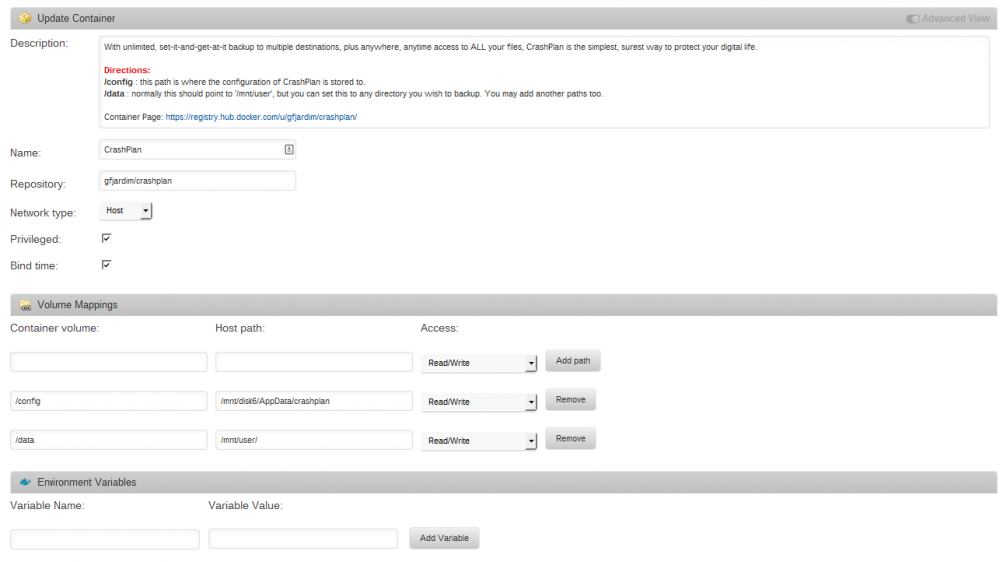
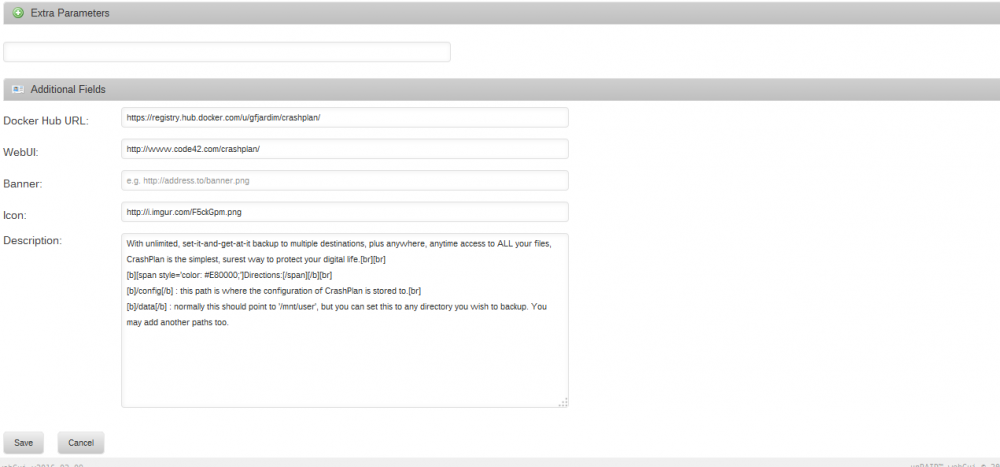
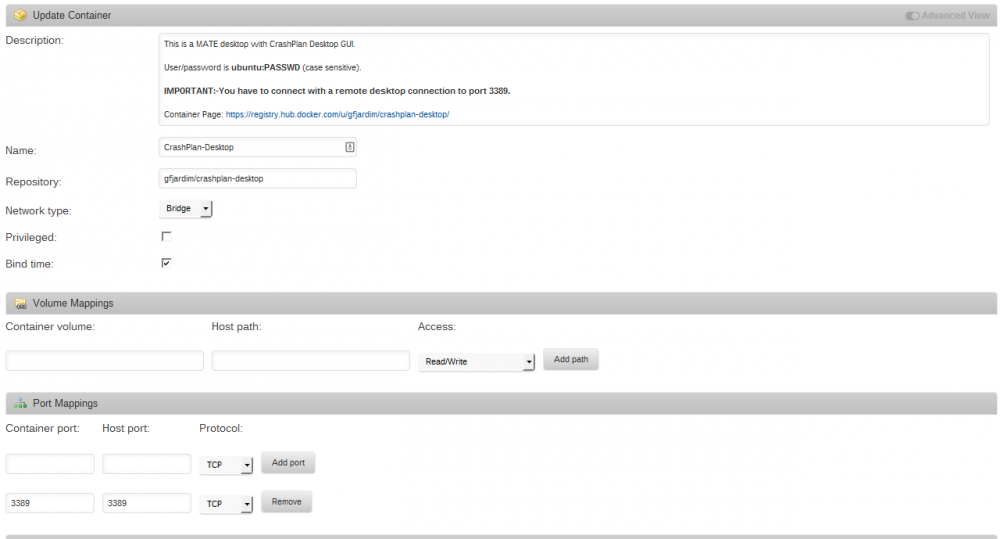
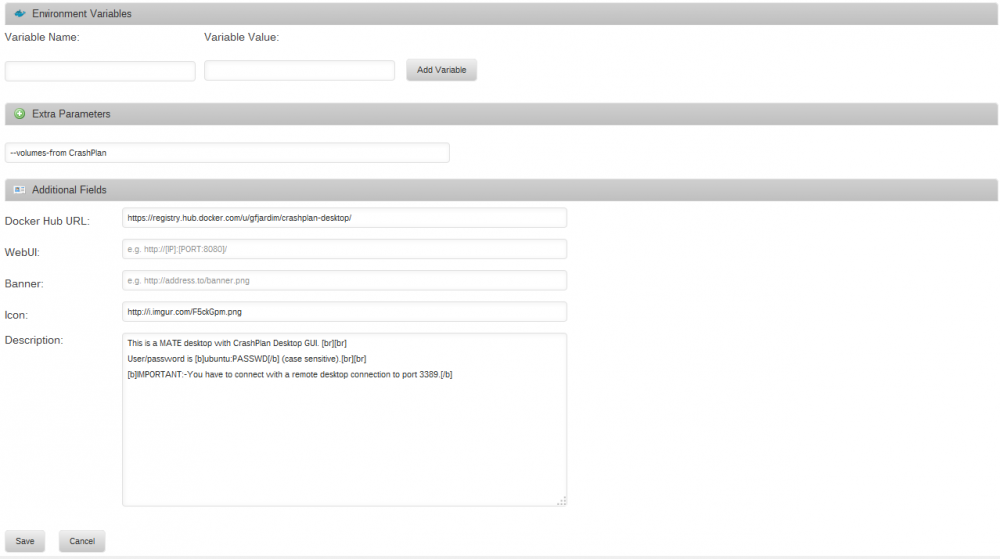
Here is the screenshots of the configuration pages with the settings for both container
-
I am having an issue with CrashPlan-Desktop. I just last night downloaded and installed the Dockers for Crashplan and then CrashPlan-Desktop. When I look at the log for Crashplan it appears to be working as far as I can tell. When I remote desktop into CrashPlan-Desktop and double click or right click and Open on the icon for CrashPlan it does nothing. No splash screen, no error, no anything. I am at a loss for what to do. After my scare last night of having my USB device go bad I really would like to get CrashPlan working so I can try to get my data backed up in the cloud also, so any help is more than appreciated. Thanks, Nate


