winglam
Members
-
Joined
-
Last visited
Everything posted by winglam
-
I found the root cause. The crashes were caused by Ollama and the VM competing for the same GPU resources. Once I stopped them from sharing the GPU, everything worked as expected.
-
Hi all, I'm wondering if anyone else has experienced this after upgrading to Unraid 7.3.1.othe VM startup is significantly slower than before. (The UI freezes for about 30 sec to a minute) When shutting down a VM, Unraid hangs or crashes completely. The WebGUI becomes unresponsive/ fails to SSH, and I have to force reboot the server. wing
-
I created a User Script that automatically reverts the VM machine type from Q35 8.0 to the deprecated Q35 6.0. Feel free to use it if you're running into the same issue. https://github.com/wingyiulam/homelab/blob/main/Rollback_Q35_Machine_Types Thanks, wing
-
That makes sense. Thanks! It would be awesome if you could provide & share a user script that automatically fixes this issue. Thanks, wing
-
Hi all, After upgrading my Unraid server to 7.3.1, the default VM machine type changed to Q35 8.0. My macOS VM only works with Q35 6.0, but every time I reboot the server, the machine type is automatically changed back to Q35 8.0. Is there a way to permanently lock the VM to Q35 6.0 and prevent Unraid from updating it on each boot? Thanks, wing
-
One of my hard drives in a RAIDZ2 is dying. 1. What’s the proper way to replace it? Is it safe to keep a RAIDZ2 pool online while removing a faulty drive? 3. Seagate no longer offers advance replacement and I don’t have a spare on hand. Is it safe to remove the failing drive and run the pool degraded for 7–10 days? wing
-
Awesome, it works great. Thanks, Simon! Is there a command line I can do a restart? /usr/local/emhttp/plugins/WOL4Services/include/WOLrun.php "xx:xx:xx:xx:xx:xx" etherwake xx:xx:xx:xx:xx:xx
-
The cache drive had a bad connection and it screwed up the GUI. Turns out it was the SATA cable—replaced it, and it's all good now. Thanks, JorgeB!
-
I have the same issue. It started happening recently after I upgraded to 7.0.1. I can SSH into the server, but none of the command-line reboot commands (like powerdown -r, shutdown -r, etc.) work. I end up needing to perform a hard reset. I believe the server itself is running, but the GUI is unresponsive. there was a time the Unraid Web UI doesn’t load, although VMs continue running and functioning normally. unwing-diagnostics-20250420-2341.zip
-
Thanks JorgeB, will do!
-
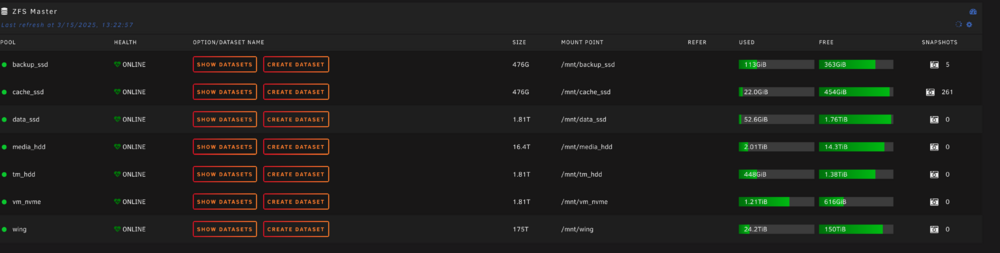
I noticed that the ZFS master repeatedly calculates snapshots, causing the Unraid GUI to refresh continuously, temporally or entirely freezes. If the GUI doesn't freeze, the ZFS master continues fetching data without interruption, and it will never stop. Should I try re-install ZFS master?

-
Hi all, The Unraid main page (https://xx.xx.xx.xx/Main) in versions 7.0.0/7.0.1 freezes or becomes unresponsive after a minute or two. I have to refresh the GUI to get it working again, but other subpages don’t have any issues. I suspect it’s caused by ZFS Master, though I'm not sure since this has never happened to me before. Thanks, Wing
-
Hi all, What is the best way installing VM directly on NVME (baremetal)? Should I use vfio-pci passthrough or by-id? I need 2 partitions/ 2 OS on my 1 TB NVME. Thanks, wing
-
I am on 6.12.13.
-
It kept going into a boot loop when I selected the macOS Base System disk, so I ended up reinstalling my Unraid server from a backup. The installer was still missing, but the installation finally started when I chose the 'macOS Base System disk.' It was strange, but it worked! It's finally up and running! My solution was to reinstall Unraid and then simply ignore the missing 'MacOS Installer' icon by selecting the 'macOS Base System disk' for the OS installation. I’ve tested it on both Sonoma and Monterey through VNC, and everything works perfectly!
-
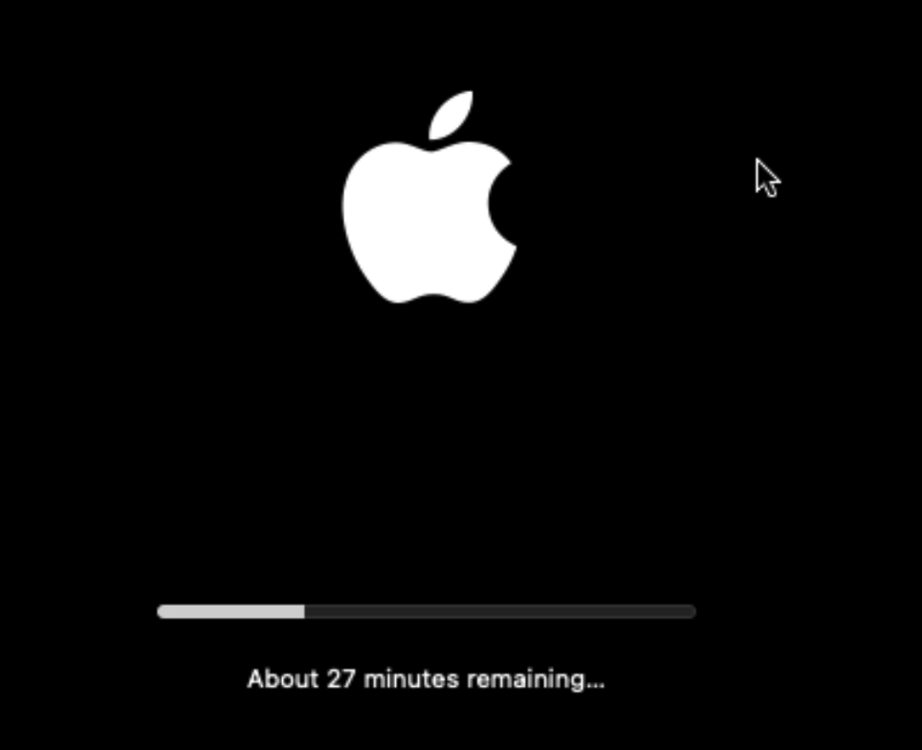
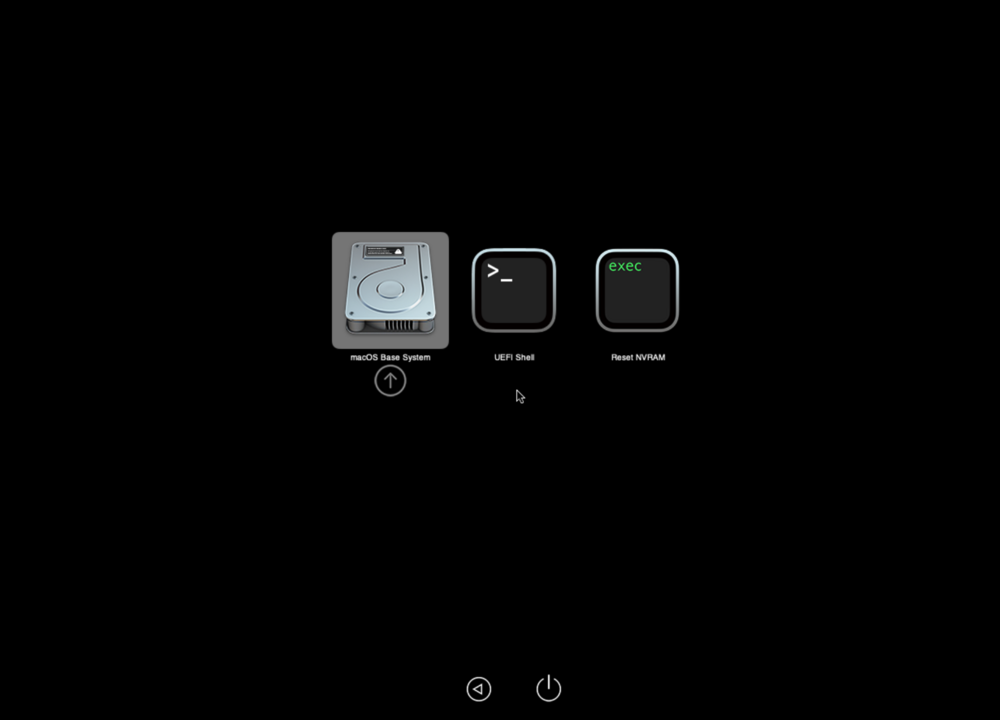
same here, the new macinabox is broken. I tried resetting libvirt.img or custom_ovmf, reinstalling machinabox, downgrading opencore, none of these solve the problem. I am now stuck at this boot screen forever, I don't know what else I can do.
-
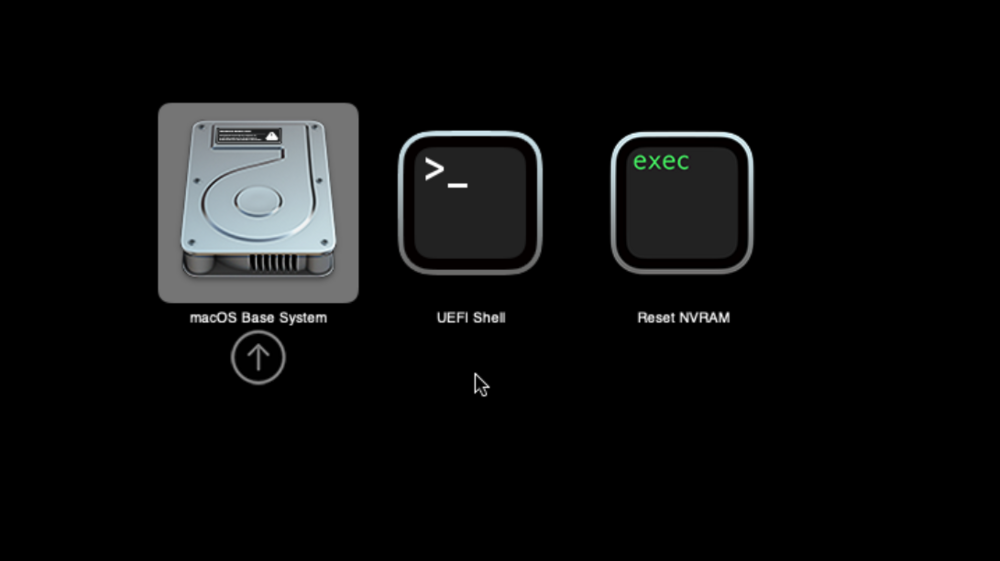
nothing wrong with my internet. I can't start any kind of installation because the bootloader doesn't load/ see any ISO. as you see in the picture, there is no option to start any installation.
-
Yes, the server has internet access, and the installers are downloaded & located in the default ISOS folder.
-
I haven’t even started installing it yet; this is just the boot screen when the VM first starts. I’ve tried all versions of the VM, restarted the server, and even reinstalled Macinabox, but none of it helped.
-
I successfully boot into bootloader, but installer disappears. how can I fix it, or is there a way to roll back to the old macinabox. Thanks! wing
-
It's a pain the ass and I gave up. I end up self-hosting official bitwarden on my mini server proxmox instead. which is good, I can free up more resources for my unraid server.
-
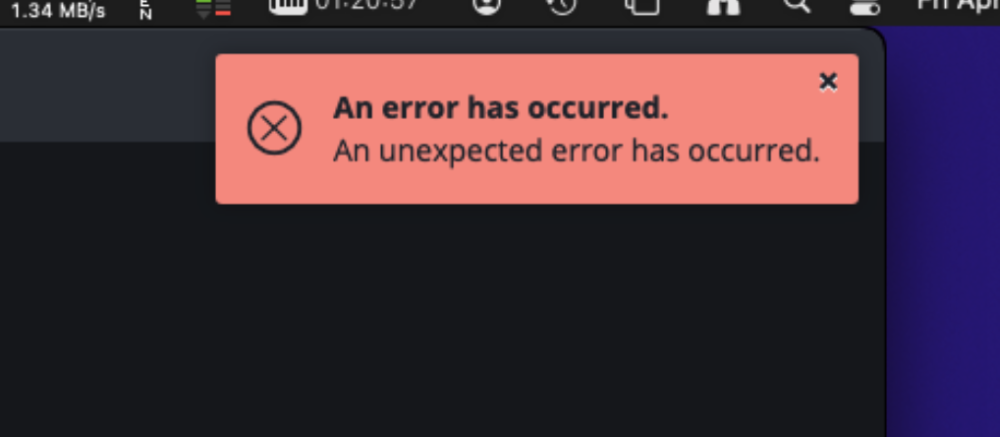
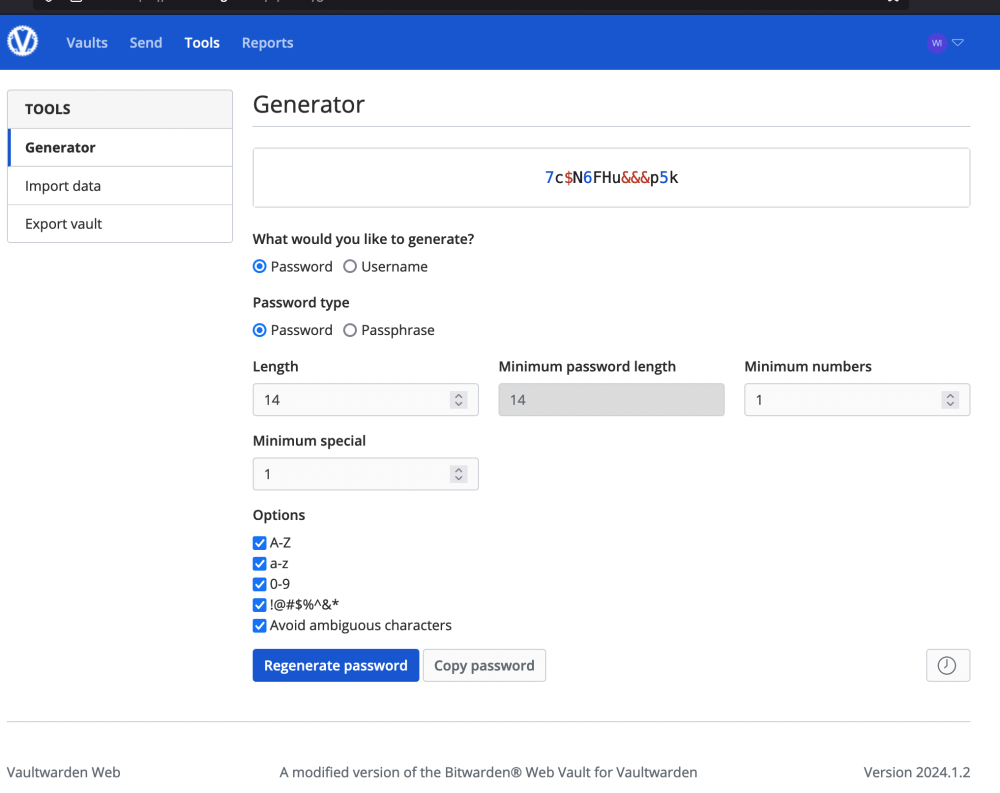
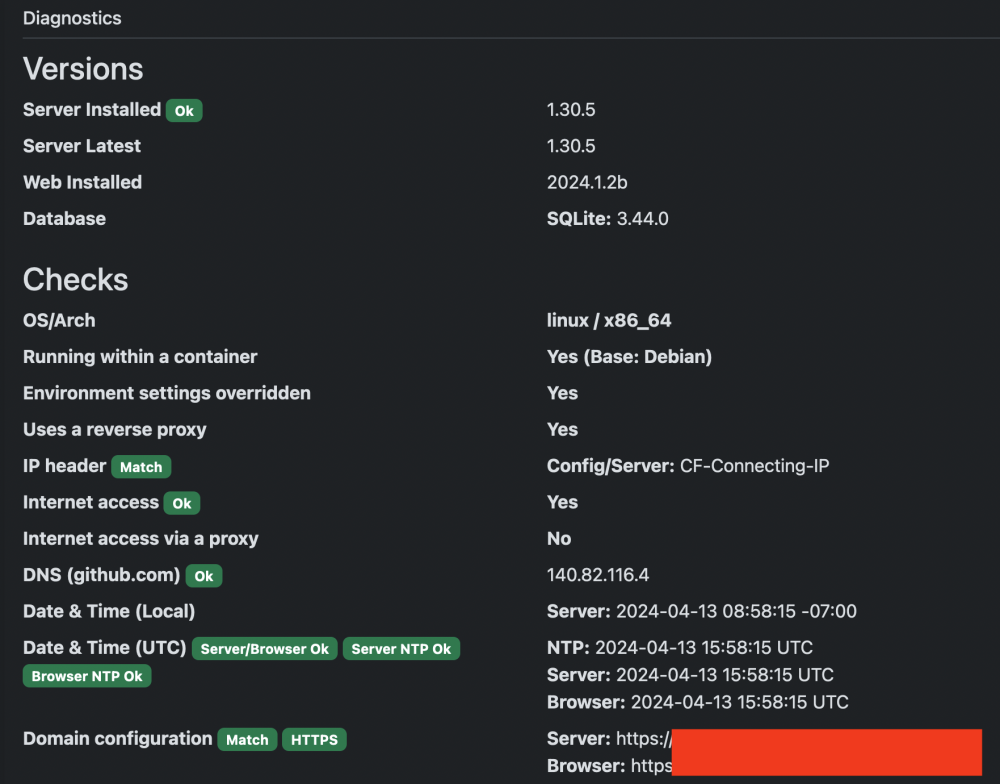
Hi all, I encountered issue logging in any devices (Mac OS, Windows, IOS etc), but web login is fine. I don't see any error through vaultwaden log. I have tried removing the app & reinstall, creating a new account along with new email & password, log in & out (I won't be able login again once I log out). I have things backup, but the problem is that I won't be able to use any form of vaultwarden client; all clients don't talk to the vaultwarden app anymore (entering the password don't trigger the log at all). As far as I noticed the rsa_key.pem has been changed when I change the network type from a bridge to a custom network. I don't know if this is a cause of it. nothing wrong with the cloudflared tunnel & firewall. I use cloudflared tunnel, and I can log in anywhere through any browsers. also nothing wrong on the OS side, Installing vaultwarden on a fresh copy of OS doesn't solve the problem either.
-
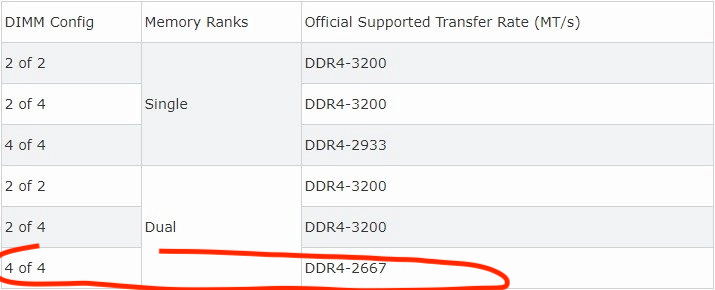
i see, as i recall, the rams are default @3200. i checked this post again "What can I do to keep my Ryzen based server from crashing/locking up with Unraid?" Power Supply Idle Control already set it to typical current idle and C-States has been disabled. for the ram setting, i see this image in the post. I have 4 sticks in the build; should i change the clock speed @2667 for a stable build? Wing
-
here you go~ by the meantime, the scrubbing is still running. Wing unwing-diagnostics-20230416-0702.zip
-
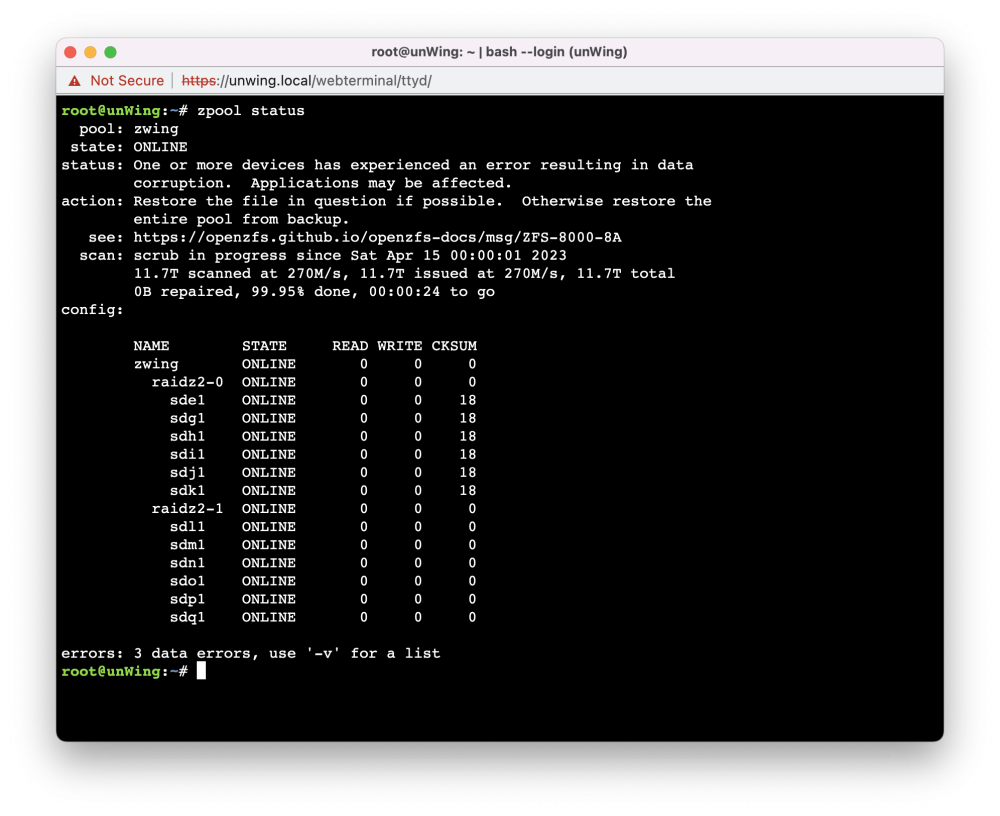
Hey all, my zfs pool started scrubbing last night; it found 3 data errors so far. the pool is still scrubbing, I have no idea when is it going to be end. What should I do? Should I just wait? I am currently running 6.12.0 RC2. This build isn't so stable. It freezes the Unraid OS once in a while and I have to force restart the Unraid for few times (Can't login GUI or SSH into Unraid). I don't know if this is the cause of data errors. Thanks, Wing