





johnmzimm
Members
-
Joined
-
Last visited
-
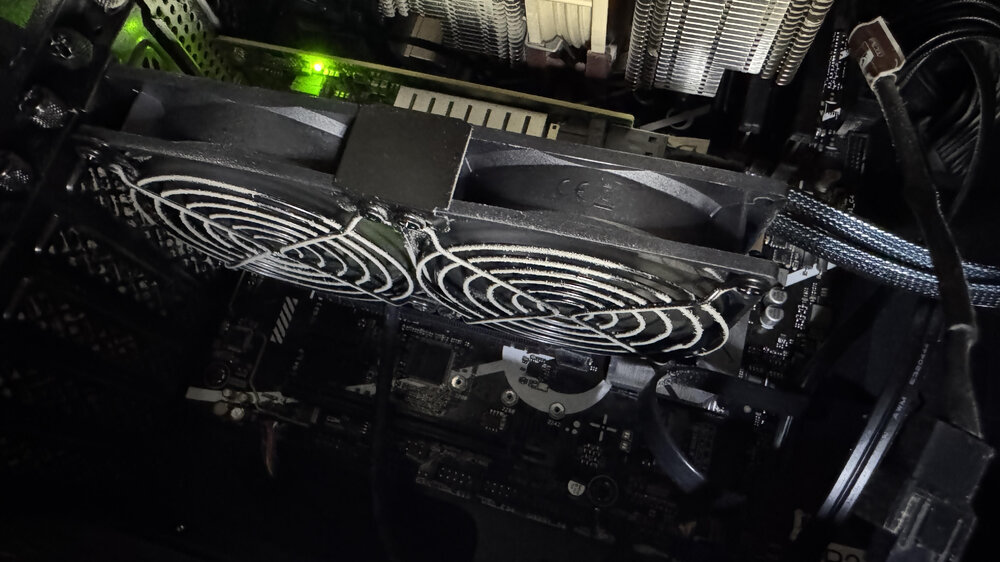
OMG, thank you for the Safe Mode suggestion and everyone's help. After all the drives were stopped, I still heard the drives! Opened up the case and found this fan making the noise. And I kid you not, it sounds exactly like a drive reading/writing. All the fans are Notuas except for this cheep PCI graphics card fan. It is keeping the SAS3008 12Gbps SATA/SAS 8-Port controller cool. Thanks again, John
-
I removed that app, turned off all dockers and turned off auto start for them. After restarting, it is still happening. Any other ideas?
-
Is there a way to test to see if that is it? Or turn it off?
-
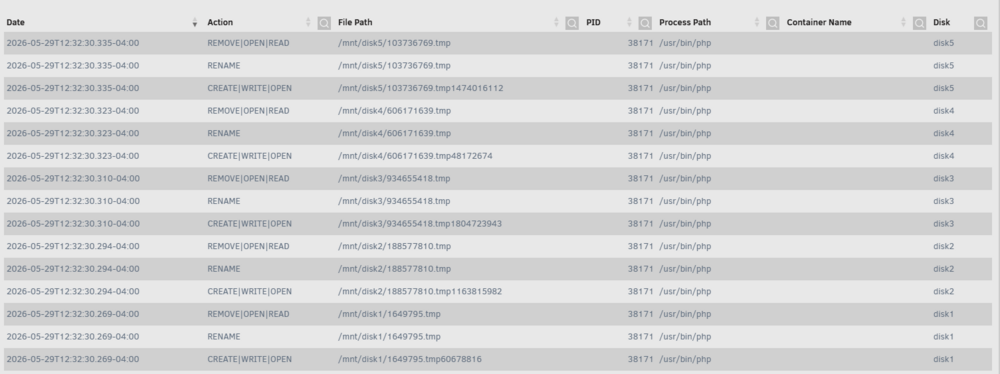
Hello, I am trying to figure why 24 hours a day my disk(s) are reading or writing... I can hear it. I tried to use File Activity app, but all I see is temp stuff. Any idea how to fix this or what is doing it? Thank you Unconfirmed 763073.crdownload
-
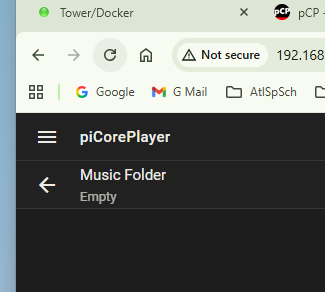
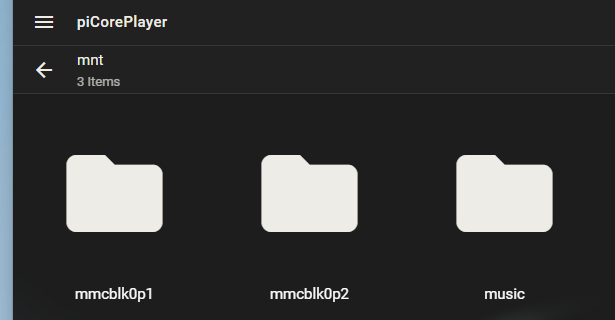
I feel like I am really close. I have raspberry pie setup with pCP and I have Lyrion docker in unraid. Lyrion sees the pCP as it's player. And it sees the folder called music on my music share. But it does not see any on the music files. Anyone have any ideas? Or is there a better way or different music player to stream my music to the pCP. Thank you.

-
Is it possible to format a drive readable by Windows, mount it outside the array and run a backup program to keep a copy of a share on the array to this new drive. Basically, I am trying to see if I can install a hard drive in my server case, and have it formatted with a format that a Windows computer can use. And have this drive outside of the array. I want to use it as a backup drive of my "archive" share, (that's on the array), incase there is a major failure of the server/array, so I could at least have this "archive" folder safe and secure and I could just pop it into another computer to retrieve the contents. (I will also be setting up a cloud backup someday.) Thank you
-
I am trying to locate all the empty folder on a share. When I run this "find /mnt/disk1/movies -type d -empty -print" it just reports back with all the folders on the share, not just the empty ones. Am i missing something? Thank you
-
I setup up a new server tower with new box, motherboard, ram etc. After moving the drives and thumb drive over, it started right up. But drives 1 and 4 have an X next to them. Before I mess anything up, can you let me know what to do to fix it? Thank you, John tower-diagnostics-20250315-1501.zip

-
I have added a svnxingtii 9207-8i HBA (https://www.amazon.com/dp/B0BXPWJLM6?ref=ppx_yo2ov_dt_b_fed_asin_title#productDetails) to my ASUS Prime Z790-V AX WiFi DDR5 Motherboard (https://www.amazon.com/dp/B0D12KQPJP?ref=ppx_yo2ov_dt_b_fed_asin_title) and it is not showing up in the bios nor the drives. Are there any special changes I should look for in the bios to make it work? FYI, when I first set it all up on this new build that I moved all drives and thumb drive over to, Unraid saw the 5 drives that were attached to the HBA. In fact, I even installed a second parity drive... Unraid did it's thing and both parity drives are green, but they are plugged into the motherboard, not the HBA. But over night, all the 5 dives that are on the HBA are missing. Thank you in advance for any help. tower-diagnostics-20250311-2206.zip
-
OK, Thanks JorgeB I checked the original drive with SpinRight and it looks fine. So I put it back in and parity is now rebuilding. If it happens again, I will get the diags before reboot, and rename them. John
-
Last time disk one was corrupted I did the flowing: -Replaced drive with new drive -Used new cable -Connected to different port -MemTest86 passed -Checked file system with -n, then -L, them no "-x" But now after a week, the disk has the red x buy it again. And it says its emulated. It is always drive 1. Anything else I should look at before randomly replacing hardware? Thank you, John Unconfirmed 540723.crdownload
-
Thank you itimpi, That did the trick. How/where do you see "Jun 6 16:54:29 Tower kernel: XFS (md1p1): Corruption detected. Unmount and run xfs_repair"? Just so I can fix it myself next time... I looked in the diagnostics zip syslog, but I do not see it.
-
I had my drive 1 fail and I replaced it and rebuilt it from parity. But then my shares disappear. If I reboot they come back... but when I turn on Docker the shares disappear again. I tried to delete the Docker image, but without the shares it says the Image and the app data path does not exist. Thank you, John tower-diagnostics-20240606-1711.zip
-
I ended up doing another check but this time with a -L in the field below and it fixed it. Thank you Kilrah
-
Thank you... I get the following... see below. What would I do next? Phase 1 - find and verify superblock... Phase 2 - using internal log - zero log... ALERT: The filesystem has valuable metadata changes in a log which is being ignored because the -n option was used. Expect spurious inconsistencies which may be resolved by first mounting the filesystem to replay the log. - scan filesystem freespace and inode maps... - found root inode chunk Phase 3 - for each AG... - scan (but don't clear) agi unlinked lists... - process known inodes and perform inode discovery... - agno = 0 - agno = 1 - agno = 2 - agno = 3 - agno = 4 - agno = 5 - agno = 6 - agno = 7 - agno = 8 - agno = 9 - agno = 10 - process newly discovered inodes... Phase 4 - check for duplicate blocks... - setting up duplicate extent list... - check for inodes claiming duplicate blocks... - agno = 0 - agno = 3 - agno = 2 - agno = 1 - agno = 4 - agno = 5 - agno = 6 - agno = 7 - agno = 8 - agno = 9 - agno = 10 No modify flag set, skipping phase 5 Phase 6 - check inode connectivity... - traversing filesystem ... - traversal finished ... - moving disconnected inodes to lost+found ... Phase 7 - verify link counts... Maximum metadata LSN (58:2620057) is ahead of log (58:2619677). Would format log to cycle 61. No modify flag set, skipping filesystem flush and exiting.



