





supercoach
Members
-
Joined
-
Last visited
-
Yeah, just started using VMs in Unraid again after a long hiatus and I'm honestly shocked to see that it's not included. Previously it was all command line, so it was pretty much do it yourself or it didn't happen, but with the modern GUI comes modern expectations and snapshots are pretty much a necessity for any VM host.
-
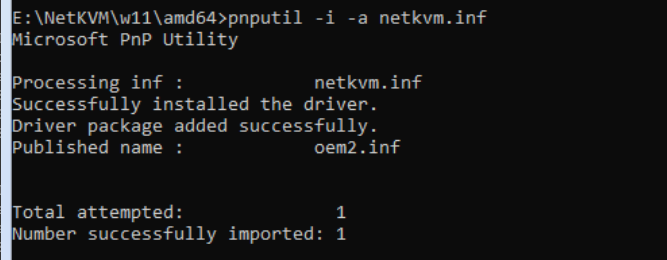
Just an addendum - you can load the drivers during the network setup process if you like. Hit SHIFT + F10 to get a command line open Switch to the location of the virtio iso (in my case, E:) and change to the NetKVM\w11\amd64 directory cd e:\NetKVM\w11\amd64 Install the driver pnputil -i -a netkvm.inf Network should now be detected. Close the command prompt and continue.
-
I had the same issue, so thanks for the solution. Any chance you can fill us in on what the purpose of the EFI folder is and why it needed to be renamed?


