





biiiink
Members
-
Joined
-
Last visited
-
Any idea why it would work on my Mac Mini behind my router, but not on Unraid?
-
So I tried installing PMS of my Mac Mini and it works behind my own router. So now I assume it doesn't have something to do with my router. Maybe something in my unraid setup?
-
I've looked through all the settings in the router. I dont see anything referring to IP spoofing. I've also already tried turning off the firewall completely and it does not fix the issue
-
So I am still having this issue. It's been over 2 months now Im pretty sure it is related to my router. I have a router provided by my ISP connected to an ASUS RT-AC86U that I just got today because my old router died on me. I temporarily plugged my Unraid server into the ISP's router, and plex was able to find the media server. But once i put the new router in the network, the problem came back. and the logs in Unraid are identical. I have re-run through this support page again: https://support.plex.tv/articles/204604227-why-can-t-the-plex-app-find-or-connect-to-my-plex-media-server/ The Docker is up to date and running there is no VPN or Proxies running on the router or Unraid I've also tried temporarily disabling the firewall on the new router with no success. So I'm sure it is a setting on the Asus router, but I have no clue what it could be. Any help would be greatly appreciated
-
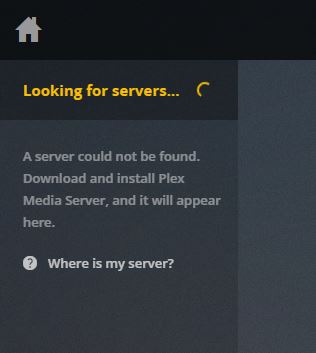
UPDATE: My router running DD-WRT died on me this morning. I temporarily plugged everything in to my ISP's router, and checked to see if plex could find the server and it did. I went out and bought an Asus RT-AC86U. Configured it, and its now back to the same issue. The log is identical regardless of the router setup being used Created by... ___. .__ .__ \_ |__ |__| ____ | |__ ____ ___ ___ | __ \| |/ \| | \_/ __ \\ \/ / | \_\ \ | | \ Y \ ___/ > < |___ /__|___| /___| /\___ >__/\_ \ \/ \/ \/ \/ \/ https://hub.docker.com/u/binhex/ 2018-06-28 12:47:16.478725 [info] Host is running unRAID 2018-06-28 12:47:16.515124 [info] System information Linux Titania 4.14.49-unRAID #1 SMP Mon Jun 11 16:21:07 PDT 2018 x86_64 GNU/Linux 2018-06-28 12:47:16.584084 [info] PUID defined as '99' 2018-06-28 12:47:16.631235 [info] PGID defined as '100' 2018-06-28 12:47:16.793320 [info] UMASK defined as '000' 2018-06-28 12:47:16.835369 [info] Permissions already set for volume mappings 2018-06-28 12:47:16.876573 [info] TRANS_DIR defined as '/config/transcode' 2018-06-28 12:47:17.217636 [info] Starting Supervisor... 2018-06-28 12:47:17,588 INFO Included extra file "/etc/supervisor/conf.d/plexmediaserver.conf" during parsing 2018-06-28 12:47:17,588 INFO Set uid to user 0 succeeded 2018-06-28 12:47:17,593 INFO supervisord started with pid 7 2018-06-28 12:47:18,595 INFO spawned: 'plexmediaserver' with pid 47 2018-06-28 12:47:18,595 INFO reaped unknown pid 8 2018-06-28 12:47:19,611 INFO success: plexmediaserver entered RUNNING state, process has stayed up for > than 1 seconds (startsecs) I have re-run through this support page again: https://support.plex.tv/articles/204604227-why-can-t-the-plex-app-find-or-connect-to-my-plex-media-server/ The Docker is up to date and running there is no VPN or Proxies running on the router or Unraid I've also tried temporarily disabling the firewall on the new router with no success. So I'm sure it is a setting on the Asus router, but I have no clue what it could be. Any help would be greatly appreciated
-
Any idea what might be happening?
-
I have a router provided from my ISP, in DMZ, and behind it is my own router running DD-WRT. I have had the router running DD-WRT for years, but I have recently changed ISPs. I did also have the previous ISPs router in DMZ mode as well For the record, I did try temporarily turning off the firewall in DD-WRT, but that did not work
-
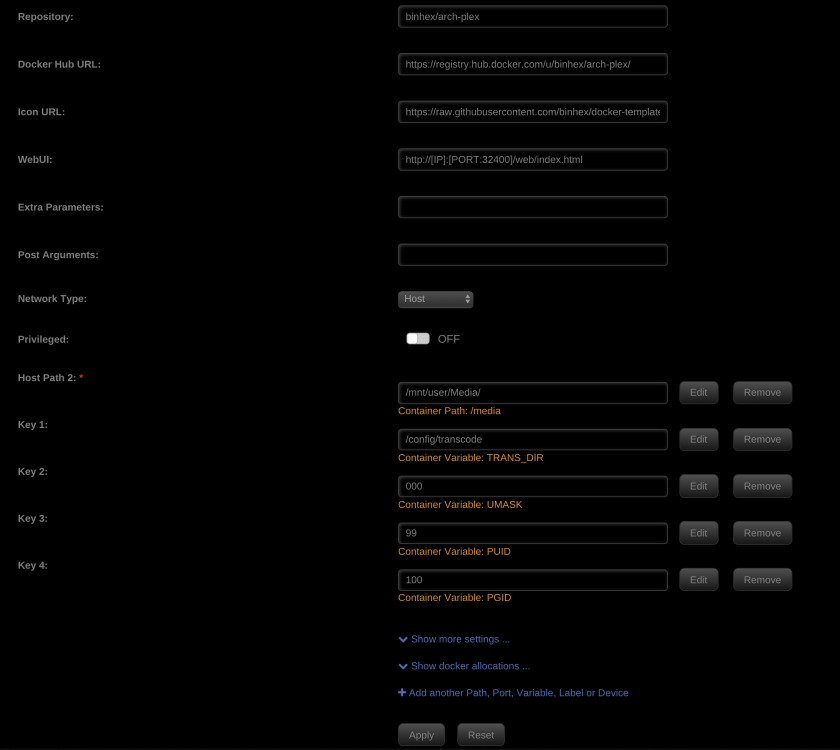
I've tried this a bunch of times already and It still wont find the server Just did it again and here is the screenshot Still not finding the server
-
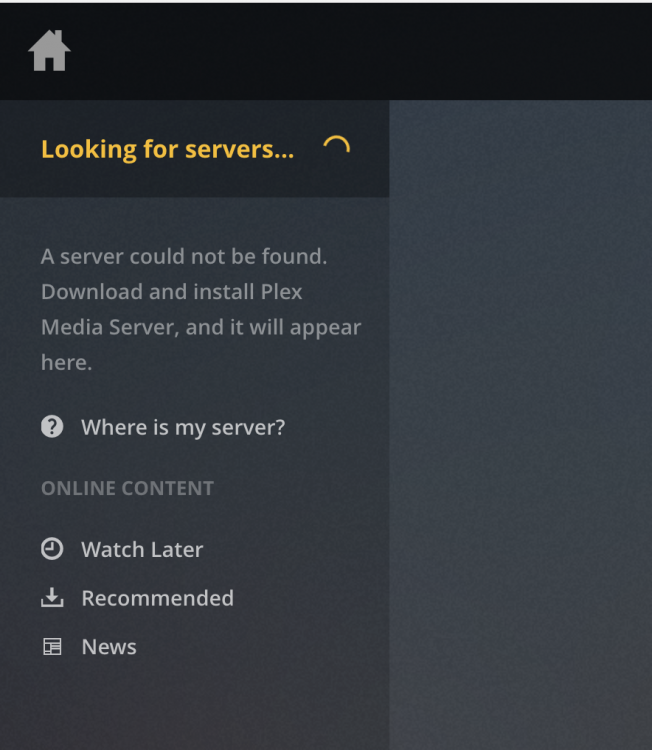
It's been over a month now, and I have tried everything I can find on the internet with no solution. I would really appreciate some help
-
Nope. Still the same issue.
-
I actually do. I just deleted it and re added it. Here is the correct screenshot

-
I have attached the run command

-
Yes I have. The server is not listed in the Devices, but the page does not explain how to add a server. I've gone through everything else on that page multiple times and nothing fixes the issue
-
Is anyone able to help me with this issue at all? its been over a month now and it is getting very frustrating. I've gone as far as completely reinstalling Unraid with no luck. I would really appreciate some support
-
Any more help with my issue would be greatly appreciated Thanks


