





claira
Members
-
Joined
-
Last visited
-
They are on the same controller. and power cable. I will look at that.
-
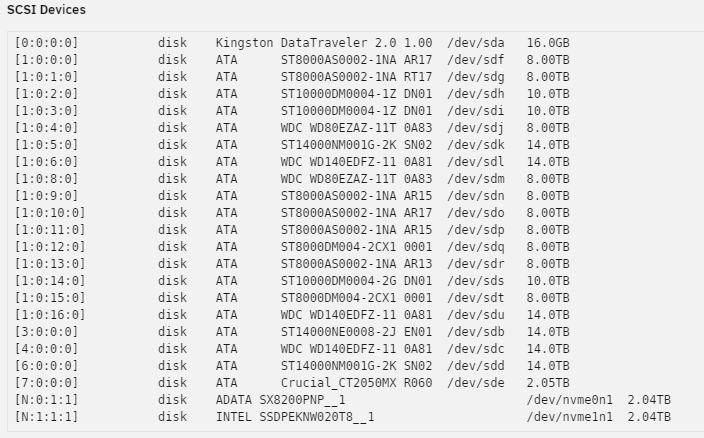
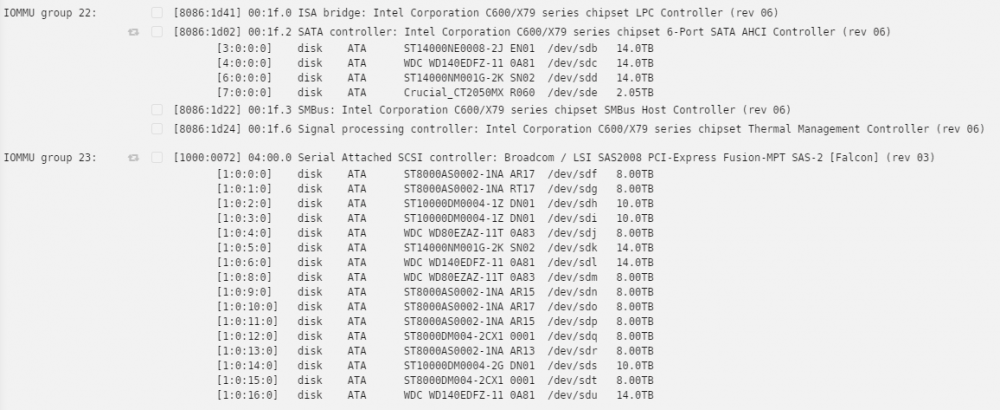
How do I tell which drive is ATA2.00? Is it the cable? Drive? Controller? Aug 17 18:21:21 UNRAID kernel: ata2.00: cmd 61/40:b8:d0:fe:f0/05:00:5d:00:00/40 tag 23 ncq dma 688128 out Aug 17 18:21:21 UNRAID kernel: res 40/00:a0:50:f0:f0/00:00:5d:00:00/40 Emask 0x10 (ATA bus error) Aug 17 18:21:21 UNRAID kernel: ata2.00: status: { DRDY } Aug 17 18:21:21 UNRAID kernel: ata2.00: failed command: WRITE FPDMA QUEUED Aug 17 18:21:21 UNRAID kernel: ata2.00: cmd 61/80:c0:10:04:f1/00:00:5d:00:00/40 tag 24 ncq dma 65536 out Aug 17 18:21:21 UNRAID kernel: res 40/00:a0:50:f0:f0/00:00:5d:00:00/40 Emask 0x10 (ATA bus error) Aug 17 18:21:21 UNRAID kernel: ata2.00: status: { DRDY } Aug 17 18:21:21 UNRAID kernel: ata2.00: failed command: WRITE FPDMA QUEUED Aug 17 18:21:21 UNRAID kernel: ata2.00: cmd 61/40:c8:90:04:f1/05:00:5d:00:00/40 tag 25 ncq dma 688128 out Aug 17 18:21:21 UNRAID kernel: res 40/00:a0:50:f0:f0/00:00:5d:00:00/40 Emask 0x10 (ATA bus error) Aug 17 18:21:21 UNRAID kernel: ata2.00: status: { DRDY } Aug 17 18:21:21 UNRAID kernel: ata2.00: failed command: WRITE FPDMA QUEUED Aug 17 18:21:21 UNRAID kernel: ata2.00: cmd 61/40:d0:d0:09:f1/05:00:5d:00:00/40 tag 26 ncq dma 688128 out Aug 17 18:21:21 UNRAID kernel: res 40/00:a0:50:f0:f0/00:00:5d:00:00/40 Emask 0x10 (ATA bus error) Aug 17 18:21:21 UNRAID kernel: ata2.00: status: { DRDY } Aug 17 18:21:21 UNRAID kernel: ata2.00: failed command: WRITE FPDMA QUEUED Aug 17 18:21:21 UNRAID kernel: ata2.00: cmd 61/40:d8:10:0f:f1/01:00:5d:00:00/40 tag 27 ncq dma 163840 out Aug 17 18:21:21 UNRAID kernel: res 40/00:a0:50:f0:f0/00:00:5d:00:00/40 Emask 0x10 (ATA bus error) Aug 17 18:21:21 UNRAID kernel: ata2.00: status: { DRDY } Aug 17 18:21:21 UNRAID kernel: ata2: hard resetting link Aug 17 18:21:27 UNRAID kernel: ata2: link is slow to respond, please be patient (ready=0) Aug 17 18:21:31 UNRAID kernel: ata2: COMRESET failed (errno=-16) Aug 17 18:21:31 UNRAID kernel: ata2: hard resetting link Aug 17 18:21:37 UNRAID kernel: ata2: link is slow to respond, please be patient (ready=0) Aug 17 18:21:37 UNRAID kernel: ata2: SATA link up 1.5 Gbps (SStatus 113 SControl 310) Aug 17 18:21:38 UNRAID kernel: ata2.00: configured for UDMA/33 Aug 17 18:21:38 UNRAID kernel: ata2: EH complete Aug 17 18:21:38 UNRAID kernel: ata2.00: exception Emask 0x10 SAct 0x7f0 SErr 0x4890000 action 0xe frozen Aug 17 18:21:38 UNRAID kernel: ata2.00: irq_stat 0x08400040, interface fatal error, connection status changed Aug 17 18:21:38 UNRAID kernel: ata2: SError: { PHYRdyChg 10B8B LinkSeq DevExch } Aug 17 18:21:38 UNRAID kernel: ata2.00: failed command: WRITE FPDMA QUEUED Aug 17 18:21:38 UNRAID kernel: ata2.00: cmd 61/00:20:90:a1:f1/04:00:5d:00:00/40 tag 4 ncq dma 524288 out Aug 17 18:21:38 UNRAID kernel: res 40/00:20:90:a1:f1/00:00:5d:00:00/40 Emask 0x10 (ATA bus error) Aug 17 18:21:38 UNRAID kernel: ata2.00: status: { DRDY } Aug 17 18:21:38 UNRAID kernel: ata2.00: failed command: WRITE FPDMA QUEUED Aug 17 18:21:38 UNRAID kernel: ata2.00: cmd 61/40:28:90:a5:f1/05:00:5d:00:00/40 tag 5 ncq dma 688128 out Aug 17 18:21:38 UNRAID kernel: res 40/00:20:90:a1:f1/00:00:5d:00:00/40 Emask 0x10 (ATA bus error) Aug 17 18:21:38 UNRAID kernel: ata2.00: status: { DRDY } Aug 17 18:21:38 UNRAID kernel: ata2.00: failed command: WRITE FPDMA QUEUED Aug 17 18:21:38 UNRAID kernel: ata2.00: cmd 61/40:30:d0:aa:f1/05:00:5d:00:00/40 tag 6 ncq dma 688128 out Aug 17 18:21:38 UNRAID kernel: res 40/00:20:90:a1:f1/00:00:5d:00:00/40 Emask 0x10 (ATA bus error) Aug 17 18:21:38 UNRAID kernel: ata2.00: status: { DRDY } Aug 17 18:21:38 UNRAID kernel: ata2.00: failed command: WRITE FPDMA QUEUED Aug 17 18:21:38 UNRAID kernel: ata2.00: cmd 61/00:38:10:b0:f1/03:00:5d:00:00/40 tag 7 ncq dma 393216 out Aug 17 18:21:38 UNRAID kernel: res 40/00:20:90:a1:f1/00:00:5d:00:00/40 Emask 0x10 (ATA bus error) Aug 17 18:21:38 UNRAID kernel: ata2.00: status: { DRDY } Aug 17 18:21:38 UNRAID kernel: ata2.00: failed command: WRITE FPDMA QUEUED Aug 17 18:21:38 UNRAID kernel: ata2.00: cmd 61/40:40:10:b3:f1/05:00:5d:00:00/40 tag 8 ncq dma 688128 out Aug 17 18:21:38 UNRAID kernel: res 40/00:20:90:a1:f1/00:00:5d:00:00/40 Emask 0x10 (ATA bus error) Aug 17 18:21:38 UNRAID kernel: ata2.00: status: { DRDY } Aug 17 18:21:38 UNRAID kernel: ata2.00: failed command: WRITE FPDMA QUEUED Aug 17 18:21:38 UNRAID kernel: ata2.00: cmd 61/40:48:50:b8:f1/05:00:5d:00:00/40 tag 9 ncq dma 688128 out Aug 17 18:21:38 UNRAID kernel: res 40/00:20:90:a1:f1/00:00:5d:00:00/40 Emask 0x10 (ATA bus error) Aug 17 18:21:38 UNRAID kernel: ata2.00: status: { DRDY } Aug 17 18:21:38 UNRAID kernel: ata2.00: failed command: WRITE FPDMA QUEUED Aug 17 18:21:38 UNRAID kernel: ata2.00: cmd 61/00:50:90:bd:f1/04:00:5d:00:00/40 tag 10 ncq dma 524288 out Aug 17 18:21:38 UNRAID kernel: res 40/00:20:90:a1:f1/00:00:5d:00:00/40 Emask 0x10 (ATA bus error) Aug 17 18:21:38 UNRAID kernel: ata2.00: status: { DRDY } Aug 17 18:21:38 UNRAID kernel: ata2: hard resetting link Aug 17 18:21:44 UNRAID kernel: ata2: link is slow to respond, please be patient (ready=0) Aug 17 18:21:48 UNRAID kernel: ata2: COMRESET failed (errno=-16) Aug 17 18:21:48 UNRAID kernel: ata2: hard resetting link unraid-diagnostics-20210817-1822.zip
-
Passed through whole usb controller and both controllers show up in device manager.
-
Can someone explain what I did wrong in the first section? The second code section works. The difference is in the " <qemu:commandline>" section. What the guide told me to do: <domain type='kvm' xmlns:qemu='http://libvirt.org/schemas/domain/qemu/1.0'> <name>TV</name> <uuid>33b9695d-acfa-0641-8fa6-769acc37f2b3</uuid> <metadata> <vmtemplate name="Custom" icon="windows.png" os="windows"/> </metadata> <memory unit='KiB'>12582912</memory> <currentMemory unit='KiB'>8388608</currentMemory> <memoryBacking> <nosharepages/> <locked/> </memoryBacking> <vcpu placement='static'>4</vcpu> <cputune> <vcpupin vcpu='0' cpuset='0'/> <vcpupin vcpu='1' cpuset='1'/> <vcpupin vcpu='2' cpuset='2'/> <vcpupin vcpu='3' cpuset='3'/> </cputune> <os> <type arch='x86_64' machine='pc-q35-2.3'>hvm</type> </os> <features> <acpi/> <apic/> <hyperv> <relaxed state='on'/> <vapic state='on'/> <spinlocks state='on' retries='8191'/> </hyperv> </features> <cpu mode='host-passthrough'> <topology sockets='1' cores='4' threads='1'/> </cpu> <clock offset='localtime'> <timer name='hypervclock' present='yes'/> <timer name='hpet' present='no'/> </clock> <on_poweroff>destroy</on_poweroff> <on_reboot>restart</on_reboot> <on_crash>restart</on_crash> <devices> <emulator>/usr/bin/qemu-system-x86_64</emulator> <disk type='file' device='disk'> <driver name='qemu' type='raw' cache='writeback'/> <source file='/mnt/cache/Virtual Machines/TV/vdisk1.img'/> <target dev='hdc' bus='virtio'/> <boot order='1'/> <address type='pci' domain='0x0000' bus='0x02' slot='0x04' function='0x0'/> </disk> <disk type='file' device='cdrom'> <driver name='qemu' type='raw'/> <source file='/mnt/user/Downloads/PC System/OS/Windows 10/en_windows_10_multiple_editions_x64_dvd_6846432.iso'/> <target dev='hda' bus='sata'/> <readonly/> <boot order='2'/> <address type='drive' controller='0' bus='0' target='0' unit='0'/> </disk> <disk type='file' device='cdrom'> <driver name='qemu' type='raw'/> <source file='/mnt/user/Downloads/PC System/OS/virtio-win-0.1.102.iso'/> <target dev='hdb' bus='sata'/> <readonly/> <address type='drive' controller='0' bus='0' target='0' unit='1'/> </disk> <controller type='usb' index='0' model='ich9-ehci1'> <address type='pci' domain='0x0000' bus='0x02' slot='0x02' function='0x7'/> </controller> <controller type='usb' index='0' model='ich9-uhci1'> <master startport='0'/> <address type='pci' domain='0x0000' bus='0x02' slot='0x02' function='0x0' multifunction='on'/> </controller> <controller type='sata' index='0'> <address type='pci' domain='0x0000' bus='0x00' slot='0x1f' function='0x2'/> </controller> <controller type='pci' index='0' model='pcie-root'/> <controller type='pci' index='1' model='dmi-to-pci-bridge'> <address type='pci' domain='0x0000' bus='0x00' slot='0x1e' function='0x0'/> </controller> <controller type='pci' index='2' model='pci-bridge'> <address type='pci' domain='0x0000' bus='0x01' slot='0x01' function='0x0'/> </controller> <controller type='virtio-serial' index='0'> <address type='pci' domain='0x0000' bus='0x02' slot='0x03' function='0x0'/> </controller> <interface type='bridge'> <mac address='52:54:00:6b:3c:3f'/> <source bridge='br0'/> <model type='virtio'/> <address type='pci' domain='0x0000' bus='0x02' slot='0x01' function='0x0'/> </interface> <serial type='pty'> <target port='0'/> </serial> <console type='pty'> <target type='serial' port='0'/> </console> <channel type='unix'> <source mode='bind' path='/var/lib/libvirt/qemu/channel/target/TV.org.qemu.guest_agent.0'/> <target type='virtio' name='org.qemu.guest_agent.0'/> <address type='virtio-serial' controller='0' bus='0' port='1'/> </channel> <memballoon model='virtio'> <address type='pci' domain='0x0000' bus='0x02' slot='0x05' function='0x0'/> </memballoon> </devices> <qemu:commandline> <qemu:arg value='-device'/> <qemu:arg value='ioh3420,bus=pcie.0,addr=1c.0,multifunction=on,port=2,chassis=1,id=root.1'/> <qemu:arg value='-device'/> <qemu:arg value='vfio-pci,host=01:00.0,bus=pcie.0,multifunction=on,x-vga=on'/> <qemu:arg value='-device'/> <qemu:arg value='vfio-pci,host=00:1b.0,bus=pcie.0'/> <qemu:arg value='-device'/> <qemu:arg value='vfio-pci,host=01:00.1,bus=pcie.0'/> <qemu:arg value='-device'/> <qemu:arg value='vfio-pci,host=00:14.0,bus=root.1,addr=00.1'/> </qemu:commandline> </domain> This appears to work: <domain type='kvm' xmlns:qemu='http://libvirt.org/schemas/domain/qemu/1.0'> <name>TV</name> <uuid>33b9695d-acfa-0641-8fa6-769acc37f2b3</uuid> <metadata> <vmtemplate name="Custom" icon="windows.png" os="windows"/> </metadata> <memory unit='KiB'>12582912</memory> <currentMemory unit='KiB'>8388608</currentMemory> <memoryBacking> <nosharepages/> <locked/> </memoryBacking> <vcpu placement='static'>4</vcpu> <cputune> <vcpupin vcpu='0' cpuset='0'/> <vcpupin vcpu='1' cpuset='1'/> <vcpupin vcpu='2' cpuset='2'/> <vcpupin vcpu='3' cpuset='3'/> </cputune> <os> <type arch='x86_64' machine='pc-q35-2.3'>hvm</type> </os> <features> <acpi/> <apic/> <hyperv> <relaxed state='on'/> <vapic state='on'/> <spinlocks state='on' retries='8191'/> </hyperv> </features> <cpu mode='host-passthrough'> <topology sockets='1' cores='4' threads='1'/> </cpu> <clock offset='localtime'> <timer name='hypervclock' present='yes'/> <timer name='hpet' present='no'/> </clock> <on_poweroff>destroy</on_poweroff> <on_reboot>restart</on_reboot> <on_crash>restart</on_crash> <devices> <emulator>/usr/bin/qemu-system-x86_64</emulator> <disk type='file' device='disk'> <driver name='qemu' type='raw' cache='writeback'/> <source file='/mnt/cache/Virtual Machines/TV/vdisk1.img'/> <target dev='hdc' bus='virtio'/> <boot order='1'/> <address type='pci' domain='0x0000' bus='0x02' slot='0x04' function='0x0'/> </disk> <disk type='file' device='cdrom'> <driver name='qemu' type='raw'/> <source file='/mnt/user/Downloads/PC System/OS/Windows 10/en_windows_10_multiple_editions_x64_dvd_6846432.iso'/> <target dev='hda' bus='sata'/> <readonly/> <boot order='2'/> <address type='drive' controller='0' bus='0' target='0' unit='0'/> </disk> <disk type='file' device='cdrom'> <driver name='qemu' type='raw'/> <source file='/mnt/user/Downloads/PC System/OS/virtio-win-0.1.102.iso'/> <target dev='hdb' bus='sata'/> <readonly/> <address type='drive' controller='0' bus='0' target='0' unit='1'/> </disk> <controller type='usb' index='0' model='ich9-ehci1'> <address type='pci' domain='0x0000' bus='0x02' slot='0x02' function='0x7'/> </controller> <controller type='usb' index='0' model='ich9-uhci1'> <master startport='0'/> <address type='pci' domain='0x0000' bus='0x02' slot='0x02' function='0x0' multifunction='on'/> </controller> <controller type='sata' index='0'> <address type='pci' domain='0x0000' bus='0x00' slot='0x1f' function='0x2'/> </controller> <controller type='pci' index='0' model='pcie-root'/> <controller type='pci' index='1' model='dmi-to-pci-bridge'> <address type='pci' domain='0x0000' bus='0x00' slot='0x1e' function='0x0'/> </controller> <controller type='pci' index='2' model='pci-bridge'> <address type='pci' domain='0x0000' bus='0x01' slot='0x01' function='0x0'/> </controller> <controller type='virtio-serial' index='0'> <address type='pci' domain='0x0000' bus='0x02' slot='0x03' function='0x0'/> </controller> <interface type='bridge'> <mac address='52:54:00:6b:3c:3f'/> <source bridge='br0'/> <model type='virtio'/> <address type='pci' domain='0x0000' bus='0x02' slot='0x01' function='0x0'/> </interface> <serial type='pty'> <target port='0'/> </serial> <console type='pty'> <target type='serial' port='0'/> </console> <channel type='unix'> <source mode='bind' path='/var/lib/libvirt/qemu/channel/target/TV.org.qemu.guest_agent.0'/> <target type='virtio' name='org.qemu.guest_agent.0'/> <address type='virtio-serial' controller='0' bus='0' port='1'/> </channel> <memballoon model='virtio'> <address type='pci' domain='0x0000' bus='0x02' slot='0x05' function='0x0'/> </memballoon> </devices> <qemu:commandline> <qemu:arg value='-device'/> <qemu:arg value='ioh3420,bus=pcie.0,addr=1c.0,multifunction=on,port=2,chassis=1,id=root.1'/> <qemu:arg value='-device'/> <qemu:arg value='vfio-pci,host=01:00.0,bus=pcie.0,multifunction=on,x-vga=on'/> <qemu:arg value='-device'/> <qemu:arg value='vfio-pci,host=00:14.0,bus=pcie.0'/> <qemu:arg value='-device'/> <qemu:arg value='vfio-pci,host=00:1b.0,bus=pcie.0'/> <qemu:arg value='-device'/> <qemu:arg value='vfio-pci,host=01:00.1,bus=pcie.0'/> </qemu:commandline> </domain>
-
I am trying to get 2 xbox one controllers on the VM but as they have the same vendor/product ID i tried this: <hostdev mode='subsystem' type='usb' managed='yes'> <source> <address bus='1' device='9'/> </source> <alias name='hostdev1'/> </hostdev> <hostdev mode='subsystem' type='usb' managed='yes'> <source> <address bus='1' device='8'/> </source> <alias name='hostdev2'/> </hostdev> However the second device shows up in windows as an unknown device.
