Acps
Members
-
Joined
-
Last visited
-
Omg im an idiot for some reason i was looking at the download url thinking that was what i needed and definitely much different than the project id i see now on the about project. Ty so much for the quick reply, this fixxed my issue!!!!
-
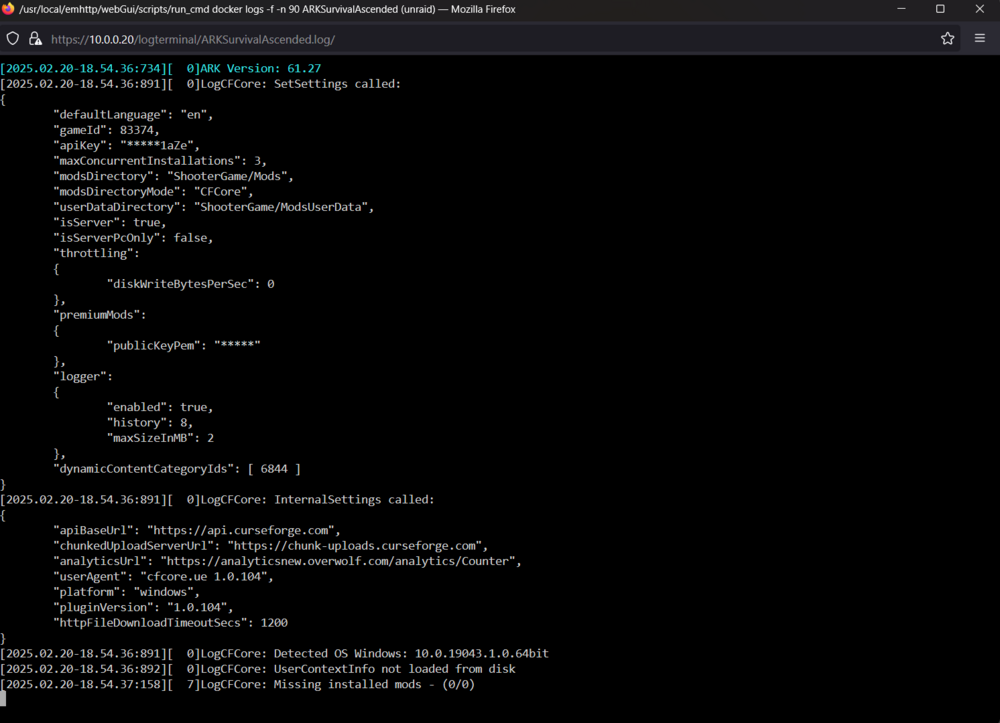
Looking for some help installing mods for my ARKSurvivalAscended server. It has been a real struggle, what I have tried and not working is adding -mods="6177787" to the Extra Params as well as adding ActiveMods=6205104 under [ServerSettings] in the GameUserSettings.ini. Now i thought after tons of research this should be all i need to do because the mods are all handled and updated via curse, so this should be downloading the mods and putting them into the /mnt/user/appdata/ark-sa/ShooterGame/Binaries/Win64/ShooterGame/Mods however this is where i run into issues. The server fails to start and loops every 60 secs with this error: It hangs here and then reboots and fails to start. What I have noticed is that I could never get anything actually downloaded into the Mods folder which is not even created to begin with. I tried making the mods folder manually and doing it by hand like this: But the server still failed to start with the same error. I would really appreciate someone who has mods installed to straighten me out and point me in the right direction. I feel like its a permission issue which im terrible with overall. One last note is im also running a cluster server with 2 maps which is stable with no mods. Thanks in advance for the help, Acps

-
Disk 4 of my array has been kicked offline several times the past several weeks. Each time I was able to run clean short/long smart checks and rebuild my array. The disk is only a couple months old, and didnt start having issues until it got filled up with data. Can someone take a look at my syslogs and let me know what they think? Thanks in advance ~Acps unraid-diagnostics-20231014-2231.zip
-
Ty, fixxed my issues with naming!
-
Over the weekend I was able to successfully unassign disk4 and rebuild pairty2. Ran another extended smart test on disk 4 and it completed with read failure again. My replacement drive should be arriving this week. I ran a parity check after my parity rebuild, which also completed with 0 errors. But now parity 2 is disabled again after having many read errors. I have most dockers turned off right now, save Plex. Attached my diags and will run an extended smart test on parity2 overnight, is it likely I have another disk going bad? Parity2 is only 2 years old, while disk 4 is 8 years. Appreciate any help! Ty in advance ~Acps unraid-diagnostics-20230221-1827.zip
-
I likely won't have a replacement for disk 4 for several days. Can I reassign Parity2 and leave disk 4 unassigned to rebuild that disk? Or do both disks need to be assigned together? I've been wanting to replace my 4-5tb drives with 8tb cmr, likely ST8000VNZ04. -Acps Sent from my iPhone using Tapatalk
-
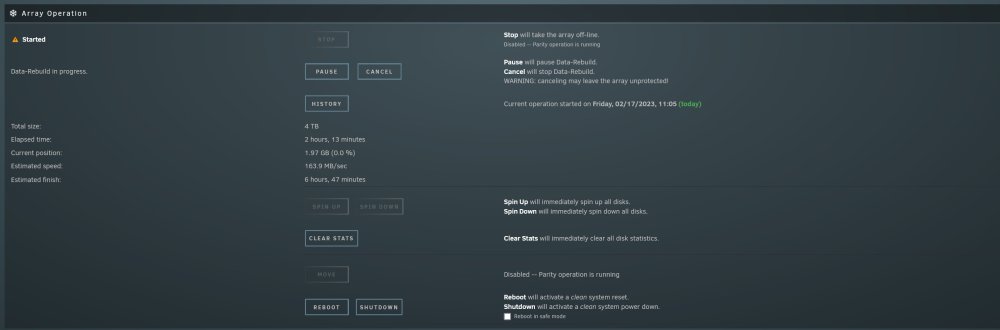
The gui was acting like the array was read/writing at 160Mbs, however it never moved passed 0% at 1.97gb after 2 hours. I wasnt able to pause or cancel the rebuild, however I was able to do a powerdown -r, to get the system rebooted and powered down. Server is off site and I plan on grabbing it after work today to work on it this weekend. Snagged the diag after reboot. I also should have nearly 99% of all my syslogs going back atleast to 2021. Any input and how to go recover parity2 while i replaced disk 4 so i dont botch it 😁 unraid-diagnostics-20230217-1323.zip
-
How do I stop the data-rebuild. The menu buttons are not responding. Will Parity 2 need to be rebuilt too, aka unassigned and reassigned too? Also do I want to leave disk 4 disabled for now or just unassign the bad drive until I order a replacement? -Acps Sent from my iPhone using Tapatalk
-
I have been having issues with moving large amounts of data from my cache drives to the array for the last several months. Started shortly after doubling my ram from 2 to 4 sticks. Today I thought I would remove 2 ram sticks to see if the disk errors would clear up. However I clearly botched what I thought was a simple task into a possible data loss incident? 🤕 I'll attach my logs and hope someone could take a look and help me try and dig myself out of this pickle im in now. Ty in advance ~Acps unraid-diagnostics-20230217-1149.zip
-
I am most certainly did something like that not thinking it would be an issue. I just put a new psu to replace the smaller one last year. This is what I got: https://a.co/d/92aY6Vr And I have tons of cables for the mods and bags of splitters. So all 8 array disks are mounted in 2 racks right above my psu. All 8 disks are connected to my 9300-8i card on my pcie x16 slot. Also would moving both Parity drives off the lsi card and switch them to the onboard sata 3 controller be a good idea? Ty ~Acps
-
IS there anything else i can try to do to confirm its the mobo? Is it possible to get any infornmation/logs from the bios during boot to see what is having issues?
-
I was considering that too because of all the issues in have had with it. But I always was able to get it booting again at the end of the day and usually when it gets running I have 0 issues. Any chance it could be a power issue? I really don't know how much a hard disk consumes on a power scale. I don't know if I paid attention to how I was drawing power from the cables. Can 8 drives on the same port from the psu draw enough power to cause any issues? Sent from my iPhone using Tapatalk
-
As a result my mover is struggling to get things off my cache and onto the array, it has been running for 4 hours and is only half way:
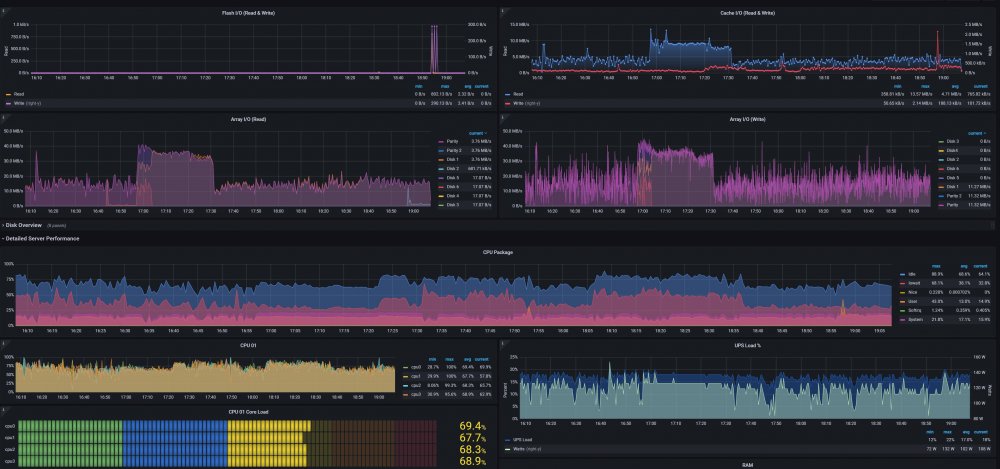
-
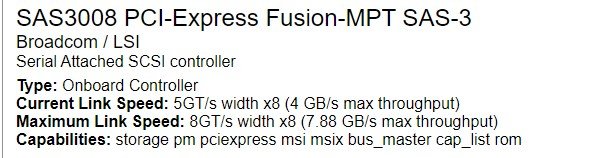
So for several months I dodged this issues by moving my lsi card to another pci slot that wasnt x16, i wanted to tackle it again and worked on it a bit this week, i found that I was able to stop my bios from hanging and not posting by deleting the LSI bios rom on my card, leaving just the IT firmware on it. So i no longer need to worry about it hanging if i reboot it remotly. However I still struggling with my lsi card and booting with my disks are still 50/50. I believe it has to do with my bios setting pcie gen set to auto. My card is in the top pcie slot which is def x16. But it never shows after boot that my link speed is ever at pcie3, its always at pcie1. If i go and mess with the bios and try to manual set the pcie speed to gen 3, my disks never boot. If i leave it to auto it will usually boot without disks the first time, im guessing cause it tried to do pcie3, and if i reboot without touching the bios, it boots with the disks in pcie1. Right now i figured that i can manually set the pcie2 in the bios and it seems to come up with my drives. I have both parity and every array disk on the controller, and my ssd/caches using the onboard sata ahci controller. Btw the cache drives boot 100% every time. I have run out of ides though, do i have a hardware issues or is this a bios setting i seem to be overlooking? I have reset to default and it hasnt helped. I will attach some diag, one will be when the drives failed to boot and the other when the drives do boot. If anyone could take a look I would appreciate it! ~Acps unraid-diagnostics-20220715-1359-nodisks.zipunraid-diagnostics-20220715-1439-yesdisks.zip
-
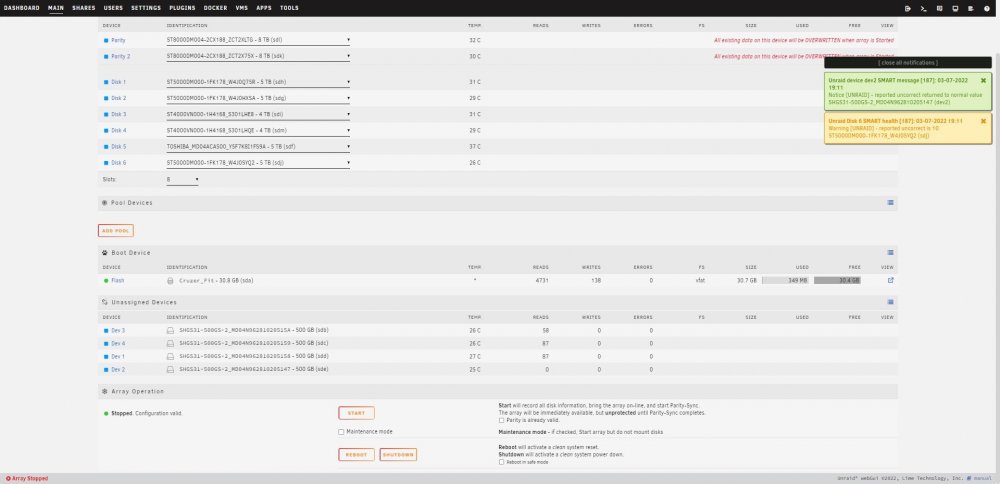
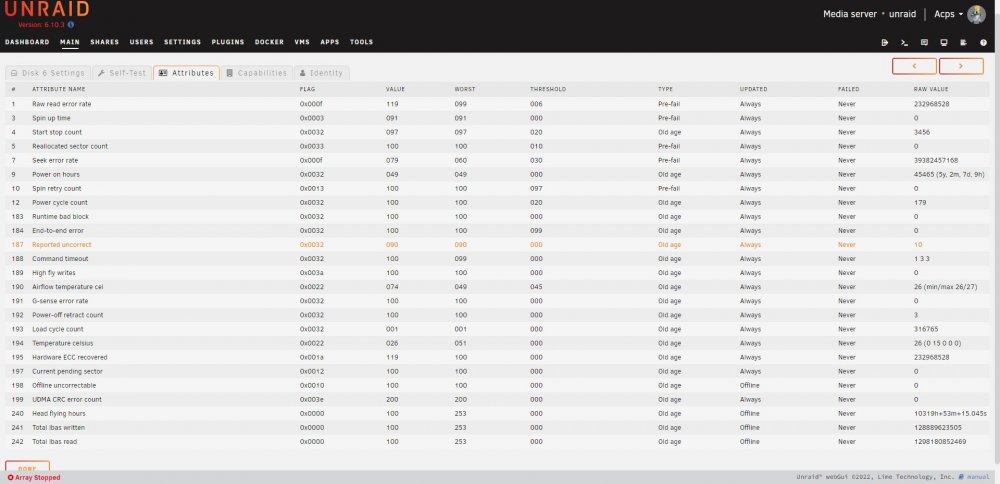
So I got a fresh usb and my key moved to a fresh build. the only configurations i did, was network settings and installed myservers. Is this what I need to see before pressing start for the first time? Disk 6 was reporting an error: Is there anything I should do before trying to do a parity sync? Ty in advance! ~Acps