





harshl
Members
-
Joined
-
Last visited
Everything posted by harshl
-
If I'm understanding correctly, you would like to stop accepting key based authentication from the existing keys and then beginning accepting key based authentication again from a set of new keys? If that is the case, just modify your authorized_keys file. Delete the keys that you don't want to be able to authenticate and add the new keys that you do want to be able to authenticate with. Your authorized_keys file should be found here: /boot/config/ssh/root/authorized_keys
-
For what its worth, I ended up going a different direction. I am using an exporter plugin for unraid that Prometheus (separate container) gathers data from and Grafana (speparate container) pulls data from Prometheus. For me this is a much better solution. Particularly since the Grafans version in this container is ancient. It is version 7 while current is 11. I couldn't even export other dashboards from my 11 system into this one, so I moved away from it entirely. Have a look here for more info: https://unraid.net/blog/prometheus
-
@EDACerton Any thoughts on this? I don't know if you were involved in writing this or not, just saw your sticky post and thought I would see if you had any thoughts?
-
Hey all! I have been using Tailscale on my containers with little to no issues at all until this most recent deployment. It is a container with no stateful disk mapped to the container itself. That being the case, I opened up the advanced Tailscale options and used the setting "Tailscale State Directory:" to define a place for it to create the persistent files for Tailscale (/mnt/cache/appdata/container-name/). My question is first of all, am I using that correctly and is that what it is for? I ask this question, because despite having supplied that path, which does exist and is owned by nobody:users with 777 permissions, no files have been written to that directory. Every time I upgrade or make a change to, and restart the container, I have to re-authenticate Tailscale, delete the old node from the Tailscale console and rename the new one to the proper name without a -1 since it was duplicated. Is there a bug in this feature, or am I using it wrong? I imagine it probably isn't used all that much within the Unraid user base. Thanks for any pointers!
-
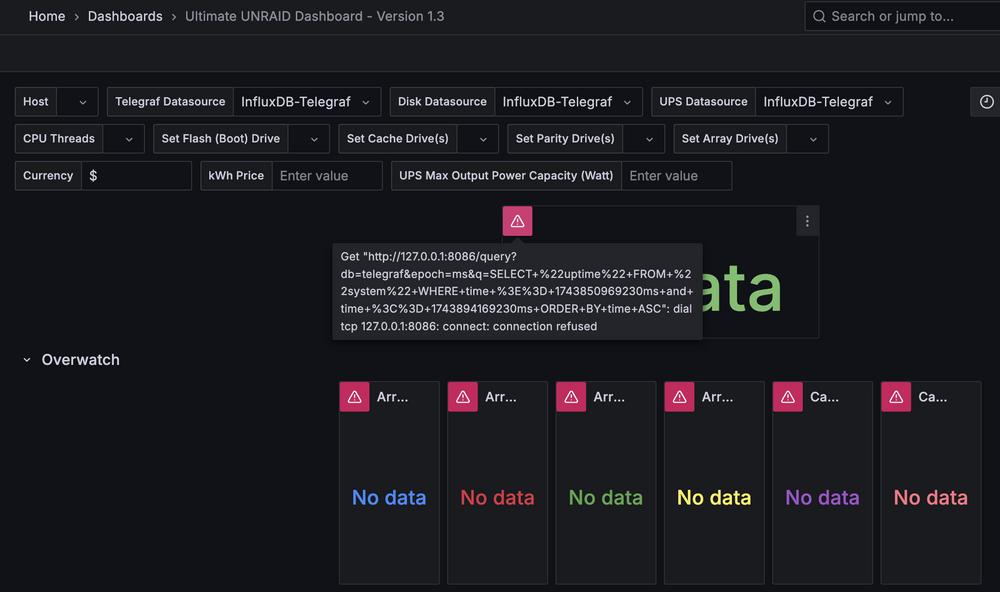
I'm experiencing a similar issue. Posted this on the GitHub thread: I'm experiencing a similar issue. Unraid 7.0.1 Clean install of UUD from Apps Host Networking with privileged mode enabled Nothing in the dashboard at all. Influx refusing connections.
-
Did you ever find an answer to this or find another way to do it? I too am looking to keep metrics longer in Prometheus on Unraid and am curious what you ended up doing long term? Thank you for any guidance you can provide.
-
I am creating snapshots of several of my VMs then copying them to other storage then deleting the snapshot. Seems to be working great other than the snaps I take on the CLI are not reflected in the GUI. I have booted the VM from the copied disk and it seems to boot up just fine. 🤷♂️ Here is how I am taking the snapshot: # 2. Create snapshot echo "Creating snapshot $SNAPSHOT_NAME..." virsh snapshot-create-as --domain "$VM_NAME" "$SNAPSHOT_NAME" --disk-only --atomic --diskspec "hdc,snapshot=external" --diskspec "hdd,snapshot=no" check_status "Snapshot creation" I stumbled onto this post while searching for why my snapshots don't appear in the GUI, which I suppose is mostly answered in the post above.
-
Confirmed. I am seeing now that after rebooting to replace the controller in the server, none of the drives are spinning down anymore, as configured. Thanks!
-
Just to close the loop on this, the issue was either with the cable or the controller, not sure which as I replaced them at the same time. I did not replace the backplane or anything else in the mix. Thanks for the technical and moral support!
-
Thank you so much!
-
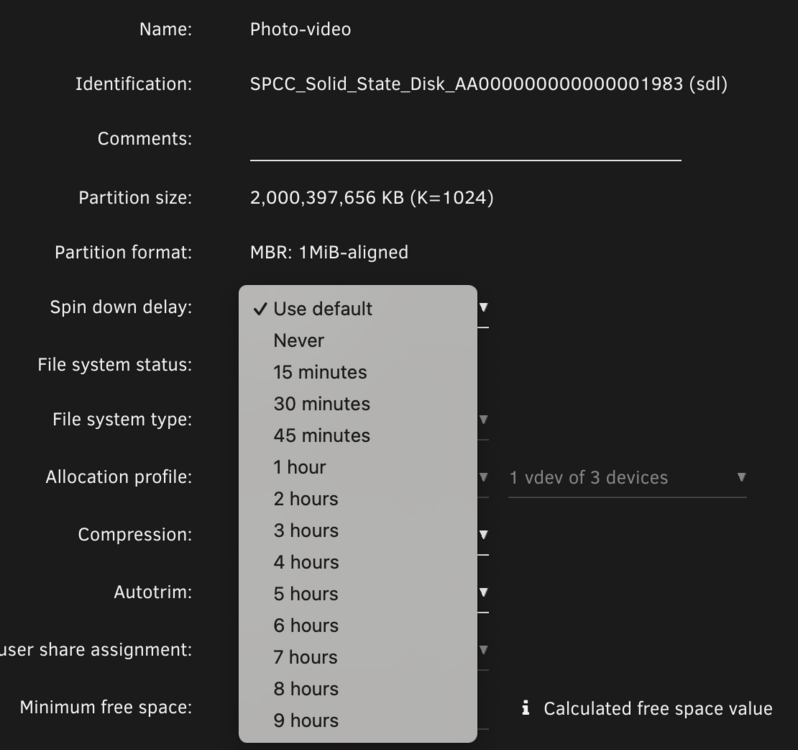
Sorry, I stated in the text what I was doing, but the screenshot shows something different. Sorry for the confusion. It is doing exactly what it has been configured to do. As a troubleshooting step, I wanted to disable spin down. I'm pretty convinced now that it has nothing to do with the issue, but regardless, I don't want this pool to spin down. I have set the first disk not to, but the remaining two disks still spin down and don't have a setting in the GUI I can find to set them not to. It is currently behaving exactly as configured from my perspective. Would you like me to submit a bug somewhere about it either not obeying the config of the first drive, or, the setting missing on subsequent drives? Thanks!
-
FYI, the pool is not obeying the setting from the first disk. Is there a way to set it on the other two disks so they are in sync?

-
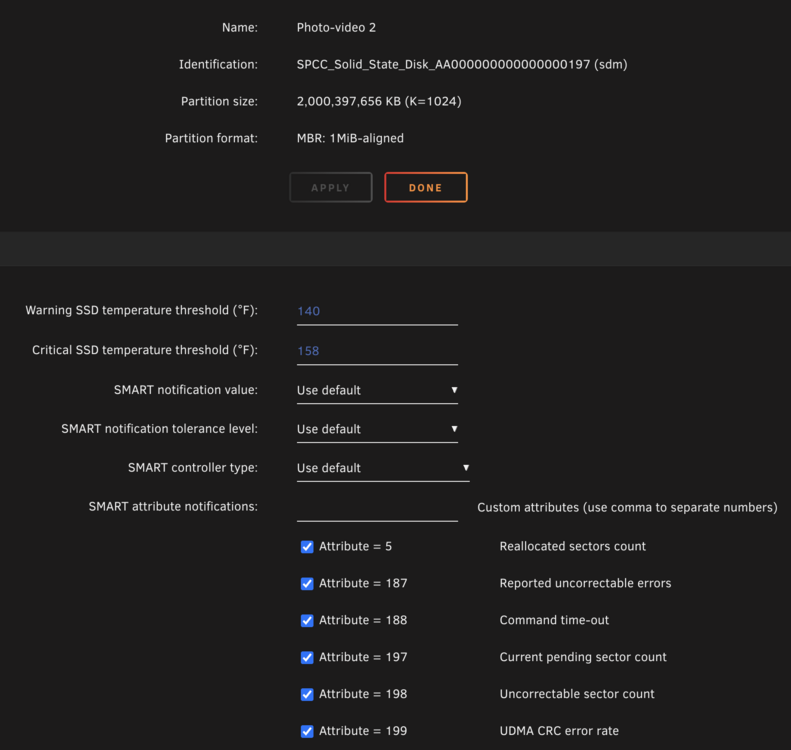
As a troubleshooting step, I would like to disable spin down for this zpool. It has the following drives present: If I click on the first drive I see the option to change spin down: However, when I click on the other two disks, they do not have that option: Will the other disks follow the setting of the 1st disk, or is there somewhere else that I need to set this? Thank you!

-
JorgeB, thank you for the responses and insight. The server came back up and the zpool mounted fine. I have copied the data off to two other locations and will continue troubleshooting the failure. Nice to have a friendly community to lean on when you get into these situations. Thanks again!
-
I tried rebooting it well over an hour ago and it hasn't gone down. Something has it hung. I guess I'll force power it off and maybe replace the HBA and cables?
-
Will do.
-
zpool status pool: photo-video state: ONLINE status: One or more devices has experienced an unrecoverable error. An attempt was made to correct the error. Applications are unaffected. action: Determine if the device needs to be replaced, and clear the errors using 'zpool clear' or replace the device with 'zpool replace'. see: https://openzfs.github.io/openzfs-docs/msg/ZFS-8000-9P config: NAME STATE READ WRITE CKSUM photo-video ONLINE 0 0 0 raidz1-0 ONLINE 0 0 0 sdl1 ONLINE 0 174 0 sdm1 ONLINE 0 0 0 sdn1 ONLINE 0 0 0 errors: No known data errors
-
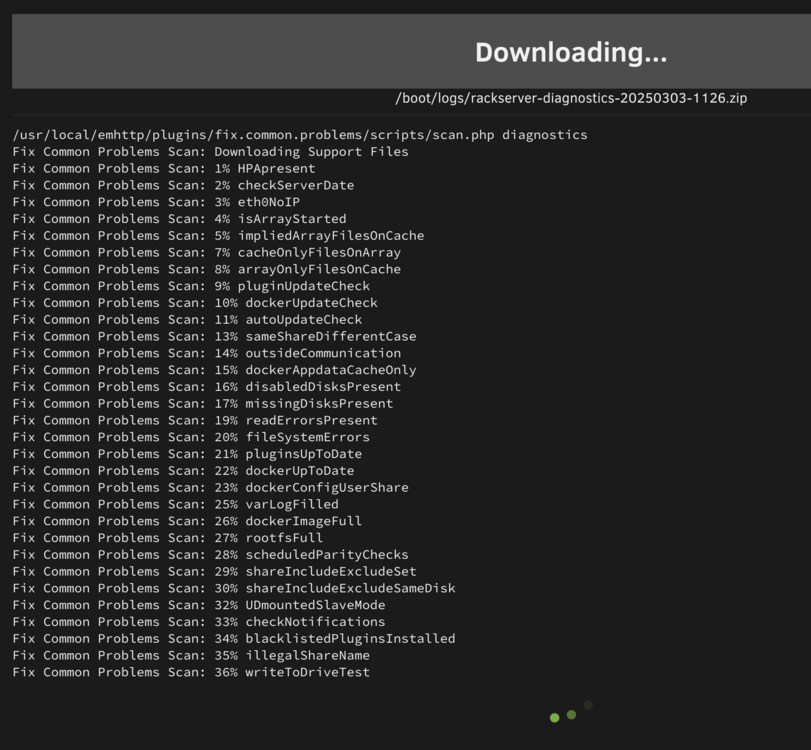
Hello all, I am in a bad spot with my server this morning and am concerned about possible data loss. I am running 7.0.1 and have recently added a 3 disk, 2.5" SSD, ZFS pool in RAIDz. I went to work 'moving' (this is my major mistake) more data to the pool this morning and the mc operation hung. Looking at it, the ZFS pool had spun down, which I wish I had turned off, but I didn't realize it was going to do it ahead of time. It seems now that those drives will not spin back up. I have shut down all of my VMs and containers. They all went down gracefully just fine since they have no dependency on this new pool at this point. However, the system will not reboot, I cannot generate diagnostics either, it hangs here: I was able to grab the syslog and also a ps -eaf from the CLI, both attached. I believe this is the applicable snippet from the CLI. Drive sdl, sdm and sdn are the new ZFS pool disks, named photo-video: Mar 3 10:01:13 RackServer kernel: Mar 3 10:13:43 RackServer emhttpd: spinning down /dev/sdi Mar 3 10:13:45 RackServer emhttpd: read SMART /dev/sdi Mar 3 10:28:48 RackServer kernel: mptbase: ioc0: mpt_fault_reset_work: IOC is non-operational !!!! Mar 3 10:28:48 RackServer kernel: mptbase: ioc0: WARNING - mpt_fault_reset_work: Running mpt_dead_ioc thread success ! Mar 3 10:28:48 RackServer kernel: sd 11:0:0:0: [sdl] Synchronizing SCSI cache Mar 3 10:29:03 RackServer kernel: mptscsih: ioc0: attempting task abort! (sc=00000000ebdea072) Mar 3 10:29:03 RackServer kernel: sd 11:0:1:0: [sdm] tag#75 CDB: opcode=0x85 85 06 20 00 00 00 00 00 00 00 00 00 00 40 e5 00 Mar 3 10:29:03 RackServer kernel: mptscsih: ioc0: WARNING - TaskMgmt type=1: IOC Not operational (0xffffffff)! Mar 3 10:29:03 RackServer kernel: mptscsih: ioc0: WARNING - Issuing HardReset from mptscsih_IssueTaskMgmt!! Mar 3 10:29:03 RackServer kernel: mptbase: ioc0: Initiating recovery Mar 3 10:29:03 RackServer kernel: mptbase: ioc0: WARNING - Unexpected doorbell active! Mar 3 10:30:05 RackServer kernel: mptbase: ioc0: ERROR - Failed to come READY after reset! IocState=f0000000 Mar 3 10:30:05 RackServer kernel: mptbase: ioc0: WARNING - ResetHistory bit failed to clear! Mar 3 10:30:05 RackServer kernel: mptbase: ioc0: ERROR - Diagnostic reset FAILED! (ffffffffh) Mar 3 10:30:05 RackServer kernel: mptbase: ioc0: WARNING - NOT READY WARNING! Mar 3 10:30:05 RackServer kernel: mptbase: WARNING - (-1) Cannot recover ioc0, doorbell=0xffffffff Mar 3 10:30:05 RackServer kernel: mptscsih: ioc0: WARNING - TaskMgmt HardReset FAILED!! Mar 3 10:30:05 RackServer kernel: mptscsih: ioc0: task abort: SUCCESS (rv=2002) (sc=00000000ebdea072) Mar 3 10:39:29 RackServer nginx: 2025/03/03 10:39:29 [error] 1582777#1582777: *1436877 upstream timed out (110: Connection timed out) while reading response header from upstream, client: 172.20.10.193, server: , request: "POST /plugins/unassigned.devices/include/UnassignedDevices.php HTTP/2.0", upstream: "fastcgi://unix:/var/run/php-fpm.sock", host: "rackserver.int.lantard.com", referrer: "https://rackserver.int.lantard.com/Main" Mar 3 10:40:00 RackServer nginx: 2025/03/03 10:40:00 [error] 1582777#1582777: *1436877 upstream timed out (110: Connection timed out) while reading response header from upstream, client: 172.20.10.193, server: , request: "POST /plugins/unassigned.devices/include/UnassignedDevices.php HTTP/2.0", upstream: "fastcgi://unix:/var/run/php-fpm.sock", host: "rackserver.int.lantard.com", referrer: "https://rackserver.int.lantard.com/Main" Mar 3 10:40:38 RackServer kernel: vethb9dc02d: renamed from eth0 Mar 3 10:40:49 RackServer kernel: veth3687d56: renamed from eth0 I don't know what else to do besides power it off at this point. Does anyone have any advice before I take that drastic action and cross my fingers it comes back up? I do have backups of much of the data that has been moved to the new pool, but there are some gaps for sure which is the project I am working on now, reorganizing data and backups, but made some foolish decisions along the way removing some safety nets that should have been kept. Anyway, any help you all can provide would be very much appreciated. Thanks! rackserver-syslog-20250303-1812.zip ps-as-the-server-sits-now.txt
-
I'm actually starting to suspect that it had to do with enabling TailScale and further enabling TailScale SSH server? I didn't think they would conflict, but perhaps they do? I suppose I will test a reboot today and see if it blows it away again. It is working fine again now that I have properly recreated /boot/config/ssh/root/authorized_keys on both systems. Still seems strange that it would have deleted that file somehow...
-
After an upgrade to unraid 7.0, my authorized_keys file seems to be gone and I am no longer able to login with my key from any system. Has anyone else seen this? I didn't see anything in the release notes about this happening, but I have upgraded two systems now and it happened on both of them. I guess I will just rebuild it, but this seems strange. Just wondering if anyone else hit this or not. Thanks!
-
Thank you @SimonF for taking the time to respond and explain the changes that have indeed taken place in software. I have some hardware work to do on the server in the coming days, so I will have the opportunity to test. Thanks again! -Landon
-
Thank you @SimonF! I'm assuming I need to remove /boot/config/vfio-pci.cfg completely, or should I just empty the file and leave it? Any difference? Interesting that those things are in there. I am not sure where they would have come from. If memory serves me, this may have been passed down from my desktop unraid setup to a dedicated server, but that was literally years ago. So something has changed in unraid as it relates to this file and autostarting VMs, that, or this file was magically placed on my flash drive somehow, which has been in this server without removal for years. Anyway, I appreciate the guidance and I suspect this will fix my particular issue. Thanks again, -Landon
-
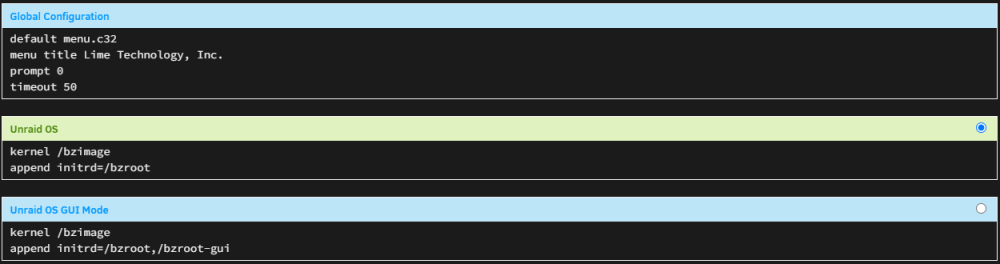
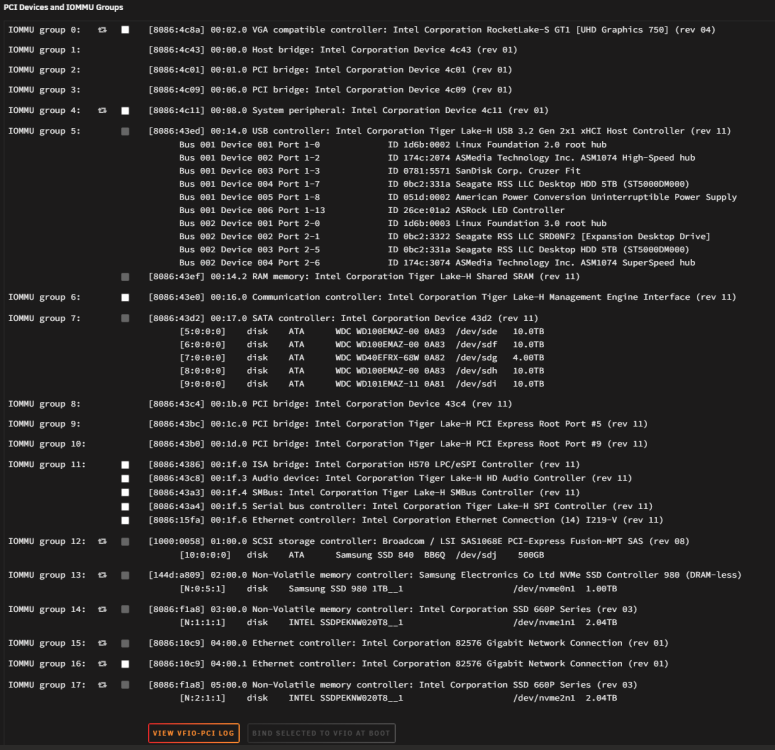
Oh! I just found this! VM Autostart disabled due to vfio-bind error That is clearly the issue. I will start looking at what might be wrong, but I don't believe any hardware has changed so I am not sure what is producing that error. VFIO log looks fine to me? Loading config from /boot/config/vfio-pci.cfg BIND=0000:01:00.0|10de:1f06 0000:01:00.1|10de:10f9 0000:01:00.2|10de:1ada 0000:01:00.3|10de:1adb 0000:09:00.0|1b73:1100 --- Processing 0000:01:00.0 10de:1f06 --- Processing 0000:01:00.1 10de:10f9 --- Processing 0000:01:00.2 10de:1ada --- Processing 0000:01:00.3 10de:1adb --- Processing 0000:09:00.0 1b73:1100 --- Devices listed in /sys/bus/pci/drivers/vfio-pci: vfio-pci binding complete I don't have any references in the syslinux config like we used to do. The only passthrough I even have is a spinner hard drive I am passing to a BlueIris server, which seems to be working perfectly. No other hardware passthrough going on as far as I can see. Thoughts? -Landon

-
Hey all, I have 3 VMs on one of my unraid servers and after an upgrade to 6.12.8, none of them will autostart after a reboot. Not sure what is going on or how to begin diagnosing it. Dockers auto start as configured, the VMs, though configured to autostart, do not. Manually starting the VMs after boot works perfectly fine. Diagnostics attached. Let me know if you need other details, I don't even know what to provide for this. Thanks for any guidance you can provide! -Landon rackserver-diagnostics-20240321-1948.zip
-
Thank you so much for building this, works great!




