





alfi33
Members
-
Joined
-
Last visited
-
Ah, that was easy! Thanks for the help!
-
I'm having an issue restoring files to their original location or anywhere else except the Docker's config directory. I'm sure this is a permissions issue. The message in the History log says: "Error on create destination file, message: Read-only file system" My unRAID server is joined to an Active Directory domain so that may be complicating things. I'm thinking I need to do something with the 'User ID' and 'Group ID' settings for the Docker but I'm not sure what. I've tried the defaults of uid=99(nobody) gid=100(users). I've tried uid=0(root) gid=0(root) I've also tried the uid and gid for the AD user who owns and has full control on the share all the files in it. Any ideas?
-
Thanks for all the work to get to the bottom of this! Always impressed with the work of the ls.io guys.
-
Thanks! My smokeping docker must not have any trouble getting to the internet either because I can ping stuff from within the docker.
-
No freeze or crash this week. And the backup only took 4 minutes. Thanks for your help, @Squid. I wonder if my problem was just that I had more than one dated backup folder that needed to be deleted...or if it was something about a particular dated backup folder that the backup routine was getting hung up on?
-
eth0 Enable bonding = No No IPv6 Primary client is Windows 10 but have also tried from another Windows 7 PC. Chrome Version 59.0.3071.115, IE 11.483.15063.0, Opera 46.0.2597.46 Probably an ignorant question....but, is there a way to manually ping something from inside the docker? I can ping stuff (and get replies) from the unRAID console. I don't know what that really tells me though (other than I know my server can get to the internet).
-
Well, I guess that wasn't it. I deleted my smokeping docker, deleted the smokeping appdata folder, chose another location for /data (just for good measure), and then re-added smokeping. This time I had mappings for all those files in my log that I mentioned earlier but I still don't have data in my graphs. Oh, well. I'll keep looking...
-
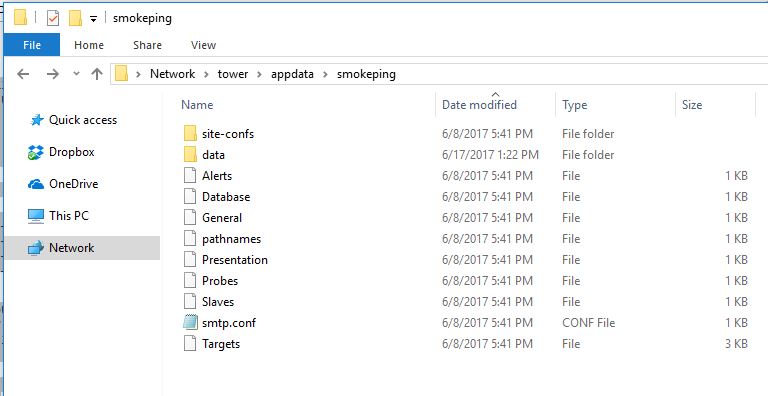
Thanks for continuing to look at this @CHBMB. I noticed that my smokeping log looks different then yours. I'm missing all this stuff: 'Alerts' -> '/config/Alerts' 'Database' -> '/config/Database' 'General' -> '/config/General' 'Presentation' -> '/config/Presentation' 'Probes' -> '/config/Probes' 'Slaves' -> '/config/Slaves' 'Targets' -> '/config/Targets' 'pathnames' -> '/config/pathnames' 'smtp.conf' -> '/config/smtp.conf' Are these important files that my install of the Docker is not able to find for some reason? They do exist in my appdata config path for smokeping... My smokeping log: [s6-init] making user provided files available at /var/run/s6/etc...exited 0. [s6-init] ensuring user provided files have correct perms...exited 0. [fix-attrs.d] applying ownership & permissions fixes... [fix-attrs.d] done. [cont-init.d] executing container initialization scripts... [cont-init.d] 10-adduser: executing... ------------------------------------- _ _ _ | |___| (_) ___ | / __| | |/ _ \ | \__ \ | | (_) | |_|___/ |_|\___/ |_| Brought to you by linuxserver.io We gratefully accept donations at: https://www.linuxserver.io/donations/ ------------------------------------- GID/UID ------------------------------------- User uid: 99 User gid: 100 ------------------------------------- [cont-init.d] 10-adduser: exited 0. [cont-init.d] 30-config: executing... [cont-init.d] 30-config: exited 0. [cont-init.d] done. [services.d] starting services [services.d] done. AH00558: httpd: Could not reliably determine the server's fully qualified domain name, using 172.17.0.4. Set the 'ServerName' directive globally to suppress this message ### assuming you are using an fping copy reporting in milliseconds Smokeping version 2.006011 successfully launched. Not entering multiprocess mode for just a single probe. FPing: probing 20 targets with step 300 s and offset 255 s.
-
Well, I can delete the folders just fine with Midnight Commander (Still trying to get the hang of Unix permissions). Once I get all these old folders cleaned up, I'll try another backup (with faster rsync enabled) that will require only 1 dated folder to be deleted. We'll see how it goes.
-
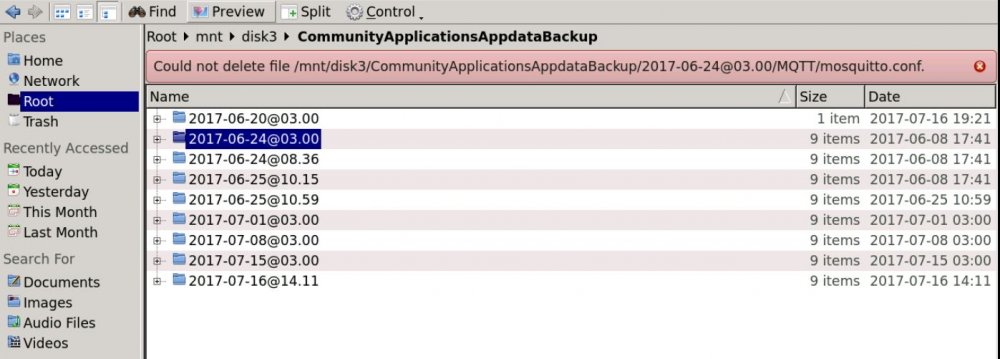
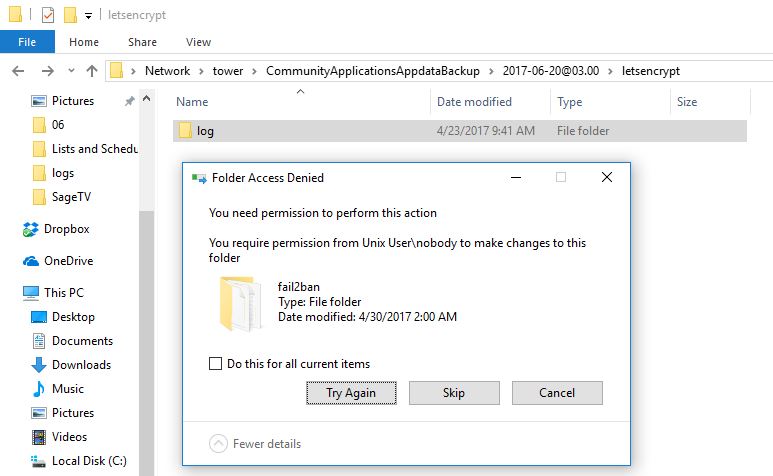
Thanks for looking at this @Squid. I tried manually deleting some of the older dated backup folders (using both Dolphin and Windows Explorer). I could delete most of the contents but I got errors on some of the files. Looks like permission might have gotten screwed up on some of them. I tried modifying the permissions using Dolphin but my changes didn't seem to stick (not sure if I'm doing it right though).

-
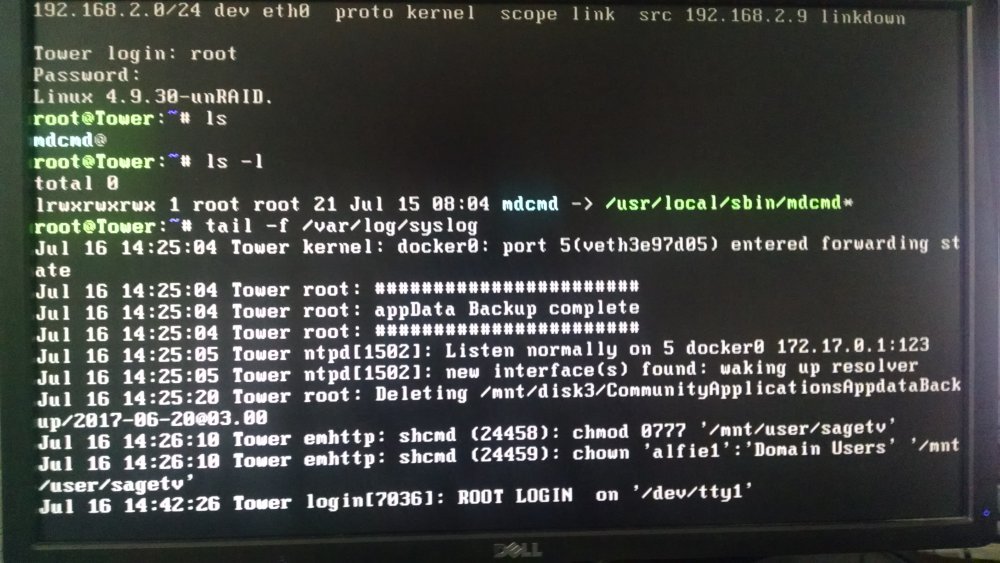
Well, I fired up all my Dockers and kicked off a manual Backup and my server froze just as it has been doing for scheduled backups. I had Troubleshooting Mode running this time so I've attached what it captured. Also attached a picture of the local monitor when it was frozen. I was able to start a tail from the console but the console became unresponsive after that. CTL+C did nothing. The server was still pinging. Unplugged the NIC and plugged it back in. Pinging stopped even after reconnecting NIC. Next, I might try another backup without some of the Dockers running....but doing a parity check from the unclean shutdown each time slows down the troubleshooting. tower-diagnostics-20170716-1410.zip FCPsyslog_tail.txt
-
I've also been having this issue for several weeks. The last time it froze I pinged the server and got replies. I disconnected the NIC and reconnected it and the pings stopped and did not resume...which I found a little odd. I have to hit the power to get the server back up. In addition, I've got my server joined to an AD domain and when it comes backup after hitting the power it is unjoined. I've been able to do a couple manual backups without issue. But I don't think my problem is due to overlapping with the Mover schedule. My Mover and Backup schedules are 3 hours apart and Mover completes in well under an hour. I've been wondering if it's a particular Docker that's causing the issue because I might not have had them all running when I ran Backup manually.
-
If you haven't already, you might try clearing your browser cache.
-
Sounds good. Thanks for considering it!
-
Ah, I see. Thanks for the response. What I'm looking to do is upload the USB backup to my Crashplan cloud account for exactly the reason that wayner mentions. I could probably point Crashplan at the flash drive itself...but then I don't really get a date-consistent backup to easily restore the flash drive back to a point in time. I could also just leave the USB backup with the same destination as Appdata....but I don't really need/want to upload the whole Appdata backup to Crashplan.


