




300x300.png.43914b1e92b593d44f130653fee4bfae.png)
Kudjo
Members
-
Joined
-
Last visited
Everything posted by Kudjo
-
I know that it's possible in Proxmox. I wanted to know if anyone has had luck getting sriov working with the Intel ARC B50 GPU? It would be incredible! I just got one and want to set it up the right way in order to use it with VMs and containers. I'm happy to do work to set it all up. I just need instructions. Your thoughts/experience, everyone?
-
After reviewing the diagnostics, I followed the instructions on how to check filesystem and first ran without the "-n". Pulled diags again and then ran the check filesystem without the "-n" again, but included "-L" this time. Once the operation was complete (the WebGUI "Main" display no longer showed the disk read/writes increasing), we pulled diags again and then rebooted the machine and started the array again. At this point, the shares had been restored and the data on the target disk was accessible again. No data loss as far as I can tell. We pulled diags one more time to verify that all looks good. Thank you for all your help, @JorgeB!
-
I'll reseat it again and then change the cable if that doesn't help. Thank you. I'll post a summary and mark it as the solution. Thank you, @JorgeB.
-
Operation complete. Oh, Thank you, thank you, thank you! It looks like it worked!!! I can browse the shares again and disk1 looks like it has all it's data again! New diags posted. Did we do it?! unkudjo-diagnostics-20240801-0949.zip
-
understood. Doing it now.
-
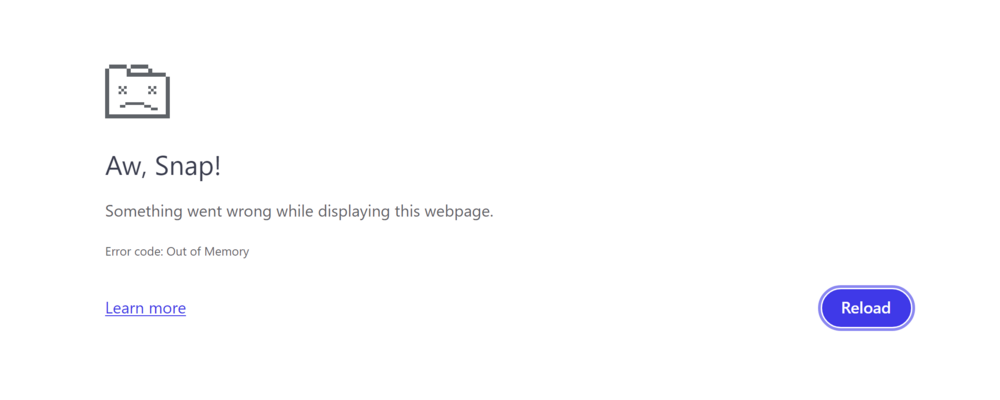
I ran the operation without the "-n" and with "-L". I think the operation is complete, because the read/write count has stopped updating But everytime I try to load the page where I ran the check filesystem from, I get this, so I can't actually see what happened. I pulled Diagnostics, but don't know where to look to see instructions for what's next in them. According to what I'm reading online, others that were in a similar situation would reboot and start the array in normal mode (instead of Maintenance Mode, like I had it in for the check filesystem operation). Is that what I do next? Thank you very much for all of your help with this so far! I am very grateful. unkudjo-diagnostics-20240801-0917.zip

-
Phase 1 - find and verify superblock... Phase 2 - using internal log - zero log... ERROR: The filesystem has valuable metadata changes in a log which needs to be replayed. Mount the filesystem to replay the log, and unmount it before re-running xfs_repair. If you are unable to mount the filesystem, then use the -L option to destroy the log and attempt a repair. Note that destroying the log may cause corruption -- please attempt a mount of the filesystem before doing this.
-
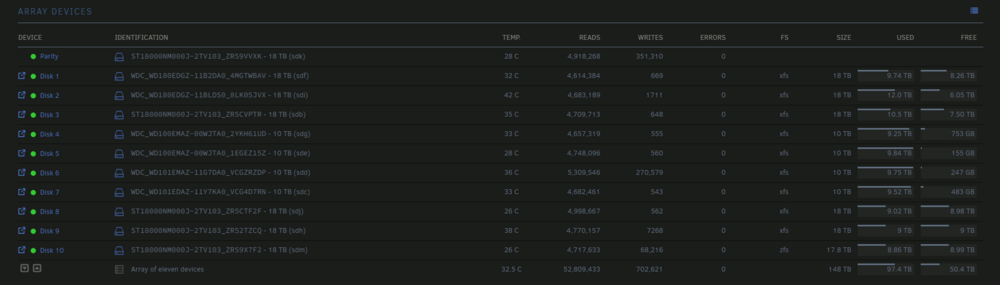
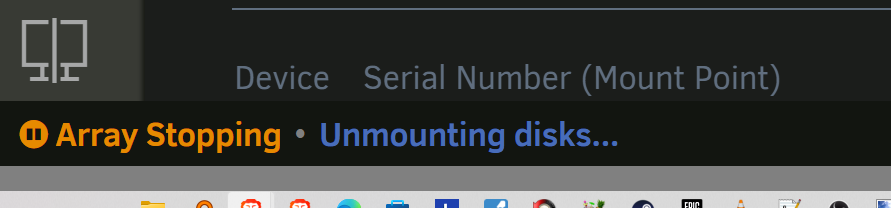
Here is what it looked like before I started the Check filesystem operation(s): Stopping array: This took some time because it seemed to get stuck here... Should I force this or is it best to wait? (I've attached Diagnostics) unkudjo-diagnostics-20240731-1259.zip

-
I just saw your post @JorgeB. I'll start that now. It'll take me a few mintues to read your linked article and make sure I do it correctly. I'll post back here when it's completed. Thank you, @JorgeB.
-
I just noticed that I have more Diagnostics that were closer to all the described events. I'm posting them, in case they are helpful. unkudjo-diagnostics-20240731-1053.zip unkudjo-diagnostics-20240731-1000.zip unkudjo-diagnostics-20240729-1016.zip
-
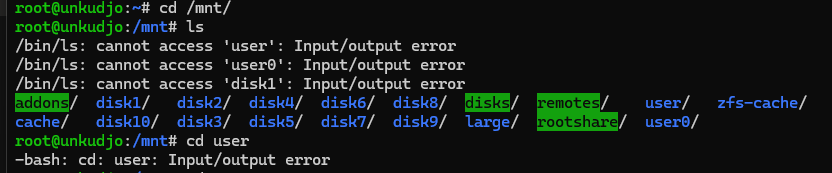
I upgraded disk1 from a 10TB HDD to an 18TB HDD. That went well. The contents were emulated properly (I was able to use plex, etc) and the data rebuild completed without any issues that I could tell. Got the green dot, everything seemed fine. I choose this time to upgrade unraid from 6.12.10 to 6.12.11. I rebooted and I thought everything was fine. A few hours later (I don't know exactly how much later) users were letting me know that several of my services were down and had been for a while. I logged on and found all my shares had disappeared. When I logged onto the unraid machine directly, I couldn't enter the /mnt/user directory. And then I realized that I couldn't access /mnt/disk1 or it's data either. (no longer being emulated). I read online that sometimes when the shares disappear, a reboot will fix it. So, I tried that and when the reboot was complete I COULD see the shares listed in the unraid webGUI. But only for a few minutes before they disappeared again. And at no time could I access any of the shares from terminal or from a file manager. The only way I can access anything is by going directly to the disks (e.g. /mnt/disk2/stuff/thing/file.me) on the unraid server itself. When my system rebooted, it also started a parity-check and immediatly started reporting LOTS of "Sync errors corrected:". I let the parity-check complete (took over a day) and the result was over 2.4 BILLION Sync errors corrected. (!!!) But when the parity check was finally finished, I still couldn't see anything in disk1 and another reboot didn't help either. (Still no shares in the webGUI after a few minutes, and still no access to /mnt/user or /mnt/disk1). I was getting quite worried at this point. I decided the best thing to do would be to rollback to 6.12.10 and hope I had just had the misfortune of finding a 6.12.11 bug. I finished the rollback (about an hour or two ago) and after the reboot I got the same behavior: No access to /mnt/user or /mnt/disk1, and no access to the shares in the webGUI (even though I can see the shares from my windows file explorer, I still cannot access them) I am terrified to do anything without direction now. I really don't want to lose 10TB of stuff. I've never had trouble like this with unraid before and have used it for MANY years. I've attached my latest Diagnostics. Please direct me of what to do. I'm happy to do the work, I'm just at a loss for how to proceed safely. P.S. And before anyone says so: yes, I know the importance of backups. This is 1 of 2 unraid servers. and part of a personal backup improvement project. I am literally in the process of backing up everything important when this hiccup happened. But the backups target the shares and I have no idea what was stored on disk1. unkudjo-diagnostics-20240731_0451.zip

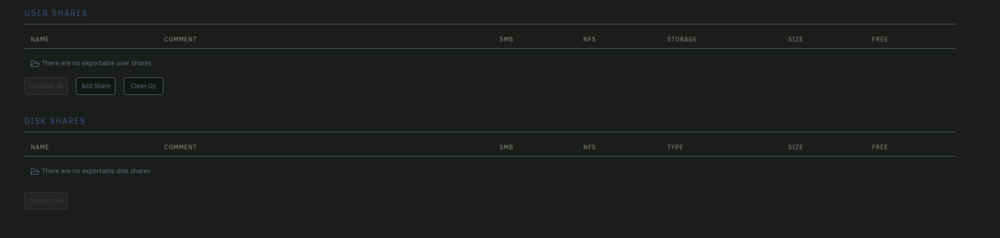
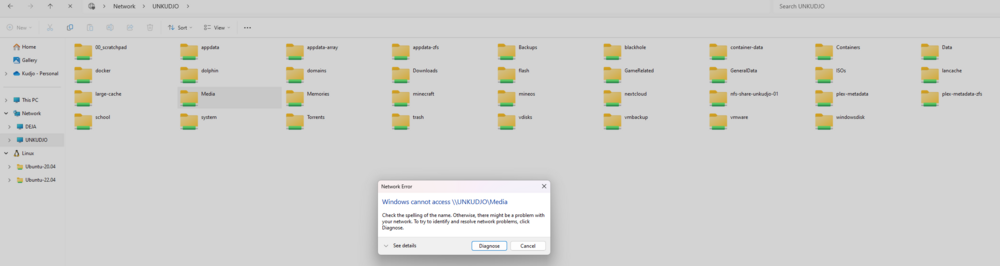
-
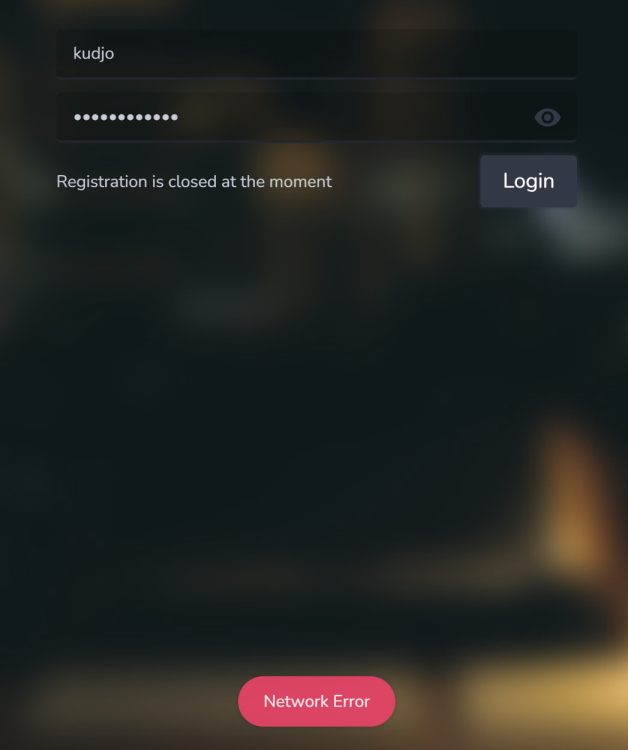
I also get this far, but now I'm getting this "network error" when I try to log in: What do you think?
-
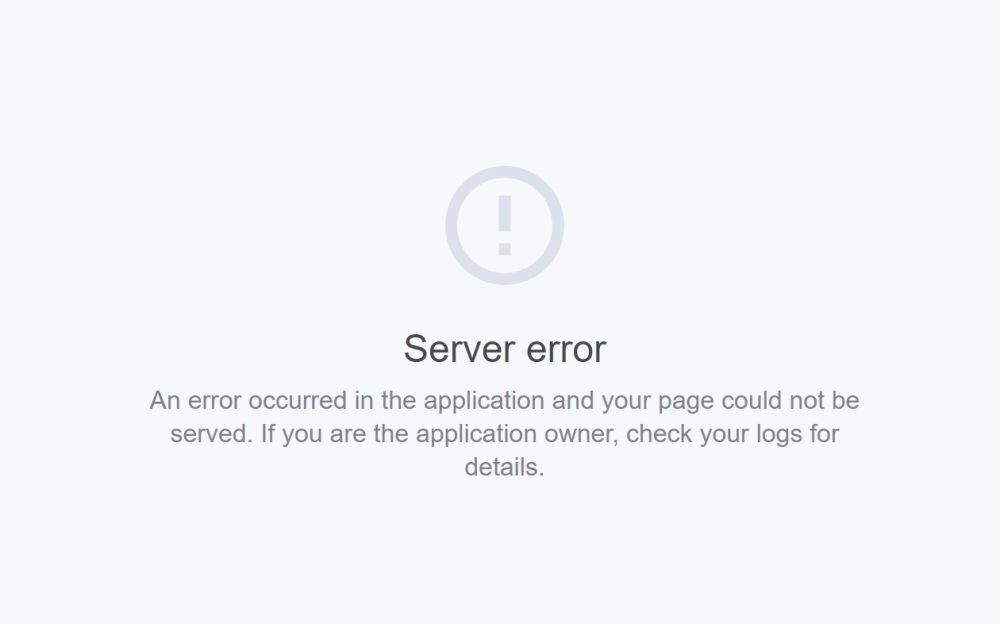
It looks like the storage location is probably /usr/chibisafe/uploads so I added that, but when I tried to connect on port 5000, I'm met with this screen: Any ideas of what to try next?
-
I'm excited to give this a try. I've installed this and noticed a few issues: 1) No WebUI comes up. So, I am unable to use it for now. 2) There is no option on your current template that allows the user to select WHERE files will be saved/stored to. Reading through the docs yields very little on what path we should map to. What do you think? Would you like me to try something on my end?
-
This may very well be what I've been looking for! (I was looking into salt just a little while ago) But, I am new to Terraform. Could you post instructions on the github? I'm excited to try it out on my unraid. (I was just trying to get some cloud images up and running in unraid's KVM with no luck. I'm sure I was missing something simple, because I think I've done it before) So, I'd love to give this a try!
-
Similar to XisoP, but I'm not coming from old build. I'm currently running 1.21.1.3876 (which is current, at time of posting) and running "check for updates" doesn't change the "not available" message. I've also tried restarting the docker image; no luck. I'm just about out of ideas. Do any of you fine folks have a suggestion I can try?
-
When you provide us with an excellent build, I turn around and serve it to a dozen others who are ITCHING to play on the new update. All I'm saying is this is kind of your fault for making this work so well. ;P I'll tell them to cool their jets and wait a few hours. Thanks again.
-
+1 If possible, I don't mind doing it on my own so you're not bothered. Thank you for building this! I've been using it for MONTHS with no problems at all.
-
I did remember to delete that directory after trying to reinstall it once or twice. When I finally remembered, I deleted the directory and tried again from scratch and got the log that I posted earlier. (I'll repost it from my most recent attempt from a minute ago). I don't know if this helps, but I noticed that when it runs altitude.sh, it temporarily creates a directory called: "altitude.sh.xxx.dir" where xxx is equal to some number. I can see it start to unpack to the freshly created directory, but then it deletes that directory. So, all I'm left with is "appdata\altitude\altitude.sh" Yours installs properly after "Unpacking JRE ..." I'm on unraid 6.8 rc4. Did they make a change that I should be aware of? What should I do next? I'm happy to help.
-
I removed (and deleted the image) of the Altitude docker and when I reinstalled, I keep getting this in the log: Does anyone have any ideas on what I should do about it? The only other thing that changed is I am now running unraid 6.8 rc4. Thanks again for all you do.
-
Also, if anyone cares, you can use the game's included "server_configurator.exe" to make your own Server config file (called: "launcher_config.xml") which you can then load into the appdata location on ich777's Docker build. Just overwrite the one that's already there and all of YOUR settings are what the Docker loads on the next restart.
-
It worked! Thank you so much! I was surprised how quick that was. And it was SO easy to setup! If anyone wants to try it, feel free to hop onto "Kudjo's Altitude Server" and let me know how it goes. Thanks again!
-
ich777, Thank you so much for your great game server builds! I use several of them. Is it possible to get one working on unraid for Altitude (Free on Steam and off steam)? Pretty please? I got it up and running following their instructions but immediately thought of you and your excellent work on other games. Links: Altitude on Steam Link Altitude developer page for linux server files and instructions What do you think? Again, THANK YOU for you superb efforts!
-
I hadn't understood the difference. Thank you for clearly explaining how all that works. That new knowledge, mixed with your instructions got me up and running as desired. Thank you very much!!!
-
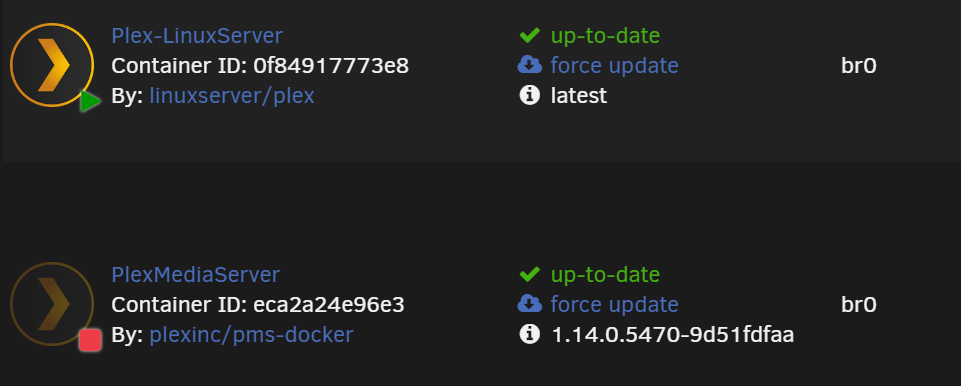
This was highly informative. Thank you. Okay, I'll go in order. 1) I didn't know that was specific for 1.14, thank you for telling me that. I don't remember seeing that requirement, so I'm glad I know now. Are there any other times when that variable should be applied? 2) You're absolutely correct, I'm missing the rest of the tag in that screenshot (I pinky promise I've used the correct tag before). Unfortunately, the tag: "1.15.1.791-8bec0f76c-ls11" still doesn't do the trick for me. Plex is still reporting that it's on version 1.15.2.793. I'm getting my tags from: https://hub.docker.com/r/linuxserver/plex/tags if there's somewhere else I should be looking up the tags then maybe that's my problem; incorrect tag names. 3) I'm basing my experience off of the official Plex Inc Docker container. It reported the Tag number I had selected as the version, so I assumed it worked the same for the LinuxServer Container. So, thank you for teaching me that doesn't seem to be the case for this one. Any ideas of what to try now?
300x300.thumb.png.7b6b346bae303f8f1c2ceb74644ad2a9.png)



