






littlered
Members
-
Joined
-
Last visited
-
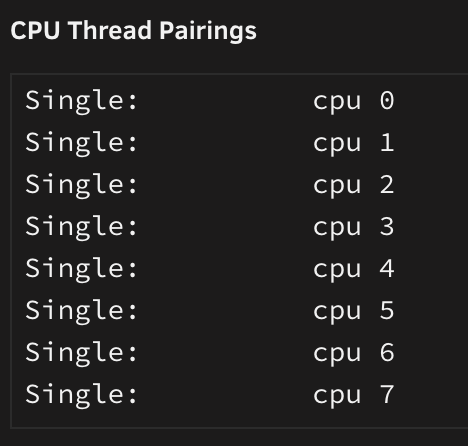
Wondering if someone could recommend how I may increase performance in a VM with a Intel® Avoton C2750 Octa-Core Processor on an ASRock C2750D4I mb which has single thread pairings. I've tried googling it, but can't find much information what would be the proper or recommended way to pin the CPU. The main purpose of the server is to run Plex and dockers, but as of recently I am trying to set up a VM to run Power BI and Excel mainly.
-
Yeah, I thought so, but I don't see anything regarding themes when I go through the Krusader menu or under "Configure Krusader" and the UI has been pretty much the same since I installed the docker a few years back, so I figured I would ask. Is there something I should change in the config or a specific place I should go to change the theme? Thanks!
-
Hello, I was wondering if this is still in the testing phase? I would really like to use the dark theme and the smaller image size would definitely be appreciated.
-
Sounds good, thank you!
-
Changed the disk and SATA cable and just finished data rebuilding without any errors. Seems all good now but I have attached the new diagnostics just in case. Thank you! neverland-diagnostics-20220607-0140.zip
-
Hello, I was running my monthly Parity Check a couple of days ago and at the beginning of it, I received a READ error with Disk 2. As it kept going, the disk eventually got disabled and data is currently being emulated. I ran a short and an extended test on the disk and it passes SMART check without any errors. I've read that it could be a connection issue so just want to confirm if that is the case or if the drive is actually failing. I have attached the diagnostics and SMART test results. Thank you in advance! neverland-diagnostics-20220603-2159.zip neverland-smart-20220603-1426 - extended test.zip
-
Hi there, I have been having trouble with Plex detecting new files and sometimes gets stuck in a scan and it just keeps spinning. I noticed the attached errors in the logs. I have tried checking the integrity of the database and it came back ok. I also tried deleting the contents of the codecs folder but no luck. Not sure what could be causing all this so would appreciate any guidance. Plex Media Server Logs_2022-02-13_05-35-57.zip

-
I was looking into this as well and was able to implement a dark theme via the Stylus chrome extension as suggested here: So deluge looks like this theme for me now https://github.com/HalianElf/Deluge-Dark. Simply copy the css into Stylus and that should do it. Much easier on the eyes, especially in the evenings. Hope this helps!
-
Ok. I am accessing it through the Linuxserverio docker container in unRAID and not radarr.video so I thought it might be something with the new update that came out recently.
-
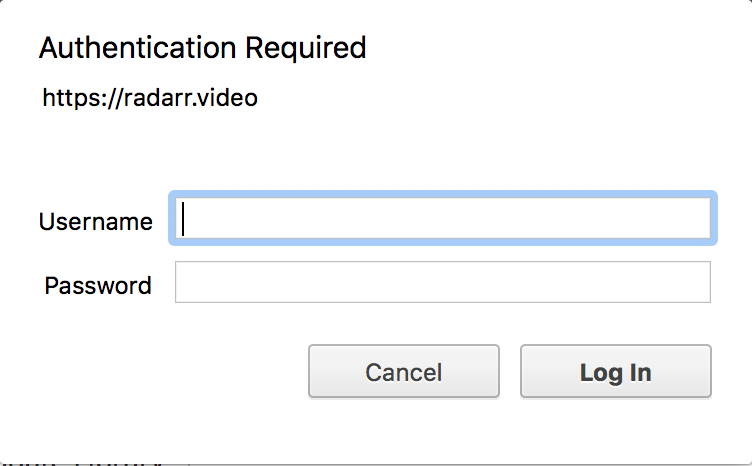
I just launched Radarr and got the following message. It seems to be working when I dismiss it. It was fine yesterday.
-
I tried the command line and it didn't work. I guess I will just reinstall the docker and make sure not to forget the password again.
-
Is there any other way to reset it or I would have to delete the docker and re-create the settings?
-
Thanks, I am not actually trying to use the system admin. I created a new user and assigned it as the new admin as per the instructions, but I have forgotten the password and can't log in.
-
Hello, Is it ok to use the command line to reset a password? I just tried to log in to the admin user I created (not the system admin) and the password I thought it was, did not work and I got a lockout message. If I use the code below would that mess things up? docker exec -it openvpn-as passwd admin
-
That did it! Thank you!




