





Arndroid
Members
-
Joined
-
Last visited
Everything posted by Arndroid
-
@binhex Any clue as to what is going on? It seems the container has not been updated recently either. I am using Mullvad, could it be a problem there? Or is OpenVPN deprecated and we should all use Wireguard setups?
-
I too am unable to see the webgui, unraid has not been touched for weeks. The VPN/proxivy connection still works here as far as I can see/test, but the webgui is not showing up?
-
As I did not see a donate button, I just wanted to say, again, thanks for rRadio! I still use it weekly with a lot of joy and thanks. :) Are you possibly considering setting up a git repository for this project?
-
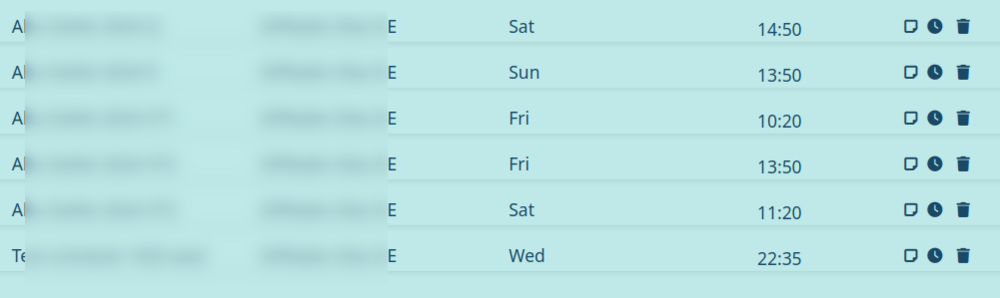
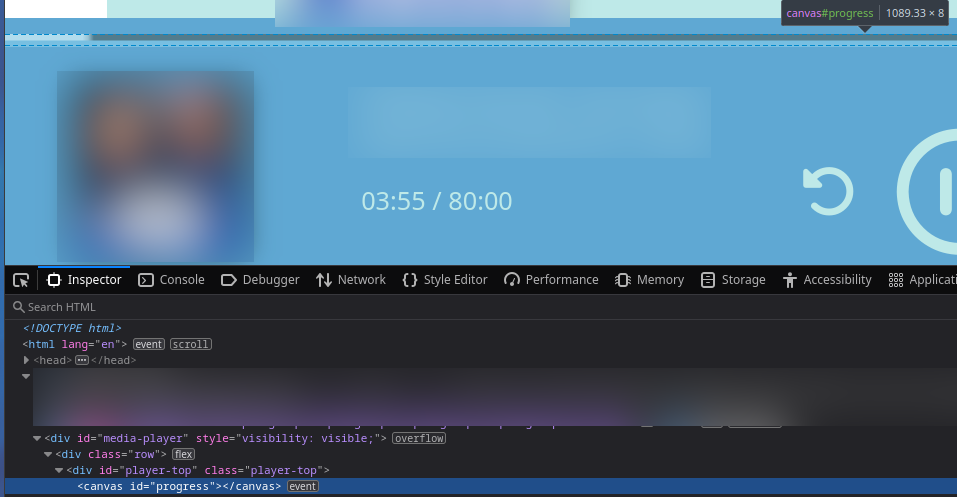
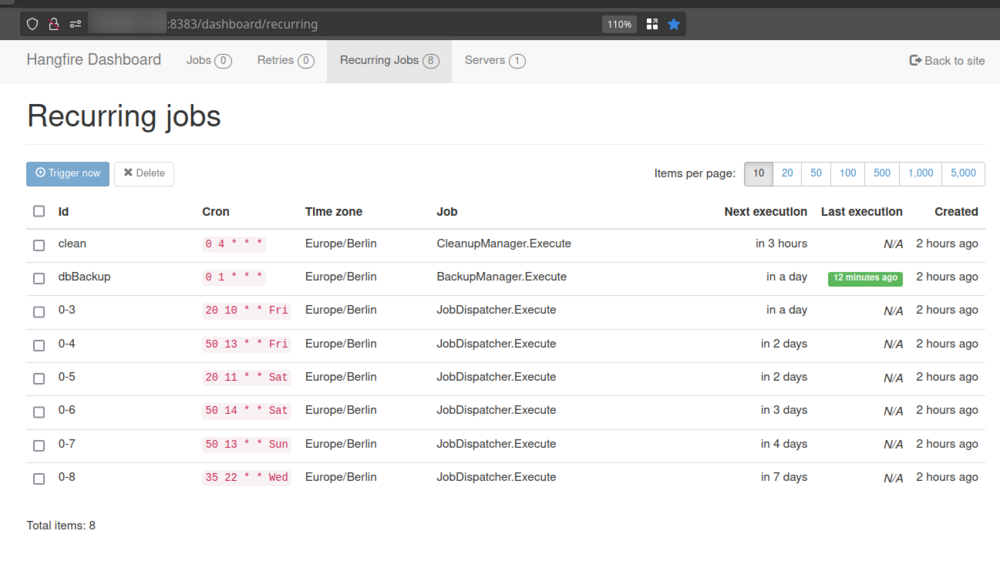
Thanks for your help! 1. I am in the UTC +1 timezone, so this works for me I believe. Whenever I specifically set the TZ env to Europe/Amsterdam for example, the time actually goes one hour to the past for me, which the set TZ Europe/Amsterdam is supposed to match UTC +1. 2. "-t 73800 is over 20Hrs of recording time.", Ohhh, I now see that "Duration" is not "End Time", I blindly assumed so and did not read. This was not my intention at all, of course. Thank you! That will very very likely resolve my problems, so sorry about that. Also, I will now set the quality to 128kbps again! 3. Hmm, not sure I know what causes that, these are my jobs: 4. Indeed, I did rename the log outputs, there are no parenthesis in the actual names however. 5. That sounds great, thank you! Again, the donation link is no longer working, I really do appreciate this software. (And support the sentiment of this becoming open source perchance one day!) I am running the Docker template for the community apps on Unraid yes. For my specific use case which requires a VPN for a specific internet radio I added two env vars: "https_proxy=http://192.168.1.10:8119" and "http_proxy=http://192.168.1.10:8119" And also mapped a host:container Path: /etc/localtime:/etc/localtime (read only) to make sure the time is in line with my Unraid host system. Appdata is stored on a cache drive, indeed. Edit: One bug report though, when I edit a scheduled job, the set image is unset when saving the edit, and I have to upload it again, which is annoying. But I do not think it is a huge issue, just a report. Edit 2: So, now that I learned how to read and understand that we can only enter a Start Time and a Duration (not an "End Time", which I expected) Can I ask for two feature requests? One is to have either/or an option to set an End Time specifically instead. The other is to be able to schedule a record job, one time, for a specific date on a specific time instead. Like a calendar/agenda planned recording. ...So not a specific day every week to record on that specific specific time, every time that day in every week occurs. I cannot plan my recordings in advance, for my specific use case that would make life so much easier. Edit 3: Ah turns out, while using curl (when installed in the docker container), from the docker container and running "curl -s ifconfig.io" does return the VPNs IP, but the internet radio feed/station I play does not connect through the VPN still, that is fairly strange. At least, the live feed plays as if it connects through my browser with my real IP. (I have not yet been able to check with a recorded job, I can verify this within an hour it is currently recording...) Edit 4: YESS!!! The recording worked perfectly, it recorded through my VPN setup! So when you select Live through the browser, it plays through the client browser, not through the docker, noted. So happy that this works! Edit 5: As a third feature request, in addition to "Edit 2": Can we make the #progress bar a little larger, it is really hard to precisely click on it to skip through the recording?
-
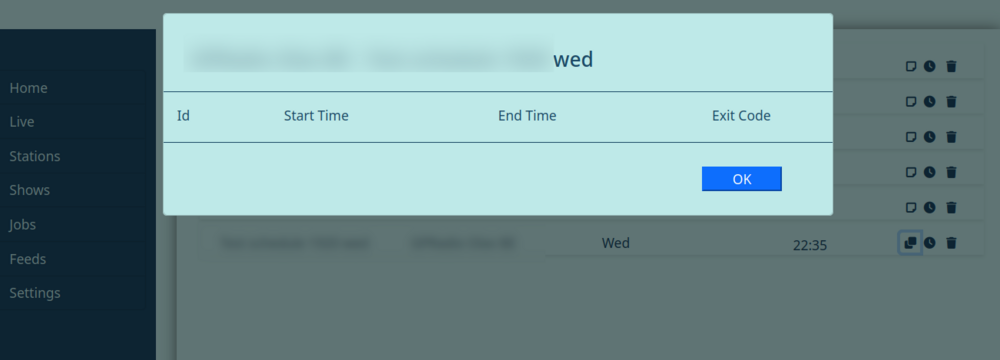
This is the log around that time: I believe the "fail: Microsoft.AspNetCore.Diagnostics.ExceptionHandlerMiddleware[1]" error we see was me landing on a page of an old job/recording that I removed, so that route failed. The docker logs time is not in sync with the system or the docker container itself. (It currently matches with my unraid host when I run "date" in the bash/terminal) Edit: Will have another log for another attempt coming up in a couple of minutes. Edit 2: And here it is: The scheduled job did start perfectly fine, but does not stop at the scheduled time, it is still recording as we speak, should have stopped 15 minutes ago. Edit 3: The schedule log is also empty fwiw:
-
Hmm, a scheduled job is still increasing in size every second and minute and is in /app/config/temp, but the job was supposed to end 10 minutes ago now, the time in the docker is correct. I selected continuous in the assumption that would make a single file for just the duration. (Instead of hourly which I assume would cut/split the recording over multiple 1 hour mp3 files) Is that correct or does continuous just never stop perhaps?
-
Thanks! I see, the automatic recordings seem to work, but I need to tweak them a bit, thank you. Other than that, I meant having the docker access the internet/wan through the proxy/vpn. I need the radio station to be accessed from a certain country, or otherwise it does not work. I can access the application fine with my reverse proxy if I wanted to, but the Radio needs to be accessed through a Proxivy/VPN from like Germany or something. I was wondering if there was a way to set this up with this docker. Thank you so much again for this great tool! Edit: Adding the extra parameters to the Rradio container template like this: `--env http_proxy=http://<proxivy-ip>:<proxivy-port> --env https_proxy=http://<proxivy-ip>:<proxivy-port>` Seems to work wonders for me! Edit 2: Also now running `ntpdate -u pool.ntp.org` daily as an userscript on the unraid host machine, as the time was incorrect, regardless of the date time settings and telling it to sync with pool.ntp.org through the WebGUI. Now the time adjusted at the Rradio docker, but went an hour to the past for me, so I removed the TZ env altogether and it just takes the host system time for me now, which is perfect. If that does not work, I believe you could also do this otherwise: volume mount host /etc/localtime to container /etc/localtime as read only Edit 3: The donation link is not working @PeteL
-
Amazing piece of software, thank you! The configured job, even with my correct TZ environment variable has not worked/triggered yet, but I have a different question. For a specific AAC radio link with a query param, I need to use a proxy/vpn. I have a Proxivy docker running for this and have been able to wget ipinfo.io/ip with the output IP being that of my wireguard vpn through Proxivy, using these environment variables: -e http_proxy=1.168.1.10:8118 -e https_proxy=1.168.1.10:8118 But the radio is not playing as if it is connected through the VPN, unfortunately, while the container seems to be able to access ipinfo.io with the provided proxy. Is that a specific configuration in the container perchance?
-
Ah yes, sounds obvious now. Thanks a ton again!
-
Right on, that worked wonders! Now, I do however still not see an option anywhere to format/mount the unassigned HDD. Where should I be looking specifically? Or should I format the drive externally first anyways? Thanks again! (Not sure what the Destroy mode is about then, my bad in that case, the disk is precleared but I do not wish to add it to the array pool, just mounting it)
-
I am trying to save/enable "Destructive Mode" under the Unassigned Devices common settings, but everytime I hit Apply, it resets to Disabled. Is this a known issue or just me perhaps? Using Firefox with Unraid 6.12.3
-
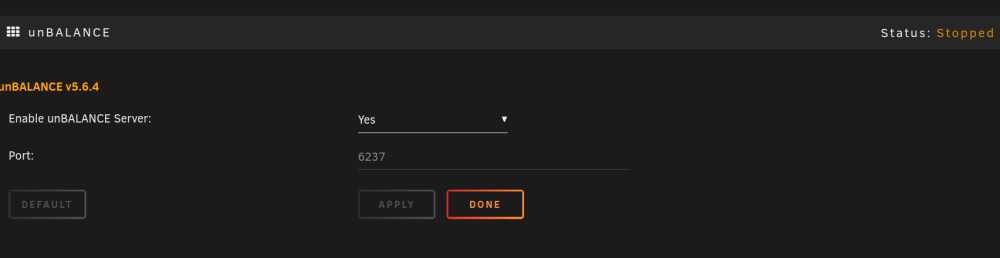
I have the plugin installed, and seem to be unable to get the web gui started: Accessing the port number on the server ip regardless shows unbalanced is indeed not started. Is this a common occurrence, there are no new logs in /boot/logs/unbalanced.log to be found
-
Thanks for this template, working wonders and very easy to set up!
-
Ahh, never known of that menu's existence. Thank you.
-
I'd like to be able to access my server through a monitor and mouse/keyboard when I lose connection to it through the LAN. Is it possible to have it headlessly (re)boot into GUI mode? And when it is in GUI mode, can it still be accessed through the WebGUI? Thanks!
-
RC5 has now been released, I installed it yesterday. Got the chance to configure a commerial VPN today alongside my WG VPS Tunnel. (Set as "Remote Access To Server", which is also selectable now through the Docker Network Type dropdown) And things are working wondrously! My NZBVpn docker was acting up, installed de LS.io one, hooked it up through my WG commerical VPN config which I simply imported, and bam, stuff is working, confirmed it with curl inside the container. Thanks UnRAID and Community!
-
Oh, that explains that, I guess. I thought bonienl was saying this was already possible, hah. I am looking forward to this update!
-
Oh dear, that would be amazing to have. I only have Host, Bridge, None and Custom: br0 as available Network Interfaces. (I have no clue how to create another "Custom" interface, I guess...) Even when setting up my second NIC calling it 'eth1', it does not show up as an option. I will have to give this another go, but I have not seen WireGuard Tunnels as Network Interfaces before in my setup. Would this only be the case with "VPN Tunnel" as selected option?
-
Oh that may be perfect for my needs. I currently have a "Server to Server" tunnel to a VPS to mask my IP from my publicly hosted websites. Would this enable assigning the tunnel as a Custom Network/Custom Bridge to individual Dockers? That is what I am looking for, as the VPS has limited bandwidth. (Or would you know if that would be possible, at all?)
-
Thank you so much for taking the time to create this!
-
Dude, thanks for the NUT docker template!
-
Is there a way to automatically set up individual certs for seperate (sub)domains instead of wildcard? So my other domains aren't exposed through a cert on a domain/website?
-
Turn on the uninstall switch on top of the Nerdpack web gui, then turn off Python 2, than you will see it uninstall.
-
Thanks, switching to python3/pip3 worked for me!
-
I had to install libff for pip install docker-composer to continue compiling, but then I hit the next roadblock: https://privatebin.net/?bf0cf3c08a7bb1b0#CaQ14ecEtVrPPPp1LAY32ZnRJCumBsK2m8tagJpgL43t I don't see what I'm missing, but it errors at: subprocess32 Were you able to compile/install it? What other Nerd Pack packages have you got installed? I'm currently running Unraid 6.8.3 Edit: py-pip, python-dev, libffi-dev, openssl-dev, gcc, libc-dev, and make are the dependencies necessary.



