





LordShad0w
Members
-
Joined
-
Last visited
Everything posted by LordShad0w
-
I followed the guide but must have done something wrong as it didn't work. Any idea what is filling the log and how I should fix that? Thank you Jorge. - Mario
-
I had zero errors prior to this update, not sure what could have changed. If anyone can help me fix these, it would be greatly appreciated tower-diagnostics-20240115-1831.zip
-
I know I already marked this solved, I just wanted to say THANK YOU again for the help and understanding. At the time I had pulled a double all nighter finishing a marathon build for a photographer friend whose rig had just bit the dust and he needed it ASAP for an upcoming show which needed his previous work edited. I got it all done and ticked every box on my checklist for what needed to be done but along the way, I lost my entire mind, seemingly (not really, I did lose my mind no seeming about it) So thank you again for your massive levels of patience with someone who is now immensely grateful. I didn't deserve your kindness, but it is appreciated.
-
Late 2023 Bump? Replaced Mobo yesterday and it has a PCI slot that works with my old Asus card so checking if anything ever came of this. CHeers!
-
OOF Tired brain is tired. Thank you Sir.
-
At the risk of speaking and confirming I am an idiot, what is FCP and how do I make changes to it?
-
I changed the frequency to one month for the time being. My issue is it telling me there are problems when there in fact are no problems. Only updates to various containers and plugins. Does that make more sense? Sorry Squid, honestly not trying to be obtuse here.
-
+1 as well
-
As in Title. We have already standard list view and the option of Advanced which gives more information, but I think a Tiled View of Dockers would be nice and actually take up a bit less screen real estate. 4k res with 2x2 tiles would be fantastic looking, I think.
-
I honestly do not like ignoring issues even simpler ones as it might no9t warn me when here actually is a problem, if that makes sense. That solves the seeing it part, but does nothing for why is Unraid suddenly saying there are problems when they are just updates. It is nerve-wracking to find these warning a it makes me worry something has happened to what is otherwise a perfectly heathy server. Hopefully that makes sense. It is a Dev issue that needs working out, I think. Unless it is just my wires are crossed and my definition of problem is no longer valid. Thank you both.
-
I get a string of these messages daily. It is LITERALLY NEVER an issue with the server. It is strictly notifying me of updates to Dockers or Plugins. How can I stop this behavior? No lie, I am unreasonably upset about this presently but I am very serious as well. I should never get notifications of "Problems" unless there are f*cking PROBLEMS. Updates are NOT problems. Is there a new toggle somewhere that I can say "Hey, I can check for updates on my own" or "Do not notify about updates until x amount of time has passed? Mostly I am pissed because I literally never had it say this unless there was an actual issue. Now it is daily and things are straight up fine. Sorry for the rant but as I said above "unreasonably upset" and I was in no way kidding. I would sincerely appreciate some advice on how I can rectify this. Thank You. Currently running Version: 6.12.3
-
I did the bios update as I mentioned. There was no change. It's ok I marked it solved since no one seems to have any idea of what is going on. Thank you for trying to help.
-
Apologies, I don't know how to get it to format properly. Really sorry.
-
weird when I check advanced syslog it shows it.
-
The only solve for this was a completely fresh install on a new USB and new key (using the replace key option, retaining assignments as you suggested) I did a BIOS update on the motherboard as well but still have pages worth of acpi errors that only began after the initial switch to 6.12.rc2. Not sure if this should be marked solved as there was no actual fix found. I will leave that to a mod to decide. I still need help getting rid of the errors though if anyone is up for that. tower-diagnostics-20230429-1332.zip
-
Ok. I will read up on that and update once I do. Thank you Jorge.
-
No change to anything with either edge browser, chrome, firefox, opera or safemode with the different browsers listed.
-
WIll do. What should I be looking for and trying to fix?
-
If anyone could take a look and give some advice, I would really appreciate it.
-
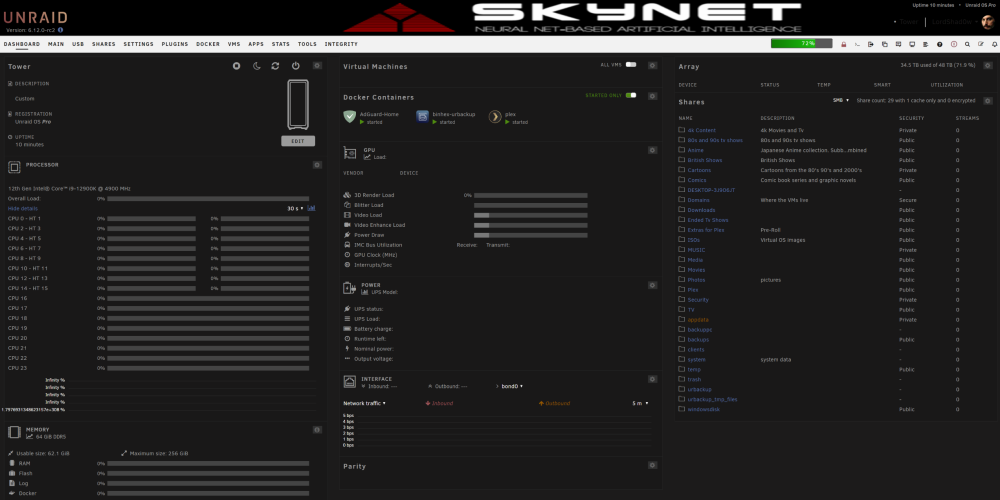
Downgraded to RC-2 to see if it would repair itself but this is still what I am looking at/
-
I did do that and it seemed to go fine but I pulled the card in the interim as I seem to be having some weirdness still and can't find the cause in the logs+google+here. Lierally nothing on my dashboard shows activity now (no CPU activity or network or anything) and the section that listed my drives is just.. gone? I didn't change anything. I had previously added mullvad browser and an old windows 11 installation but have since removed them. Also my 2tb nvme drive has apparently vanished. Physically installed are 3 nvme drives, One is a 2tb samsung and the other two are 1tb otherbrand. Those show up fine in the disks section. So, no idea what is happening but here are diags from a few minutes ago and hopefully they provide some insight as to what I need to fix to get things happy again. tower-diagnostics-20230423-0014.zip
-
Hey all, I keep getting errors and need to know what I can safely not worry about. I have tried to follow troubleshooting steps here in the forums for most things but with limited success. I would appreciate advice from you all who are more experienced than I am to ensure a smooth running setup. TIA tower-diagnostics-20230415-1857.zip
-
Any ideas and should I be worried that a device in my server is failing? Thanks tower-syslog-20230329-1054.zip
-
I will check again. Thank you Jorge. tower-syslog-20230328-2032.zip
-
After another reboot it sees the Nvidia card now. Sadly the rest is unchanged. So, progress? lol


