





reyes136
Members
-
Joined
-
Last visited
-
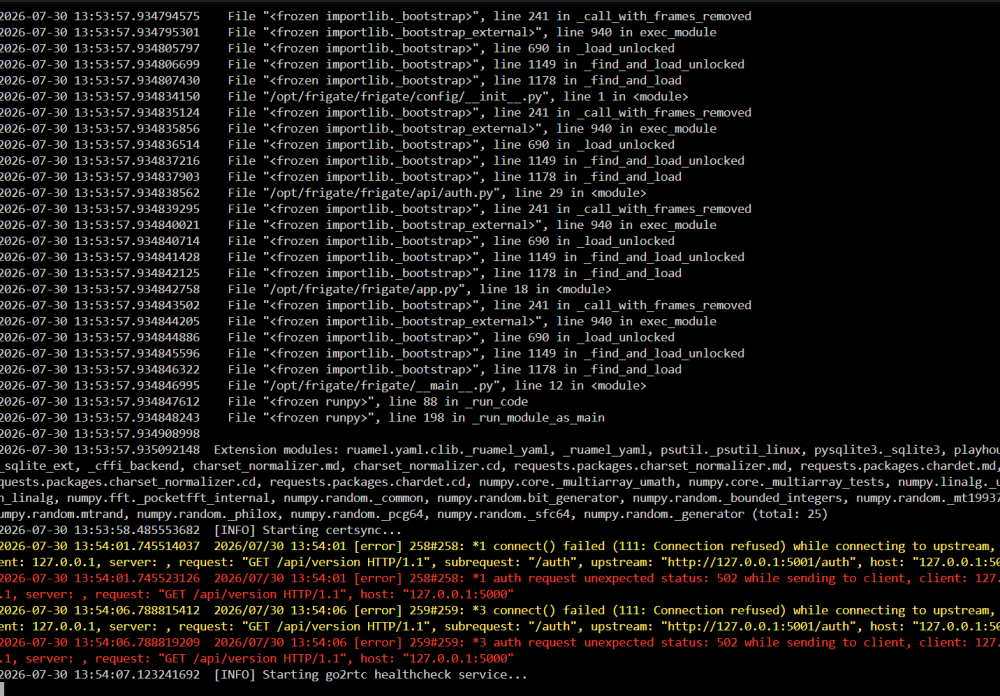
I was able to find the main issue which was that after the update it automatically had the plugins still setup. The Intel GPU TOP plugin was installed and looked fine. But something was not. I uninstalled it and re-installed it and most of my errors have gone away. Still fighting a lockup but that was a big issue.
-
Here is the error from the frigate log
-
Ok seems that docker compose has the same issue with the docker.
-
Has anyone seen this and know of a fix? after 7.3 unraid update frigate causes my unraid system to lock up as soon as i try to log into unraid. I can ssh into the system but it hangs at the login screen. I was able to track down the image to the frigate docker, once broke the only way to recover is to run this docker rm -f 7e9a6551969e /etc/rc.d/rc.docker restart This seems to kill and delete the docker and I can reboot and log in as normal. But as soon as I try to add the docker again i get the same issue. Not sure if its a unraid issue or a image issue. Will try using docker compose to see if it helps.
-
I have a strange problem, I used to have a docker i created called ubuntu-FFMPEG, and I also had the binhex-krusader app installed. I uninstalled those long ago and deleted any containers i found along with deleting the krusader folders on the appdata folder. But when ever fix common problems runs it keeps finding errors one is that there is a update for ubuntu-FFMEPG , and the other is that binhex-krusader has volumes being passed that are normally mounted" I tried uninstalling fix common problems but the errors still show up. I dont just want to ignore them if there actually somewhere that hasent been cleaned up properly.
-
OK had to go to Tools, new config, and choose to save the array config. then restart and its now working again.
-
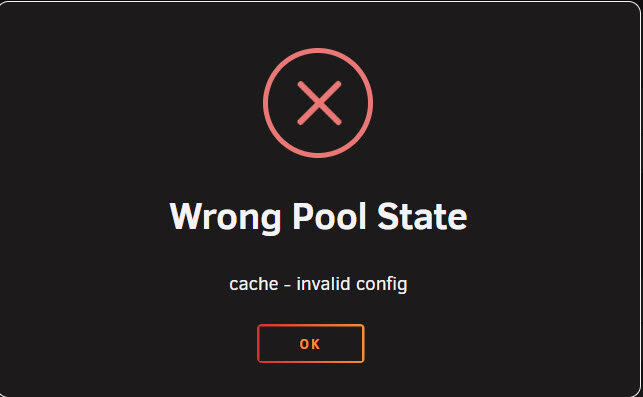
After upgrading to this version I cannot start the arrya due to this error. I do see both cache drives in the cache section and they both have a green dot next to them but when ever i try to start the array i get the error.

-
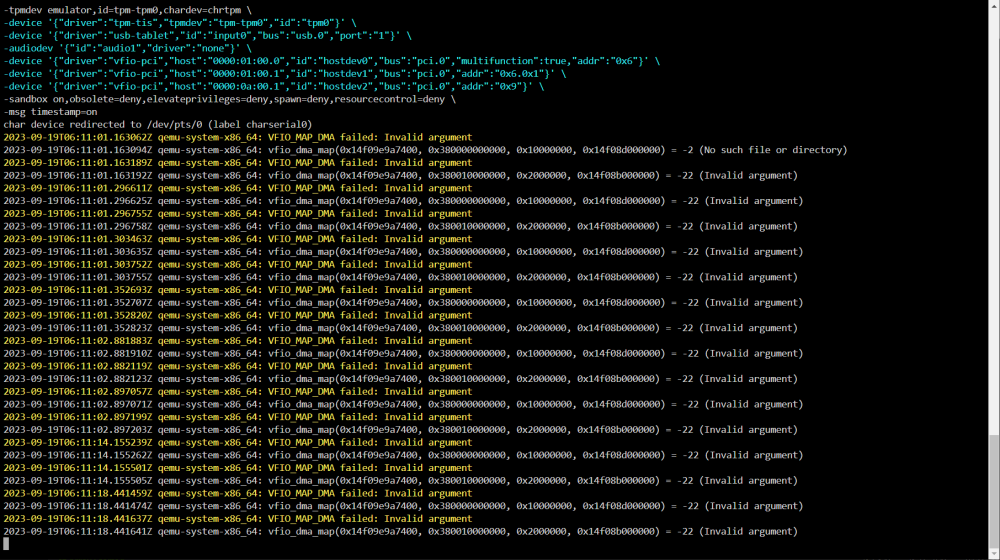
I have also noticed that i am getting this error in the log only after I enable the video card pass through.
-
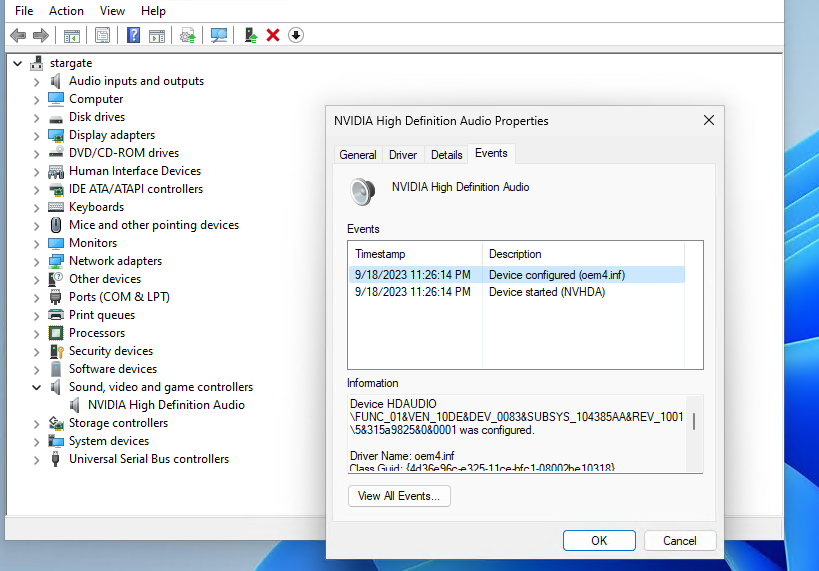
well i followed spaceinvaders tutorial and I dont seem to have the error any more but i have the same problem. looks good in device manager but windows sound mixer doesnt see the soundcard.
-
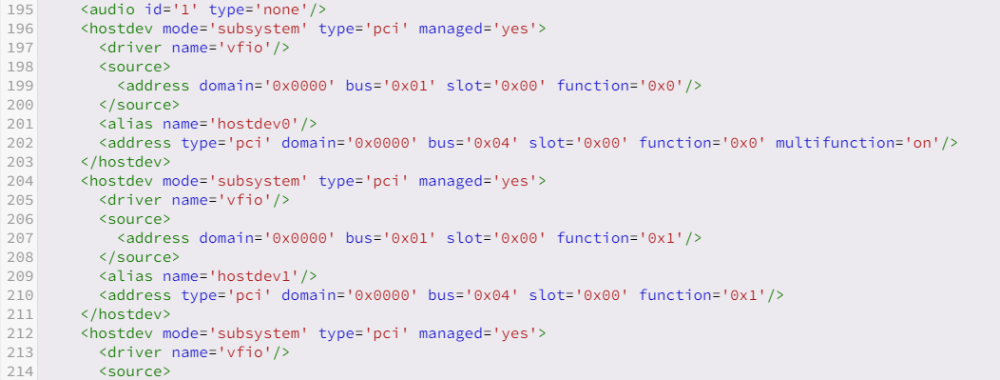
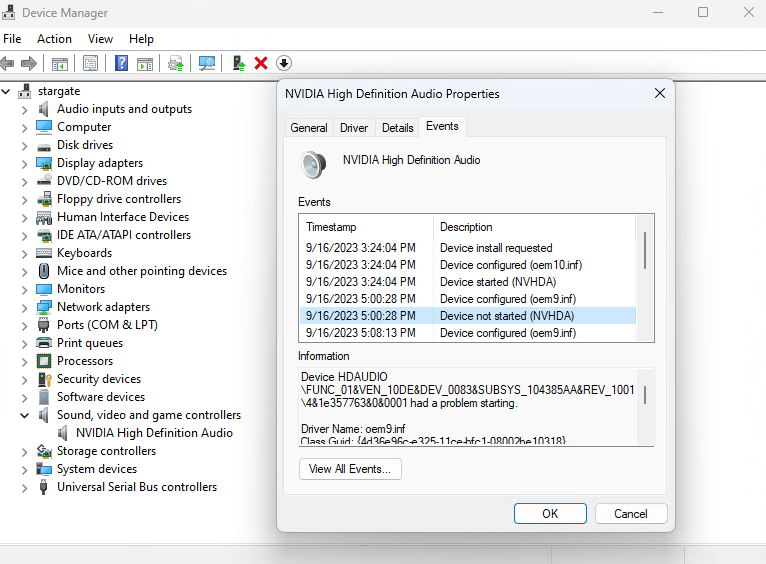
vm_xml.txtIm having an issue where I pass through a Nvidia 1080 ti to a windows 11 VM. I used the win11 template to create the VM. When i boot windows I can see the video card and sound card in device manager. The video card work with no issues. The sound card shows in device manager as working but when i check the events it says a device not started (NVHDA). When i look in the sound mixer it does not see the sound card.

-
I ran a test at this site https://whatismyipaddress.com/ds-check and it only shows IPv4 address, and says IPv6 not detected , IPv4/IPv6 Dual Stack Test. Does this mean that my provider is not using Dual-Stack or DS-Lite?
-
Hi I am new to SWAG and am struggling to get it working, I tried to start off small and used some of the online turtorials on setup. I set up the SWAG container with plex and sonarr docker. I setup my own domain and when i start SWAG it creates the ssl keys and says server ready in the log. I can open a webpage and go to the dockers plex.mydomain.com and sonarr.mydomain.com and each go the the docker webpage and work correctly. But if i try to go to those addresses from an external network it just seems to time out and says the site cant be reached, took to long to respond. I am using google domain and created a dynamic dns then created cname's for plex and sonarr that point to that dynamic dns. Is their something im missng?
-
Hi I have reading everything I can find and change/adding settings in the .htaccess/.user.ini/nginx.conf/site-conf files according to the online documents with no success. I am trying to upload large files 12G + and run into 2 issues. The first is when ever trying to upload the large file my docker image gets maxed out and i get warnings in unraid. My guess is that the upload_temp_dir is causing the size to grow. So I have been trying to change it to my cache drive. I first added "/mnt/cache/upload_temp" to the docker container then added "upload_tmp_dir = /upload_temp;" to the /mnt/user/appdata/nextcloud/nginx/nginx.conf file.When I started the container I saw in the log that it did create the new temp dir. but when transfering files that dir stays empty. and My docker image grows to 98% or more. The second problem is that my large file transfers get all the way to the end of the transfer where they sit for a few seconds saying "Changing timestamp" then error out. I used to get the file too large but I made the changes to the www/.htaccess/ and the nginx.conf file to 20G. I am very new to this and know there is more info needed but if anyone can help or give me direction where to loo, it would be appreciated.
-
Thank you for the link, I read through the documentation and found how to turn it off in the preferences section. Thank You again.
-
Thanks I will give it a try, is there any reason that the automated conversion through the watch folder makes a .mp4 file and the manual does not?



