






Brogan2040
Members
-
Joined
-
Last visited
-
I just retested this now with validation as well as the space and the server showed up still, so I think you are right the space is irrespective just need add validate as well, the env command is helpful though, as when updating the container it still shows to be on a separate line which is weird. Glad the command works for anyone searching for this issue.
-
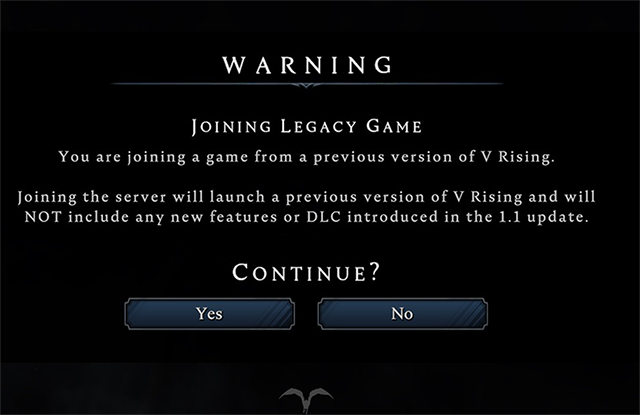
Yea I had this issue earlier today, took like 2+ hours to narrow it down with a friend. Once you've updated steam make sure you aren't on any beta branches there. Then on the docker page under game ID you will want to enter the following exactly; 1829350-beta legacy-1.0.x-pc I have included it as an image as well, hit apply to restart. (this should be the only thing you need to change.) Now when you enter your server address and port in the game it should tell you you are playing on a legacy server, hit ok and the game will restart and load you in. The problem seems to be in the template there is a extra space in the example given as shown below which threw us off, The GAME_ID that the container download at startup. If you want to install a static or beta version of the game change the value to: '1829350 -beta YOURBRANCH' (without quotes, replace YOURBRANCH with the branch or version you want to install). My friend noticed it in the container log when trying to revert to an older save the legacy version text was being entered on a separate line, due to there being a space after game ID and before the hyphen next to the word beta, after deleting the space, and restarting the container, the server connected via direct IP and port address to my old castle I have been working on. Hope this helps you and anyone else that encounters this problem.

-
Had this issue since yesterday adding a new 6tb drive to my array and nothing would get rid of the unsupported partition message, until I found this thread. Did an update check, which showed the newer 6.11.3, after updating I started the array and re-tried formatting and voila disk is now working as intended, many thanks.



