





ozkhan1
Members
-
Joined
-
Last visited
-
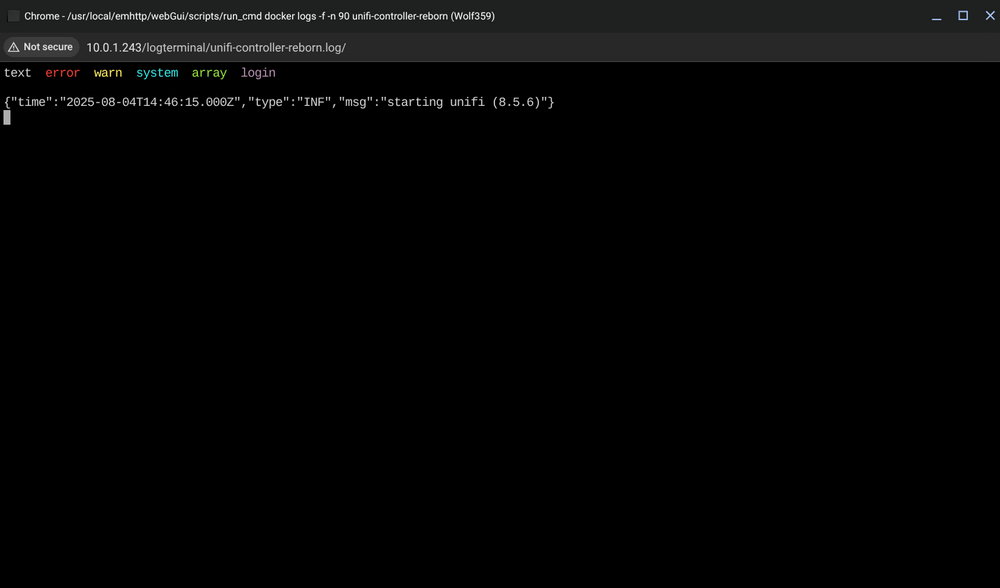
I actually increased it to 10 GB and now it is stuck here: (My system overall has 32GB RAM)
-
Sorry, changed to 4GB , not K.
-
How can I fix this issue here: I have already increased the memory to 4K, and I don't have too many other docker containers running, on a system using overall 32 GIGs of RAM. I have only two unifi access points Thanks in advance for help

-
What is the generally recommended method to backup the following?: 1. Virtual Machines (libvirtd) 2. Dockers (docker.img) 3. Any other non-app community plugins (I believe their information is written directly to the Flash drive) 4. Just the Flash drive with the UNRAID license Or do you cover all the above by simply copying the contents of Domains, Appdata and System share? I have come across various tools that cover one or another, but I was hoping there is one tool or application that can create backups for all four above on the actual system array or a different machine in case there is a configuration issue and some of the data needs to be replaced. I am not worried about the actual array since it just stores media files, I am more concerned with protecting the configuration of the Dockers, VMs and other cache only data. Thanks.
-
@UnJustice Excellent work. I am loving this docker. The only issue I have is the Plex library is not getting updated. Is there a trick to it? Is there a script that I need to modify
-
Is there an app/docker for converting photos in HEIC format to PNG? I do not need to sync with icloud, the pictures are already downloaded. I have been able to find linux and windows apps that do it, but would be great if there was an unraid docker for something like this.
-
Thanks for the response, @Hoopster. Definitely gave me some extra things to think about. My initial pick was this board (https://www.microcenter.com/product/633623/B560M-PLUS_TUF_Gaming_WiFi_Intel_LGA_1200_microATX_Motherboard), it seems to cover all the other bases. It has the m.2 PCIe for NVMe SSD. I would much rather have it set up in a way so I cna leverage all the SATA ports for HDD installation, and this one has a total of 6 SATA III. I am not a power user as some of the guys here, I am just looking for a server to run maybe a couple of VMs, some docker stuff, and a backup station for the PCs in the house along with your standard media storage and download stuff. Max of maybe 3-4 users. So if there is a better recommendation than this MOBO, I am all ears and grateful for your feedback. Cheers
-
Hi guys, I am sort of a novice at this. I started using unRaid 3/4 years ago and at the time, I just repurposed an older PC to do the job. Now I think its time to upgrade so I am playing around with some builds and running into all these newer SSD interface types which I am pseudo familiar with but not entirely sure if unRaid supports them such as NVME, m.2, etc?? What is a recommended interface for the cache and second cache drives? Any caveats i need to be aware of for each of the interfaces?
-
i can schedule it but it doesnt allow me to pick days/dates/times etc.. i get a drop down for picking weekly/daily/monthly etc and when i click apply, it says schedule applied. perhaps i need to choose the custom schedule? if so will you be kind enough to provide the guidelines around the format it expects the information in?
-
I am using the vm backup script, is there anyway to schedule what time it runs? I don't see any option to schedule a time for it? Also is there any option to delete older backups? thanks
-
Anybody? Would be great if someone can point me I. The right direction to get the server to get its up from the bridge thanksThats exactly what I am looking to do. Can you describe how you did that? I have two nics and I am passing one to pfsense completely for WAN but I want the second one not only bridged to the physical unraid box so it can have network connectivity, but to my network switch as well. Sounds identical to how you have yours setup. If you have any step by step guide on how you accomplished this, please share, I'll be much obliged. thanksI am trying to run pfsense in a vm on my unraid box with two nics. I want to pass both to pfsense. Since I don' t have a physical third network interface, is it possible that unraid can connect to the network using a network bridge? I know the vms are on br0 but I am not sure if the host machine can connect to it as well. Is is something like that possible at all?Newbie here, please go easy on me. What is the best way to backup my unraid server using crashplan? I am looking to save the configuration, VMs, appdata, basically everything unraid except the shares which I am already backing up using a different utility. I am looking for a complete backup solution, example: if there is a fire and the hardware is all melted, what folders/data will i need to rebuild and restore my server? The folders I see in the Crashplan UI are Backup Config Core Data Home Lib64 media mnt ( This is all the disks and shares) nobody root run unassigned Thanks for your help..

