






ich777
Community Developer
-
Joined
Everything posted by ich777
-
I see you selected the latest radio box button but did you actually click Update & Download since you are on driver version 580.x
-
Yes that's fixed for the next update.
-
The driver update notification is only available/visible if you've selected the 'latest' driver version.
-
No, everything seems fine. With your RTX card, you should definitely use the latest driver.
-
No, please don't do that, this will probably mess up the permissions completely. However, is your config file maybe broken, as you can see from your screenshots above, you now have the directory /data in the container specified however I don't use that in my containers and you even don't use them in the container. The directories are /mnt/downloads and /mnt/incomplete
-
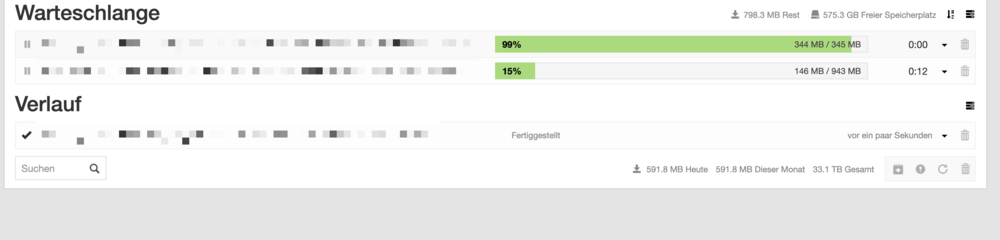
I can't tell what's wrong now but it seems everything is working over here: Did you maybe change the permissions or fix the permissions somewhere in Unraid itself?
-
Looks like you destroyed the permissions, give me a bit, I try that over her, give me a bit.
-
@Rick Gillyon please update the container, should be fixed.
-
From where is that, the container log or the WebUI?
-
Do you route it through another container? If yes could it be that the VPN container isn't working?
-
Would be funny if Nvidia said, yeah 580.x is now also deprecated. 🤪 But that won't happen, at least I think.
-
Maybe time to buy a new gpu. 😜
-
Fixed. You probably have to wait a few minutes.
-
Driver build is done for 7.2.5! Please do the following depending if you are already on 7.2.5 or not: Check for Plugin updates on the Plugins page within Unraid and update the plugin if you haven't done so already. When you are already on 7.2.5 go to the Plugin page again and click Update & Download, this should give you a checksum error and trigger a new download from the driver package When you are still on 7.2.4 just trigger the upgrade, that should download the correct driver package Reboot after doing the steps above.
-
Please wait until further notice since the blame is on me for the driver not working on 7.2.5 However the build has been already been triggered and I will update this post when it's done.
-
Are you already on version 2025.05.01 f you just upgraded I would recommend to reboot
-
Wait a few minutes and try again.
-
Did you read the post to upgrade the plugin to 2026.05.01, reboot and try again?
-
Should be fixed, just make sure to update the plugin to 2026.05.01
-
Still no Diagnostics. However please read that post: https://forums.unraid.net/topic/98978-plugin-nvidia-driver/page/232/#findComment-1620522
-
I look into that, maybe an issue with the plugin update helper.
-
What did the plugin update helper say before rebooting? Did you wait until it said it's safe to reboot?
-
For all of you having issue with containers not correctly starting, please update the plugin to the latest version 2026.05.01 and reboot your Server.
-
This is already possible but you have to set the driver to the specific driver version 580.x The Plugin update helper is part of the driver plugins and not a dedicated plugin.
-
Diagnostics and your docker run command from the container would be also be interesting.



