





puncho
Members
-
Joined
Everything posted by puncho
-
Thanks for the great, easy instructions!
-
Yes, I have exactly that in my heimdall.subdomain.conf.sample file. I believe I'm talking about the letsencrypt default.conf file?
-
Trying to reverse proxy heimdall using duckdns. Can anyone that has set it up please share their config? 1) In Heimdall, i have http set to 8888, https to 4333 2) I have letsencrypt domain w/ coffee.duckdns.org, with subdomain "home", so would like to have it as home.coffee.duckdns.org 3) I have nextcloud as nextcloud.coffee.duckdns.org, which works great. Would I have to change the letsencrypt domain to duckdns.org and place coffee in the subdomain and create a separate coffeehome subdomain or does that not matter? In my letsencrypt default.conf, I have in it the following, which CHBMB wrote down in page 2: Thanks!
-
Thanks. Not a huge deal right now I guess...I'll wait till it's fixed in the future.
-
Nzbget is working well but still can't get into the webui...any clues? :)
-
Hi, I've been having the unpacking/download queues problem for a few months and never got around to fixing it until now. Looking at it, seems like it's best to roll back to v19.1-1-02. I did so by following the Q12 on the link provided by editing the repository end. Now, when I try to access the webUI, I get that "Error: 404 Not Found". I thought that problem was fixed? I went into the nzbget.conf file and looked for the WebDir=/usr/share/nzbget/webui, but only see WebDir={AppDir}/webui. Am I supposed to change that to WebDir=/usr/local/bin/nzbget/webui? thanks!
-
Is upgrading from v12 to v13 the same instructions as the first post link? I can just use the web UI to upgrade? Thanks
-
Thank you, seems to be all working error free now
-
I think I fixed it, it works now without any messages in chrome/iphone/IE. I had originally followed cyanlabs so I didn't enter the nextcloud subdomain in the container settings. Sorry, pretty noob at this and just follow tutorials to get things up and running. Here's the new logs...not sure what the new error is about? Thanks again
-
Thanks for your help! Here's the letsencrypt log The letsencrypt config is as follows:
-
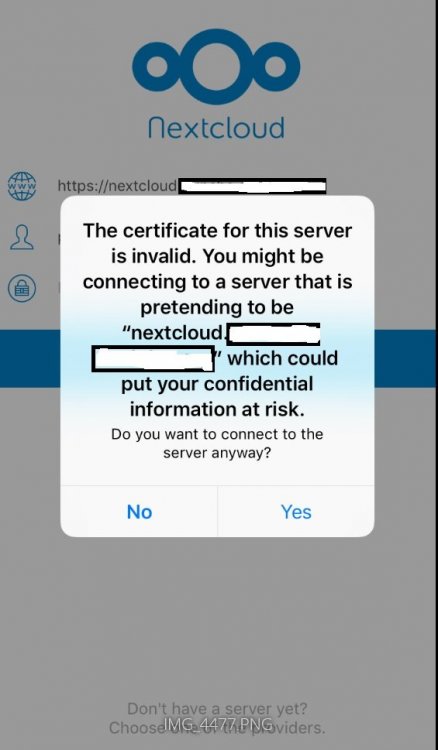
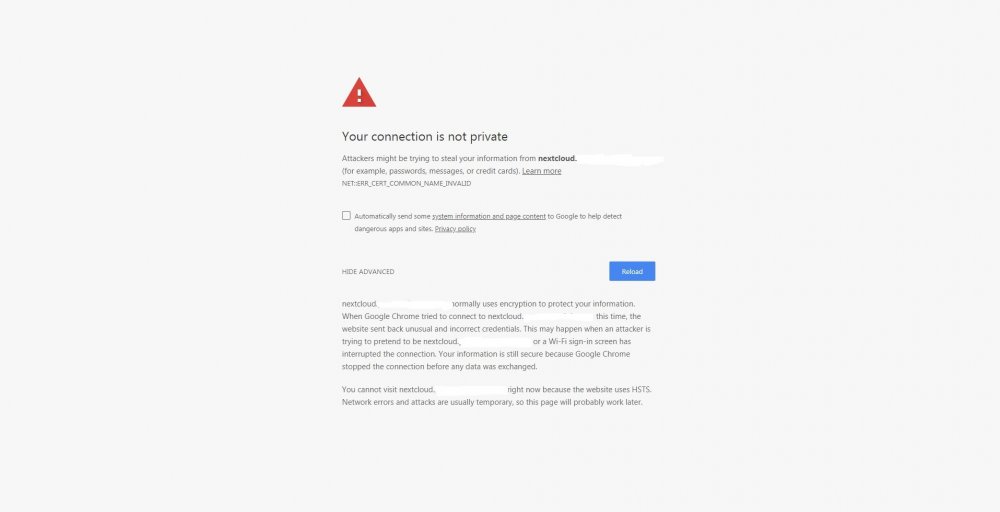
Hi, re-visiting nextcloud and still trying to get it to work properly. I can access from IE after I get a page saying "there is a problem with this website's security certificate" and I press continue on. Likewise, when I access from my iphone, it seems to work correctly, albeit after seeing this page first: However, when I try to log on in chrome, I get this and can't get past it to the log-on page. Any ideas? Is it a letsencrypt issue? Thank you!
-
I see, thanks. I saw in the calibre web thread that you guys had planned on releasing calibre web after 6.4 came out. Any word on that, and if it's as lightweight as COPS? Thanks!
-
Is there a way so that when I press the email button, I can choose which email for COPS to send it to? Say I want to send to a family member or different device. Thanks!
-
I think I was able to finally figure out how to install nextcloud. However, when I try to access it from my chrome, I get this error message. Any ideas?: xxx.duckdns.org normally uses encryption to protect your information. When Google Chrome tried to connect to xxx.duckdns.org this time, the website sent back unusual and incorrect credentials. This may happen when an attacker is trying to pretend to be xxx.duckdns.org, or a Wi-Fi sign-in screen has interrupted the connection. Your information is still secure because Google Chrome stopped the connection before any data was exchanged. You cannot visit xxx.duckdns.org right now because the website uses HSTS. Network errors and attacks are usually temporary, so this page will probably work later.
-
Sorry, meant on a laptop/desktop.
-
Thanks, that worked! Is this the only way to access it? Doesn't seem like the most secure way to access it with having to allow auto allow log in and using ovpn Sent from my iPhone using Tapatalk
-
I can access my unraid gui fine when I use my iphone. But, when I download the openvpn connect for windows, or even try the openvpn gui with the user-locked profile (ovpn) it won't connect...any ideas? Thanks
-
Thanks, that worked
-
I set this in my /site-confs default file but when I go to my xxxxx.duckdns.org/plexpy, I get: This site can’t be reached _’s server DNS address could not be found. Search Google for plexpy
-
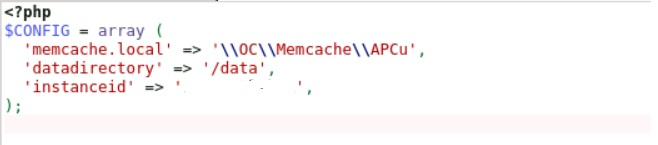
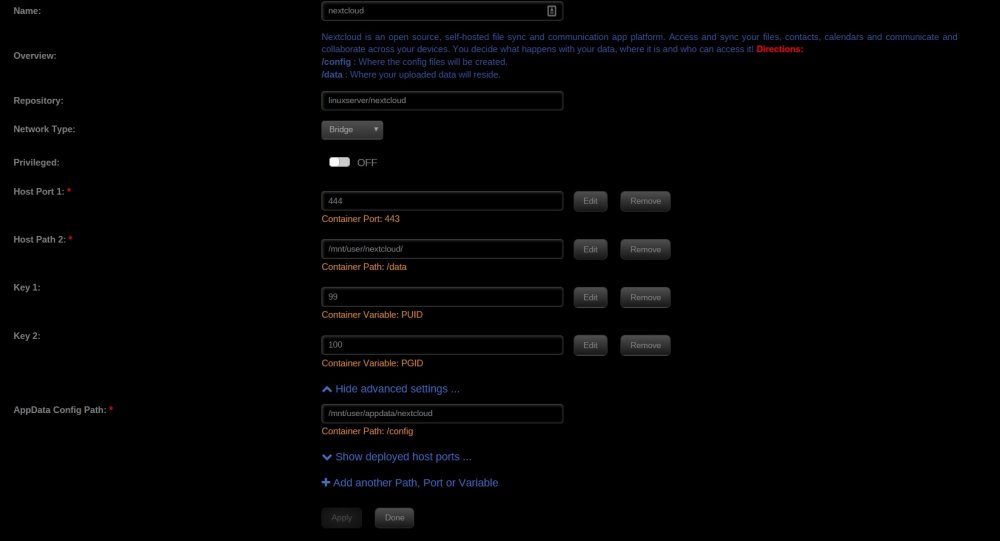
Re-installed nextcloud and trying to follow the guide: https://www.linuxserver.io/2017/05/10/installing-nextcloud-on-unraid-with-letsencrypt-reverse-proxy/ seems to have got to the point near the end to edit the config.php file. However, when I open it, I only have a few lines: This looks to be wrong, but where is it going wrong? Also, I'm looking to make it xxx.duckdns.org/nextcloud instead of nextcloud.server.com as per the guide. Do I just change the instances of nextcloud.server.com w/ the former duckdns one? Thanks!
-
Thanks! Seems to have fixed it
-
Ok, good to know it's not on my end. Hope to figure it out soon
-
I followed space invader's tutorial, tested it and it works if I use the user 'admin'. I tried to set up another user but was unable to log on, says login failed? I created the user/password by telneting into the docker as shown in the video. Also, since I only have the DDNS (xxxxxx.duckdns.org), does that mean I can't make use of the SSL certificate? Is it less secure then/what other downsides are there? Thanks
-
I'm moving my data from my windows computer to unraid. How do I go about keeping the settings/movie library/history, etc.? Thanks!
-
Oh perfect! So does it notify you when the VPN is down? If I add another torrent while it is down will it automatically start the VPN again? Thanks



