Rdog
Members
-
Joined
-
Last visited
-
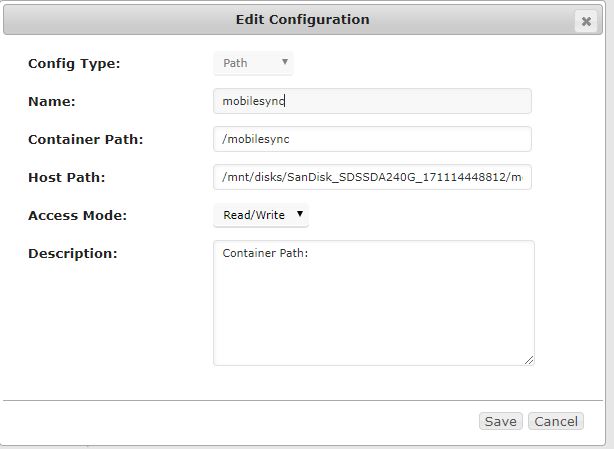
I've tried searching before posting for help and haven't quite been able to find what I need help with all the way. If it's out there i'm sorry. I found out that plex doesn't place files that are transcoded for mobile syncing in the same place that it puts normal transcodes which i currently have going into RAM and there is no way to change that like there is with the normal transcodes. I have an SSD mounted in unassigned devices that I'd like to dedicate solely to mobile sync files, lets call it sandisk. I moved all of the files from /mnt/cache/appdata/PlexMediaServer/Library/Application Support/Plex Media Server/Cache/Transcode/Sync+ to sandisk/sync+ and from midnight commander created a symlink from sandisk/sync+ to /mnt/cache/appdata/PlexMediaServer/Library/Application Support/Plex Media Server/Cache/Transcode/Sync+ I mapped the sandisk to the plex container but every time I try to sync, plex gives an error saying cannot write to disk. I'm at a loss at what to do from here, its probably something simple but I am a linux/command line noob. Thanks for any help.