





ksd2kd
Members
-
Joined
-
Last visited
-
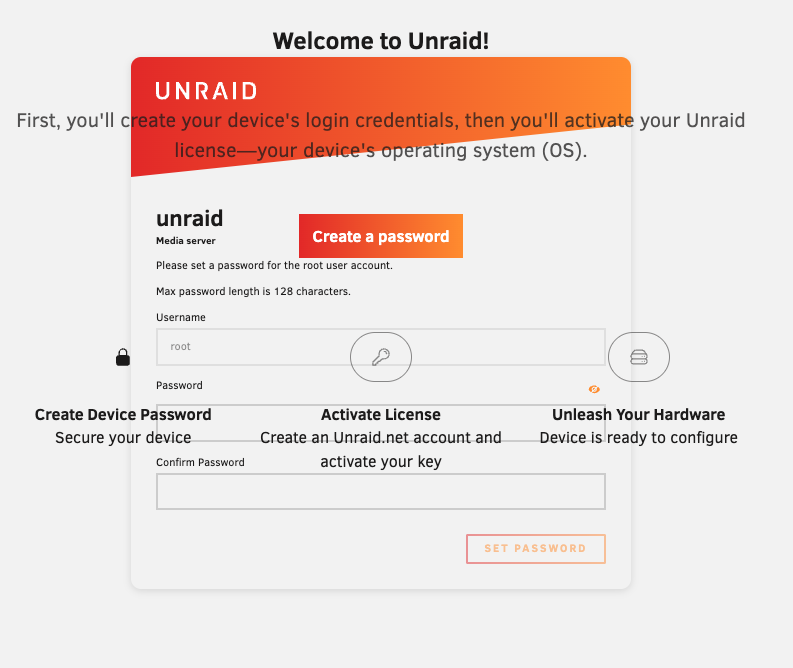
Noticed some of my unRAID services were not responding and was greeted by this when I went to troubleshoot. Tried clearing my browser cache and logging in with a different browser but still the same. Before I try a restart, thought I'd see if anyone has any thoughts about what's might be causing this.
-
I use pfSense and it was your question that got me to check the vlan config again. I had bound vlan40 to the wrong interface. I switched it to the unRAID interface and all is working now. I was just too focused on the unRAID settings trying to troubleshoot and got tunnel vision. Thanks!
-
Nothing? Is it even possible to get a VM to use a vlan?
-
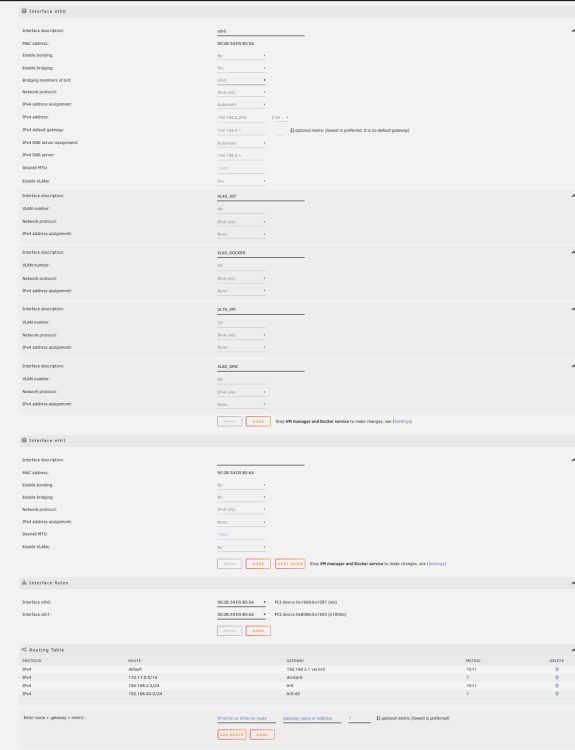
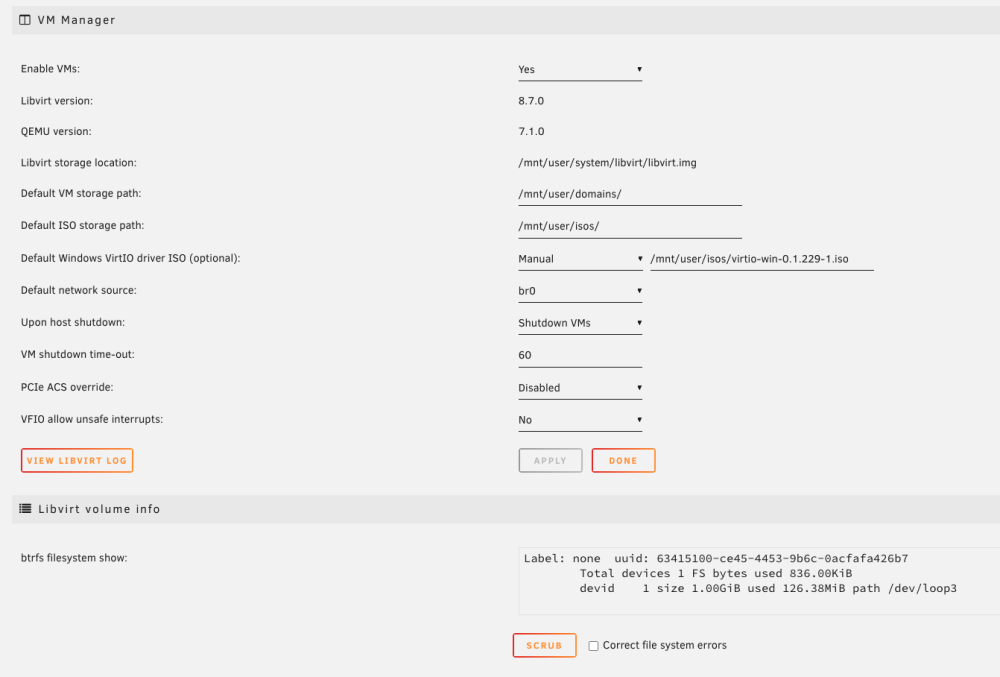
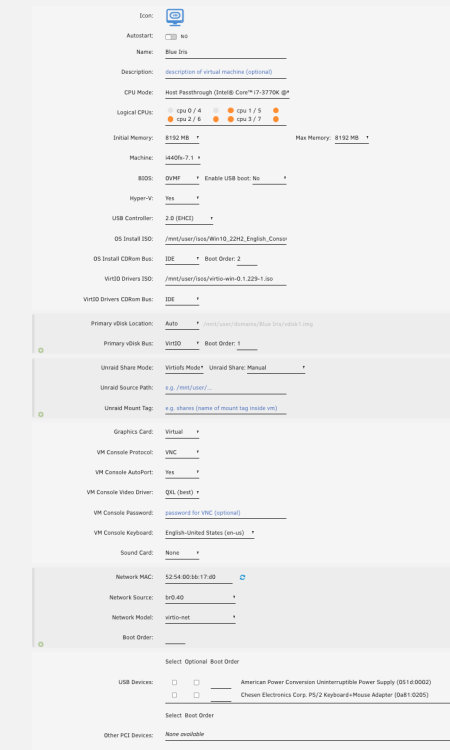
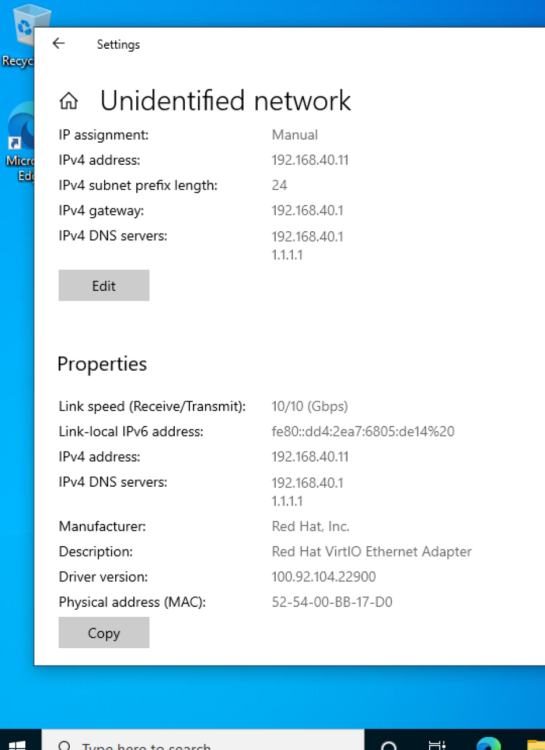
I've have a few vlans setup for use by some docker containers and it all works as expected. However, when I tried to set up a VM on one of those same vlans I can't get it to work. All the setting look ok as far as I can tell but I can't get network connectivity on my win10 vm. Can someone take a look at these configs and tell me what I've done wrong.
-
Unable to remove partition. unRAID: v6.6.6 UD: v2019.03.22 - Enabled Destructive Mode - Unmounted disk - Clicked the '+' icon next to drive icon - Clicked the red 'x' - Typed 'Yes' - Clicked 'Remove' - I can see the red removing spinner pop up next to the partition for a second or two. The partition is not removed. I can remount it and access all the files. I've tried a few times and I know I've done this before. edit: Just tried reinstalling UD, same result edit: After rebooting, the drive is now showing up as unformatted. Clicked Format, after a few seconds the same partition shows up again but this time it's empty which is what I wanted so I guess I'm good to go.
-
-
How do I persist Settings across restarts? I changed the listening port to suit my needs and disabled DTH and PEX but after restarting, they're all back to the defaults. update: Just read this on the github repo for this app: "Settings, changed by the user through the "Settings" panel in ruTorrent, are valid until rtorrent restart. After which all settings will be set according to the rtorrent config file (/config/rtorrent/rtorrent.rc),this is a limitation of the actual apps themselves."


