






Greygoose
Members
-
Joined
-
Last visited
Everything posted by Greygoose
-
So i renamed the subdomain conf file to airsonic and copyed into the site-confs folder, still getting the issue above. # make sure that your dns has a cname set for airsonic and that your airsonic container is not using a base url server { listen 443 ssl; listen [::]:443 ssl; server_name airsonic.*; include /config/nginx/ssl.conf; client_max_body_size 0; # enable for ldap auth, fill in ldap details in ldap.conf #include /config/nginx/ldap.conf; location / { # enable the next two lines for http auth #auth_basic "Restricted"; #auth_basic_user_file /config/nginx/.htpasswd; # enable the next two lines for ldap auth #auth_request /auth; #error_page 401 =200 /login; include /config/nginx/proxy.conf; resolver 127.0.0.11 valid=30s; set $upstream_airsonic airsonic; proxy_pass http://$upstream_airsonic:4040; } }
-
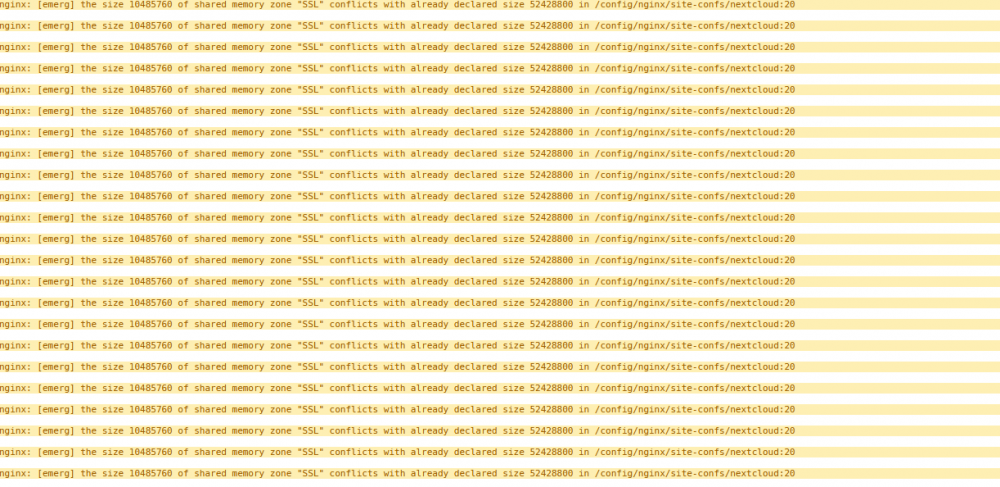
now ghet this from lets encypt logs
-
Hi Sarrg, I have tried this using the airconic, domain sample. I renamed it to airsonic and copied into the nginx/site-confs folder # make sure that your dns has a cname set for airsonic and that your airsonic container is not using a base url server { listen 443 ssl; listen [::]:443 ssl; server_name airsonic.domain.co.uk*; include /config/nginx/ssl.conf; client_max_body_size 0; # enable for ldap auth, fill in ldap details in ldap.conf #include /config/nginx/ldap.conf; location / { # enable the next two lines for http auth #auth_basic "Restricted"; #auth_basic_user_file /config/nginx/.htpasswd; # enable the next two lines for ldap auth #auth_request /auth; #error_page 401 =200 /login; include /config/nginx/proxy.conf; resolver 127.0.0.11 valid=30s; set $upstream_airsonic airsonic; proxy_pass http://192.168.1.100:4040; } } }
-
this is my proxy conf client_max_body_size 10m; client_body_buffer_size 128k; #Timeout if the real server is dead proxy_next_upstream error timeout invalid_header http_500 http_502 http_503; # Advanced Proxy Config send_timeout 5m; proxy_read_timeout 240; proxy_send_timeout 240; proxy_connect_timeout 240; # Basic Proxy Config proxy_set_header Host $host:$server_port; proxy_set_header X-Real-IP $remote_addr; proxy_set_header X-Forwarded-For $proxy_add_x_forwarded_for; proxy_set_header X-Forwarded-Proto https; proxy_redirect http:// $scheme://; proxy_http_version 1.1; proxy_set_header Connection ""; proxy_cache_bypass $cookie_session; proxy_no_cache $cookie_session; proxy_buffers 32 4k;
-
this is my airsonic file server { listen 443 ssl; server_name airsonic.domain.co.uk; root /config/www; index index.html index.htm index.php; ###SSL Certificates ssl_certificate /config/keys/letsencrypt/fullchain.pem; ssl_certificate_key /config/keys/letsencrypt/privkey.pem; ###Diffie–Hellman key exchange ### ssl_dhparam /config/nginx/dhparams.pem; ###SSL Ciphers ssl_ciphers 'ECDHE-RSA-AES128-GCM-SHA256:ECDHE-ECDSA-AES128-GCM-SHA256:ECDHE-RSA-AES256-GCM-SHA384:ECDHE-ECDSA-AES256-GCM-SHA384:DHE-RSA-AES128-GCM-SHA256:DHE-DSS-AES128-GCM-SHA256:kEDH+AESGCM:ECDHE-RSA-AES128-SHA256:ECDHE-ECDSA-AES128-SHA256:ECDHE-C3-SHA'; ###Extra Settings### ssl_prefer_server_ciphers on; ssl_session_cache shared:SSL:10m; ### Add HTTP Strict Transport Security ### add_header Strict-Transport-Security "max-age=63072000; includeSubdomains"; add_header Front-End-Https on; client_max_body_size 0; location / { proxy_pass https://192.168.1.200:4040/; proxy_max_temp_file_size 2048m; include /config/nginx/proxy.conf; } }
-
Thanks for the help Aptalca this is my default file server { listen 80; server_name www.domain.co.uk; return 301 https://.co.uk$request_uri; } server { listen 443; server_name www.domain.co.uk; return 301 https://.co.uk$request_uri; } server { listen 80; server_name domain.com; return 301 https://domain.co.uk$request_uri; } server { listen 443 ssl default_server; server_name domain.co.uk; add_header Front-End-Https on; root /config/www; index index.html index.htm index.php; location ~ \.php$ { fastcgi_split_path_info ^(.+\.php)(/.+)$; # With php5-cgi alone: fastcgi_pass 127.0.0.1:9000; # With php5-fpm: #fastcgi_pass unix:/var/run/php5-fpm.sock; fastcgi_index index.php; include /etc/nginx/fastcgi_params; } location /books { proxy_pass http://192.168.0.1:9083; proxy_set_header Host $http_host; proxy_set_header X-Forwarded-For $proxy_add_x_forwarded_for; proxy_set_header X-Scheme $scheme; proxy_set_header X-Script-Name /books; } # location ^~/books { # proxy_pass http://192.168.0.1:82/; # rewrite /books/?(.*) /$1 break; # auth_basic "Restricted"; # auth_basic_user_file /config/nginx/.htpasswd; # include /config/nginx/proxy.conf; #} location /booksonic { proxy_pass http://192.168.0.1:4040/booksonic; proxy_set_header X-Real-IP $remote_addr; proxy_set_header X-Forwarded-For $proxy_add_x_forwarded_for; } location /couch { proxy_pass http://192.168.0.1:5050/couch; auth_basic "Restricted"; auth_basic_user_file /config/nginx/.htpasswd; include /config/nginx/proxy.conf; } location /deluge { proxy_pass http://192.168.0.1:8112/; proxy_set_header X-Deluge-Base "/deluge/"; auth_basic "Restricted"; auth_basic_user_file /config/nginx/.htpasswd; include /config/nginx/proxy.conf; } location /emby { # Send traffic to the backend proxy_pass http://192.168.0.1:8096/emby; proxy_set_header X-Real-IP $remote_addr; proxy_set_header X-Forwarded-for $proxy_add_x_forwarded_for; proxy_set_header Host $host; proxy_set_header X-Forwarded-Proto $remote_addr; proxy_set_header X-Forwarded-Protocol $scheme; proxy_redirect off; # Send websocket data to the backend aswell proxy_http_version 1.1; proxy_set_header Upgrade $http_upgrade; proxy_set_header Connection "upgrade"; } location /headphones { proxy_pass http://192.168.0.1:8178/headphones; auth_basic "Restricted"; auth_basic_user_file /config/nginx/.htpasswd; include /config/nginx/proxy.conf; } location /htpc { proxy_pass http://192.168.0.1:8085/htpc; auth_basic "Restricted"; auth_basic_user_file /config/nginx/.htpasswd; include /config/nginx/proxy.conf; } location /lazylibrarian { proxy_pass http://192.168.0.1:5299/lazylibrarian; auth_basic "Restricted"; auth_basic_user_file /config/nginx/.htpasswd; include /config/nginx/proxy.conf; } location /mylar { proxy_pass http://192.168.0.1:8090/mylar; auth_basic "Restricted"; auth_basic_user_file /config/nginx/.htpasswd; include /config/nginx/proxy.conf; } location /nzbget { proxy_pass http://192.168.0.1:6789/nzbget; auth_basic "Restricted"; auth_basic_user_file /config/nginx/.htpasswd; include /config/nginx/proxy.conf; } location /hydra { proxy_pass http://192.168.0.1:5075/hydra; auth_basic "Restricted"; auth_basic_user_file /config/nginx/.htpasswd; include /config/nginx/proxy.conf; } location /plex { proxy_pass http://192.168.1.200:32400/web; include /config/nginx/proxy.conf; } location /web { proxy_pass http://192.168.0.150:32400/web; include /config/nginx/proxy.conf; } location /plexpy/ { proxy_pass http://192.168.0.1:8181; include /config/nginx/proxy.conf; proxy_bind $server_addr; proxy_set_header X-Forwarded-Host $server_name; proxy_set_header X-Forwarded-Ssl on; auth_basic "Restricted"; auth_basic_user_file /config/nginx/.htpasswd; } location /requests { proxy_pass http://192.168.0.1:3579/requests; include /config/nginx/proxy.conf; } location /radarr { proxy_pass http://192.168.1.200:7878/radarr; auth_basic "Restricted"; auth_basic_user_file /config/nginx/.htpasswd; include /config/nginx/proxy.conf; } location /sonarr { proxy_pass http://192.168.1.200:8989/sonarr; auth_basic "Restricted"; auth_basic_user_file /config/nginx/.htpasswd; include /config/nginx/proxy.conf; } location /ubooquity { proxy_pass http://192.168.0.1:2202/ubooquity; auth_basic "Restricted"; auth_basic_user_file /config/nginx/.htpasswd; include /config/nginx/proxy.conf; } location /airsonic { proxy_pass http://192.168.0.1:4040/airsonic; auth_basic "Restricted"; auth_basic_user_file /config/nginx/.htpasswd; include /config/nginx/proxy.conf; }
-
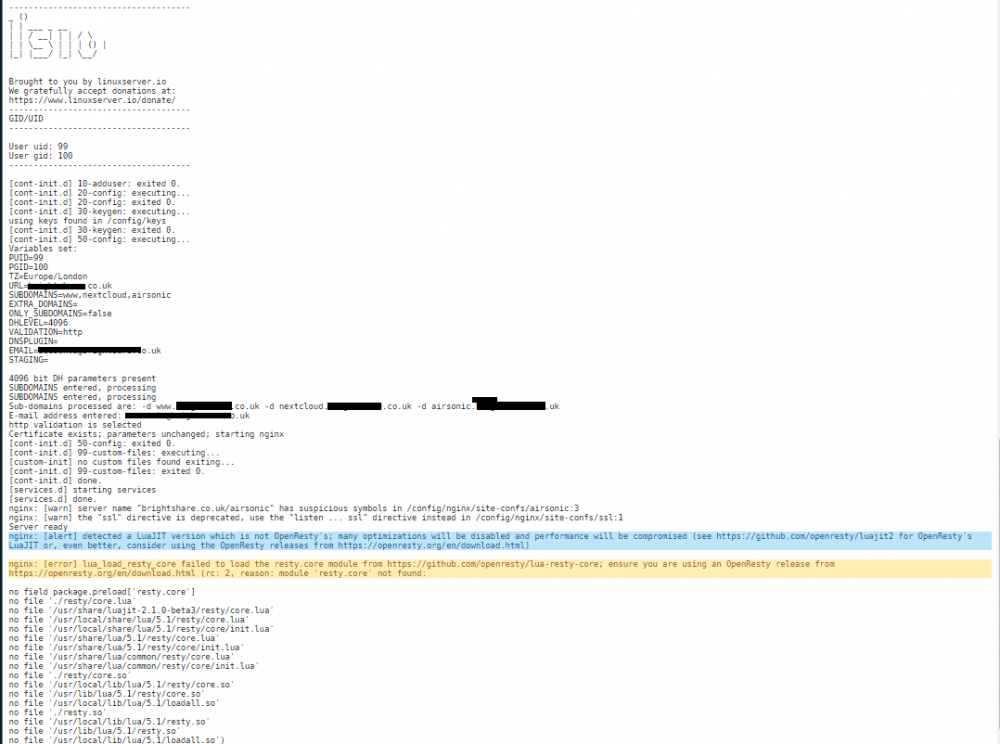
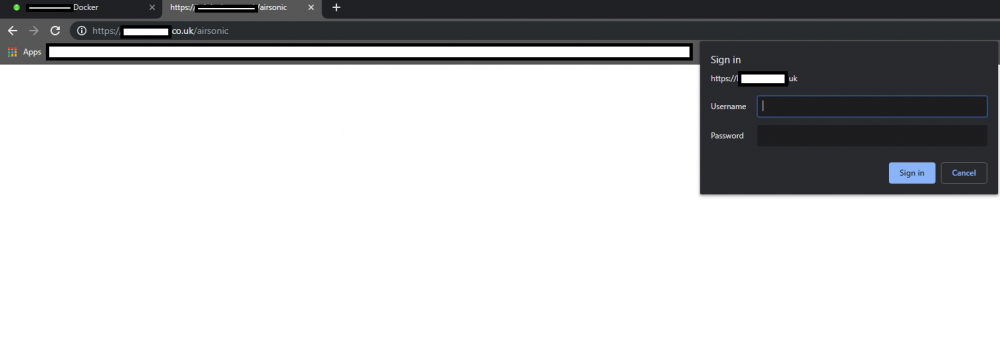
unable to access the airsonic from web browser via
-
Hi guys, I am trying to get airsonic to work, i have copied my nextcloud config and changed what i see is required but its not working. i have added the airsonic A RECORD to my domain, also in the docker subdomain Id be most grateful if assistance. NEXTCLOUD server { listen 443 ssl; server_name nextcloud.domain.co.uk; root /config/www; index index.html index.htm index.php; ###SSL Certificates ssl_certificate /config/keys/letsencrypt/fullchain.pem; ssl_certificate_key /config/keys/letsencrypt/privkey.pem; ###Diffie–Hellman key exchange ### ssl_dhparam /config/nginx/dhparams.pem; ###SSL Ciphers ssl_ciphers 'ECDHE-RSA-AES128-GCM-rr:ECDHE-ECDSA-AES128-GCM-SHA256:ECDHE-RSA-AES256-GCM-SHA384:ECDHE-ECDSA-rr-GCM-SHA384:DHE-RSA-AES128-GCM-SHA256:DHE-DSS-AES128-GCM-SHA256:kEDH+AESGCM:ECDHE-RSA-AES128-SHA256:ECDHE-ECDSA-AES128-SHA256:ECDHE-RSA-AES128-SHA:ECDHE-ECDSA-AES128-SHA:rr-RSA-AES256-SHA384:ECDHE-ECDSA-AES256-SHA384:ECDHE-RSA-AES256-SHA:ECDHE-ECDSA-rr-SHA:DHE-RSA-AES128-SHA256:DHE-RSA-AES128-SHA:DHE-DSS-AES128-SHA256:DHtE-RSA-AES256-SHA256:DHE-DSS-AES256-SHA:DHE-RSA-AES256-SHA:AES128-GCM-rr:AES256-GCM-SHA384:AES128-SHA256:AES256-SHA256:AES128-SHA:AES256-SHA:AES:CAMELLIA:DES-CBC3-SHA:!aNULL:!eNULL:!EXPORT:!DES:!RC4:!MD5:!PSK:!aECDH:!EDH-DSS-DES-CBC3-SHA:!EDH-RSA-DES-CBC3-SHA:!KRB5-DES-CBC3-SHA'; ###Extra Settings### ssl_prefer_server_ciphers on; ssl_session_cache shared:SSL:10m; ### Add HTTP Strict Transport Security ### add_header Strict-Transport-Security "max-age=63072000; includeSubdomains"; add_header Front-End-Https on; client_max_body_size 0; location / { proxy_pass https://192.168.1.200:446/; proxy_max_temp_file_size 2048m; include /config/nginx/proxy.conf; } AIRSONIC server { listen 443 ssl; server_name airsonic.domain.co.uk; root /config/www; index index.html index.htm index.php; ###SSL Certificates ssl_certificate /config/keys/letsencrypt/fullchain.pem; ssl_certificate_key /config/keys/letsencrypt/privkey.pem; ###Diffie–Hellman key exchange ### ssl_dhparam /config/nginx/dhparams.pem; ###SSL Ciphers ssl_ciphers 'ECDHE-RSA-AES128-GCM-rr:ECDHE-ECDSA-AES128-GCM-SHA256:ECDHE-RSA-AES256-GCM-SHA384:ECDHE-ECDSA-rr-GCM-SHA384:DHE-RSA-AES128-GCM-SHA256:DHE-DSS-AES128-GCM-SHA256:kEDH+AESGCM:ECDHE-RSA-AES128-SHA256:ECDHE-ECDSA-AES128-SHA256:ECDHE-RSA-AES128-SHA:ECDHE-ECDSA-AES128-SHA:rr-RSA-AES256-SHA384:ECDHE-ECDSA-AES256-SHA384:ECDHE-RSA-AES256-SHA:ECDHE-ECDSA-rr-SHA:DHE-RSA-AES128-SHA256:DHE-RSA-AES128-SHA:DHE-DSS-AES128-SHA256:DHtE-RSA-AES256-SHA256:DHE-DSS-AES256-SHA:DHE-RSA-AES256-SHA:AES128-GCM-rr:AES256-GCM-SHA384:AES128-SHA256:AES256-SHA256:AES128-SHA:AES256-SHA:AES:CAMELLIA:DES-CBC3-SHA:!aNULL:!eNULL:!EXPORT:!DES:!RC4:!MD5:!PSK:!aECDH:!EDH-DSS-DES-CBC3-SHA:!EDH-RSA-DES-CBC3-SHA:!KRB5-DES-CBC3-SHA'; ###Extra Settings### ssl_prefer_server_ciphers on; ssl_session_cache shared:SSL:10m; ### Add HTTP Strict Transport Security ### add_header Strict-Transport-Security "max-age=63072000; includeSubdomains"; add_header Front-End-Https on; client_max_body_size 0; location / { proxy_pass https://192.168.1.200:4040/; proxy_max_temp_file_size 2048m; include /config/nginx/proxy.conf; }
-
Spot on comment
-
haha Brilliant. A shot of grey goose it is
-
Dude, thanks. The price of a nice pint of UK beer is on paypal route to you.
-
Hi Binhex, I'm getting these errors, what do they man and how can i correct them please?
-
solved it, or should i you guys did thank you


-
this the problem?

-
thanks for the help
-
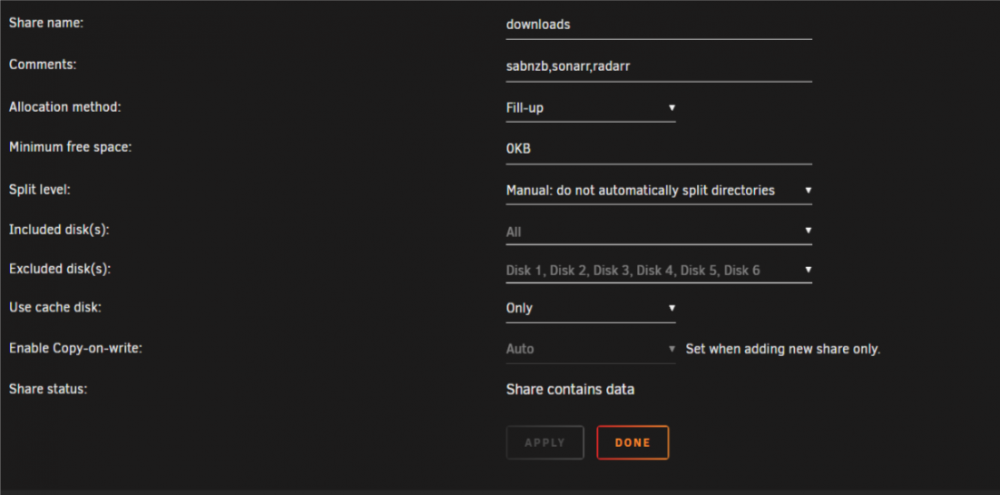
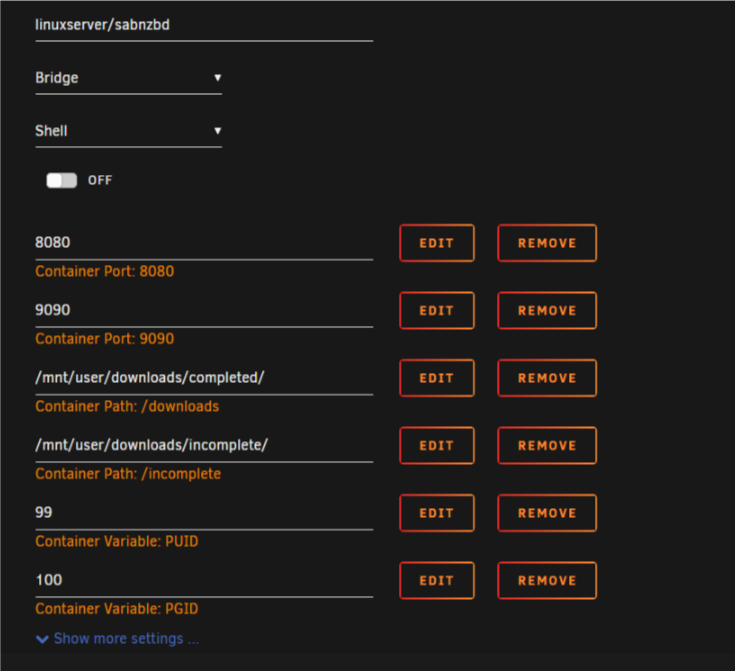
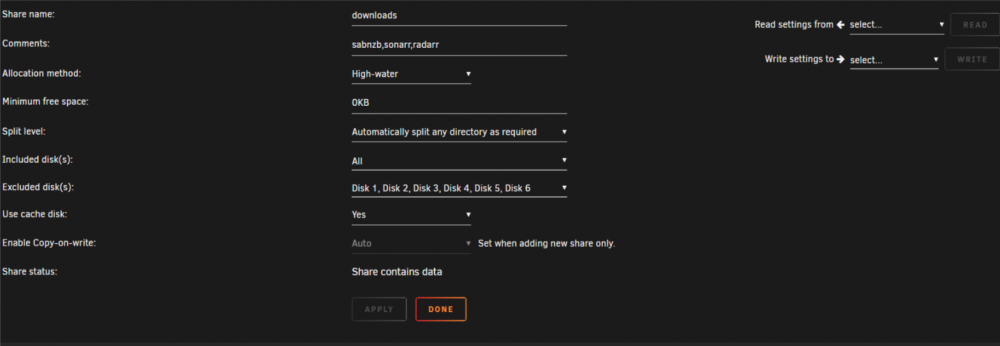
Hey guys, Got an issue, my SabNZB doesn't show the size of my Cache drive, it gives another size which i'm not sure what it is referring too?

-
CPU Ryzen x1800 32GB Ram Motherboard: Asrock Itachi X370 Usage : 3x VM's, CCTV recording 24/7, Plex dockers etc Gfx Card 1: Sapphire Radeon WX4100 (trippe screen in windows VM) Gfx Card 2: Nvidia 1030GT (Ubuntu VM) Note: No issues, the WX4100 was a little tempermental when installing the AMD drivers but leaving with stock windows drivers no issues whatsoever. Althoug i expect the AMD drivers will be fine.
-
Hi Ed, I become a patron to your channel today, I should have done this a long time ago considering how much your guides have helped me. I now have macOS mojave running great on unraid.
-
How do i mount another sync path in the docker? is it possible? Im trying to setup my nextcloud folder so i can encrypt/sync to a remote server but i dont want to copy the nextcloud folder to the resilio Sync folder i have.? Any suggestions please?
-
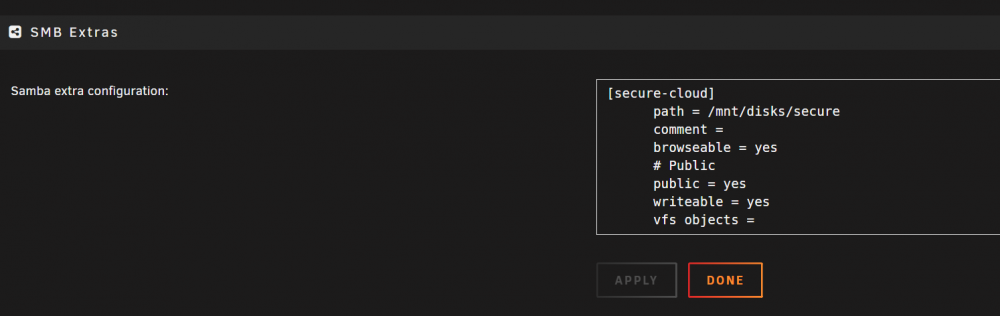
Thanks for the reply. I have this mounted with write enabled, as in the picture. Id be gratful for some help with this.
-
I need some help, please. I have rclone working with an encryted folder in krusader but when i mount the folder in windows i get this error WriteFileHandle.Write: can't seek in file without --vfs-cache-mode >= writes
-
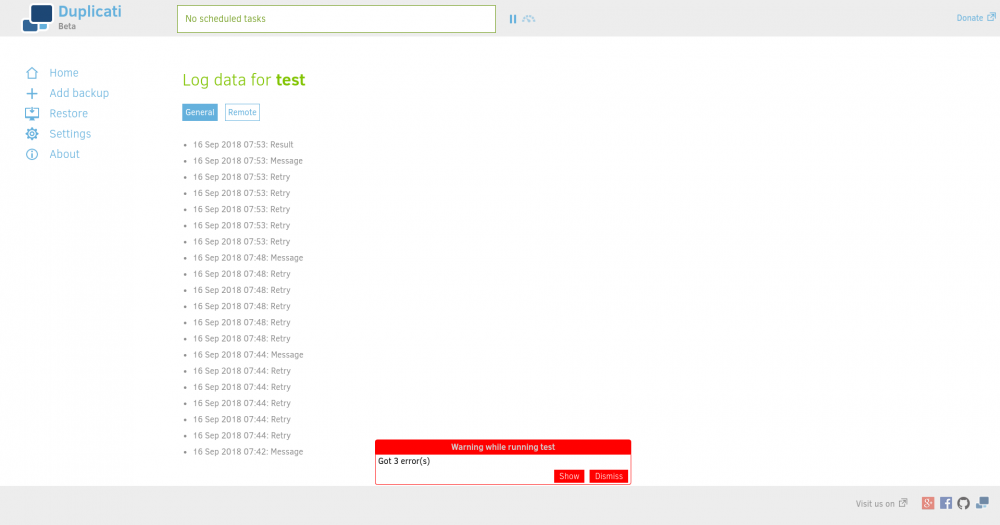
hi guys, I'm trying to sort the "This version of Nextcloud is not compatible with PHP 7.2.You are currently running 7.2.8." I am following the guide by CHBMB but having issues.i have setup duplicti to upload to onedrive business i upload a small 5mb test file and I can see the files go onto the onedrive server. However, it waits at VERIFYING for ages and i get errors
 Amazing Ed, i set this up few mths back with help from CHMB. Superb video, looking forward to the menu you showed at the end. Did you say it was hindale?





