





Randall8686
Members
-
Joined
-
Last visited
Everything posted by Randall8686
-
Hey all This is frustrating if it is another dead disk. This will be my 3rd Iron Wolf disk to fail with around 3 years of running time on them. sometimes i know that there is an issue with Unraid detecting a failed disk so i thought i would ask here first. Attached just the disk report and entire server report. TIA tower-smart-20250812-1912.ziptower-diagnostics-20250812-1920.zip
-
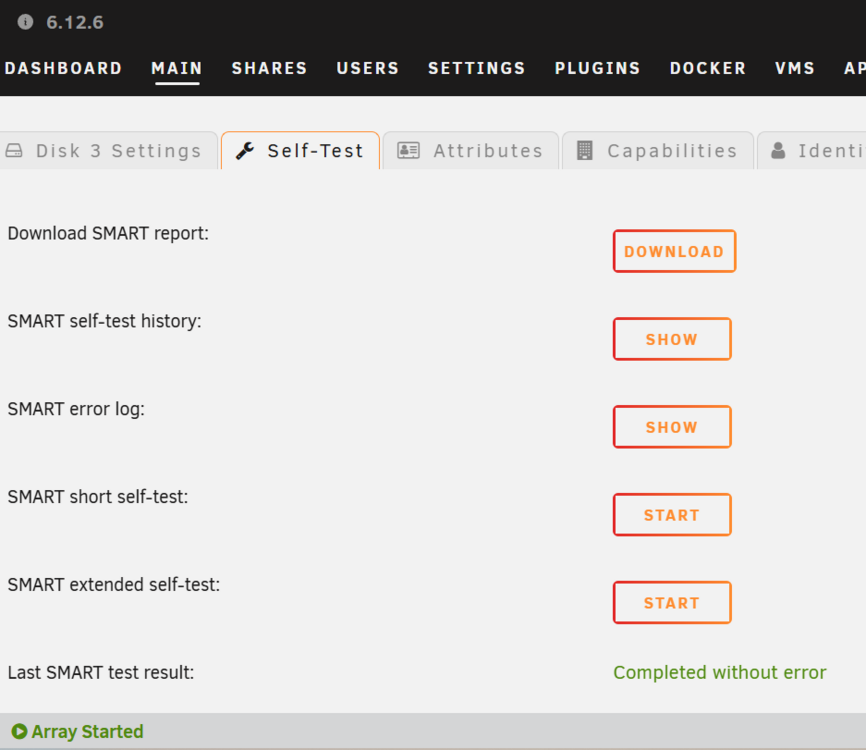
Its saying without Error. Whats my next move? I really dont want to loose any data on that drive.
-
cheers guys running the test not sure how long it will take. Will report back once its done. Im glad it was not clear to you guys as i was not sure based on this. I never thought of running the extended.
-
Good morning, Good afternoon & Good evening all. Could one of you wizards have a look at my drives and tell me if disk 3 is actually dead or if the config has messed up again? Tower Diag and Smart report attached. Was thinking of changing from 4TB drives to 14TB drives as they seem the sweet spot on bang for buck now. Plus some of these drives are probably approaching 10 years old. tower-diagnostics-20250111-1004.zip tower-smart-20250111-0158.zip
-
thank you, that seems to have solved it (had to take child out so took me a while to try) Now to decide on some new hardware
-
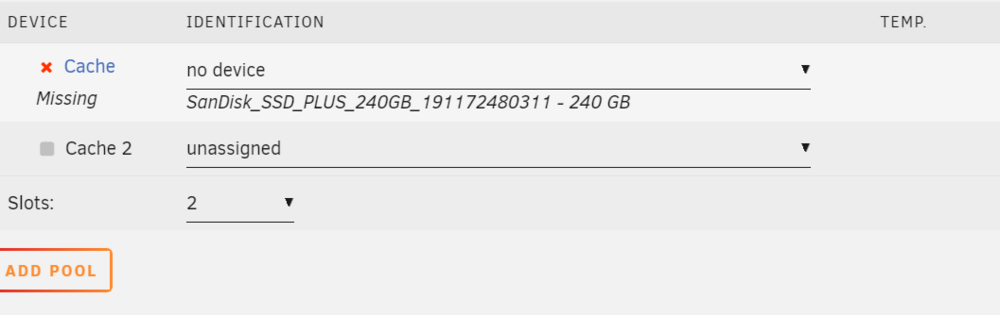
I cannot unassign drive one just mark as no device. Im guessing this is going to cause an issue ?
-
Thank you for the reply, I have left it alone until i know what to do as i dont want to mess around too much as im not sure why its done it or even what its done to be honest.

-
Hi all so my server failed earlier not sure why but im going to replace the hardware as its 10 years old. However everything is back apart from my cache and all my apps stored in my cache (2x250 gb ssd in redundancy mode) If i put them both here it wants me to format them upon start up Whats the correct way to bring back my cache? tower-diagnostics-20240629-1416.zip

-
Hey all So my think server with a E3-1226 v3 ans 16gb ram is now nearly 10 years old. Its on its second PSU and its starting having issue booting up. I think something is wrong with the memory controller as i have to mess around with Ram stick at times to get it to boot. Anyway i want to change the CPU, Mobo and Ram to something new. I have seen some threads on very efficient NAS mobos's etc. I currently have a Nvidia 1060 to handle some transcodes (max 2/3 remote streams) ideally i would like to handle this with a more efficient cpu that can do transcoding. I run a few dockers and cetainly nothing taxing, transcoding being the main one. now and then a very basic VM but no heavy lifting. my current CPU only goes to full load on bootup. I dont really want to spend a fortune £300-400 $350-450 ish. what is the current recomendation for motherboard/CPU? I have a pcie card that handles my HDD's with breakout cables etc so dont need masses of sata ports on the board. is AMD capable of transcoding like quicksync? seems amd are bang for buck better off with number of cores etc?
-
I looked into it all and went with a 850VA 520watt APC unit. I could get my system to draw 300watts doing 2x 4k plex transcodes and while doing a parity check. however the chances of that being done at the same time and during a power cut (given my router will loose power so plex transcodes will be cut off) are very very slim. Im not after it staying on. if the power is out for more than say 30/60 seconds then all i want is it to gracefully shut down until i can go turn it back on. Talking of turning it back on can this be done remotely quite easily? I would not have an issue leaving the server off until the UPS is charged back up.
-
Not sure if im in the right area of the forum but seemed the best section. I have been having annoying power outages at night and its upsetting my server. So im after a UPS that will run the server for say 60 seconds and then if power not restored shut down. Lots of options on amazon for £100 mark. Any particular brands play nicely with Unraid? any to avoid?
-
There are Dozens and dozens of files with names. some contain missing files. Is there anyway of restoring these automatically or do i need to manually go through it all
-
Yea its working ok now. Very strange.
-
tower-diagnostics-20220818-1638.zip
-
Tried -L still saying unmountable Edit, hadto start in non maintenance mode and it came back. Is it possible to see from my diag why this happened?
-
My server has restarted and im not sure why but I seem to be having issues with Disks, Disk 1 is showing as unmountable on the main tab but showing as healthy on the Dashboard tab Disk 3 is showing as missing but think its in unassigned devices. this is what i get when i try to XFS repair Any help most welcome Phase 1 - find and verify superblock... Phase 2 - using internal log - zero log... Log inconsistent (didn't find previous header) failed to find log head zero_log: cannot find log head/tail (xlog_find_tail=5) ERROR: The log head and/or tail cannot be discovered. Attempt to mount the filesystem to replay the log or use the -L option to destroy the log and attempt a repair. tower-diagnostics-20220818-1553.zip
-
have run it again and no change OK thanks i have never built a drive back onto its self so will double check im doing everything right then give that a go. I have a feeling that the Sata expantion cards I am using are a bit pony.
-
So i have had a couple of drives fail, but disk 4 in my system is showing as unmountable in maintenance mode, done a quick check and it done a number of things but still showing as faulty (im fairly sure the disk is OK) attached is my diagnostics, if anyone could offer some advice im at a bit of a loss on this one, tower-diagnostics-20220423-2346.zip
-
It worked !!! Thanks guys! really appreciate the knowledge. seems it was Disk 4 itimpi said! disk 4 had quite a lot of corrections to make the rest where very quick. Is there a reason why this happens? Is the disk in need of replacement? saves me driving to pickup the off site backup so really am thankful! Interested to know a little more of the cause of the corruption.
-
OK there is a load of text its generated (way too much to copy paste here) including list of files etc. but it does have this at the end No modify flag set, skipping phase 5 Inode allocation btrees are too corrupted, skipping phases 6 and 7 No modify flag set, skipping filesystem flush and exiting.
-
OK i am just rebooting in maintenance mode as we speak. I will take the advice and check them all
-
Thank you for looking! I will run a check and report back
-
Literally just added it, somehow i did not drag it accross with the pictures. Its really odd some Shares are ok and have found a couple of shares missing entire folder structures yet its all present on the disks.
-
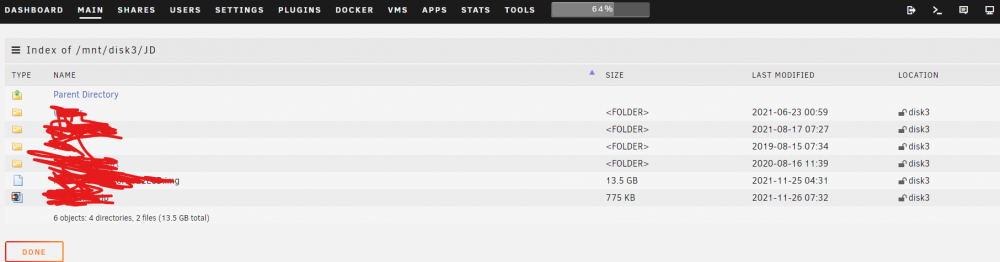
Hi All So i had a drive fail, During checking a I knocked the power cable out of 1 of 2 parity drives. So unraid gave it a red cross. I knew it was due to lack of power so i just left it red. done the drive rebuild on the new drive then once all was good told it that it was a new Config. However im missing some (not all) files when i browse the Network drives. For example when i browse certain folders on any device the folders are completely empty. Yes if i browse /mnt/disk3 etc the files are there. I do have off site so its not the end of the world but Is there a way to get these back? the files are clearly on the disks but do not show on any file explorer etc. the even more weird part is some of the files in these folders are spread over mutiple disks not just the onces replaced. quick edit if i in file explorer goto \\TOWER\disk2\File1 etc then i can see all the files. Yet the network drive "Y:\" is empty now. at least i can see all the files but what has happened and is there a way to correct it and what did i do wrong? Obviously been a bit of a tool somehwhere along the line. Sorry its getting a little more fragmented but maybe these pictures will help. tower-diagnostics-20220203-1059.zip


-
sorry guys i have been out the country setting up an office. Im back and will do this for you all today/tomorrow and hopefully have the video up by the end of the week.




