






GilbN
Community Developer
-
Joined
-
Last visited
-
Thanks :)
-
reserved
-
GeoMetrikks Features: Live GeoIP map with real-time request visualization Traffic analytics dashboard with configurable date ranges, including a Top ASNs view of the networks your traffic comes from CrowdSec integration Searchable access log history with filtering and sorting WebSocket-backed live log tail Structured application logging with a live in-UI log viewer, a fail2ban/CrowdSec-friendly login log, and downloadable rotated archives Batch import of archived logs Github: https://github.com/GilbN/geometrikks Website: https://geometrikks.dev/ Community Apps: https://ca.unraid.net/apps/geometrikks-0679dp108y1kqx Screenshots:
-
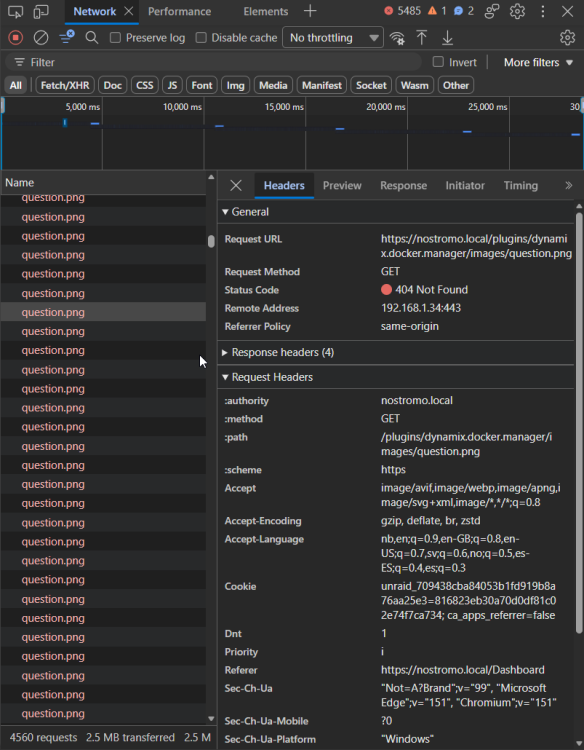
The consol is spamming 404s on this image Making the page unresponsive after a while.
-
Yeah, same here
-
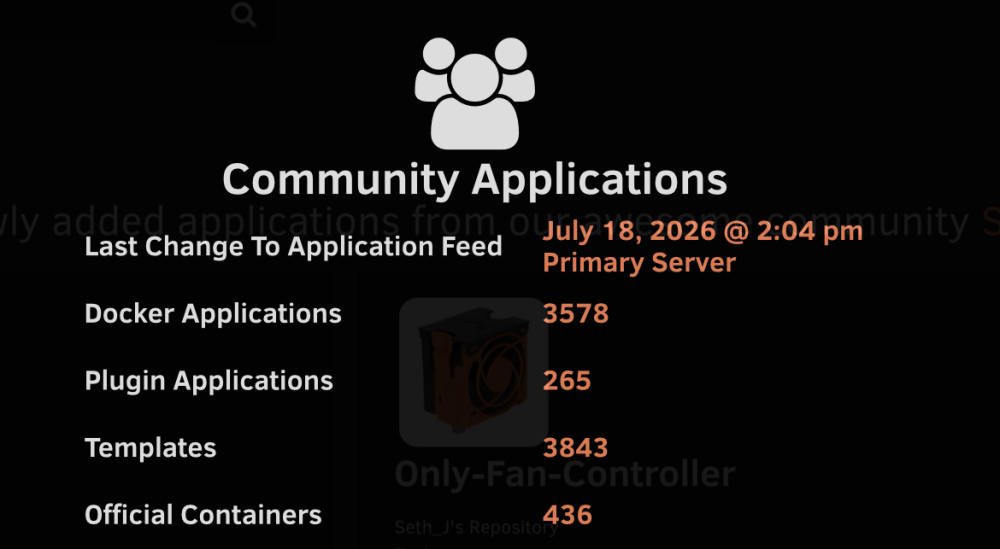
How often is the feed updated? Last update was July 18
-
https://docs.theme-park.dev/setup/#docker-mods
-
Try and set DISABLE_THEME="true", run it then DISABLE_THEME="false" and run again
-
Hm, yeah its missing /theme.park after https://grantnnz.github.io
-
Look into the 404 error. See what url it's trying
-
You can just update the repo through github btw. And yeah that works.
-
Pretty sure your forked repo is out of date using the script. You are 440 commits behind.
-
check your browser console for any errors
-
or change this part to reflect your name change # Use correct domain style case ${DOMAIN} in *"github.io"*) echo "Switching to github.io URL style" DOMAIN="${DOMAIN}\/theme.park" ;; esac
-
@jawattus you renamed the repo. the name must be "theme.park" when using a github.io domain. Assuming this is your repo https://github.com/thijselblaso/theme.park.edit


