





rguinn
Members
-
Joined
-
Last visited
-
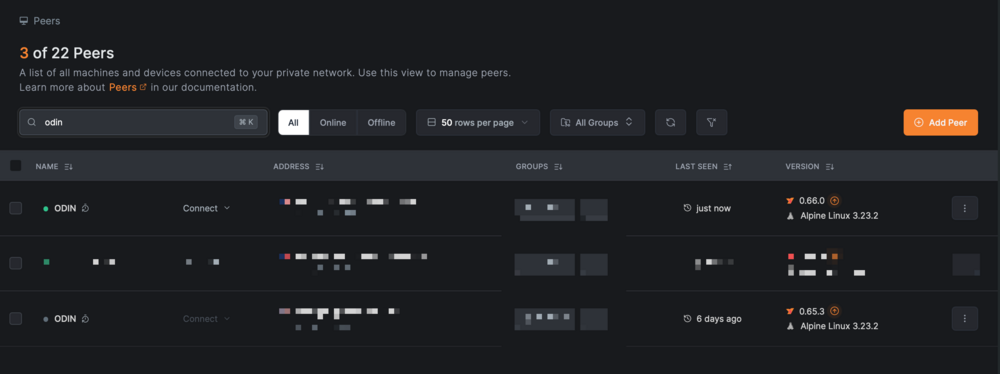
I having a issue where overtime the container updates it create a new peer on my host - Any idea why this would be happening?
-
thank you i looked i swear
-
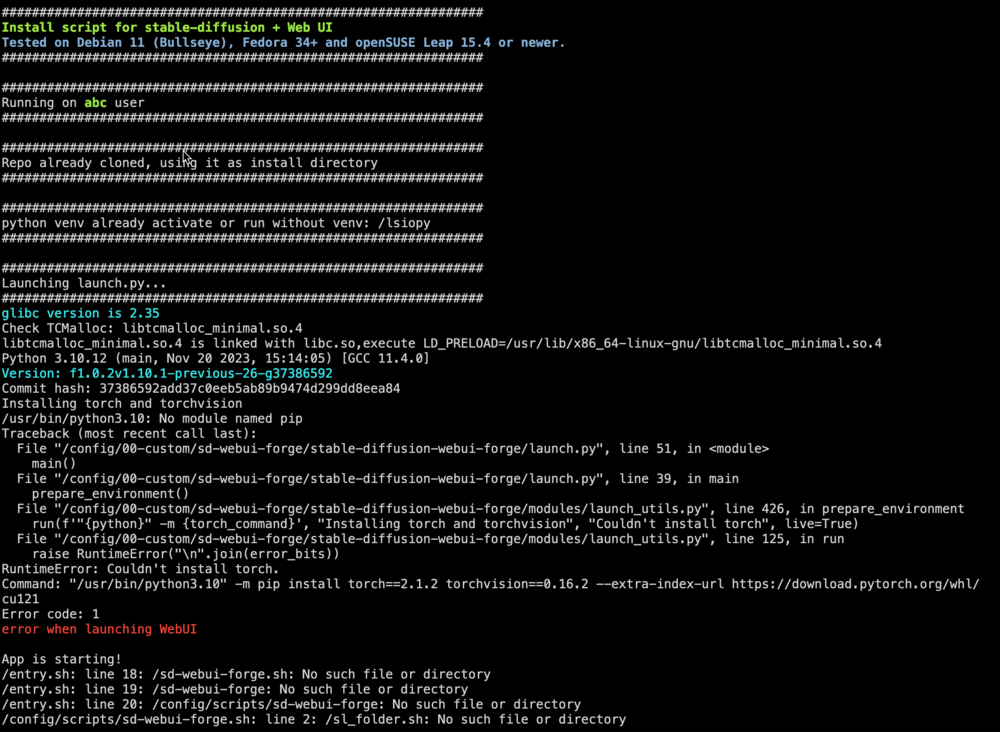
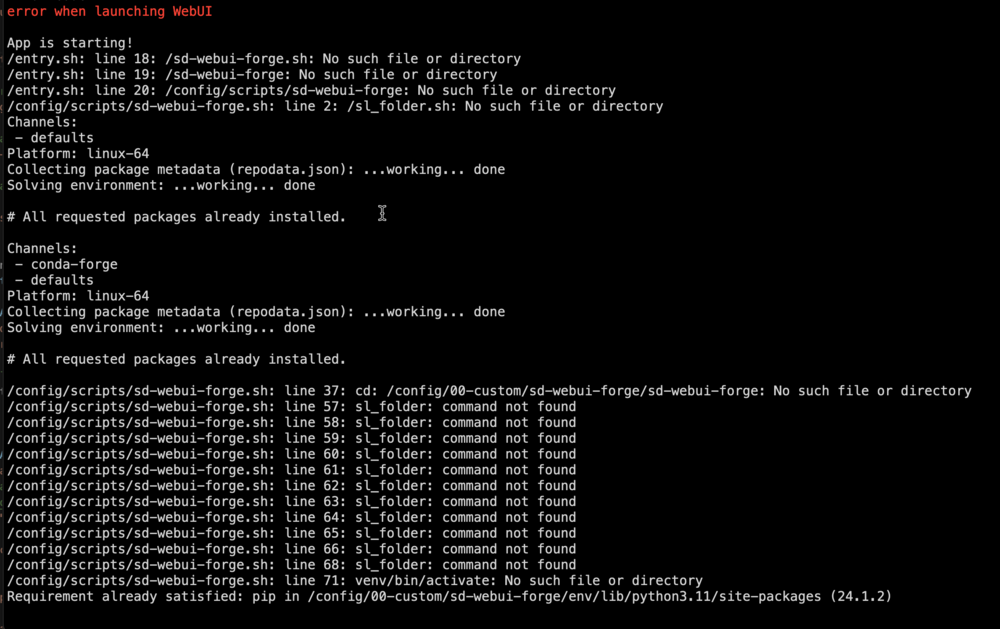
Hello all and @superboki trying to install Forge as A1111 takes to long on my 1660 Super but i seen to be in a loop with a error with script
-
Can you get an official statement on this. Is line tech moving to subscription updates?
-
I do not have the original USB server was scrap like 2 years ago and I just now getting new HW. But support took care of me
-
Honestly i made a mistake and though i was opening a ticket not a form. this is was my bad i was not paying attention
-
Hello i am trying to recover the license for my backup server it been down and i have lost the USB drive so i made a new one and i dont see a option in the OS to recover a license just buy a new I want to Recover the license tied to 0951-1666-72AC-F23117BEDFA1 to the new USB 0781-5581-7629-032721155747 how do i do this ?
-
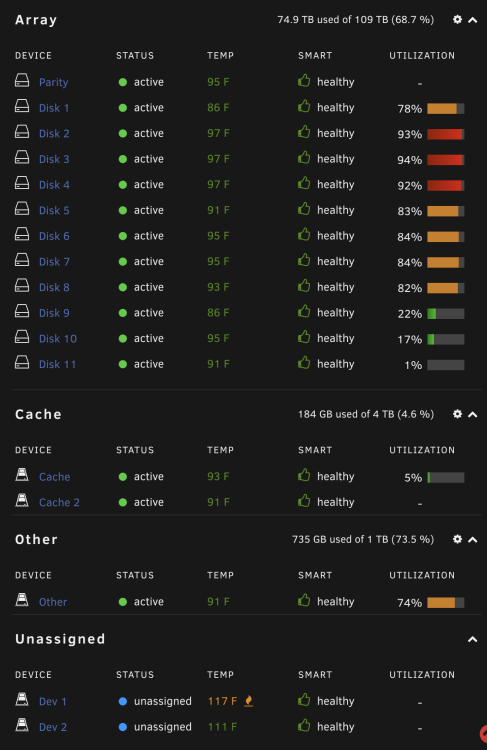
I found it @trurl the issue was the array was full in the Global settings there was only including Disk 1 - 8 and it was not using disk 9 - 11. I found when i Nuked the server and replaced the USB thumb drive. the true test will be in the morning
-
There is a new Sig with Colors that work both light and Dark. I am just over it with this issue no Hardware is reporting bad, Memtest was good and there nothing to explain it but since trying to fix i gone from just docker now to the whole server goes down
-
ya think its why it was light to begin with but i focused on fixing the issue i am having i will address the sig after i get my system back up and stable
-
See below should be all black now
-
I have update it! sadly i attempted to just downgrade and same issue woke up to non working server
-
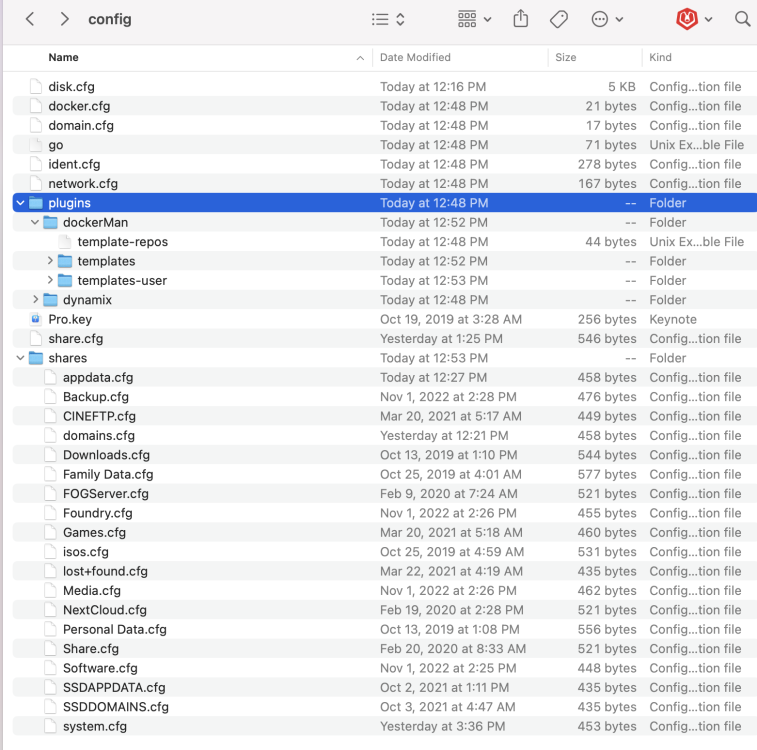
Well since i out of ideas and it only started with the new update i created a new USB with 6.11.3 and moved only these config files Lets see if a clean config with fix it
-
@trurl Nope all so Healthy
-
no they did not let me hardboot so i can access again and ill share




