





lowbiker
Members
-
Joined
-
Last visited
-
This question is academic. 1. I lost a 6TB drive. It's just dead so I pull it out and it starts being emulated. 2. That feels weird and I have space so I run the Unbalancer to move the data to other free drives 3. I did this a couple times to make sure i got it all. 4. New drive comes in. Also 6 TB. Run the pre-clear. Takes forever 5. I shut down the array. Add the new drive back to the array. 6. Now it's doing a "data rebuild" with over 400,000,000 writes 30% done. What is it doing? I thought I moved the data off the emulation? What exactly is it rebuilding? What should I have done different?
-
Both the docker tab and the radarr page are both on basic view. I'm running 14 other dockers that all upgrade fine. The only other one I've had to reinstall is Unifi-Video but if i leave it, then it doesn't barf on itself
-
Has anyone had any stability issues with radarr lately? I can upgrade sonarr all day long and it's never broken. But I'm scared to upgrade radarr. Something goes wrong and it just gives me a white screen. And if I don't upgrade it, it eventually breaks anyways and I have to redo it all. I understand it's under development and things go wonky sometimes. But I'm on my 5th re-install. There are only a couple versions of radarr in the store. Which one is the most stable?
-
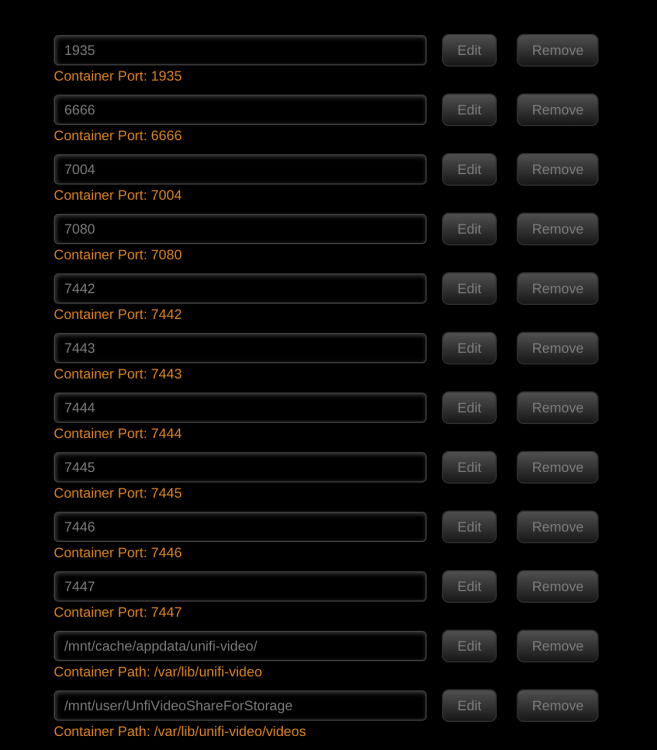
I attached the last hundred lines. Trying to figure out what to make of it. The confusing thing is when I reset everything Friday night it actually did record me once while i was fixing it and I thought i was done. I may have to repeat the process. Checking it this morning.. it's graduated to recording a few things but not everything serverlog.rtf Edit: Just as a follow up I finally figured out that it didn't like being pointed at my cache drive for some reason. Didn't think there was enough space. Pointed the recorder to the share on my array and all seems to be working again. Also reverted back to 3.9.0 and the 2nd most recent camera firmware
-
Yes the live view works fine.. and in grid view as well. Just used the default values for installing the app. I'm going to have to go through the logs. Busy day today with switches falling over at work. Will start with the error log and recording log unless anyone knows better

-
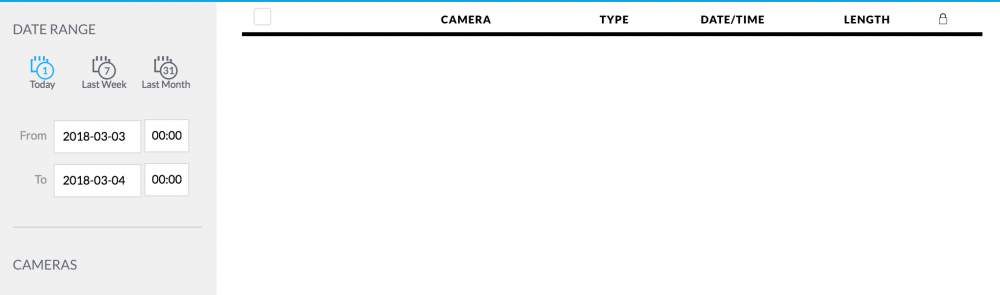
Yes and yes.. Tried both. No recordings are showing up.

-
Last night I reset and downgraded my cameras to next to latest firmware. Ripped out the docker, cleaned out the cruft. Couldn't find an older version of the docker to install so I tried what was available. Upon install the docker re-upgraded my cameras and everything works... but still doesn't record. Is it reasonable to assume we can just wait on a software update for this to be fixed?
-
Anyone else get an error like this? "Fatal error: Allowed memory size of 134217728 bytes exhausted (tried to allocate 114382050000070232 bytes) in /usr/local/emhttp/plugins/serverlayout/php/serverlayout_constants.php on line 213"


