





Tonitram
Members
-
Joined
-
Last visited
Everything posted by Tonitram
-
Just another option... In the future if you miss the "press any key..." message and the shell prompt loads. You can also just type exit then hit enter. It will then load a Bios looking screen and you just select continue and then it will restart and it brings you back to the "press any key..." option.
-
Update... I took my GPUs to a friend who has a proxmox server and he was able to add them to both a Linux and a Win 10 VM. GPU passthrough worked on both using the latest nvidia drivers. So its not an issue with the GPU (which I figured since it was working in 6.8.3). What changed in Unraid to make GPU passthrough stop working? Am I missing a setting somewhere?
-
Anyone have any suggestions? I hate to think that my only options are to either stay on 6.12.3 with broken VM's, or revert to 6.8.3 and have an outdated system with features/docker/security issues. I could really use the help if anyone has any suggestions. Thanks.
-
Hi all, Im looking for some help with my VMs. I recently upgraded from 6.8.3 to 6.12.3. Everything went smoothly except for my VMs. The reason I stayed on 6.8.3 for so long is because it was the last release that VMs worked for me. I tried 6.9.x, 6.10.x, 6.11.x and always have issues with VMs in each of those releases. Either they wont start, GPU passthrough didnt work, or I cant create new ones etc. I finally went to 6.12.3 because none of my plugins or dockers would upgrade any longer on 6.8.3. I had 2 Win10 VMs and 2 Linux VMs (1 arch based and 1 debian based distros). After the update to 6.12.3 I only have 1 Linux VM still working with GPU passthrough. The other linux VM and both the Win10 VMs passthrough will not work. I have tried to create new VMs (linux and windows) but cant get GPU passthrough to work properly. On new linux VMs the best I can get is using the non proprietary drivers but this has poor performance and if I update the driver I only get a black screen. On new Win 10 VMs I cant get the VM to properly recognize the GPU and I always end up with the code 43 error which I cant get rid of. I have been trying various things but nothing ever works. I tried... - OVMF, seabios - every machine type from i440fx 3.1 - 7.1 and Q35 4.0 - 7.1 - tried hyper-V on/off - in XML I tried adding </hyperv> <kvm> <hidden state='on'/> </kvm> but all this did was make the GPU fans spin at maximum for 30-60 secs and then make the VM bootloop - tried various virtio driver ISOs - tried with/without stubbing the GPUs - I have 2 PCIE USB controllers that I had to stub to pass through and both work - passed the GPU vbios through and added multifunction line (same vbios Ive used for 6+ yrs) But I tried another and no change - I have Unraid set to boot in legacy and In my motherboard bios I set it to not use UEFI and to use legacy only. also set the unraid USB to only boot as legacy and the primary graphics is set to use the onboard vga. - The only way I can create new VMs (win or linux) now is to start with using VNC to do the install, then switch it to use the GPU. I will get a picture but its low res and I get the code 43 error. - tried installing many different nvidia drivers from 465.x - 470.x No change. Code 43 never goes away in windows and in linux I just get a black screen or it wont even boot. Ive tried so many things that I cant remember them all right now. Hopefully someone can help. I really need to get my VMs working like they did in Unraid 6.8.3 I dont mind if I have to delete my old VMs (except for the 1 that still works) since I have all my important stuff backed up already. My motherboard is a ASRock Rack EP2C602-4L/D16 (bios is up to date) 2 Xeon E5-2665 CPUs 128GB ECC Ram GPUs are GTX660ti and GT710 I know all my equipment is older but they worked fine with VMs for 6+ yrs and didnt have any issues until I tried upgrading past 6.8.3. I did connect both GPUs into different PCs just to test and they both still work fine on both windows 10 and linux computers. The only issue is in VMs. I will also include my diagnostics which include all the XMLs of my VMs. The only VM that is currently working with GPU passthrough is the Garuda - KDE VM. Thank you in advance to anyone willing to help, I really do appreciate it! genisys-diagnostics-20230821-1750.zip
-
This will fix the permissions for the files you already downloaded but any files downloaded after doing it would still not have the correct permissions. So you will have to keep running this, which isnt really a fix.
-
Its been a couple weeks and I still cant the permissions working properly. Is there anyone that can offer any advice?
-
So I figured out that the permissions issue is at the folder level, it is fine at the file level. When something is downloaded it creates a folder with the creators name and then the file inside is the video. When I use Krusader to check the permissions the file is correct with read/write but the folder is read only. Can anyone offer any suggestions on how to fix this. I really want to use this program but unless I can get the permissions set correctly I wont be able too. Thanks in advance.
-
After copying and pasting this to YTDL_OPTIONS , the subtitles and chapters work but the permissions still dont. I still cant delete files. I also tried to change the chmod to 777 but it made no difference. Does anyone have any suggestions?
-
Im just using a cheap Nvidia GT710. I dont need great graphics for my purposes. I made some progress...Last night I was finally able to get a picture with GPU passthrough on Ubuntu 20.04. I had to create the VM right from the start with the GPU already set in the template. In the past I always started the install using VNC, then changed the template to use a GPU after the install was completed, but every time I try it this way I only get a black screen. Unfortunately because of the way I have my setup, starting with VNC would still be much easier. I now have another issue though. When I do the install this new way starting with the GPU setup first, I can get a pic and do the install but after the install is complete I cant update the VM. Every time I try, my mouse and keyboard lock up and I have to force stop the VM. Then I have to change the VM to VNC to update the VM, and then change back to GPU passthrough after that. I also have no mouse or keyboard control at the UEFI shell prompt when I first try to setup any Arch based distro. So I cant install anything Arch based anymore. I dont know when the issue started because I only noticed the issue since Unraid 6.7. I haven't made any hardware changes on my system. The only thing that has changed is the version of Unraid that I'm using, so Im not sure if passthrough is supposed to be done differently now or if its something else. I'm hoping someone from Unraid, or any experienced user, will eventually see this post and be able to help me because I have no idea what I am doing wrong.
-
Have you tried any other Linux VM's? Because I can no longer get GPU passthrough to work on ANY Linux distro VM I try to create.
-
I added my diagnostics. I'm at a loss. If anybody could help I would appreciate it.
-
So over this past week I tried to setup multiple other Linux VM's. I have now tried multiple distro's based on Debian, Arch, and Redhat. I also tried creating another Ubuntu 18.04 VM but I have the same issue on all of them...VNC works fine, but when I pass through a GPU I get a black screen. So I created a Windows 10 VM using the same GPU and passthrough works fine. It also still works fine on my old Ubuntu 18.04 VM with the same GPU. I just cant get it working for any new Linux VM I create. I also updated Unraid to 6.8.3 and again created multiple Linux VM's but I still have the same issue. Does anyone know if something changed about how to pass through a GPU to Linux VM's? genisys-diagnostics-20200513-1629.zip
-
I did the same as opiekeith. I went into the "older" docker and created a backup of my settings, then I stopped that docker. I then installed the newer docker, went into its settings and restored the old settings from the backup I made. I'm not sure if this was the best way, but its super easy and fast and everything is working perfectly
-
Im having an issue getting a Ubuntu 20.04 VM working with GPU pass-through. Im on Unraid 6.7.2 and setup the VM using the Ubuntu template. It works fine with VNC but I cant get it working with GPU pass through. I have a Ubuntu 18.04 VM that works fine using the same GPU and settings. I stopped my Ubuntu 18.04 VM, made sure the template for Ubuntu 20.04 VM is setup with exactly the same 8 CPU cores, 16GB of RAM, same GPU set for video and audio card. The machine is set to Q35-3.1 and the Bios is OVMF. I also edited the xml file to add the GPU rom file and match the bus and add the multifunction tag. Everything is setup exactly the same for both VMs but only the Ubuntu 20.04 VM has no pic, I just get a black screen. If anyone can offer any suggestions to get this working I would appreciate it. Thanks in advance!
-
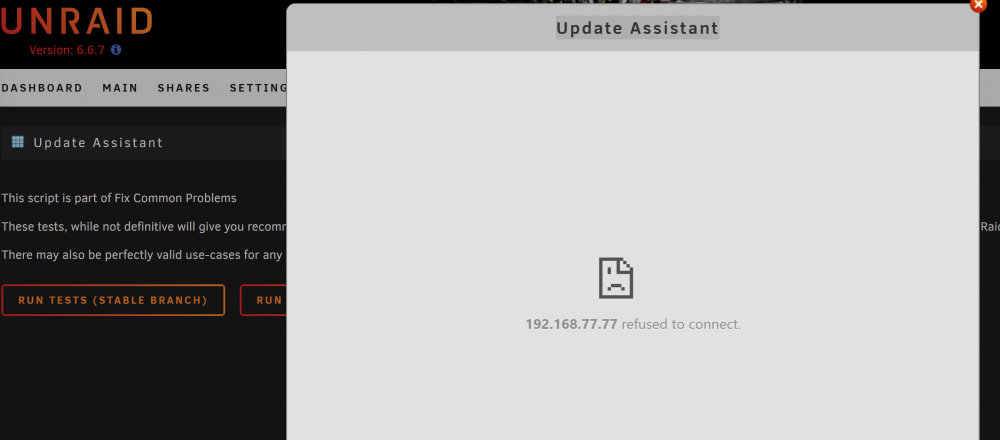
So I just got CA to uninstall and reinstall. Its working and the Apps tab is back, but I cant run the OS update assistant. I get the same error that I was getting prev with CA. Says it cant connect even though my server has an internet connection.
-
Here are my diagnostics. Thanks for the help Squid. diagnostics-20190806-2241.zip
-
Yes, it can reach the internet. That was the first thing I checked when I originally got the error with updating CA.
-
So I just tried to uninstall and I got the same message that started my issue... It shows my servers IP and says Failed to connect. Then back on the plugins page CA is now missing. So I tried to install it and got same error. Then I decided to just try and upgrade the Unraid OS but I get the same error if I try to run the Update assistant.
-
I'm on 6.6.7. Reboot didn't work so I guess I will try the reinstall. I want to install 6.7.2, should I install that first or fix CA first?
-
Hi, I'm hoping someone can help. I lost the Apps tab in unraid. I was browsing some apps when I got a notification that there was an update to Community Applications. I went to update and it said it couldn't connect, then the Apps tab disappeared. A few hours later I tried again and it finally let me update but the Apps tab is still gone, so I rebooted my server...still no change. CA must still be working because I keep getting notifications saying my apps have been updated. If Anyone knows how I can get the Apps tab back I would really appreciate some help. Thanks
-
I was so focused on the download path that I didn't realize it was my category paths that were screwing me up. Everything is finally working now. Thanks for the help trurl! I've been working on this for days and couldn't figure out what I was doing wrong, you kept me from going insane lol.
-
Hi guys. I'm hoping someone can help me. I'm new to unRAID and struggling with getting some of my dockers up and running. I want to have NZBget, Sonarr and Radarr working. Here is what I have done. I created a share called Downloads and set it to use cache only. I installed NZBget and set /downloads to /mnt/cache/Downloads/ In NZBget I set paths MainDir to /downloads DestDir to ${MainDir}/complete InterDir to ${MainDir}/incomplete Tried Umask at 1000 and 000 (curr set to 000) Set Categories for Movies and TV in NZBget (should these be set like /mnt/cache/Downloads/complete/Movies ???) I installed Sonarr and Radarr (both also from Linuxserver.io) set /downloads for both to the same as NZBget /mnt/cache/Downloads/ set Sonarr /tv to /mnt/user/Media/TV Shows/ set Radarr /movies to /mnt/user/Media/Movies/ Both Sonarr and Radarr grab content and send it to NZBget. NZBget downloads whatever files fine until it unpacks. Then it fails. I get errors... Could not create directory /mnt/cache/Downloads/complete/TV/"insert filename here"/_unpack: could not create directory /mnt/cache: Permission denied Unrar error code: 10 Could not delete temporary directory /mnt/cache/Downloads/complete/TV/"insert filename here"/_unpack: No such file or directory Unpack for "insert filename here" Failed I checked my permissions for the downloads share /mnt/cache/Downloads and got... drwxrwxrwx 1 nobody users 78 Oct 23 23:59 ./ drwxrwxrwx 1 nobody users 94 Oct 23 18:30 ../ drwxrwxrwx 1 nobody users 26 Oct 24 00:58 complete/ drwxrwxrwx 1 nobody users 982 Oct 24 01:10 incomplete/ drwxrwxrwx 1 nobody users 1364 Oct 24 01:10 nzb/ -rw-rw-rw- 1 nobody users 3881250 Oct 24 01:12 nzbget.log drwxrwxrwx 1 nobody users 1164 Oct 24 01:12 queue/ drwxrwxrwx 1 nobody users 0 Oct 24 01:10 tmp/ These same errors happen on every download. I'm not sure how to fix it. Any help would be greatly appreciated.

