





PsyCl0ne
Members
-
Joined
-
Last visited
-
Thank you JorgeB, always coming in clutch, really appreciate you. :)
-
bump
-
In Fix Common Problems its reporting the following: Machine Check Events detected on your server >> Your server has detected hardware errors. The output of mcelog has been loggeg. Post your diagnostics and ask for assistance on the Unraid forums More Information Would appreciate a pair of eyes on my diag logs. Thank you in advance! tower-diagnostics-20260519-1858.zip

-
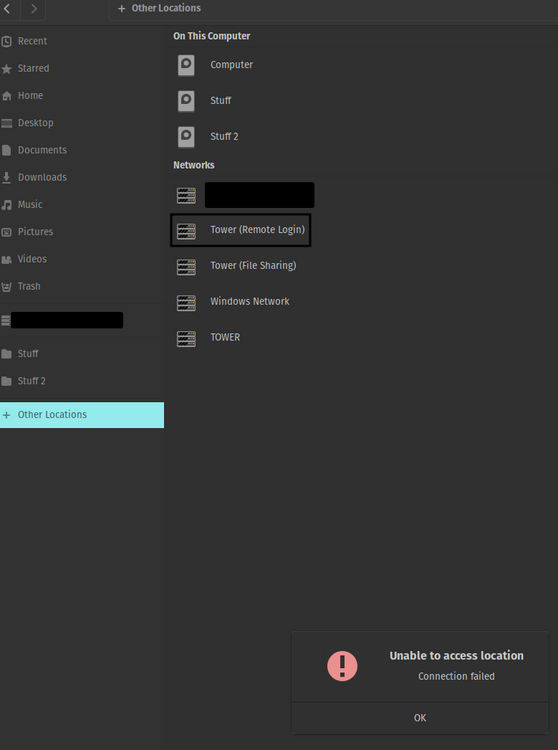
Yes, the one labelled Tower (File Sharing), which brings me into "/storage/(I am unsure if its user or user0)/data" directory. Opening up this directory in terminal shows the following: ***username***@pop-os:/run/user/1000/gvfs/smb-share:server=tower.local,share=data$
-
If I remember correctly it wasnt even directly to /mnt/user it was to just /. Exactly this except in my file explorer... Ive gone through all the plugins I have and don't see anything that would enable this remote login from my popOS desktop. I don't have any scripts running that would enable that either. Is there anyway that I could work backwards to sort this out?

-
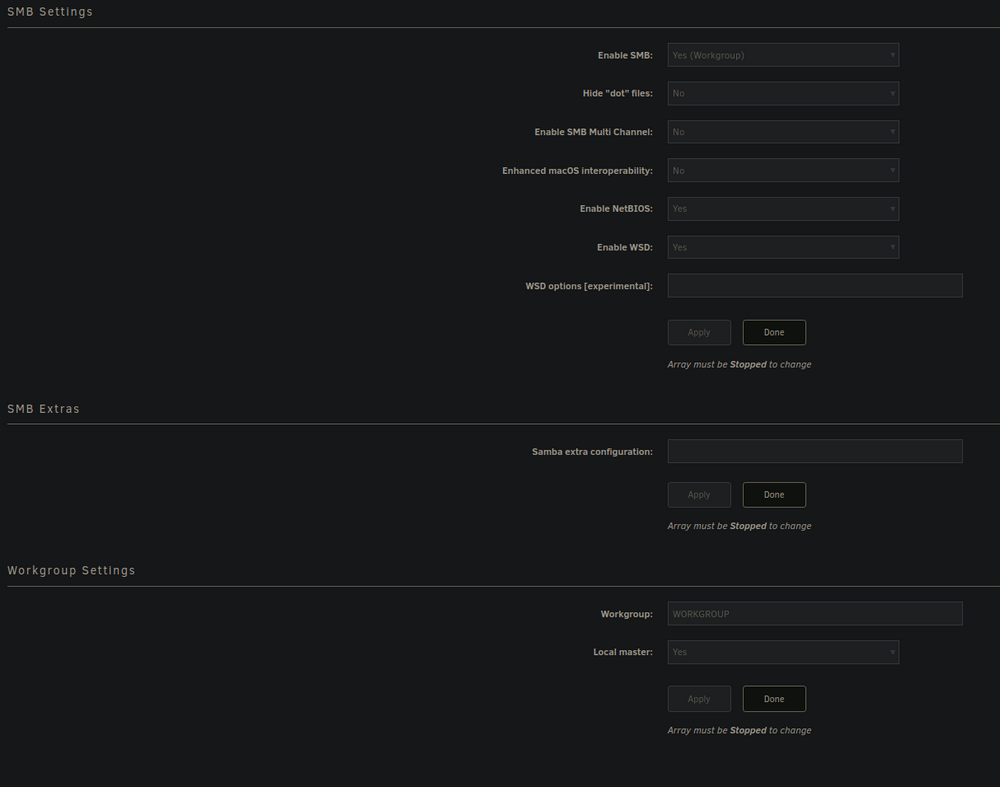
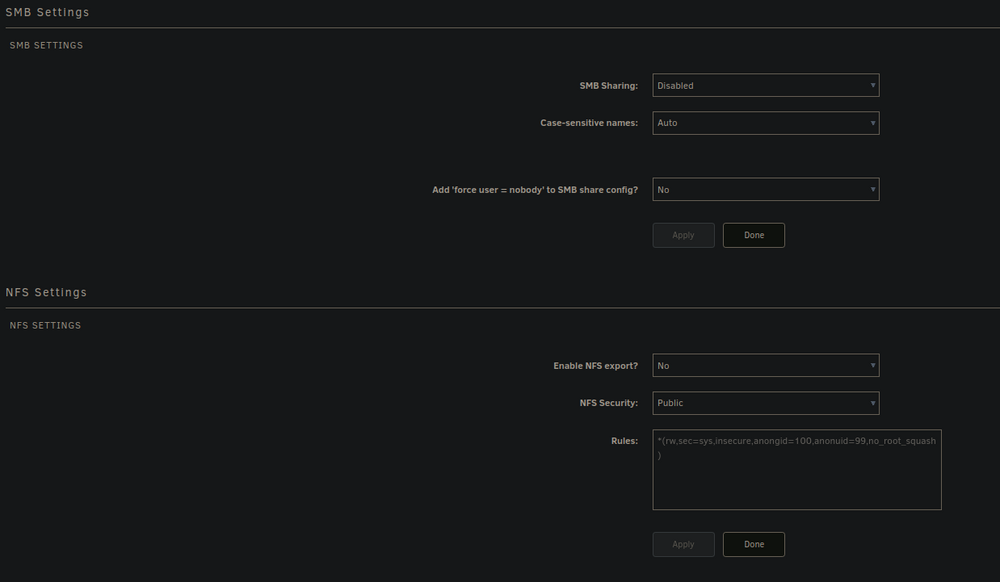
I dont think so lol. Im not sure what could have enabled root share as I'm certain I've had this root share available since I first started with unraid.

-
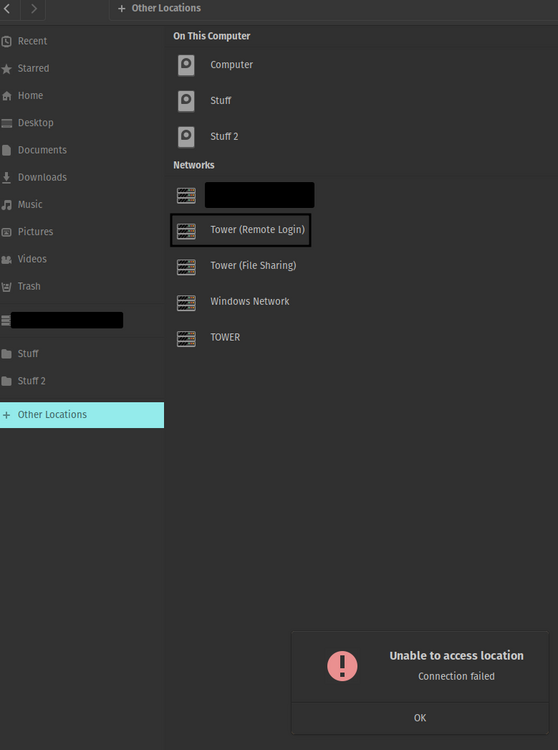
Hi everyone, I recently upgraded to Unraid 7.2.2 recently and just realized that I am unable to connect to my root share through popOS's file explorer. Normally I would be able to click on the share (see screenshot) and it would prompt for credentials, and then it would let me do what I needed without issue. Currently I dont even get a prompt before the error message comes up. I have searched through the forums a bit, and have attempted the following: -Rebooting both desktop and server -Disabling SSH access to the server and re-enabling it followed by rebooting the server -Making sure my desktop is upto date In the tower logs when I try to connect I see the following output: Dec 9 13:35:47 Tower sshd-session[1740399]: Connection from 192.168.1.73 port 36188 on 192.168.1.115 port 22 rdomain "" Dec 9 13:35:48 Tower sshd-session[1740399]: User ***USERNAME*** from 192.168.1.73 not allowed because not listed in AllowUsers Dec 9 13:35:48 Tower sshd-session[1740399]: fatal: PAM user mismatch Dec 9 13:35:48 Tower sshd[1418008]: srclimit_penalise: ipv4: new 192.168.1.73/32 deferred penalty of 1 seconds for penalty: connections without attempting authentication Dec 9 13:36:24 Tower sshd-session[1740980]: Connection from 192.168.1.73 port 51354 on 192.168.1.115 port 22 rdomain "" Dec 9 13:36:24 Tower sshd-session[1740980]: User ***USERNAME*** from 192.168.1.73 not allowed because not listed in AllowUsers Dec 9 13:36:24 Tower sshd-session[1740980]: fatal: PAM user mismatch Dec 9 13:36:24 Tower sshd[1418008]: srclimit_penalise: ipv4: new 192.168.1.73/32 deferred penalty of 1 seconds for penalty: connections without attempting authentication With the error logs I notice that the username that is outputted is the same as the username I user for my desktop, I also have a users account with the same name on unraid. I've never had an issue with this prior once again because I used to get prompted for credentials, but this could be where the issue lies.... I am also unable to find anywhere on my desktop where I could have saved credentials for file explorer that might be causing issues. But honestly, I have only searched through the GUI for settings. In my screenshot there is another share from the server Tower (File Sharing) which is the windows share but that only brings me into my data share onto my server and works without issue. OS: Pop 22.04 jammy Kernel: x86_64 Linux 6.17.4-76061704-generic Uptime: 14h 22m Shell: bash 5.1.16 tower-diagnostics-20251209-1340.zip
-
Okay Ill get working on the steps I did last time. If you or anyone else have some advice, at this point I've had 3 drives act up, what should I be planning on doing next? Swapping out the Seagates with WD/Toshiba drives? Or maybe even upgrading the LSI card I have to something newer?
-
Disk 6 is the one I started the post for. Disk 5 is the new one that became disabled sometime after I posted this thread. EDIT: Added the new diagnostics zip to this post. tower-diagnostics-20240805-0148.zip
-
JorgeB, always coming in clutch, thank you. I just noticed Ive got another drive that has disabled since my initial post. Can you please verify its the same thing there as well? New diagnostics zip attached. tower-diagnostics-20240805-0148.zip
-
Hey team, I just had a drive randomly disable. It is passing SMART tests. I have experienced something similar earlier Previous similar issue post. Can I please get confirmation that its the same issue or if its something else? Thank you in advance! tower-diagnostics-20240804-1826.zip
-
Just over a week ago, I ran into the same problem that people are experiencing here with only one of my 10x 18TB drives. Followed the guide, although I only had to disable "EPC" as "Low Current Spinup" was already disabled. LSI SAS2008 Model Number: ST18000NM002J-2TV133 Firmware Revision: PAL7 World Wide Name: 5000C500E4AF671D Date Of Manufacture: Week 16, 2022 Drive Capacity (TB/TiB): 18.00/16.37 Native Drive Capacity (TB/TiB): 18.00/16.37 I've had to shut down/reboot the server a couple of times in the week, but everything seems to be running without issue. Standby has been enabled on the drive also.
-
JorgeB, thank you for your help. Apologies for the delay in updating the post, I wanted to make sure that my system was stable or not. I'll update the thread you posted with details of my drive, but as of right now after multiple reboots, as well as re-enabling sleep on the drive I have not seen any errors come back up. A side note, I only had to disable EPC on the drive as "Low Current Spinup" was already disabled on the drive. For reference, if someone is searching for the same model drive as I have: Model Number: ST18000NM002J-2TV133 Serial Number: ZR##### Firmware Revision: PAL7 World Wide Name: 5000C500E4AF671D Date Of Manufacture: Week 16, 2022 Drive Capacity (TB/TiB): 18.00/16.37 Native Drive Capacity (TB/TiB): 18.00/16.37
-
Thank you JorgeB, always appreciate you. Just some clarification as I am a bit confused. Current uptime is for the server 22 days 11 minutes. And I saw the drive being disabled maybe a couple of hours before I made the post yesterday. Prior to that, there were no warnings or errors. I still have not rebooted the server and the logs were freshly pulled. Extended SMART test for the drive is currently at 60%, but I can pull the diagnostics logs once again after completion. Second thing is I have a 12 bay chassis with a back plain, no SATA cables directly to drives. The chassis hasn't been moved or shifted since it's been powered on. Should I swap two of the drives to test, or is this maybe a one-off situation? Any other tips you could advise on for me to physically look at?
-
Hey team, Got a drive I have is showing as disabled, but it's passing a quick smart. Currently running a full test, but it's going to be a while until I see results. Can I please get a confirmation from tower diag output? tower-diagnostics-20240609-0111.zip



