





cloudgeek
Members
-
Joined
-
Last visited
-
Would still like to get advice on my original post...though I appreciate the unrelated comments
-
Because I was running out of room. Maybe I have it set up incorrectly and would love any advice you have to offer.
-
crazytrain-diagnostics-20220418-1553.zip Getting a var/log is getting full (53% currently) error when running Fix Problems. Not sure exactly what to look for here and would appreciate some help from the community. Thanks in advance! CT
-
So, I have resolved that my failed connection to the recovery server is not a network issue...so I am stuck. I guess I will wait for an update or sign up for Patreon to get some additional help from the masters. I have tried everything suggested, so thank you to everyone who offered suggestions. If anyone has additonal ideas for me to try or need additional logs, let me know as I am clearly willing to try whatever to get this working. Have a blessed day everyone!
-
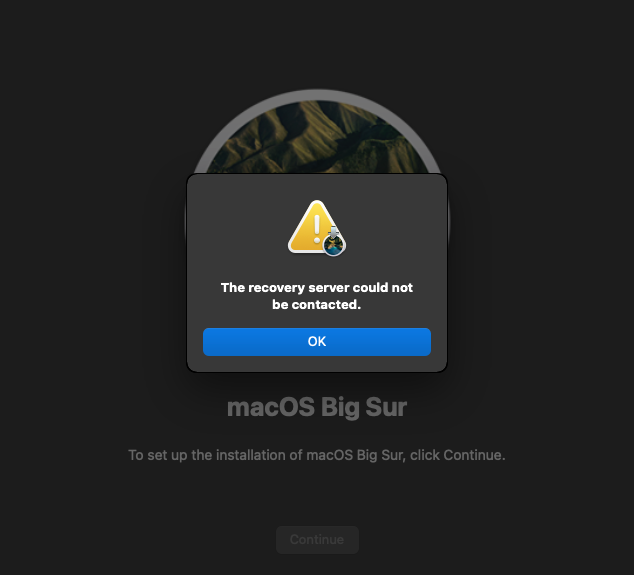
I have cleaned out everything, tried reinstalling with Catalina, with method 1 and 2 and still come to a point where I get the error "The recovery server could not be contacted" Beyond getting the recovery server can not be contacted error, I got a new one. Do I need to start the process over again I guess?
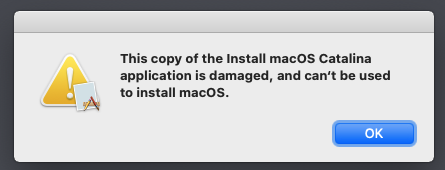
-
Here are the errors I received from the installer log. (errors only)

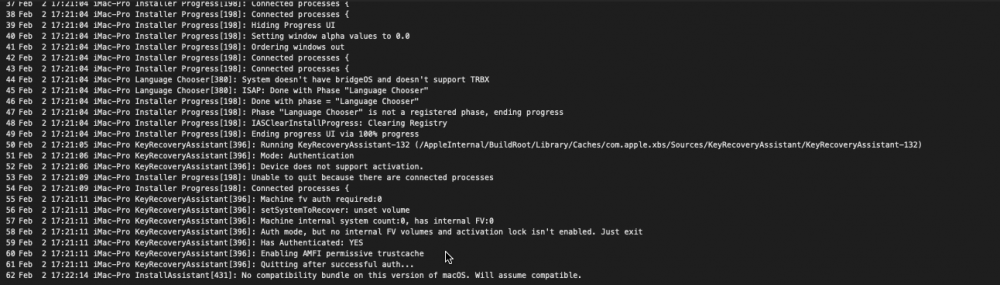

-
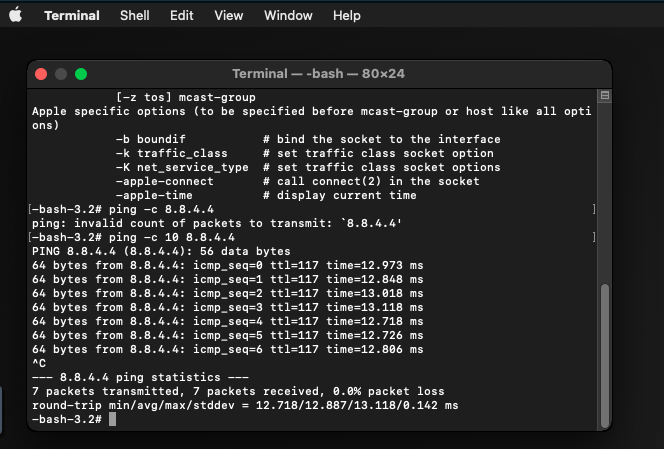
I found one and got one hit from it before being shut down. This was from osrecovery.apple.com
-
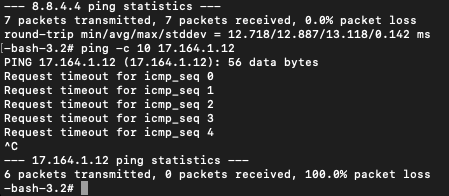
Na, I was just asking for troubleshooting. I just blew everything away again and restarted the process and its showing source bridge as br0 <interface type='bridge'> <mac address='52:54:00:XX:XX:XX'/> <source bridge='br0'/> <target dev='vnet0'/> <model type='vmxnet3'/> <alias name='net0'/>Ok, after reviewing I need to correct myself. Referring to the video, at 9:19 (following all steps religiously) I get to this point and this is where it tells me it can not contact the recovery server. I dont any further than this. I think this is where the other person is getting stuck as well.Nor would I expect you to. LOL - I will comb back through the most current video to see what I missed. Thank you for pointing me in that direction.I understand, and thanks for clarifying that John_M. I was using that example as a troubleshooting opportunity to show no firewall blocking or anything. To answer your next question, I let my last install of Macinabox sit overnight, then ran the scripts as directed. I wasnt aware of having to edit the user script again...I dont recall seeing that in the video. I really appreciate you taking the time to assist, just not sure of the editing of the user script a second time.Would there be any value to pasting the XML of the VM here for you much more experienced folks to review? Maybe something is wrong that you will spot straight away...


Account
Navigation
Search
Configure browser push notifications
Chrome (Android)
- Tap the lock icon next to the address bar.
- Tap Permissions → Notifications.
- Adjust your preference.
Chrome (Desktop)
- Click the padlock icon in the address bar.
- Select Site settings.
- Find Notifications and adjust your preference.
Safari (iOS 16.4+)
- Ensure the site is installed via Add to Home Screen.
- Open Settings App → Notifications.
- Find your app name and adjust your preference.
Safari (macOS)
- Go to Safari → Preferences.
- Click the Websites tab.
- Select Notifications in the sidebar.
- Find this website and adjust your preference.
Edge (Android)
- Tap the lock icon next to the address bar.
- Tap Permissions.
- Find Notifications and adjust your preference.
Edge (Desktop)
- Click the padlock icon in the address bar.
- Click Permissions for this site.
- Find Notifications and adjust your preference.
Firefox (Android)
- Go to Settings → Site permissions.
- Tap Notifications.
- Find this site in the list and adjust your preference.
Firefox (Desktop)
- Open Firefox Settings.
- Search for Notifications.
- Find this site in the list and adjust your preference.