





boianski
Members
-
Joined
-
Last visited
Everything posted by boianski
-
I need some help w/ this container. Ed just did a remote session w/ me, the server had a bad cache drive so he switched it to another drive that was already in the server.. Every other container works except deluge. and my time w/ him expired... please help..
-
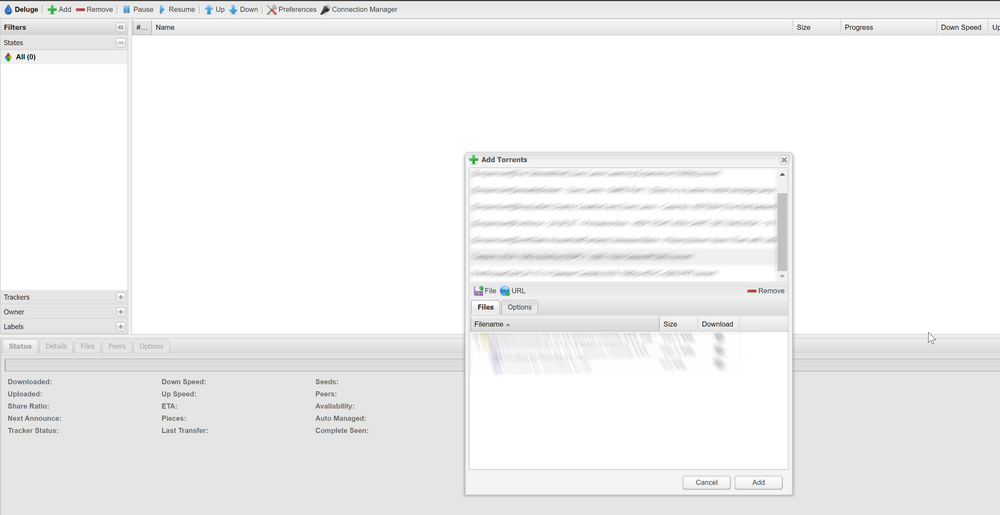
For some odd reason I can only add one torrent file at a time. When I try to bulk add more than one file and click the add button, nothing happens. But if I choose only one file, it adds it no problem. This problem has persisted for a while. The docker is up to date. The OS is latest. I've tried multiple browsers. Anyone seen this before and if so is there a fix? Thank you!
-
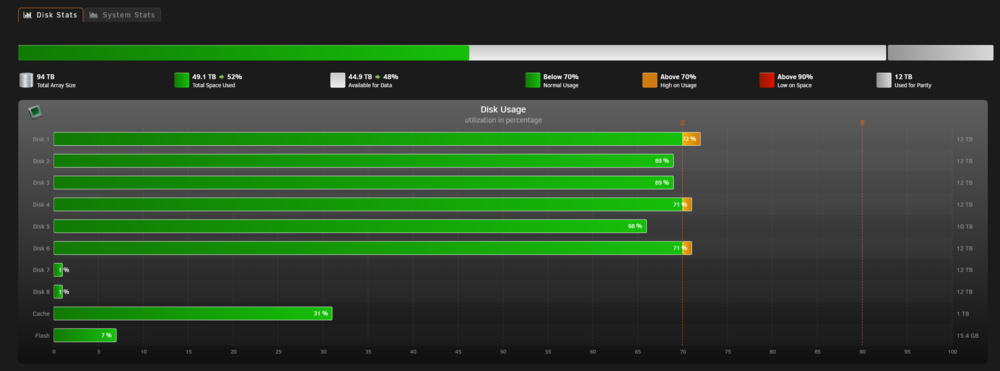
Hey all, I just added two new 12 tb drives to the array and wanted to ask how the community deals with new drives and how they fill up, best practice? Should I utilize UnBalance or something similar (if it exists) to shift some data around or leave as is and fill up as I go along? ty
-
Hi everyone, I am a little confused on the ability to login to a docker container, say Plex or Krusader, trough Unraid Connect. I was successfully able to get UC to work, I am logged in trough a tethered connection from my cell provider on a laptop but I can not open the individual dockers. Is there an extra step or is that not the function of UC? thank you
-
not sure what to do with this.. why do these dockers just decide to nuke themselves from time to time is beyond me. EPIC FAIL! haha, good one
-
was that the root of your problem? I think the few re-boots during power on off did it for me.. I was not able to repair db and wiped all plex data and installed new container...
-
I tried the troubleshooting steps nothing worked... so I decided to start fresh and delete the db.. now I am trying to add new libraries and I get the error : your changes could not be saved.
-
I could use some help, please.
-
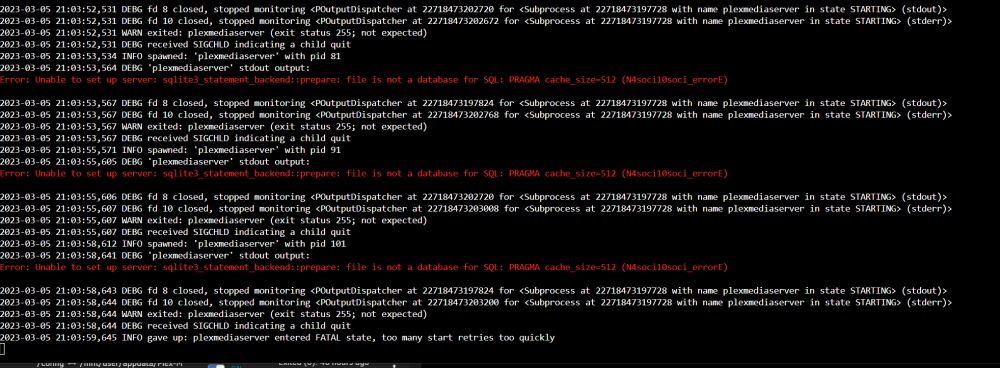
hey all, in need for some help. my binhex-plexpass docker is not responding. when I click on the WebUI link it just times out and says This site can’t be reached. I've updated everything, rebooted. etc. Every other docker works fine.. it worked fine yesterday. My docker image said it was full, but i was able to clear that out and no longer have that error in fix common problems. No changes in network config. sys dx attached. any help is appreciated. Edit: could it be something secure connection related? I had to renew my cert.. in the logs for the docker i found this: Error: Unable to set up server: sqlite3_statement_backend::prepare: file is not a database for SQL: PRAGMA cache_size=512 (N4soci10soci_errorE) bigboss-diagnostics-20230302-2024.zip
-
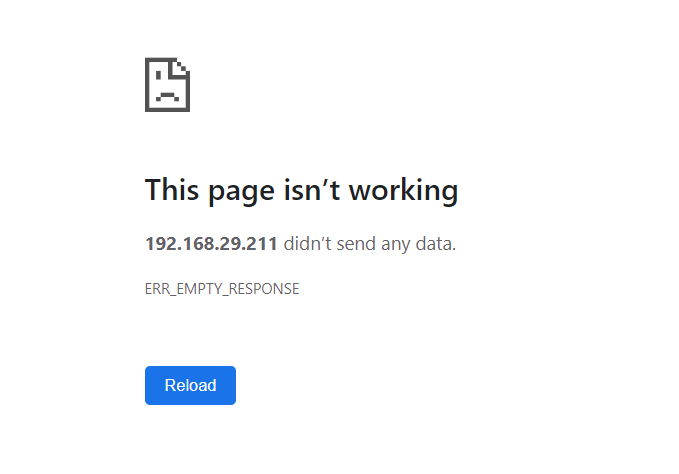
hello all, I am hoping for some help troubleshooting a weird issue. I am not able to access this docker via IP address but can via web app. The web app was also not functioning however I did change my DNS server to google on my IPv4 settings. I had not touched those setting prevously, nothing on my router or home network changed other than a power off power on for router/modem. I've attached my dx and a few screen shots. let me know if there is more info i can provide. thank you. bigboss-diagnostics-20221117-2205.zip

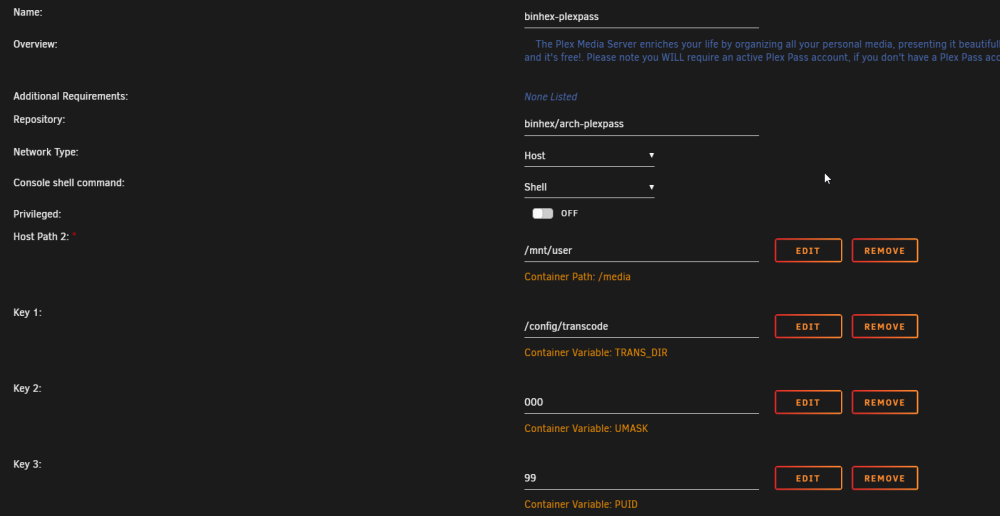
-
it is a big deal. my server is not functioning, goes offline every 20-30 mins for 3-4 mins at a time. diags attached. no internet outages on my end. bigboss-diagnostics-20221103-1609.zip

-
I am getting constant local disconnects, server disappears and becomes inaccessible every 30 mins or so for 3-4 mins at a time and comes back with an Disconnected from Unraid API error. really lost here please helphere it is bigboss-diagnostics-20221102-2045.zipHi all, I am having multiple issues w/ my Unraid and I am hoping to get the help from on of you experts one on one. Looking to do a discord/zoom call with someone for a fee that we can agree, to help with the following issues: - Remove Old VM - Fix Common Problems - Fix API Connection issues (server constantly disconnects from home network "disconnected from unraid api". All dockers become unavailable, server unreachable for 2-3 mins and back to normal) - help w/ remote access trough My Servers web portal - help w/ PiHole install - general Unraid tune-up (some expert tip/tricks/improvements as we go along) please let me know if you are willing to help/ consider my offer. thank you.Oh wow! I used the 1st method and a 60% full 6tb drive took almost 19 hours to clear. I am still trying to figure a way to remove remaining 6TB drives, 4 of them, shrink the array, but I hope I can find a way while still having access to docker. Unbalance only works on 1 disk at a time, so 19 hours times 4, too much down time.. Should I just remove two drives at time of the 4's and let parity rebuild? There are 2 12tb parity drives. Any ideas?
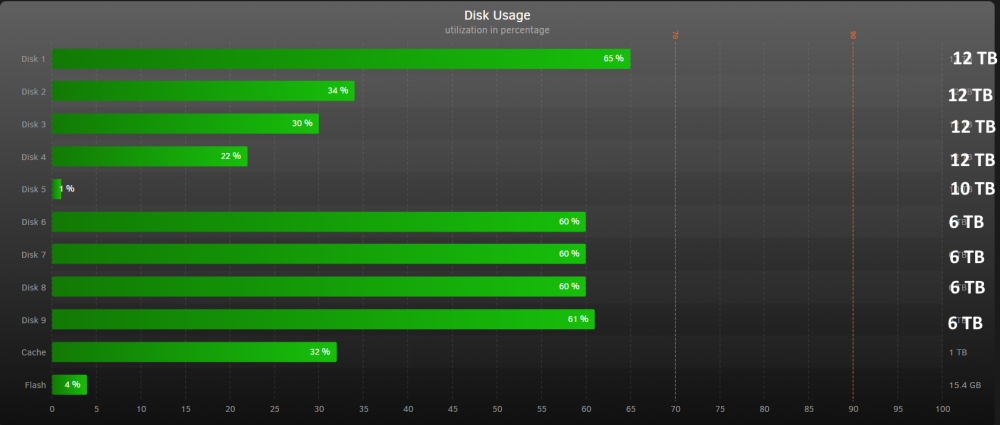 my mistake. I meant to say "do I shut down docker and vm services, set all shares to cache yes, run mover. Shut down, populate m.2 slot of X99A board with new cache drive, power up, set new cache drive as M.2 drive? I've also been thinking about upgrading the parity drives to 12TB units, and I had looked up info on that, and I referenced that in error. My mistake.Hey all, I have decided to upgrade the hardware on my trusty Unraid Server. I am turning to this great community for some help to map out the process. I would like to upgrade my case, mobo, cpu, ram, and cache drive. Here is the current hardware: Case: CoolerMaster Master Case 5 MOBO: MSI X99A Raider CPU: i7-5960X Cooler: Be Quiet Dark Rock Pro 3 RAM: 32GB, 4GB x8 sticks Cache: Samsung 850 Evo 500GB SATA Drive SAS: LSI 9211-8i P20 GPU: NVidia GT 710 Unraid: Pro. v6.9.2 Parity: WD80EMAZ x2 (Shuked) Data: Seagate 6TB IronWolf x8 The switch will be to a Ryzen based system with the following specs: Case: Fractal Design Meshify 2 XL MOBO: ASUS TUF X570-Plus (WiFi) CPU: Ryzen 3900X RAM: 32GB, 8GB x4 sticks Cache: M.2 Firecuda 520 1TB My main concern is the switch of the cache drive from SATA to M.2. Also there is a VM running that I am ok with deleting and starting with a fresh install on the new hardware, but unsure about the pass through settings mouse, keyboard, usb device etc.. What would be some first steps? I think the X99A Raider board does have a m.2 drive, do I pop my future m.2 cache drive in that slot and follow the parity swap procedure? Or do I build in the new case with Ryzen hardware and take the current cache drive (500GB SATA) along with the array drives and Unraid USB, etc.. What are some things I should do before I shut down the intel based server and transplant the drives and other hardware. Any help is appreciated!any help would be appreciated. Is everyone having trouble with the WebUI?
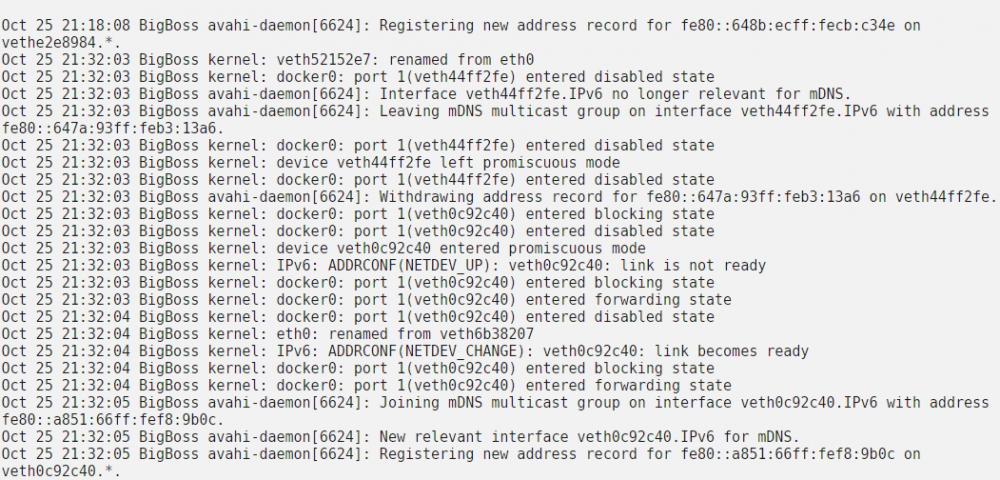 i have attached my dx file. and screen shot of the system log bigboss-diagnostics-20201025-2339.zip
So after having to change my ISP gateway to bridge mode and back due to a technical issue with work computer, it seems that I have broken a few of my dockers including Deluge and nzbgevpn. I can no longer access those dockers as when I click on WebUI the page says This site can’t be reached, refused to connect. I tried changing the openvpn end points for deluge, it did not work. then I lost docker service, restored it, but still can't open deluge or nzb.. I can't figure out if its due to the recent change made by PIA or something on my end. can anyone point me in the right direction..ok great! thanks for the reply!hey all, i just have a quick question regarding the binhex plexpass docker that i am using on my unraid. I saw something with plex having Live TV, i can access it on my web client and phone, but not trough the server interface.. Is the reason for that the update for the binhex plexpass has not been published? Another question, something seems off with my duplicate matching/identification. I purposely made a duplicate file to test it out and Plex was not able to identify it. I may have clicked on the new feature to "Upgrade Matching" on manage library menu.. Not sure what happened with the ability to find duplicates if its related to update or something else.. Please help!How do i complete this action? I take it, these addresses in Key 9 have to be eddied to be the EU-Berlin IP? https://i.imgur.com/kitSNJe.png:facepalm thank you
i have attached my dx file. and screen shot of the system log bigboss-diagnostics-20201025-2339.zip
So after having to change my ISP gateway to bridge mode and back due to a technical issue with work computer, it seems that I have broken a few of my dockers including Deluge and nzbgevpn. I can no longer access those dockers as when I click on WebUI the page says This site can’t be reached, refused to connect. I tried changing the openvpn end points for deluge, it did not work. then I lost docker service, restored it, but still can't open deluge or nzb.. I can't figure out if its due to the recent change made by PIA or something on my end. can anyone point me in the right direction..ok great! thanks for the reply!hey all, i just have a quick question regarding the binhex plexpass docker that i am using on my unraid. I saw something with plex having Live TV, i can access it on my web client and phone, but not trough the server interface.. Is the reason for that the update for the binhex plexpass has not been published? Another question, something seems off with my duplicate matching/identification. I purposely made a duplicate file to test it out and Plex was not able to identify it. I may have clicked on the new feature to "Upgrade Matching" on manage library menu.. Not sure what happened with the ability to find duplicates if its related to update or something else.. Please help!How do i complete this action? I take it, these addresses in Key 9 have to be eddied to be the EU-Berlin IP? https://i.imgur.com/kitSNJe.png:facepalm thank you


