





Efficiency93
Members
-
Joined
-
Last visited
-
Dude thank you so much. All your advice is spot on. I'm now very content with my setup. Donated $5 to you so go enjoy a beer on me Thanks again.
-
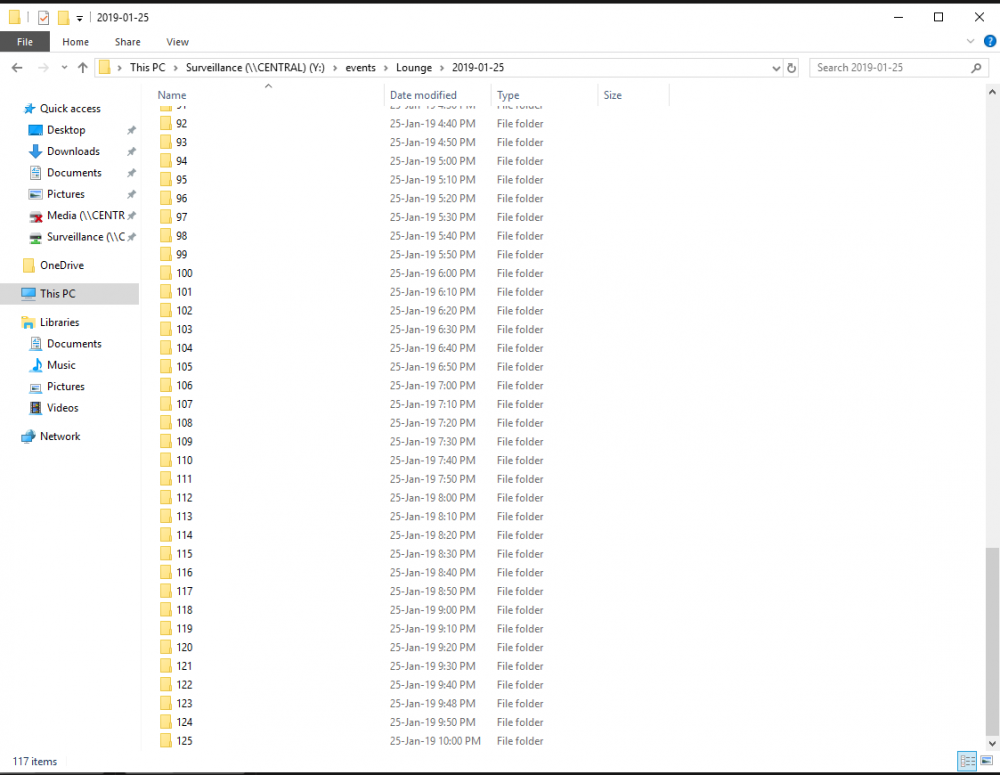
Excellent. Managed to get it all set up and working so far. Currently i have the Zoneminder appdata on the cache along with everything else. Would you recommend taking it off there and placing it onto the standalone dick not on the array? I'm unsure about how much data the app is writing/reading constantly within its appdata. If its negligible ill leave it on the cache and just store footage on the disk. Also one final question. How do i change the clip length for each video file it saves? Currently its saving into a new folder every 10 minutes with a new video file (see attachment). As this is recording 24/7 id prefer to bump that up 24 files per day at 1 hour in length each.
-
Efficiency93 changed their profile photo
-
Hi guys, A quick search for my solution brings up old posts from 2011 and doesn't really cover my needs so I'm hoping someone unRAID-savvy has a more modern, better approach. What I'm after is the ability to set up something (docker ideally) that can record 24/7 from 4 IP cameras (soon to be expanded to 6) on the network to a dedicated WD Purple drive that i have under unassigned devices. I'd like to take this approach so as not to A: cause unnecessary writes and shorten my SSD cache lifespan and B: not to write directly to the array and degrade performance/constantly wear and tear on my NAS & parity drives. I obviously don't need parity for footage that's constantly being overwritten every 7 days or so anyway. I imagine there's a way to do this but I haven't really ventured into setting something like this up before. I get easily intimidated with things I don't understand. Simple step by step instructions would be greatly appreciated :) Thanks so much in advance for any help.


