





James_Darkness
Members
-
Joined
-
Last visited
Everything posted by James_Darkness
-
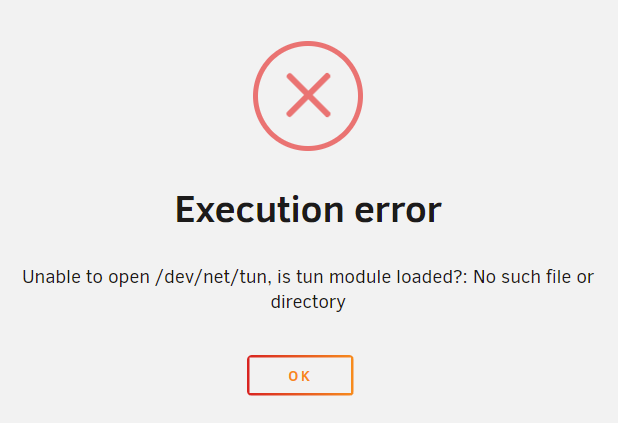
I'm trying to start my vm after my nic died and now my vm wont start I don't have anything passthrough to it's a very basic vm Unable to open /dev/net/tun, is tun module loaded
-
i just added ram and ill try turning off vms and dockers
-
i put the sys log into the zip file. i removed the docker that had its own ip and moved it to a vm. on wed my server crashed it said bad psu so i replaced one and it boots again but only for a day unraidnas-diagnostics-20211123-2257.zip
-
i installed this on a Linux VM since unraid has a crashing issue when a docker has a custom ip but im running into a error now lancache@lancache-Standard-PC-Q35-ICH9-2009:~/lancache$ sudo docker-compose up -d Creating network "lancache_default" with the default driver Creating lancache_sniproxy_1 ... Creating lancache_monolithic_1 ... Creating lancache_sniproxy_1 ... done Creating lancache_dns_1 ... done ERROR: for monolithic a bytes-like object is required, not 'str' Traceback (most recent call last): File "/usr/lib/python3/dist-packages/docker/api/client.py", line 261, in _raise_for_status response.raise_for_status() File "/usr/lib/python3/dist-packages/requests/models.py", line 940, in raise_for_status raise HTTPError(http_error_msg, response=self) requests.exceptions.HTTPError: 500 Server Error: Internal Server Error for url: http+docker://localhost/v1.22/containers/ce8e0e80e94586aca94609a32cd27086ad2cc4826b7a8f886c91b54c10ccfdb4/start During handling of the above exception, another exception occurred: Traceback (most recent call last): File "/usr/lib/python3/dist-packages/compose/service.py", line 625, in start_container container.start() File "/usr/lib/python3/dist-packages/compose/container.py", line 241, in start return self.client.start(self.id, **options) File "/usr/lib/python3/dist-packages/docker/utils/decorators.py", line 19, in wrapped return f(self, resource_id, *args, **kwargs) File "/usr/lib/python3/dist-packages/docker/api/container.py", line 1095, in start self._raise_for_status(res) File "/usr/lib/python3/dist-packages/docker/api/client.py", line 263, in _raise_for_status raise create_api_error_from_http_exception(e) File "/usr/lib/python3/dist-packages/docker/errors.py", line 31, in create_api_error_from_http_exception raise cls(e, response=response, explanation=explanation) docker.errors.APIError: 500 Server Error: Internal Server Error ("b'driver failed programming external connectivity on endpoint lancache_monolithic_1 (4d83d6d16257591abd90a4d49cb97c2c7ead140900a180a7c5dabd3e08754a33): Bind for 0.0.0.0:443 failed: port is already allocated'") During handling of the above exception, another exception occurred: Traceback (most recent call last): File "/usr/bin/docker-compose", line 11, in <module> load_entry_point('docker-compose==1.25.0', 'console_scripts', 'docker-compose')() File "/usr/lib/python3/dist-packages/compose/cli/main.py", line 72, in main command() File "/usr/lib/python3/dist-packages/compose/cli/main.py", line 128, in perform_command handler(command, command_options) File "/usr/lib/python3/dist-packages/compose/cli/main.py", line 1107, in up to_attach = up(False) File "/usr/lib/python3/dist-packages/compose/cli/main.py", line 1088, in up return self.project.up( File "/usr/lib/python3/dist-packages/compose/project.py", line 565, in up results, errors = parallel.parallel_execute( File "/usr/lib/python3/dist-packages/compose/parallel.py", line 112, in parallel_execute raise error_to_reraise File "/usr/lib/python3/dist-packages/compose/parallel.py", line 210, in producer result = func(obj) File "/usr/lib/python3/dist-packages/compose/project.py", line 548, in do return service.execute_convergence_plan( File "/usr/lib/python3/dist-packages/compose/service.py", line 545, in execute_convergence_plan return self._execute_convergence_create( File "/usr/lib/python3/dist-packages/compose/service.py", line 460, in _execute_convergence_create containers, errors = parallel_execute( File "/usr/lib/python3/dist-packages/compose/parallel.py", line 112, in parallel_execute raise error_to_reraise File "/usr/lib/python3/dist-packages/compose/parallel.py", line 210, in producer result = func(obj) File "/usr/lib/python3/dist-packages/compose/service.py", line 465, in <lambda> lambda service_name: create_and_start(self, service_name.number), File "/usr/lib/python3/dist-packages/compose/service.py", line 457, in create_and_start self.start_container(container) File "/usr/lib/python3/dist-packages/compose/service.py", line 627, in start_container if "driver failed programming external connectivity" in ex.explanation: TypeError: a bytes-like object is required, not 'str' Error in sys.excepthook: Traceback (most recent call last): File "/usr/lib/python3/dist-packages/apport_python_hook.py", line 153, in apport_excepthook with os.fdopen(os.open(pr_filename, FileNotFoundError: [Errno 2] No such file or directory: '/var/crash/_usr_bin_docker-compose.0.crash' Original exception was: Traceback (most recent call last): File "/usr/lib/python3/dist-packages/docker/api/client.py", line 261, in _raise_for_status response.raise_for_status() File "/usr/lib/python3/dist-packages/requests/models.py", line 940, in raise_for_status raise HTTPError(http_error_msg, response=self) requests.exceptions.HTTPError: 500 Server Error: Internal Server Error for url: http+docker://localhost/v1.22/containers/ce8e0e80e94586aca94609a32cd27086ad2cc4826b7a8f886c91b54c10ccfdb4/start During handling of the above exception, another exception occurred: Traceback (most recent call last): File "/usr/lib/python3/dist-packages/compose/service.py", line 625, in start_container container.start() File "/usr/lib/python3/dist-packages/compose/container.py", line 241, in start return self.client.start(self.id, **options) File "/usr/lib/python3/dist-packages/docker/utils/decorators.py", line 19, in wrapped return f(self, resource_id, *args, **kwargs) File "/usr/lib/python3/dist-packages/docker/api/container.py", line 1095, in start self._raise_for_status(res) File "/usr/lib/python3/dist-packages/docker/api/client.py", line 263, in _raise_for_status raise create_api_error_from_http_exception(e) File "/usr/lib/python3/dist-packages/docker/errors.py", line 31, in create_api_error_from_http_exception raise cls(e, response=response, explanation=explanation) docker.errors.APIError: 500 Server Error: Internal Server Error ("b'driver failed programming external connectivity on endpoint lancache_monolithic_1 (4d83d6d16257591abd90a4d49cb97c2c7ead140900a180a7c5dabd3e08754a33): Bind for 0.0.0.0:443 failed: port is already allocated'") During handling of the above exception, another exception occurred: Traceback (most recent call last): File "/usr/bin/docker-compose", line 11, in <module> load_entry_point('docker-compose==1.25.0', 'console_scripts', 'docker-compose')() File "/usr/lib/python3/dist-packages/compose/cli/main.py", line 72, in main command() File "/usr/lib/python3/dist-packages/compose/cli/main.py", line 128, in perform_command handler(command, command_options) File "/usr/lib/python3/dist-packages/compose/cli/main.py", line 1107, in up to_attach = up(False) File "/usr/lib/python3/dist-packages/compose/cli/main.py", line 1088, in up return self.project.up( File "/usr/lib/python3/dist-packages/compose/project.py", line 565, in up results, errors = parallel.parallel_execute( File "/usr/lib/python3/dist-packages/compose/parallel.py", line 112, in parallel_execute raise error_to_reraise File "/usr/lib/python3/dist-packages/compose/parallel.py", line 210, in producer result = func(obj) File "/usr/lib/python3/dist-packages/compose/project.py", line 548, in do return service.execute_convergence_plan( File "/usr/lib/python3/dist-packages/compose/service.py", line 545, in execute_convergence_plan return self._execute_convergence_create( File "/usr/lib/python3/dist-packages/compose/service.py", line 460, in _execute_convergence_create containers, errors = parallel_execute( File "/usr/lib/python3/dist-packages/compose/parallel.py", line 112, in parallel_execute raise error_to_reraise File "/usr/lib/python3/dist-packages/compose/parallel.py", line 210, in producer result = func(obj) File "/usr/lib/python3/dist-packages/compose/service.py", line 465, in <lambda> lambda service_name: create_and_start(self, service_name.number), File "/usr/lib/python3/dist-packages/compose/service.py", line 457, in create_and_start self.start_container(container) File "/usr/lib/python3/dist-packages/compose/service.py", line 627, in start_container if "driver failed programming external connectivity" in ex.explanation: TypeError: a bytes-like object is required, not 'str'
-
lancache-bundle has to and that's itso i uninstalled some out of date dockers but now it crashed differently this time i think. the only dockers i have on are plex and lancache bundle Sep 14 19:31:01 syslogi've had unraid for a few years now but for the past few months it just keeps freezing on me and i have to hard reboot it i started saving the syslog to the flash drive a few days ago the 1st crash was on the 7th the another on the 10th and today it did freeze but firefox wouldn't work and none of my computers saw it on the network when i read the log i look for "microcode: microcode updated early to revision" and that's the first log that i see when i reboot my server after it freezes syslogwait how do you install that i open a terminal but during step 3 i don't know what to doFor me it's doing great. I don't know what else to say about themI got it. One of your old posts actually 8 had to change the default gateway to 192.168.1.1would you know how to unblock it in pfsensei just got a pfsense router and now the apps tab doesnt load
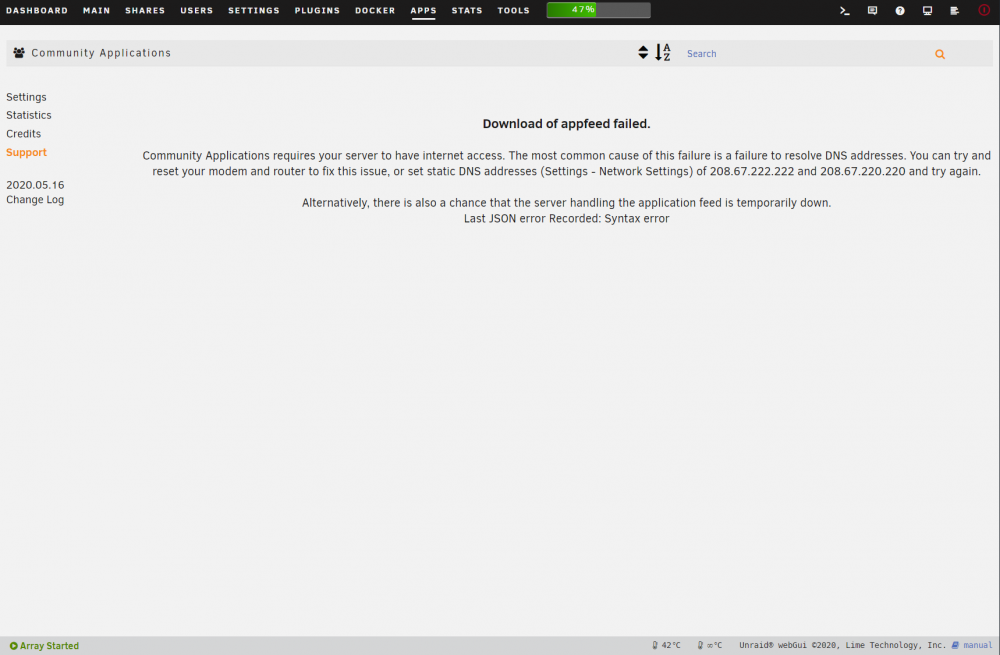 Did you set you secondary dns when you changed it Also edit the lancache bundle and post a picture of what it looks likeDid you try ipconfig /flushdns On your windows pcIt doesn't seem that uplay cache is workinghow or can i disable the parity drive to speed up the defragso should i defrag my parity or how would ime too plz helpfor rj45 i recommend a Dell HN10N Broadcom 57810 Dual-Port 10 Base-T on ebay you can get it for $25 and its 10gbi tried it on a different computer and it works when i get pfsense up im sure it will work even better so i dont have to do it in windows
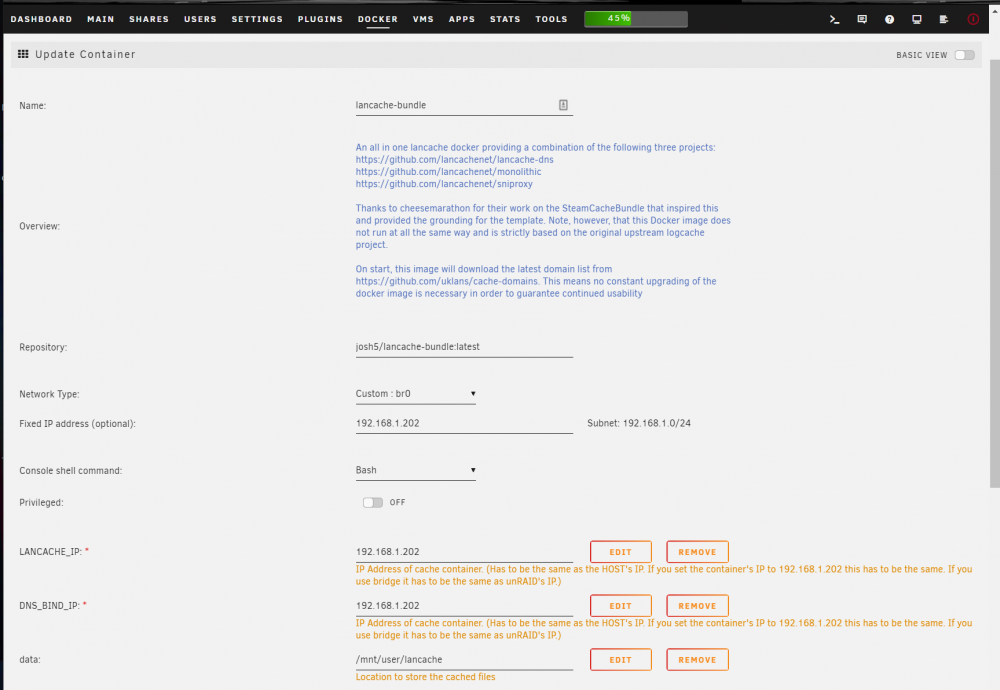 ok i think i fix it i ran ipconfig /flushdns in on my windows pc edit: well it started making files in the cache but doesn't seem to use them to speed up my download i had this working a week or two ago and the speeds where insanely fast. my internet is only 2mb/s unless this is a problem ==> /mnt/user/appdata/lancache-bundle/log/named/resolver.log <== 03-Apr-2020 14:07:00.983 DNS format error from 205.251.192.245#53 resolving pocket.realms.minecraft.net/AAAA for client 192.168.1.205#63097: Name minecraft.net (SOA) not subdomain of zone realms.minecraft.net -- invalid response ==> /mnt/user/appdata/lancache-bundle/log/named/security.log <== ==> /mnt/user/appdata/lancache-bundle/log/named/unmatched.log <== ==> /mnt/user/appdata/lancache-bundle/log/named/update.log <== ==> /mnt/user/appdata/lancache-bundle/log/named/xfer-in.log <== ==> /mnt/user/appdata/lancache-bundle/log/named/xfer-out.log <== ==> /mnt/user/appdata/lancache-bundle/log/nginx/access.log <== 192.168.1.141 - - [03/Apr/2020:13:53:35 -0500] "GET /depot/105601/chunk/06becadb92a5fcca2529c0b93687c2a0c6d0d610 HTTP/1.1" 200 794544 "-" "Valve/Steam HTTP Client 1.0" ==> /mnt/user/appdata/lancache-bundle/log/nginx/error.log <== 2020/04/03 13:19:04 [emerg] 2218#2218: bind() to 0.0.0.0:80 failed (98: Address already in use) ==> /mnt/user/appdata/lancache-bundle/log/named/queries.log <== 03-Apr-2020 14:14:44.894 client @0x154b982ea860 192.168.1.205#51075 (v20.events.data.microsoft.com): query: v20.events.data.microsoft.com IN AAAA + (192.168.1.202) 03-Apr-2020 14:14:44.895 client @0x154b98293b00 192.168.1.205#50262 (v20.events.data.microsoft.com): query: v20.events.data.microsoft.com IN A + (192.168.1.202)my plex is on the same ip as the server anything i set to host uses the same 192.168.1.75 ip. but i change lan cache to a ip that nothing else is using 192.168.1.203 and changed my windows dns to 192.168.1.203 and tried downloading a different game and nothing worked but heres the error i get now and the last is when i tried downloading with origin which i never really use so it shouldn't be cached in anyway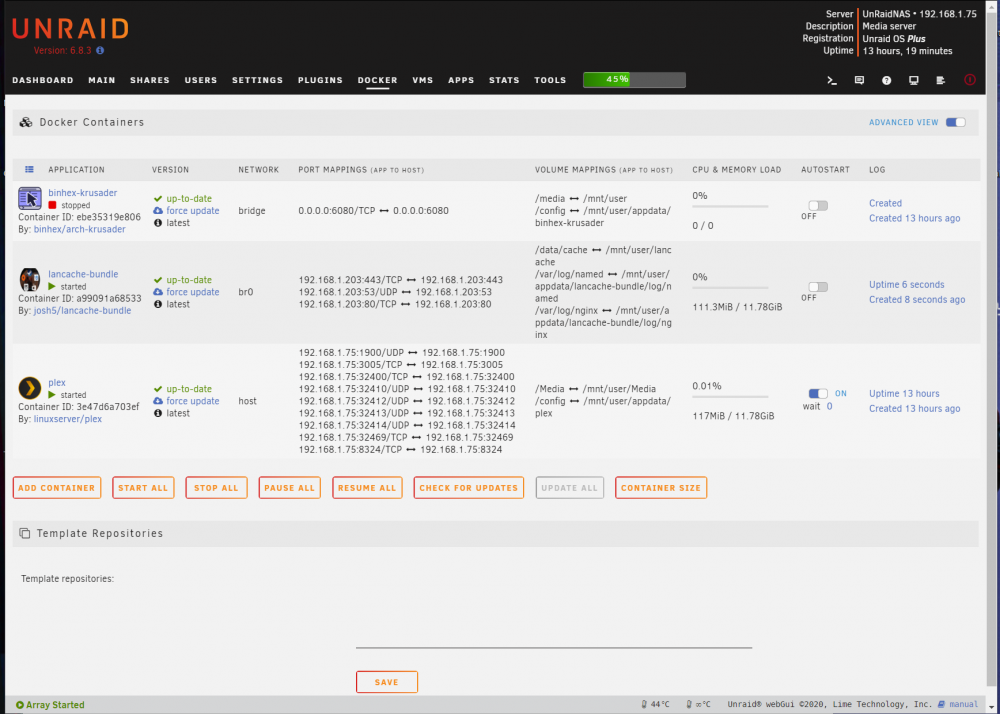
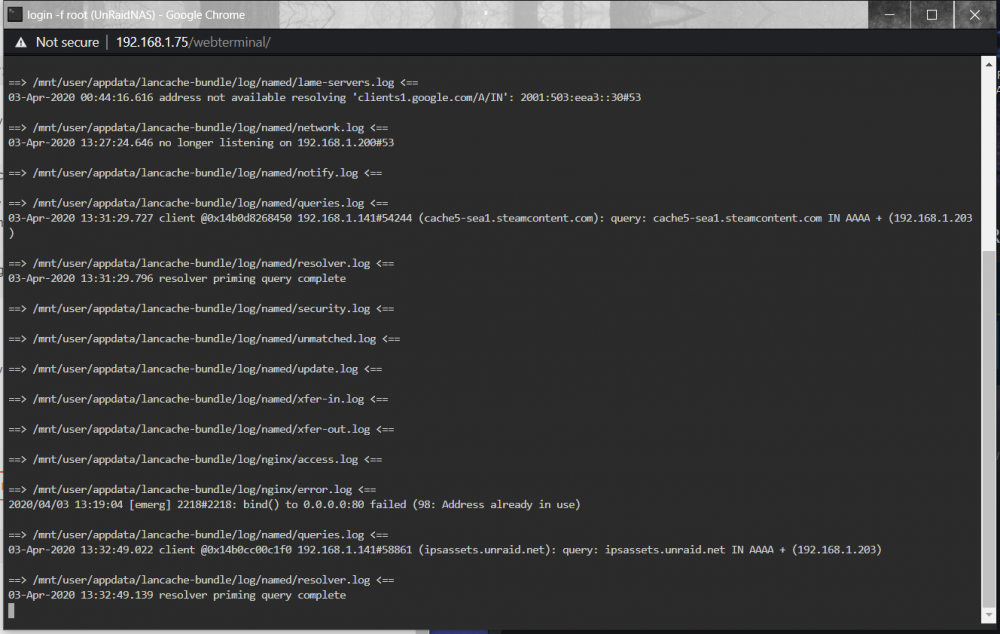
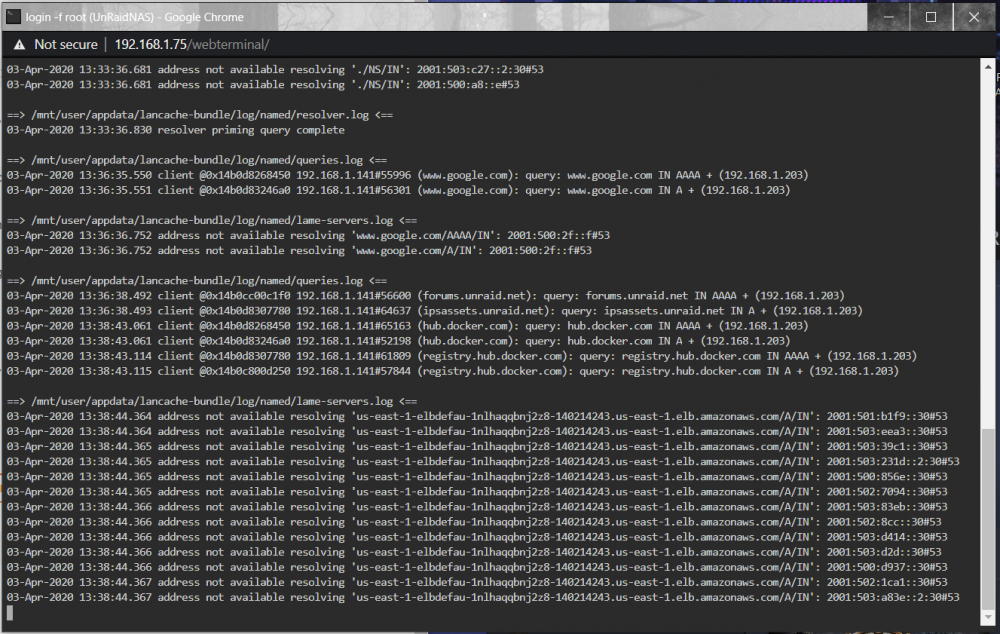 i tried running your command connected to host i get this spamming 2020/04/03 00:25:11 [emerg] 2234#2234: bind() to 0.0.0.0:80 failed (98: Address already in use) 2020/04/03 00:25:11 [emerg] 2234#2234: bind() to 0.0.0.0:80 failed (98: Address already in use) 2020/04/03 00:25:11 [emerg] 2234#2234: bind() to 0.0.0.0:80 failed (98: Address already in use) 2020/04/03 00:25:11 [emerg] 2234#2234: still could not bind() 2020/04/03 00:25:14 [emerg] 2236#2236: bind() to 0.0.0.0:80 failed (98: Address already in use) 2020/04/03 00:25:14 [emerg] 2236#2236: bind() to 0.0.0.0:80 failed (98: Address already in use) 2020/04/03 00:25:14 [emerg] 2236#2236: bind() to 0.0.0.0:80 failed (98: Address already in use) 2020/04/03 00:25:14 [emerg] 2236#2236: bind() to 0.0.0.0:80 failed (98: Address already in use) 2020/04/03 00:25:14 [emerg] 2236#2236: bind() to 0.0.0.0:80 failed (98: Address already in use) 2020/04/03 00:25:14 [emerg] 2236#2236: bind() to 0.0.0.0:80 failed (98: Address already in use) 2020/04/03 00:25:14 [emerg] 2236#2236: bind() to 0.0.0.0:80 failed (98: Address already in use) 2020/04/03 00:25:14 [emerg] 2236#2236: bind() to 0.0.0.0:80 failed (98: Address already in use) 2020/04/03 00:25:14 [emerg] 2236#2236: bind() to 0.0.0.0:80 failed (98: Address already in use) 2020/04/03 00:25:14 [emerg] 2236#2236: bind() to 0.0.0.0:80 failed (98: Address already in use) 2020/04/03 00:25:14 [emerg] 2236#2236: bind() to 0.0.0.0:80 failed (98: Address already in use) 2020/04/03 00:25:14 [emerg] 2236#2236: bind() to 0.0.0.0:80 failed (98: Address already in use) but anything else just doesn't work unless i use a different IP then my server which it says not to doI don't think my lancache-bundle docker is working i don't see any files besides the log files. if anyone could please help me i'm sorry if this is the wrong spot to post this.



