





perPLEXed
Members
-
Joined
-
Last visited
-
@SeattleBanditI am assuming you can receive just regular broad band FM to make sure Shinysdr works. I used the database to jump to the 1090 Mhz Aviation band and I make sure the centered frequency is the same. I had better luck on mine by going manual on the gain control and pegging it to max 49.6 db. I choose Mode-S in the modulation. What helped a lot for signal strength was to shorten the antenna to 5.1 inches that is the halfway length for 1090 Mhz. I would think 10.2 inch antenna would be better for full wave but not sure. Take my advice with a grain of salt... I just started RTL SDR and I am a newbie.
-
Thanks for creating and maintaining this docker. Took me a while to get used to Shinysdr but works great with my Nooelec SMArTee. I finally figured out the ADS-B.
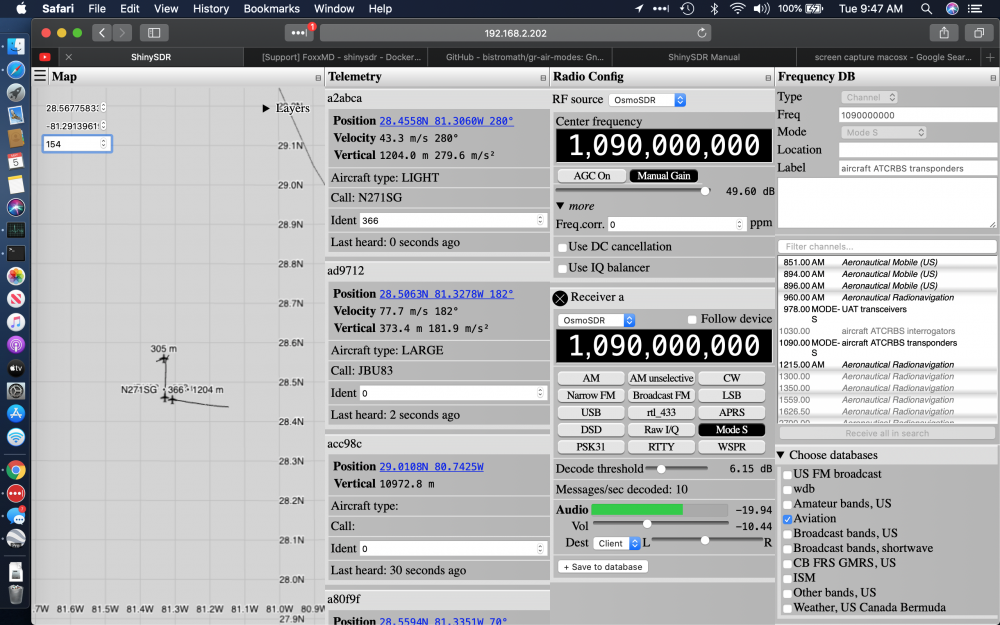
-
320!!! Need a picture of this beast!
-
16 GB

