





John Graham
Members
-
Joined
-
Last visited
Everything posted by John Graham
-
yes i do not know what a "SHM size" is
-
ok ... been working on 1.4 ... it's been a hand full ... might me be HEHEHE .. no a problem i can get it working and not know why. keeps getting a error and i dont know why. e_Back_Yard: enabled: true ffmpeg: inputs: - path: rtsp://adnin:[email protected]:554/1/mpeg4 roles: what have i missed here this is the 5 cam and the last one and it will not work. this was copyed from my 1.3 and it worked .Hummmmm As all ways thanks .... John G
-
Okay well now I have a question thanks for letting me know that 1.4 is now available but I looked on the apps and I see nothing mentioned about a 1.4 and I didn't update request and there's no updates available for what we have now I know we're supposed to restart but I figured if it was a new copy we would get an update warning so where do I get the update to go to 1.4 and what's special things do I have to do for unraid to make it work the best And then always thank you very for keeping us all up to date John G.
-
mqtt: enabled: true host: 192.168.5.101 port: 1883 topic_prefix: frigate client_id: frigate user: XXXXXXXXX password: XXXXXXXXXXX stats_interval: 60 detectors: coral: type: edgetpu device: pci:0 database: path: /config/frigate.db birdseye: enabled: true restream: false width: 640 height: 480 quality: 15 mode: motion inactivity_threshold: 30 layout: scaling_factor: 2.0 max_cameras: 1 motion: threshold: 30 contour_area: 10 lightning_threshold: 0.8 record: enabled: true retain: days: 7 mode: active_objects events: pre_capture: 15 post_capture: 15 objects: - person - face - amazon - fedex - ups - package required_zones: - primary_zone retain: default: 7 mode: active_objects snapshots: enabled: true timestamp: true bounding_box: true crop: false retain: default: 7 cameras: a_Frount_Door: enabled: true ffmpeg: output_args: record: preset-record-generic-audio-aac inputs: - path: rtsp://XXX:[email protected]:88/videoMain roles: - detect motion: mask: - 0,714,0,851,95,978,269,787 - 391,1080,1075,1080,1092,978,402,722,144,978,206,1010 zones: primary_zone: coordinates: 813,500,953,527,1011,638,971,913,1109,976,1111,1080,367,1080,187,927,376,736 zone_0: coordinates: 0,664,60,964,287,802 b_Swing_Porch: enabled: true ffmpeg: inputs: - path: rtsp://XXXX:[email protected]:88/videoMain roles: - detect c_Back_Yard: enabled: true ffmpeg: # onvif; inputs: - path: rtsp://XXXX:[email protected]:554/1/mpeg4 #width: 2592 #height: 1944 roles: - detect
-
hello all... all seems to be working very well .. thanks for the help and pointing me where i needed to go. i would like you all to look and my config file and ( be nice still very new here ) and see what i have done wrong and could do better upload.txt
-
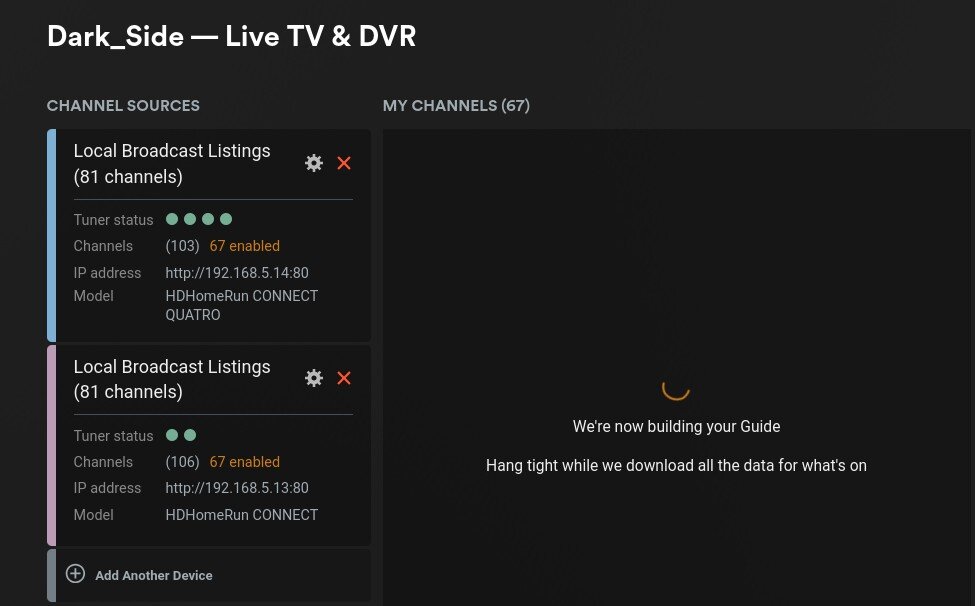
Now i have a question that i have not seen befor and dont see anyone talking about it. I'am using live TV and i can see 98 channels and when i pick them all and say save it comes back with 67 is there a HARD limit to the number of channels you can have as you can see i have now 106 but only 67 that i caN USE? HELP thanks John G
-
OK i dont know if this will help ... I also have this happen to me and i just clicked the (MANUALLY specify public port) and that works for me ..
-
more qustions .. i have move Frigate out of Home Assistant and in to a docker. Looks like it's running very good thanks for the poke in the right direction. now for the question. startedd up and look at the log file and i see this: 05:26:07] detector.coral INFO : Starting detection process: 3051 05:26:07] frigate.app INFO : Output process started: 3053 05:26:07] frigate.detectors.plugins.edgetpu_tfl INFO : Attempting to load TPU as pci:0 05:26:07] frigate.detectors.plugins.edgetpu_tfl INFO : TPU found 2024-07-26 05:26:07.133535528 05:26:07] frigate.app INFO : Camera processor started for Frount_Door_Cam: 3073 so i see nothing after that .. i see if found it but does that mean it working ? and also i see prople talking about also haveing a GPU is that something i need to add to the system? I know a lot of questions .. sorry more to come 🤓 John G
-
ok will i said i was looking for help ... ok then i stoped my VM and loaded the docker version(s) and i have not found one with Beta or even superviser installed any i missing some this thanks ( Dont yell i am trying ) John G
-
Hello All. I have a question and hope it's not repeating a questions. I have been a "Pro lifetime" system user for quite some time. (I am not complaining at all ) with a 24driver Server. I would like to update but money is very tight. could you tell me how much it would cost for unlimited and life ( life will have to wait 😁 ) Thanks John G.
-
I know that you all are talking abut a docker version. But does anyone know how to get the Google Coral TPU pci version to show up on a VM i like running it as a VM so what or HOW. Can anyone help. I know that i might have been talked about here on UNraid forums but i have not found it yet 🙃 Thanks John G.
-
ok .. going to work on redoing the VM but unraid is acking bad would there is a way to check or just reinstall unraid 6.12.10 with out losing my VM and Dockers is that a why to check and see if something is wrong thanks John G
-
it seems like it somthing to do will Home assistant because i just tried to upsize a fedora 40 VM and it worked went from 500g to 600g no problems now how can that be ?
-
unraid 6.12.10 home assistant verson: haos_ova-12.2.vdi up to date nothing at the bottom of the screen .. any thoughts Is there aother why to up the size? thanks
-
Hello ... i have a problem ... i am running Home Assistant as i VM (HAOS) and i am running out of room. It started 32G and now that i have started adding STUFF (Hehe) to Home Assistant and seems i and starting to run out of room .. how this should be no problem you just stop the vm resize it and restart the vm. when i change the value from say 32g to 64g then hit return switchs back to 32g ... Any help would be greatly appreciated John G.
-
Unraid OS to 6.12.6 when i look though the app and see something I might like to look at a little closer it justit just sits there with the unraid logo moving and never opens up for me to pick install ? every thing lookd to be working with no problems but that any thoughts John G. bigboy-diagnostics-20240206_2049.zip
-
Thanks for the reply... i think this is what you asked for.... thanks again john bigboy-diagnostics-20221203-0323.zip
-
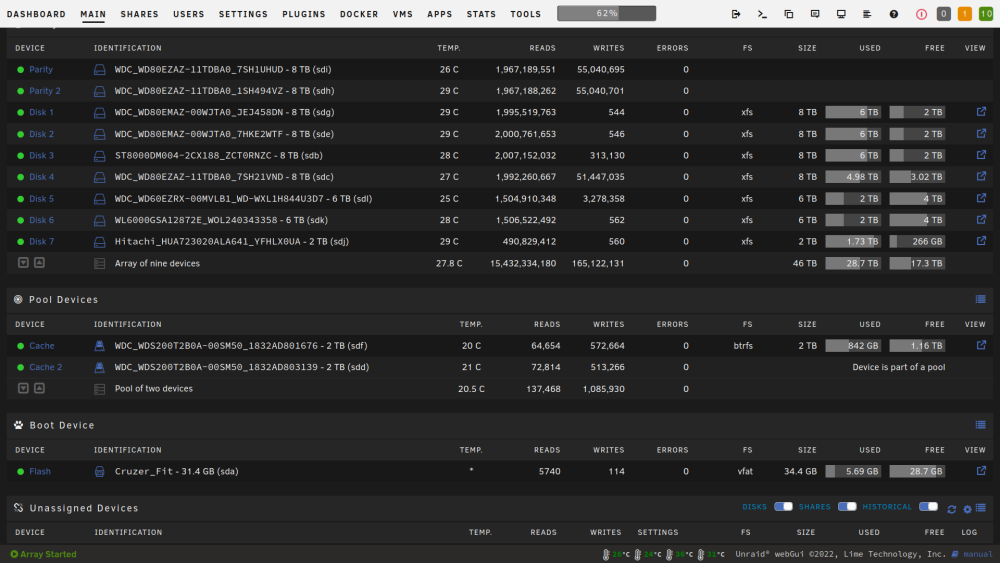
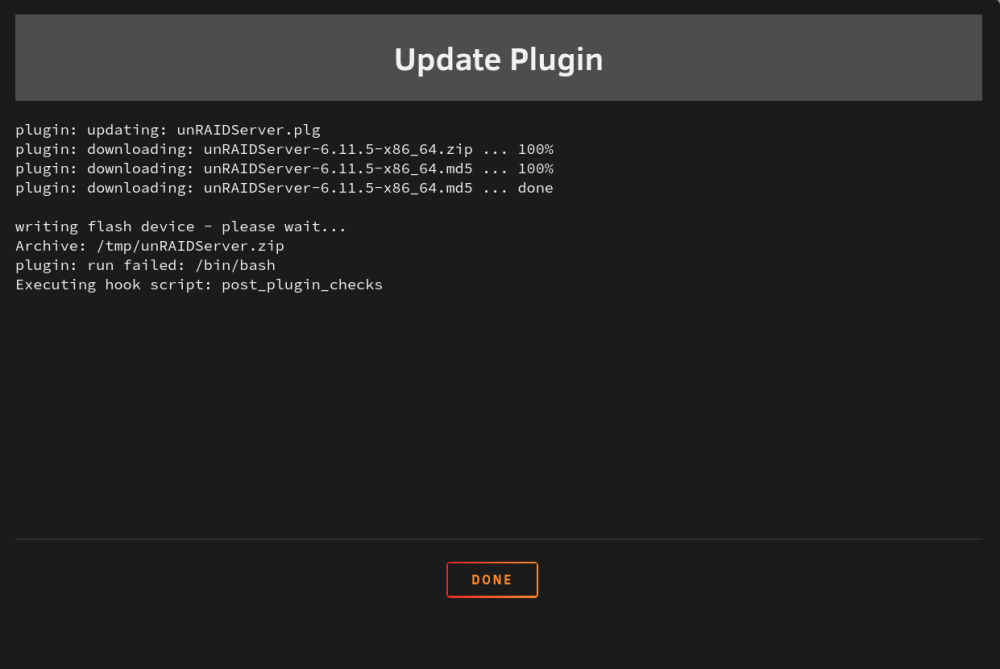
Hello .. John Here is a small problem and hope this is a goo place to put it unRAIDServer-6.11.5-x86_64 came out. So i thought i would keep up to date and tried to install it. This is the error i keep getting ( Anythough's I know it's something i did or did not do 😙 ) plugin: updating: unRAIDServer.plg plugin: downloading: unRAIDServer-6.11.5-x86_64.zip ... 100% plugin: downloading: unRAIDServer-6.11.5-x86_64.md5 ... 100% plugin: downloading: unRAIDServer-6.11.5-x86_64.md5 ... done writing flash device - please wait... Archive: /tmp/unRAIDServer.zip plugin: run failed:/bin/bash Executing hook script: post_plugin_checks I added from screen grabs ... dont know if that will help As always Un-Raid still number 1 in my book Anythought's John
-
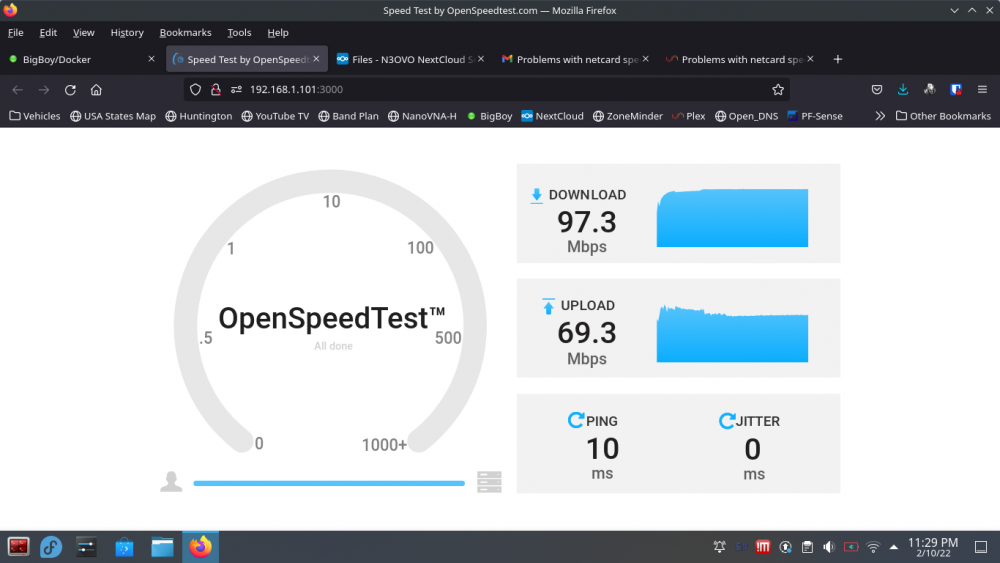
did a screen shout in safe mode, no change
-
Here is the file you asked for... one more question. Running in safe mode what is the best way to test the through put. bigboy-diagnostics-20220210-2223.zip
-
Sure... Though I did. Can you tell me how to get it for you?
-
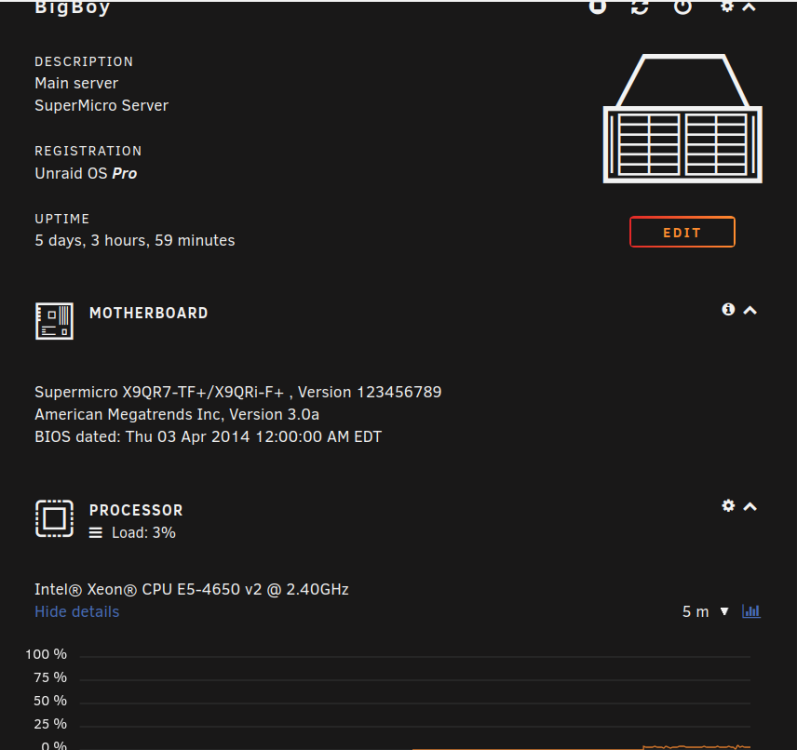
Hello, John G. here with a network problem Description Main server SuperMicro Server Registration : Unraid OS Pro Motherboard: Supermicro X9QR7-TF+/X9QRi-F+ , Version 123456789 American Megatrends Inc, Version 3.0a BIOS dated: Thu 03 Apr 2014 12:00:00 AM EDT Intel® Xeon® CPU E5-4650 v2 @ 2.40GHz A happy longtime Pro user. I never had any major problems. That I could not get working. Well I have now, need help! Server has been running with no problems. We were using windows vm and found very slow downloads. jumped to a linux vm and found the same. only getting 11MB/s Download . If I check with a wired computer and i am getting around 950 MB/s Download. so i installed more network cards all showing 1000 what unraid show: Mode of operation eth0 1000 Mbps, full duplex, mtu 1500 eth1 1000 Mbps, full duplex, mtu 1500 eth2 interface down ( Ran out on network plugs) eth3 1000 Mbps, full duplex, mtu 1500 eth4 interface down ( Ran out on network plugs) eth5 interface down ( Ran out on network plugs) any thoughts on why this going wrong... any help bigboy-syslog-20220205-1052.zip
-
Hello All I need some help with my setup. I have a full un-raid server running here. i am running ( un-raid vm nextcloud 22.2 ). i am also running plex as a docker. i Would like my kids/grandkids able to Access PLEX to get family Videos ( So that means Upload and Download ) to a plex folder i have tried just about all i can think Of. Any help Thanks John
-
The Answer is yes use nano or this worked on my system open up the shell for nexcloud cd /config/www/nextcloud pwd should show ":/config/www/nextcloud#" copy and paste occ config:system:set trusted_domains 1 --value=192.168.1.* change your ip to the one you need ... Did this from memory hope it works and helps you out
-
well here is what i looded. you tell me i liked it was "official docker hub image" "Nextcloud based on the official docker hub image. Nextcloud 20.X with full ONLYOFFICE integration. Based on Apache."


