EarthYak
Members
-
Joined
-
Last visited
-
Well I was on the beta docker and I made the mistake of not checking this before updating. I am having the same issues now.
-
EarthYak changed their profile photo
-
There have been a few changes to the various versions of the Docker in the last few days and I have flitted between the different branches as well so my experience may not be of much use but I had the same issue. I ended up deleting the docker, reinstalling it and then my cameras were manageable again, I did have to readopt them but it saved me getting my ladders out. I tried factory resetting one of them first but it didn't solve my issue, it also happened with a camera I had just taken out of the box. The delete and reinstall worked fine though. Any time I did not delete the whole docker and it's disk the issue just continued.
-
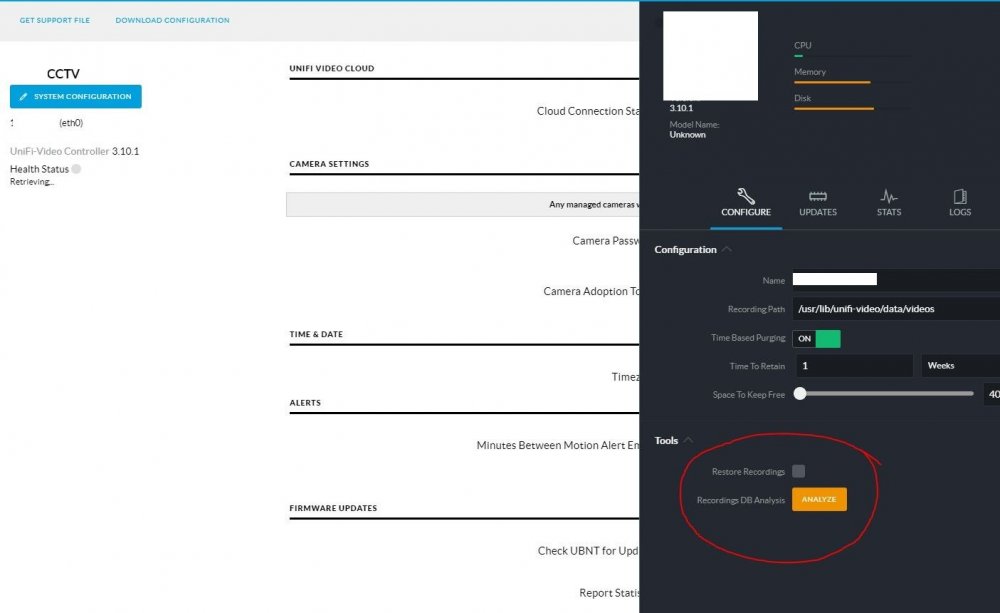
Have you tried restoring your recordings? In system configuration. You should only be having issues with the database that locates them, the recordings are in another share.