





WashingtonMatt
Members
-
Joined
-
Last visited
Everything posted by WashingtonMatt
-
Do I understand correctly that using a subdomain is required for reverse proxy support, and BASE_URL is only for changing the domain name and not actually adding a directory to the URL such as mydomain.com/weddingshare/ ?
-
Fortnite stopped using Battleye, so the xlm fix in this thread works with easy anti cheat. My kids played Roblox too, but I wasn't able to figure out how to get it working.
-
Yes, that worked, thank you. Now I'm still unclear what happened with my original corruption issue. I'm not convinced it's a hardware issue, both times this occurred, I think I was pushing the limits of available system memory with many VM's and dockers running, then when overnight backup tasks starting running, the cache pool corrupted and went read only. Does that seem like a possible cause? What's a good way to test this cache drive?
-
Finally getting an opportunity to get back to this. These things never happen a convenient time. To get working again, I just recreated the cache with a single drive. Things seem to have been running fine with no errors. I would still like to run the other drive in it's own pool, but it seems to be locked up by unraid. I'm not really sure the proper way to proceed. The attached diagnostics is just after a cold boot and attempting to mount the drive via unassigned devices. unraid-diagnostics-20240908-1349.zip
-
I was able to use This post and mount my drive read only. Currently copying my data to the array. Hopefully not corrupted. Both drives are currently in unassigned devices. Oddly the "bad" drive is showing some reads as I copy the data, and the system log is barfing a ton of errors... I could use some help in determining what actually went wrong. The whole point of mirroring the drives was to be able to have a failure.
-
Cache pool is two 2TB NVME mirrored BTRFS About a week ago, I woke up to my cache pool being offline due errors. This happened once before about 9 months ago. I was able to mostly recover this time. While I wasn't sure, I suspected I may have run out of memory(now think that's wrong). I've been watching the logs the last week and all seemed fine until today. I noticed a bunch of errors again, but the drive hadn't gone offline yet. I figured I'd stop the array, remove the problem drive and be able to continue on the remaining drive. I rebooted and the cache is reporting no file system. So now I'm not sure what to do. The data should be there, I think just screwed up by removing the other drive. Can anyone assist with getting my remaining drive back online? unraid-diagnostics-20240830-1248 2.zip
-
Just to follow-up, I have recreated Libvirt.img and all errors have cleared up. Lost one VM to corruption, but was able to recover my important ones. I'm still feeling uneasy about the original issue. At this point I'm assuming it was due to not having Scrub scheduled, and if that is the case, shouldn't it be enabled by default? I could have sworn I had a dynamix plugin for that at some point. I did upgrade cache drives from mirrored 500GB to mirrored 2TB a few months back, had plenty of free space. And more recently upgraded from 6.11 to 6.12. If anyone can offer any insight as to what might have happened, I'd appreciate it. Just want to make sure I'm covering the bases now.
-
So when the original event occurred the cache pool had gone read only. After some reading here, even though the UI showed I had tons of free space, I deleted a large test VM I didn't care about and then ran a scrub. The scrub reported it made a bunch of corrections(posted above). The errors seemed to stop after that. Now I'm getting the loop3 errors when I try to start some of the VM's. GUI appears to be complaining about TPM. Anyway, I disabled Docker and VM and ran a scrub again which came back clean. Re-enabled Docker and VM. Tried to start a problem VM and still get an error. unraid-diagnostics-20231127-0932.zip
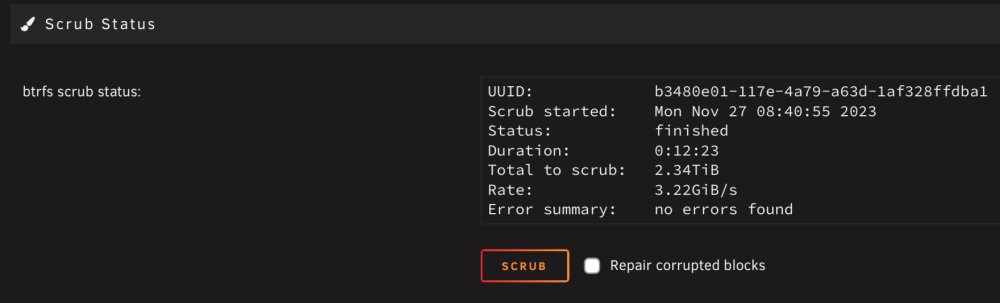
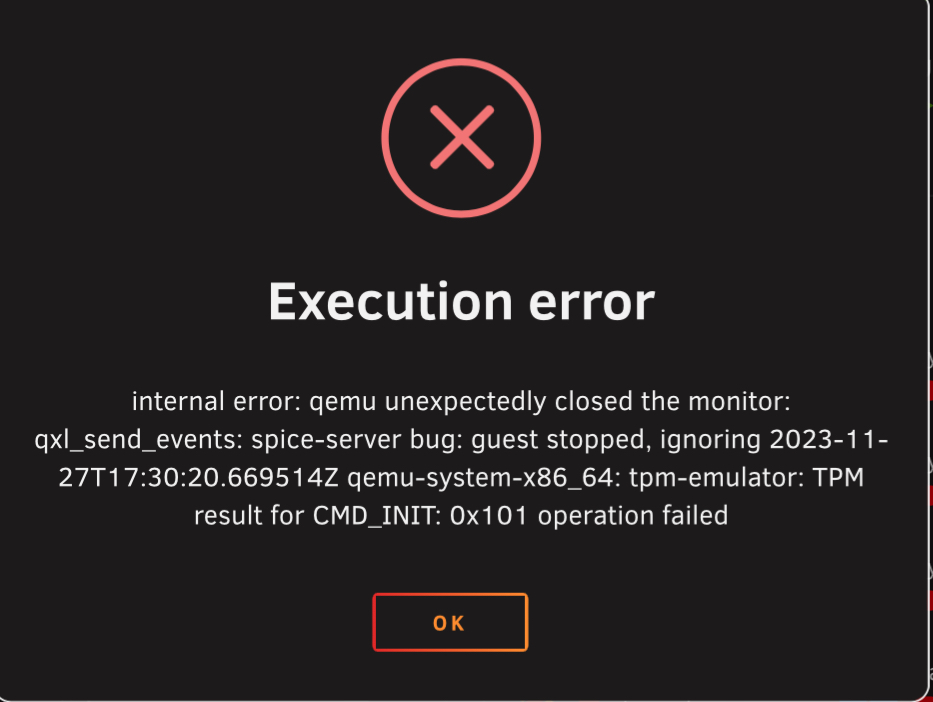
-
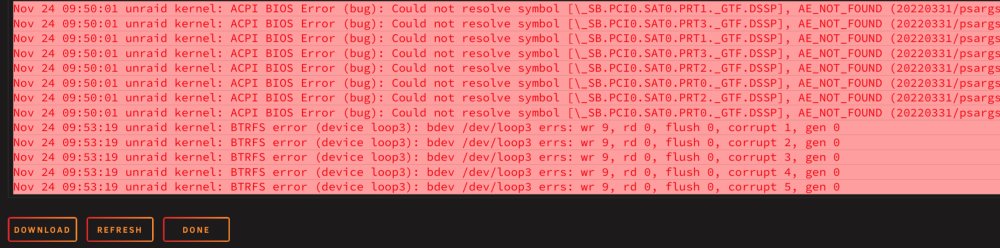
I deleted a large vm disk image I didn't care about, then ran a scrub which reported a ton of corrections. My VM disk images all seem to be corrupted. I was able to repair my critical VM enough that I can focus on it later. Are there BTRFS options that may help save my VMs? edit: and errors seemed to have stopped, except for the loop3 error, which I think occurred when I attempted to start a VM.
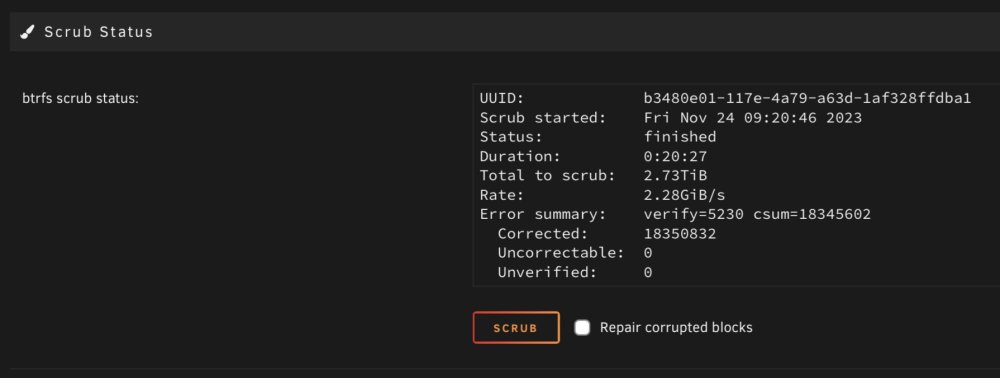
-
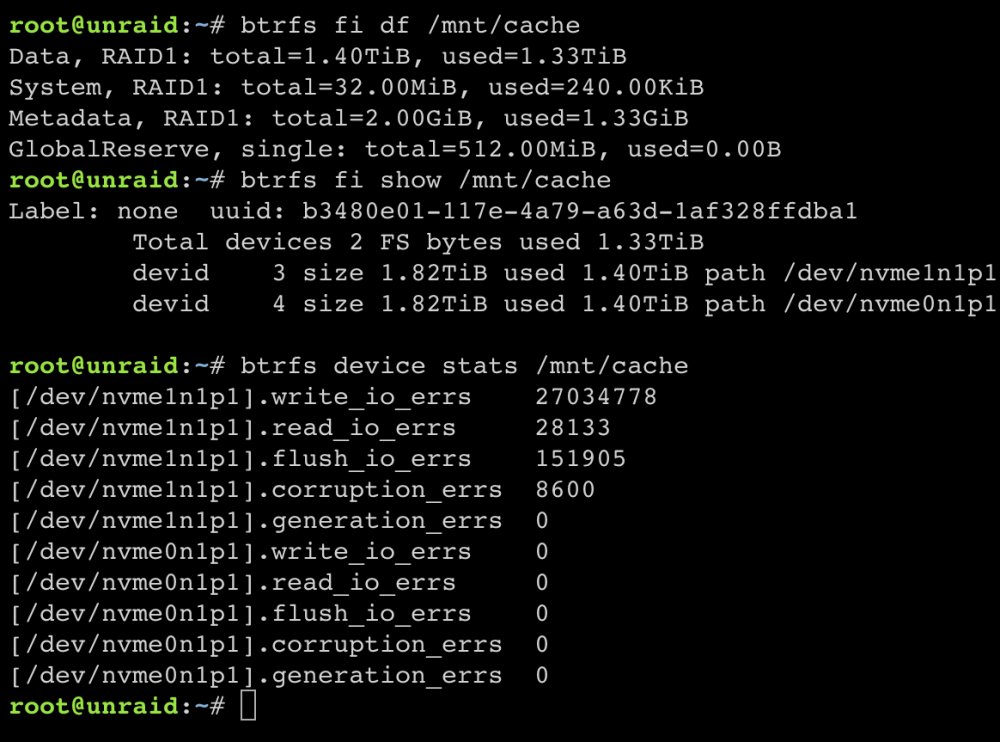
Does this mean I've got a bad drive, or is it some other BTRFS unhappiness?
-
Woke up to non-responsive dockers and VM's. I'm seeing a ton of cache pool disk errors. I have two mirrored nvme drives. I tried to copy a VM disk image to the array and the copy failed, so now I'm in a frustrated panic and not thinking clearly. I think I might have rebooted before I captured the first diagnostics. After rebooting I did recreate the docker.img since it was clearly corrupted, then rebuilt some dockers. Now I thinking even that was a bad idea. Really hoping we can save my cache drive data. Please assist. unraid-diagnostics-20231124-0533.zip unraid-diagnostics-20231124-0736.zip
-
Thanks, with those changes I am able to play Fortnite again if EAC loads. Did not work for the new Roblox Hyperion anti-cheat. Finally got a great deal on some NVMe M.2 drives and upgraded my cache drives. Now I've got some space to build some testing VMs.
-
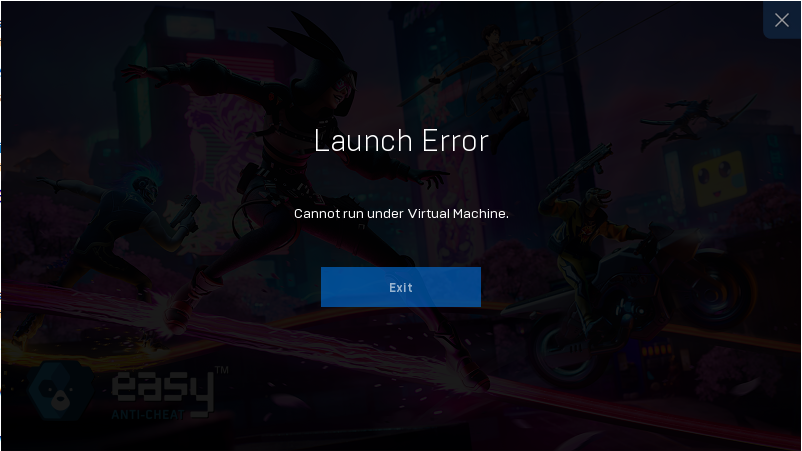
Well, looks like Fortnite on VM is completely done now. Easy Anti-Cheat is now blocking Virtual Machines as well. My kids can no longer play Roblox either. This worked so well for so long, so frustrating. No way in hell I'm building gaming rigs for the whole family. The future is in VM's anyway, these companies are going to have to face that fact eventually. I've looked into virtual machine obfuscation a bit, and it's definitely not easy. If anyone comes across a good guide, please share.
-
No solutions yet that I'm aware of. I've given up trying to workaround it. It's clearly above my pay grade. I'm still having luck playing when Easy Anti-Cheat loads. When when Battleye loads, it seems to be a minimum of 24 hours before EAC has a chance at loading again. If they keep it up, I might have to mow the lawn or something...
-
No solution yet. I did find out that Fortnite uses two anti-cheat applications, Easy anti-cheat, and Battleye. Battleye is the problem. When you launch Fortnite, if the very first small splash screen has easy anti-cheat in the corner, then the game will work. If Battleye is active instead, you get booted. I want to create a new Q35-7x VM, but I don't have the NVME disk space. Really hesitant to blow out my current primary VM since I don't think I can reactivate some older software any longer.
-
And I'm being blocked again. Tried physical NIC passthrough with no luck. Not sure what they are looking at... I also received this very helpful reply from support.
-
Looks like switching to e1000 NIC was the ticket. Kind of annoying, but whatever. I still need to back out a couple XML changes to be sure.
-
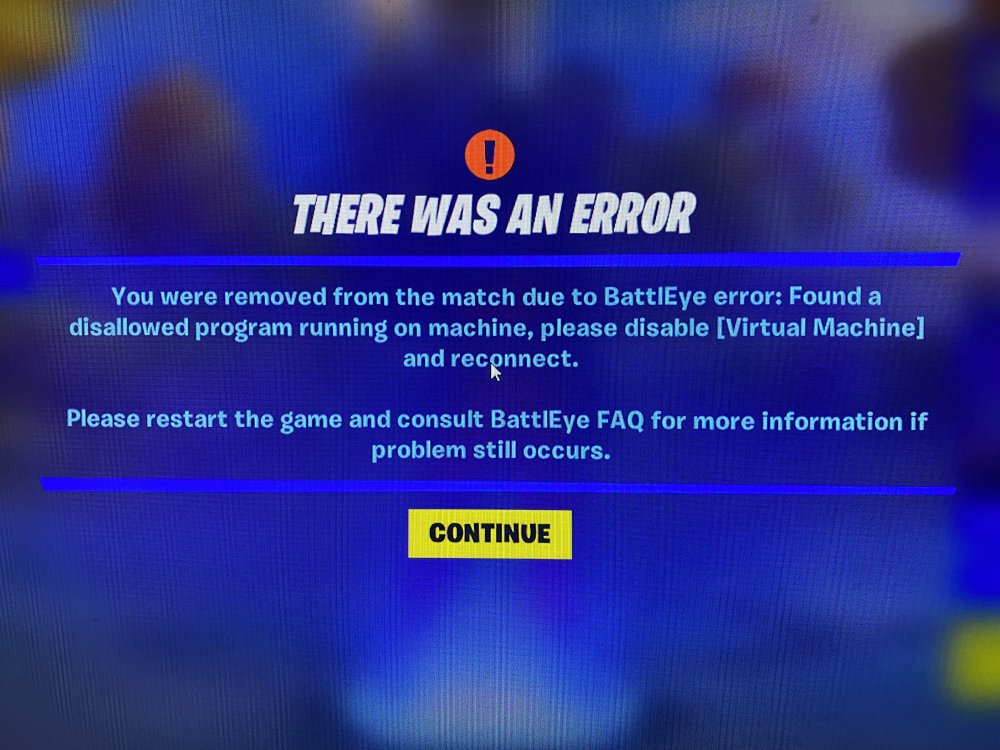
I've been playing Fornite for years on my Windows 10 VM without ever having issues. A couple days ago I started being blocked with the message below. The only recent change I made on the VM was to install DaVinci Resolve to do some video editing. I uninstalled all that but still being blocked. I have not tried creating a new VM yet (low on NVME disk space). Is anyone aware of a workaround for this issue?
-
Please keep it in CA. I plan to continue using it until the the iOS app is no longer supported, or if I need support for a new camera at some point.
-
Looks like the plug has been officially pulled. Overall the impact isn't too bad for me. I run WireGuard and openvpn on an edgerouter. Guess I'll just ride that ship for now. I wonder if they'll yank app support?
-
So login is still working, thought maybe we dodged the bullet, then I found the update below. Frustrating... nice while it lasted. Please keep the docker available since it will still work fine with local/vpn login.
-
No issues updating to 3.10.12
-
I updated from 3.10.10 to 3.10.11 a couple days ago as well, no issues.
-
My upgrade to 6.8.1 was successful. Idle CPU use seems to have returned to normal. RX570 passthrough performance seems to be back to normal, I had been assuming performance issues were due to a driver update.
-
I've noticed a few items failing to pull metadata automatically. I didn't make a connection to unRAID, but in hindsight it did start around 6.8.0 upgrade as well as other minor SMB issues. I haven't upgraded to 6.8.1 yet.



