





Dro
Members
-
Joined
-
Last visited
Everything posted by Dro
-
As I've mentioned I had already gone through that previous thread and applied all the suggestions none of that has helped. Is it being suggested that I need to change my hardware based on that thread? When no hardware is actually plugged into the slot that is throwing the error?
-
Any ideas? I would really love to get this fixed and not reboot my server every day to clear the logs then to have them fill back to 100% after 1hr.. 🥲
-
Here you go! Thanks! unraid-diagnostics-20210830-0953.zip
-
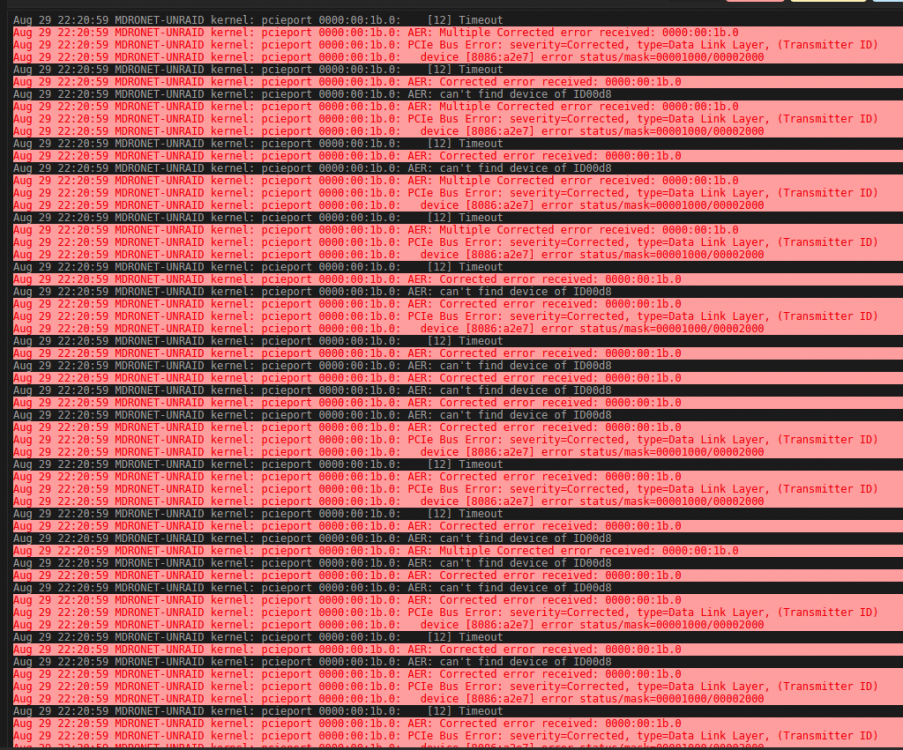
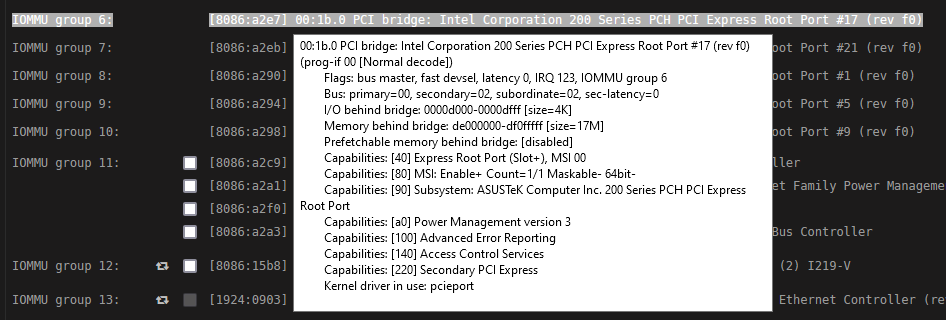
Hello, I've been dealing with this issue for awhile and i still can't seem to resolve it. Anyone know how to fix it? My BIOS has been fully updated to the latest version, I don't have any devices plugged into the PCIE slot in question with the issue. I have also appended this in my syslinux.cfg file as found in another support thread. pci=nommconfto to try to just ignore the error all together and it still hasn't helped. It seems the device in question is in one of the screenshots below.. I have also disabled all power management. I never used to have this issue, nothing has really changed it just started happening randomly about a month or so ago and hasn't stopped since. The only PCIE devices I have are a dualport solarflare 10gb SFP+ NIC and a LSI 9211-8i HBA. Motherboard is ROG STRIX Z370-H GAMING BIOS 2603
-
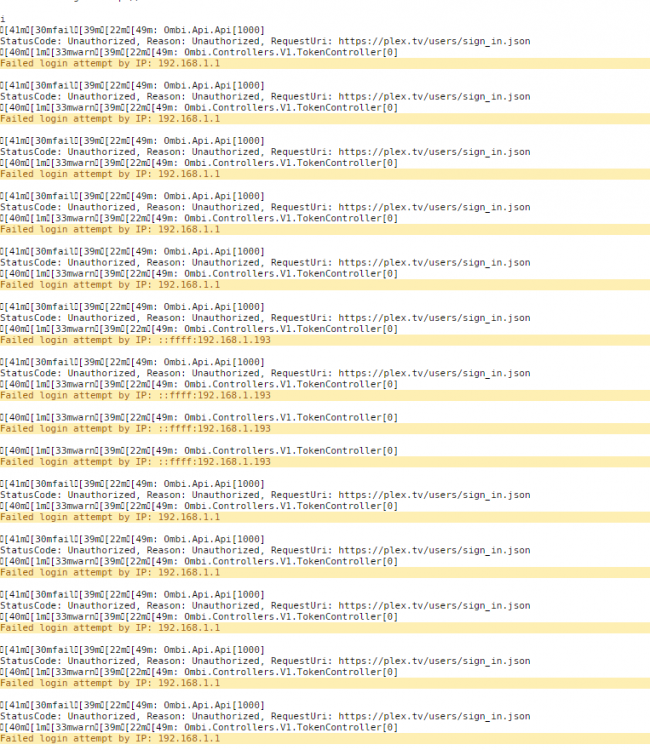
All of a sudden now I can no longer get into Ombi. I am using my plex username and password. I tried to research this issue for quite awhile and ran a few potential fixes myself but still can't seem to figure out what is happening. Everything is completely updated to latest version, all docker containers and unraid. Any idea how to resolve this? Logging into Plex works fine with the same username/password. I do have 2FA setup but I have had it setup the first time it became available and have had no issues with Ombi. This just started this week.. My 192.168.1.193 is the workstation I am trying to login from and the other is my gateway but I am not sure what it means when it tries to authenticate from that IP. I am trying to login from the same location each time on the same PC. Also, inside plex I do not see any OMBI devices. I was hoping I could just remove it and have it generate a new token. But it's not there. Thank you!
-
Sorry if I missed it, can you share the manual? I want to try to setup unRAID as an ISCSI target for an ESXi cluster using multiple SSD pools/MPIO
-
Awesome work. Any idea on the release of the plug-in?
-
Thank you Saarg, I didn't even know that was there. Works now
-
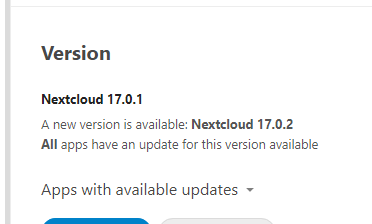
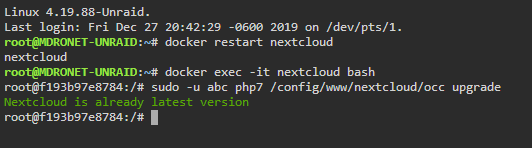
Issues stuck on step 4 as well.. but my CLI is telling me i'm at the latest version.. any ideas how to get around this? I thought there was a .step file somewhere but cannot find it that can be deleted?

-
Exactly my use case. Right now no native ISCSi is a dealbreaker for me for an ESXi cluster for shared storage on an ISSCi network. Don't want to use FreeNAS. Would be nice to get ZFS and ISCSi bundled as in my mind these two go together well in a future release.
-
Hello from the unRAID FB group! Happy bday!
-
I actually found the problem for some reason with 6.7rc5 it disabled perl. Once I re-enabled it, updated it, I was able to reinstall 5.8 and the plugin just fine.. I had no clue that got disabled but that was the cause.. and thanks i do see above he mentions "to fix on reboot" I will change it.
-
unfortunately this workaround isn't working anymore. Even with net-snmp.5.8 the SNMP plugin is failing on 6.6.7 and 6.7rc5 . Also ive noticed when rebooting the server it reverts back to the net-snmp5.7 version and you have to reinstall it each time then reload SNMP plugin.. But I guess that's beside the point now since the plugin isn't working any longer. I wish they would just build in SNMP, doesn't seem too difficult.
-
Is there a way on the backend to default it to use port 587? If I wanted to use the web interface it seems by default it uses port 25 and I haven't found a way to change it.. Since my ISP blocks outbound port 25 this is an issue.. Emails get delivered if i setup an SMTP relay with port 587 but i cannot use that solution going forward it was for a test... I also cannot receive any emails which I am not sure why yet but am able to telnet to my server and can see a connection on the interface so i know inbound port 25/587 is open and working. Looks like most stuff is ending up in the "queue" and just stays there.
-
Thanks, I'm going to test it later.
-
Thank you, makes total sense! It's confusing. I like the thought of not being able to select isolated cores in the containers. So basically if i isolate cores i can use them just for the VM and nothing else will touch them?
-
There definitely seems to be an issue with CPU isolation and Dockers.. Did a bunch of testing with Plex, Nzbget, Sonarr, Radarr etc and it seems when you isolate multiple cores, for example I Isolated cores 5/11 which is my pair I assigned those isolated CPUs to nzbget, sonarr,radarr and you can only see core 5 being utilized, not 11.. It doesn't make much sense. As soon as I disable isolation on lets say core 11, I can then see usage on that core from those dockers.. At this point I've completely turned off CPU isolation and it seems all my CPU pinning is working properly but id like to isolate certain cores so the OS doesn't utilize them at all, just certain dockers.. Not sure if this is a bug or a misunderstanding on how it's supposed to work.


