comet424
Members
-
Joined
-
Last visited
Everything posted by comet424
-
i also wondered maybe does unraid optimized to read nvmes as i found when i had nvme gen4x4 i couldnt get 5000mbs or close to it in the disk speed test.. i only got 2500 same with my 3500 so i was also wondering maybe docker and unraid is limited to 2500mbs and cant handle the nvmes? like windows cant least not 10 maybe 11
-
oh and i do notice i mentioned in the past... plugins page will populate faster then docker when docker is an issue usually docker will populate like in 1 -3 seconds but when it takes long time it takes long time but then plugins loading page is faster then the docker
-
ah ok so my issue doesnt fall into any of the above comments then.. cuz i been dealing with this issue more then a year... so 1 2 3 do not apply.. CA didnt apply as i didnt goto it.. nore the plugins..... and how comen some of the plugins check even when u set it not check up so to recreate what i go through.. 1.. is i close browser. 2..wait over night say 3.. load up the browser 4. goto /tower 5, choose Docker and at this point it takes the 20 min lot of times less.. sometimes i get the ? sometimes i dont.. sometimes its on randomly docker apps sometimes its always transmission.. but it takes along time for tue unraid spinner but if i using unraid flipping back docker and main or share.. or using the array... the Docker page can be always fast even when my internet is bogged down and the going to CA or pluggins doesnt apply to what i normally go through as i dont usually goto CA or plugins just docker to turn on and off transmission or krusader.. and then i asked few times.. could Plex cause it with this giant database i wanted to know could my issues be that Plex is in the appdata... i was thinking and i guess you cant duplicate my issue but would it be better ssd1 = appdata,system,docker ssd2 = vms ssd3 = appdata of plex as i was always thinking plex is cause cuz it seems to be always slow loading up even on the nvme... and i have never found a solution
-
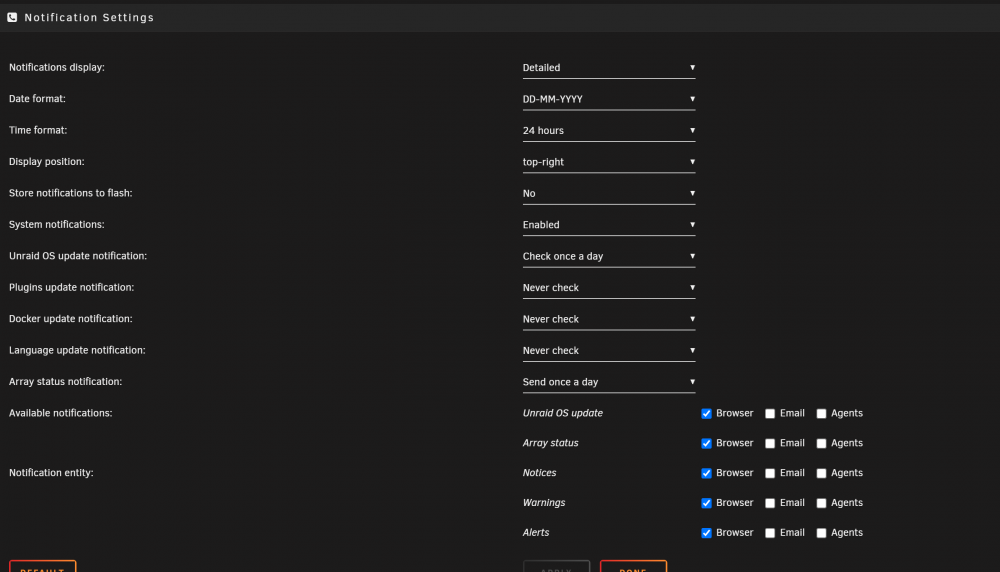
ah ok.. it did eventually.. i had 10 ? icons with the circle.. and if you give it time and refresh the icons all go normal. again.. i only had 6 dockers runnin 2 lancaches,, deluge,plex,bin krusader and transmission that was paused.. the icons were none of the ones that were running..... so the icons should be locally? the ones in the diagnostic.. those are all installed to the ssd.. and i been having over a year this issue were docker seems to get stuck i get ? but then it fixes itself... or after a clean reboot.. docker is fast.. or if i i use unraid a bunch seems fast.. but this issue i get if i let it idle say over night or a while and where the drives spun down and i know i made a few posts over a year or more saying if the docker goes to sleep as its like it takes time to spin up even on a ssd no i dont use pihole.. i use Pfsense router with NordVPN and unraid goes directly through pfsense vpn... but anything i download goes through the 2 lancaches they both the same.. just 1 is for VPN side and other is for non vpn clients so my clients on my network at home point to 192.168.32 for nonvpn and 192.168.0.33 for vpn clients.. using lancache app from the community apps and the upstream for both is 192.168.0.1 nordvpn dns uses the dns of nordvpn can you tell from my configuration diagnostics why the cpu is pinned on that one? can u see my configuration settings of the dockers? also i know i followed a video when i first got unraid like 2 yrs ago something about turning off updates to docker and plugins so its supposed to speed it up. so docker shouldnet use internet.. just the updater plugin the check for plugins and dockers at 12am every night and then updates.. but at moment the docker is working fast again io didnt reboot after it came back on there was like 6 ? circles ones and i think within 30 min as i wasnt near the computer the icons returned to normal ive seen this in the past.. i have a slow connection of 5mbps and if transmission is downloading its happened.. transmission goes ? circle.. but then unraid fixes it after a while.. as i download directly to a regular spinning and made it a cache pool so array stays offline.. hopefully that helps.. and maybe is docker checking for updates even though should be off?
-
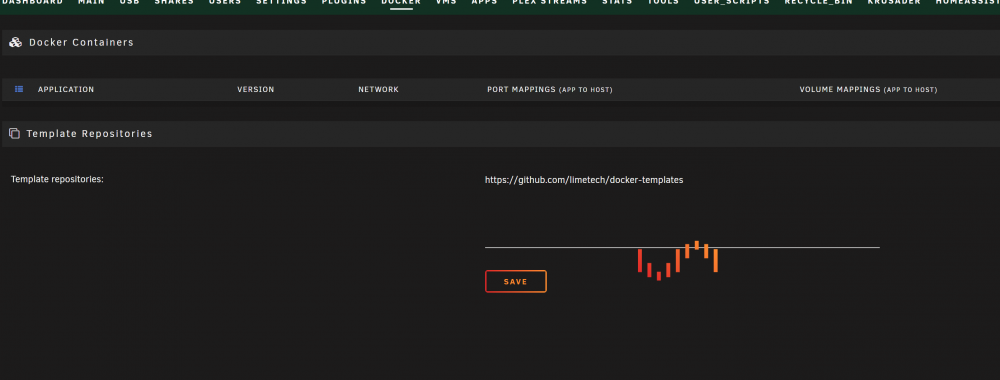
right now its been sitting at this screen for 20 min...and a fresh of the screen doesnt help just doesnt populate. and i find this after i have my drives powered down etc but when you normally do a reboot then the docker is fast again pretty much... and what happens when i do finally get it icons of dockers are gone and are replaced with a circle ? inside the circle
-
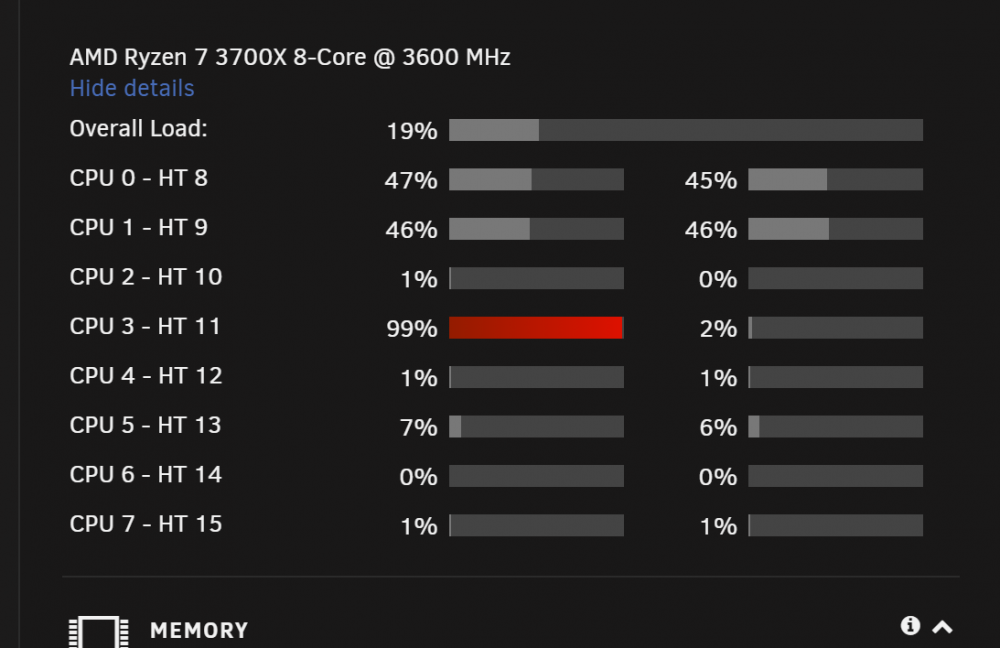
so i mentioned before in the past i notice if unraid sits for a few hours or more with drives powered down.. Docker is very slow.. sometimes takes a minute or 2 to populate.. just sits on the unraid processing icon and i was using a nvme so now i was able to get a 2nd ssd.. i put the nvme all the VMs and i put the system,docker, appdata, on the sata ssd.. in hopes it solved that slow or sometimes doesnt load the docker.. well i was wrong still hangs trying to load docker.. also i notice at times in the pic the one CPU is pinned at 100% can you tell me what one is doing it.. and why not the HT also.. and maybe someone can tell me how to properly set the cpu isolation.. did i do it right... should plex also get more then 1 core.. as if i do fix common issues doesnt like that.. maybe i can get input what i should fix to get most optimazation.. and whats causing the docker to not really load.. i figured running 2 ssds would solve it tower-diagnostics-20220108-1130.zip
-
still havent gotten it up and running yet... i guess i can try pulling out the nvme to see if that helps update: the gui will show up if i pull out the nvme.. but wont boot with it in there.. does the logs say its bad or something?
-
so disk.cfg will say yes for automount as i was retying... and all the disks are pulled out so probably say no disks installed cant figure why it wont give the gui.. so gui wont work.. and automount will not mount the drives either.. tower-diagnostics-20211226-1119.zip
-
so i had a 2tb nvme i was upgrading too.. i had moved the unraid files to the array... shut it down shoved the nvme in and booted up and it didnt work gui wouldnt work.. but i could ssh in.. i know before if i pull all the hard drives out and then boot up usually fixes it.. and its set automounting off but it also wont mount the drives if i change the disk.cfg to yes i dont have a video card right now plugged into server to check.. is there a diagnostic log you can get from command line?
-
how do i pull down this container?? i did try the video above.. docker pull linuxserver/transmission:latest and tried command line.. as a new container.. but it will not install right.. since that other version doesnt work right with the 403 forbidden access nonsense.. i install it andgive the 2 directories and should apply and it should run and 0 issues to get transmission but tells me ip address and white list and rpc stuff.. i just want transmission running... so i could use help how you install this since Community apps has depreciated this version
-
where is the community app for this transmission version.. its no longer there.. i was building a new unraid server.. and i installed the linuservio version but its no longer this version.. when you install it you get a 403 forbidden error.. and the support page takes you to github.. so i had to goto one of my other servers and use the support page.. since it seems this version is depreciated as this linuserver isnt the new version new version is lscr.io/linuxserver/transmission but i want the /linuxserver/transmission version how can i get this working version installed.. as its not even in the community apps anymore
-
oh ok so then it fixed itself above.. as i didnt see no smart errors either.. learn something new everyday thanks
-
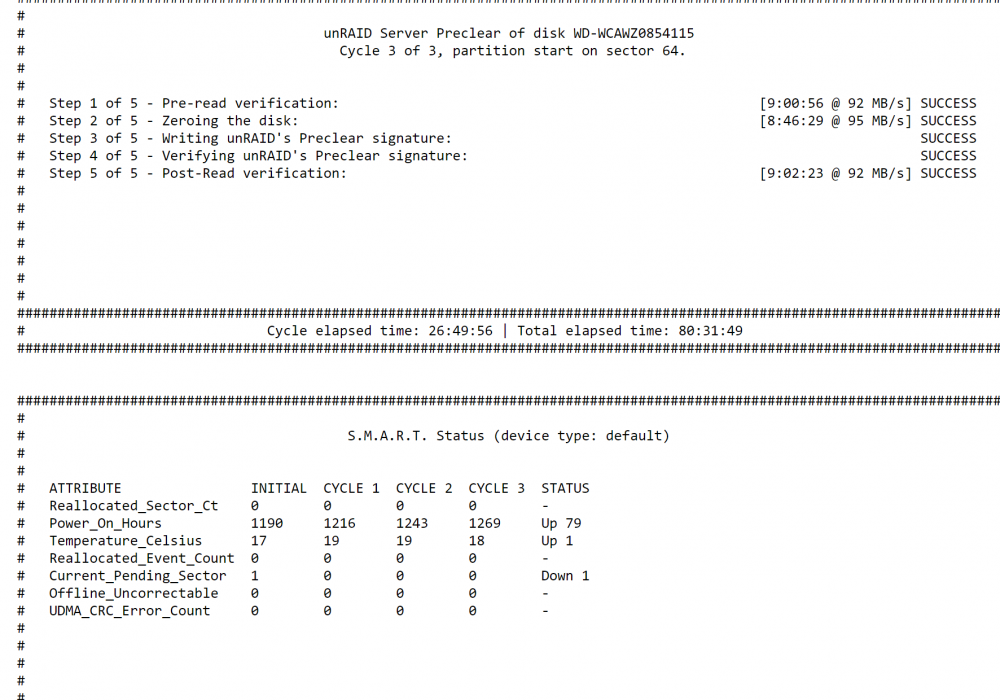
what does current sector pending mean? it happened in the 1st round of preclear but 0 does it say anything in the diagnostic logs.. is it a bad old drive? backupserver-diagnostics-20211216-0920.zip
-
ah ok.. and that was back in 2016 and they werent ever to make it work eh.. i read that page talked about a navigation button but i dont have a naviagation button to see some log.... so ill just probably run krusader if nothing happens by tomorrow...
-
ah ok.. should i re post my comment then in the github too? learn something new everyday... 🙂
-
ah ok.. my bad then.. figured id ask just incase 🙂 what does PR means? previous request?
-
so i not sure if its requested.. but for the next release of Unraid id like to see a status of Mover like any Copy Move. windows does.. also if Mover crashed.. no one will know.. like windows has "Not Responding" as i moving 2tb off my Lancahce its been like 24 hours and 2.9 million files but nothing has moved dont even know if its running all i see is some mb/s accessing the pool.. but i have no idea if is working where it is in the at 2.9 million files if its locked up like i had btrfs that crashed i posted.. and you'd never know it crashed.. till you report the diagnostic.. but even unraid doesnt report a crash of the btrfs of the array when it was doing the pool... so be nice a current running lo of time elapsed time left current move.. as like i cant tell same with that btrfs that crashed making a pool wouldnt know till. the array was never mounting
-
ah ok thatr be a good feature request unless someone has already requested it see the current status where it is.. if its Not Responding like windows does... as you have no idea whats it doing.. ill wait till tomorrow see if its done anything before i try krusader.... i apprecaite it 🙂
-
i used the mover to start moving the lancache to the array.... but so far it hasnt done anything since yesterday 24 hours no i guess... at 2.9 million files to move how long is it going to take? is there a way to see the current status of the mover? so then i can reformat my lancache or should i cancel the move and use krusader? and yes i said it move files from cache to array in the lancahe folder
-
ah ok learn something new everyday and do you guys recommend for a lancache pool just a spanned or mirrored? its just for epic games and windows updates.. and do you guys recomend 2 ssds for Docker/appdata/system and 2nd one for VMS or keep them all on same ssd? for performance etc
-
so it looks like its all mounted... and it did a Raid 0 automaticlly i didnt need to do anything figured it choose the Mirror option? its doing a parity check at the moment... but is there any errors it showing here is the diaganostic after its all mounted... i figure ill let the parity check go on and does parity check ever check cache pools? tower-diagnostics-20211214-1003.zip
-
ok ya i had to hit reset button.. it mounted is running parity check.. the lancache pool is the lancache docker... i was wanting to do the spanned can i simply just use mover to move or krusader to move the lancache to the array? another question... i chose 2tb ssd so a HD wouldnt be spinning but could i use a 6TB drive with 512 or its 250 meg cache.. and keep hd spin up downs.. i choose ssd so i wouldnt have it writting to the array and to save a hard drive.. but wonder if ia HD is good enough? i use it mostly for Epic Games as if i reinstall windows i loose the games and you have to re download all the games from scratch... so i just use the cache for epic and Windows Updates and thanks ill check out the options
-
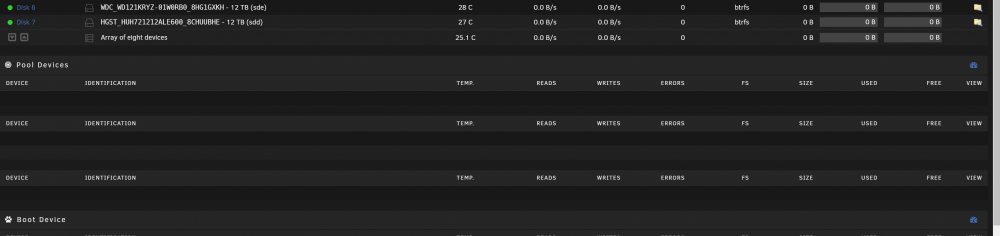
i was trying to add a 2nd drive to my one cache pool a spinner 2tb with my 2tb ssd as i had it kicking around ant it was full and using my array.. i added it to my lan cache pool and hit mount and it was taking longer time to mount wouldnt mount.. i check the logs.. and i get warning warning warning... doesnt say whats it warning about? does it say anything? and my cache pools are blank.. it comes back if i refresh 5 times or so but if i got from one page to back to main its blank does it say anything going on? and what is a CPU Tainted Error? i currently doing a reboot to see if it will mount faster and no errors hopefully update: it wont let me reboot.. not even from the terminal and i type in reboot seems the system is stuck in endless loop tower-diagnostics-20211214-0927.zip


-
i seem to have trouble with my keys 1 server seems to always work where other ones i have dont but be nice a Gui Feature... you enter in the your passphrase... the login and password of the other unraids.. even if its Root and blank password and it copies the needed ssh files over this way you dont need to run the command lines and it would always work cuz all you had to do was fill in some gui fields.. server name and or ip address.. and then it rsyncs the info over to the mulitple servers.. as my other servers have the keys but still ask me for fingerprint etc.. so be nice to make it dummy proof and say if you have 5 servers... and wanna copy your key to all of them it be nice like Main server Tower User Name Root Passord : Blank... Passphrase Hello World 1. Server 1 Username Root Password: Blank 2. Server 2 Username Root Password Blank 3. Server 3 Username Root Password Blank then hit proced... and it will copy the Towers key info to the 3+ 5+ servers and just make it simpler
-
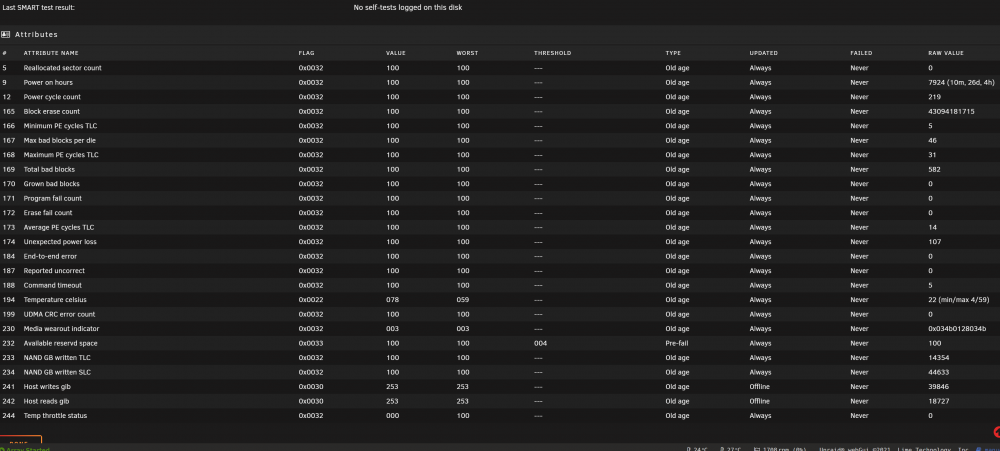
@dlandon here is the smart info for the ssd