Skip to content
View in the app

A better way to browse. Learn more.

Unraid

A full-screen app on your home screen with push notifications, badges and more.

To install this app on iOS and iPadOS
  1. Tap the Share icon in Safari
  2. Scroll the menu and tap Add to Home Screen.
  3. Tap Add in the top-right corner.
To install this app on Android
  1. Tap the 3-dot menu (⋮) in the top-right corner of the browser.
  2. Tap Add to Home screen or Install app.
  3. Confirm by tapping Install.

joeskii

Members
  • Joined

  • Last visited

  1. Yes, this is the 1st time I've added a graphics card to my system, but I'm not on the latest bios. I will give that a try and report back. Thanks!
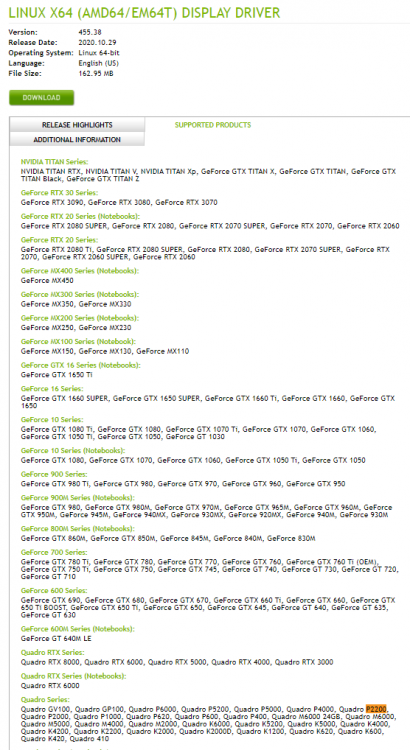
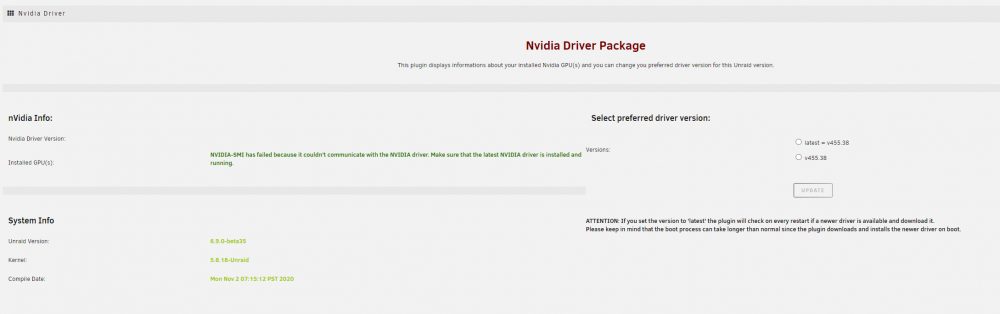
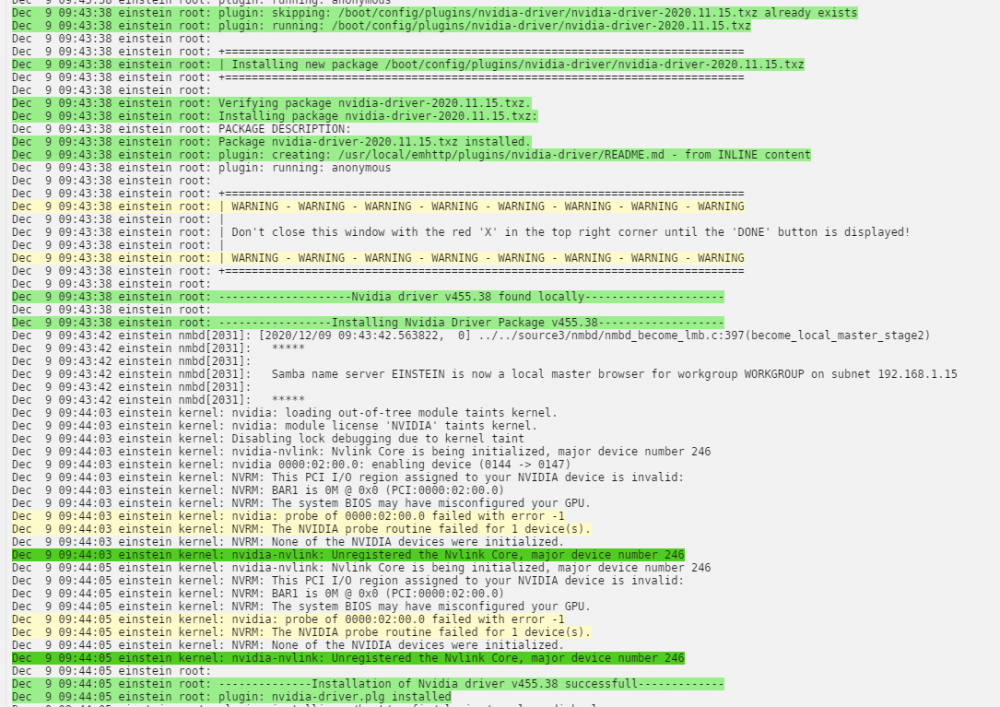
  2. Thank you for this plugin. I followed the instructions but unraid isn't recognizing my quadro p2200. How can I troubleshoot further? Attached is the diagnostic zip as well. Thank you again for any help! It's showing up on my system devices and isn't bounded to VFIO Here's what I see from the plugin page Here's what I see from the unraid logs nvidia-smi output I've also confirmed that the Quadro P2200 is supported by the 455.38 einstein-diagnostics-20201209-1001.zip
Account

Navigation

Search

Search

Configure browser push notifications

Chrome (Android)
  1. Tap the lock icon next to the address bar.
  2. Tap Permissions → Notifications.
  3. Adjust your preference.
Chrome (Desktop)
  1. Click the padlock icon in the address bar.
  2. Select Site settings.
  3. Find Notifications and adjust your preference.