





Slippin' Jimmy
Members
-
Joined
-
Last visited
Everything posted by Slippin' Jimmy
-
It's just finished running an extended SMART and it looks like it ran without issues; Test_Description: Extended offline Status: Completed without error So i'll just keep an eye. Thanks.
-
During a parity scan, I got notification that one of my drives (Disk 7) had 'uncorrect' with a value of 1, and disk read errors which currently sits at 168. This happened at the start of the parity scan and hasn't changed since, except getting another notification that the pending sector and offline uncorrectable has returned to normal value. Is this something I should be worried about? i've attached logs. baldrick-diagnostics-20230605-1358.zip
-
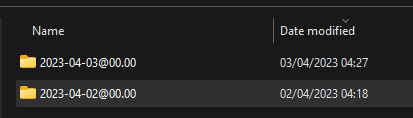
The plugin isn't deleting the older backups for me. I've got "Delete backups if they are this many days old:" set at '1'. At the end of the log it says; But the folder and all the contents are still there; Any ideas?
-
Yeah I don't care if files change, especially the ones I've seen it error on. All I need is an option to ignore errors of files in use/changes so it runs properly and deletes older app data backups. I've had to revert to v2 which runs fine without errors.
-
I'm using the 'Use standard E-mail account' for the email settings using my gmail settings. However, every time a user sends a book, I get a verification email to verify the email. The email address is in the approved list, and the kindle email address is random. Any idea why this might be happening?
-
Mine's erroring too since the upgrade. I've turned off verification, but it looks to be erroring on files changing as it's backing up. I can't stop my dockers whilst it backs up as I need some of them running almost 24/7, i don't mind if files are changing etc. If it's erroring because files are changing as it's being backed up, could you implement a way to ignore this? As it's not deleting old backups because of it and using up a lot of storage.
-
That did the trick! Thank you!
-
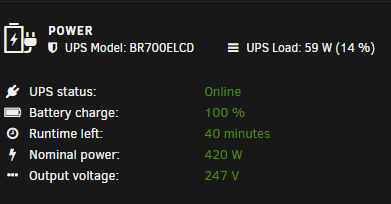
Yeah i've just upgraded now to 6.11.5 to see if it was some corrupted files or something, but getting the exact same. The widget on the dashboard shows all the UPS details correctly, it's just the UPS page not showing anything.
-
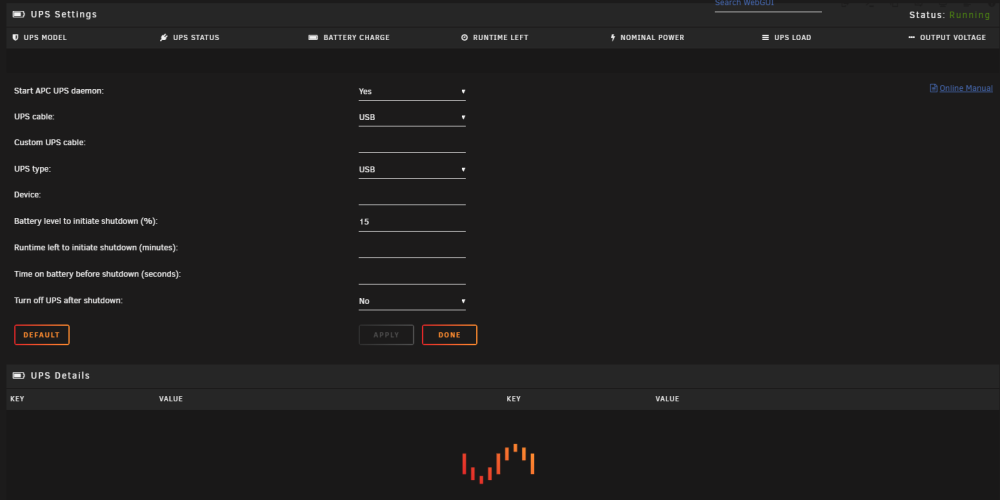
My UPS settings screen won't load, and just forever shows the loading icon with no information on the screen. In my browser debug screen, it shows; UPSsettings:1146 Uncaught SyntaxError: Unexpected token '}' I've attached my server logs also. baldrick-diagnostics-20221130-1716.zip
-
Thank you. I followed Figro's instructions and still had no luck, but enabling the Proxy solved it 😁
-
I've tried removing my home IP subnet range, and also enabling 'Host access to custom networks' under docker settings but I still can't access my local devices through the WARP app.
-
I do think it auto updated whilst it was running from what the logs showed. You can add a switch to stop the auto updating, not sure if this can be used in this docker? `cloudflared tunnel --no-autoupdate` I'll let you know if it happens again.
-
I've just had an issue of all my websites going down, with an error of; You've requested a page on a website *** that is on the Cloudflare network. The host *** is configured as an Argo Tunnel, and Cloudflare is currently unable to resolve it. When I checked the logs I got the following; cloudflared has been updated to version 2022.10.3 ** Press ANY KEY to close this window ** I had to restart the docker, and they all popped back online. Is there an issue wiith cloudflared updating within the docker, and bringing it down? And requiring a docker restart to resolve it.
-
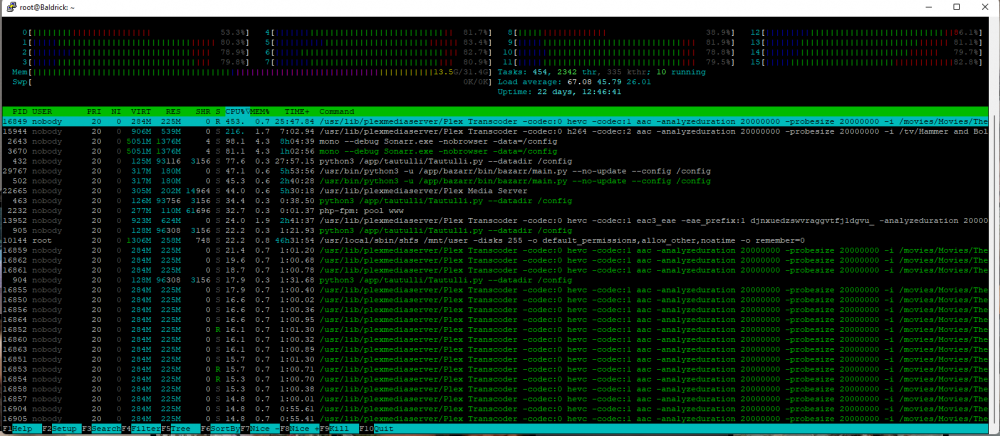
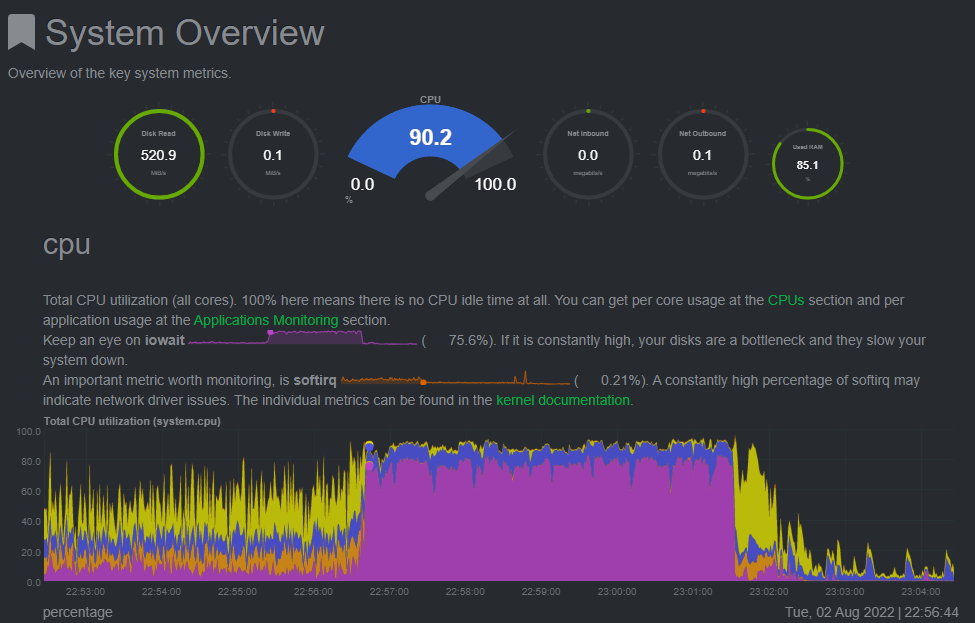
Hey, Every week or so, I'm noticing that CPU usage maxes out, and causes docker containers to freeze/stop working(Plex becomes inaccessible, my websites under SWAG become inaccessible etc) , then it suddenly comes back alive after about 5, 10 minutes or so. I sometimes have to kill a few dockers via terminal for it to come back alive. I managed to catch it in the act and run a HTOP, it looks like it shows that somehow Plex is consuming more than 100% CPU? I've attached my logs, any help would be grateful. Thanks. HTOP: I have NetData running and can see when It was pinned, which is when applications started to go offline. baldrick-diagnostics-20220802-2304.zip
-
I've just updated my Unraid to 6.10.0 from the previous RC, and my SWAG docker that uses port 80 & 443 no longer starts. I changed my Unraid web interface to port 1200 so these ports should be free, and was working perfectly fine before the unraid upgrade docker: Error response from daemon: driver failed programming external connectivity on endpoint swag (428ac7a4ad806f7899ee9e81d44cac141caaef80b3bc336cdb443537dcf1ade4): Error starting userland proxy: listen tcp4 0.0.0.0:443: bind: address already in use.
-
Can't seem to get this working, just getting a ERR_CONNECTION_REFUSED page. Added in my API key just like the screenshot above.
-
Finally managed to get a reboot in, and that sorted it. Thanks all
-
Yeah i've got a lot of dockers running. I'll try restart my server tonight as I host some websites & plex
-
Hi, I went to my VM's page, where I have 1 VM set up, and noticed that it was showing no vms. I stopped the vm service and re-started it under Settings, and now whenever i go to the vms page I get 'Libvirt Service failed to start.' I've attached the logs baldrick-diagnostics-20211012-1734.zip
-
Would it be possible to add an option to Force update all containers, even if there isn't an update? My docker file keeps slowly filling up, and force updating all my dockers resets that.
-
It looks like the settings within plex for limiting upload are for plex pass users only, which i'm not. On the docker page about docker run reference, I can't see anything to do with network limiting, only setting different networks and limiting cpu etc. Could you please help point me in the right direction? Thanks
-
Hey, I have an issue where, if enough people are streaming my Plex, my network slugs down when reaching my network upload max. I'd like to limit the Plex Docker container to a lower network upload speed. Is this possible?
-
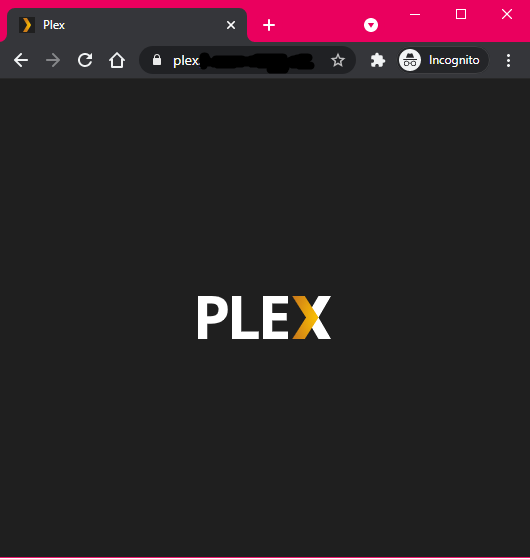
Hmm. I'm only using SWAG as it runs a couple of wordpress sites as well as running proxy. This is my proxy config; server { listen 443 ssl; listen [::]:443 ssl; server_name plex.*; include /config/nginx/ssl.conf; client_max_body_size 0; proxy_redirect off; proxy_buffering off; location / { include /config/nginx/proxy.conf; resolver 127.0.0.11 valid=30s; set $upstream_app 192.168.1.235; set $upstream_port 32400; set $upstream_proto http; proxy_pass $upstream_proto://$upstream_app:$upstream_port; proxy_set_header X-Plex-Client-Identifier $http_x_plex_client_identifier; proxy_set_header X-Plex-Device $http_x_plex_device; proxy_set_header X-Plex-Device-Name $http_x_plex_device_name; proxy_set_header X-Plex-Platform $http_x_plex_platform; proxy_set_header X-Plex-Platform-Version $http_x_plex_platform_version; proxy_set_header X-Plex-Product $http_x_plex_product; proxy_set_header X-Plex-Token $http_x_plex_token; proxy_set_header X-Plex-Version $http_x_plex_version; proxy_set_header X-Plex-Nocache $http_x_plex_nocache; proxy_set_header X-Plex-Provides $http_x_plex_provides; proxy_set_header X-Plex-Device-Vendor $http_x_plex_device_vendor; proxy_set_header X-Plex-Model $http_x_plex_model; } } and all I get is this;
-
Hey, I've added plex into my SWAG reverse proxy docker, and added my SWAG certs within network settings of plex, and also my plex domain name in there. When I access https://plex.domain.co.uk/web, I just get the plex logo and nothing else. Is this as expected or should I be able to login?
-
Yeah looks to be sorted now, very strange.




