





scubieman
Members
-
Joined
-
Last visited
Everything posted by scubieman
-
Is there a way to remove MKV that was exported in place? So example I have 25 rar files and 1 mkv in same folder. I already moved MKV over to media folder. Is there a way to find all those MKV's and remove the wasted space?
-
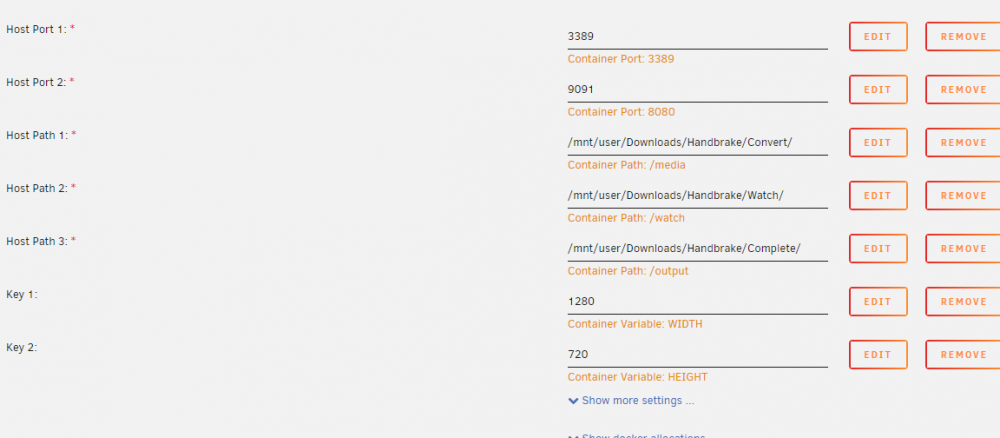
I have this error ERROR: openbox-xdg-autostart requires PyXDG to be installed I have seen this error posted but dont see a fix of what it could be. Not seeing any issues with conf. Fresh install, no GUI ### Change monitoring settings # If we don't see any events for $SETTLE_DURATION time, assume that it's safe to run HandBrake. Format is HH:MM:SS, # with HH and MM optional. SETTLE_DURATION=10 # However, if we see a stream of changes for longer than $MAX_WAIT_TIME with no break of $SETTLE_DURATION or more, then # go ahead and run HandBrake. Otherwise we might be waiting forever for the directory to stop changing. Format is # HH:MM:SS, with HH and MM optional. MAX_WAIT_TIME=10:00 # After processing all the files in the watch dir, wait at least this long before doing it again, even if # $SETTLE_DURATION time has passed after change. This controls the maximum frequency of the HandBrake runs. MIN_PERIOD=0 # Set this to 1 to log all events, for debugging purposes. WARNING! This creates copious amounts of confusing logging! DEBUG=0 # HandBrake doesn't write to the watch dir, so it's safe to keep watching for events. IGNORE_EVENTS_WHILE_COMMAND_IS_RUNNING=0 #----------------------------------------------------------------------------------------------------------------------- ### HandBrake settings # Run the program as this user and group ID, which should match up with the host. This will ensure that the resulting # converted video has the right ownership and permissions. # The defaults typically correspond to the "root" user in the host. To change these, run the following commands (which use the # "nobody" user and group) in the host and set the values here. # id -u nobody # id -g nobody # su -l nobody -c umask USER_ID=0 GROUP_ID=0 UMASK=0000 # The command to run to convert the file. For a list of presets visit # https://handbrake.fr/docs/en/latest/technical/official-presets.html HANDBRAKE_COMMAND='HandBrakeCLI -i "$SRCDIR/$SUBDIR/$FILENAME" -o "$DESTDIR/$SUBDIR/$BASE.mp4" --preset-import-file /config/handbrake/presets.json -Z "Very Fast 1080p30"' # Run the UI in addition to the normal non-interactive behavior. The UI uses about 266MB of RAM at idle, as opposed to # about 31MB of RAM. On my machine it uses .16% CPU instead of .04% CPU. USE_UI=false
-
Has it ever worked? Sent from my Pixel 2 XL using Tapatalk
-
Does not show jackett. But shows settings for using proixiy Sent from my Pixel 2 XL using Tapatalk
-
Also watch this video. It will make sure you are setup prefect. Many settings can affect it not working Sent from my Pixel 2 XL using Tapatalk
-
I do notice you have different downloads folder. Also if you remove that info does it work? Sent from my Pixel 2 XL using Tapatalk
-
Post config Sent from my Pixel 2 XL using Tapatalk
-
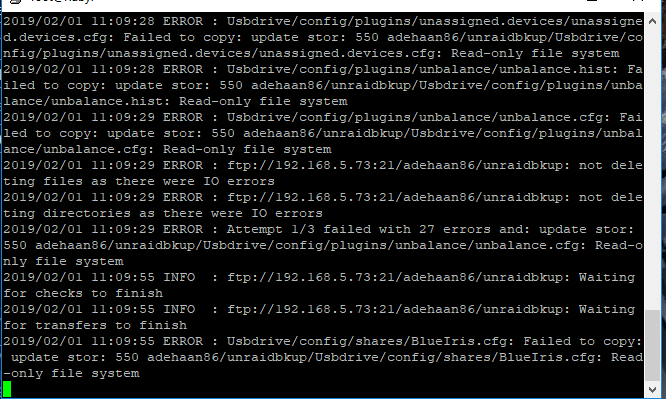
Would anybody be able to help? having IO errors and read-only file system. I just rebooted server so not sure if related. I rebooted to add a hard drive. Script Ran: rclone sync -v /mnt/user/backups/ NAS:adehaan86/unraidbkup/ --exclude "**/Older video/**" --exclude "/Work/**"
-
This is the one I got working. This one is based of shell.
-
Is web address right? I do not have jackett in my url. http://192.168.5.180:9117/UI/Dashboard Sent from my Pixel 2 XL using Tapatalk
-
What do i need to change to have filebot move instead of copy?
-
What do you guys use to extract your items? I was using simple extractor but keeps disappearing. Thoughts? Sent from my Pixel 2 XL using Tapatalk
-
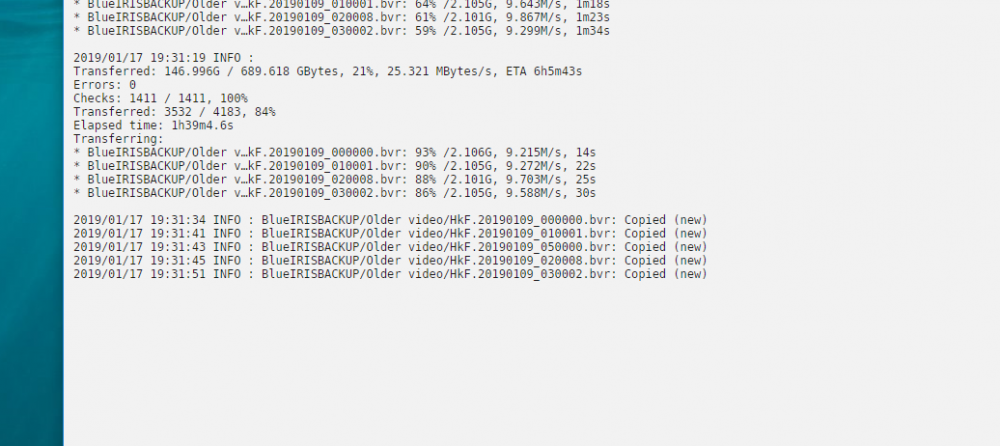
Trying to have unraid back up to a NAS(1 drive) Anyways I told it to exclude Older video which is my blue iris NVR. However I show its coping the files anyways. Script: rclone sync -v /mnt/user/backups/ NAS:adehaan86/unraidbkup/ --exclude "/Older video/**" --exclude "/Work/**" Screenshot: Edit: I got this script working using the following below: rclone sync -v /mnt/user/backups/ NAS:adehaan86/unraidbkup/ --exclude "**/Older video/**" --exclude "/Work/**"
-
Last thing before out of options. Can you use Krusader? If so can you navigate to that through there?
-
Click where red circle is. It will do a drop down. Then click where the blue is and it will pop up. Also where the blue is what the share name is.

-
Does it work with on the main screen? That's how I did it. Sent from my Pixel 2 XL using Tapatalk
-
I believe /mnt/disks/nameofdrive Sent from my Pixel 2 XL using Tapatalk
-
That works better. Thank you!
-
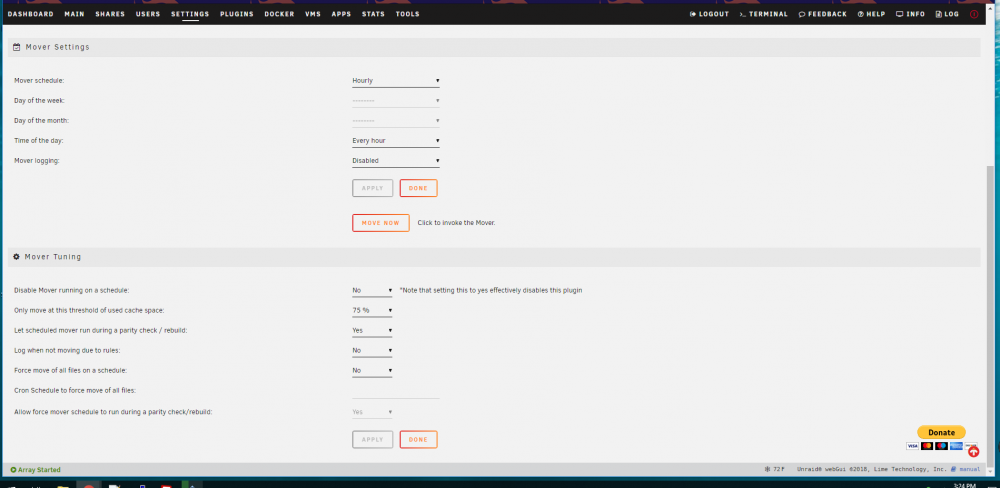
You see by the scroll bar I am to the bottom.
-
I dont see it thats why I ask
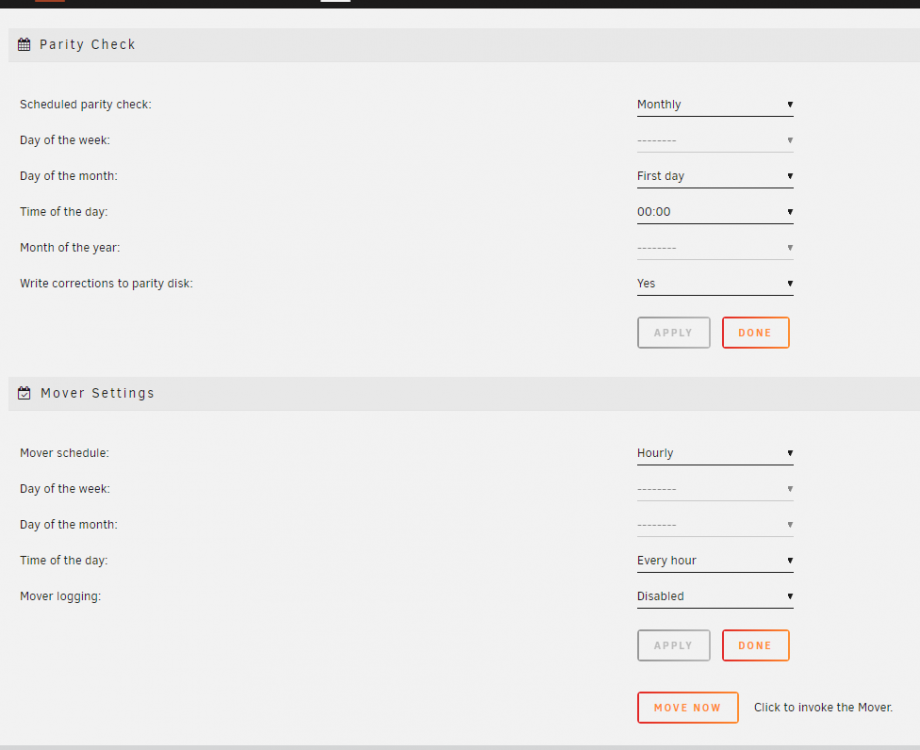
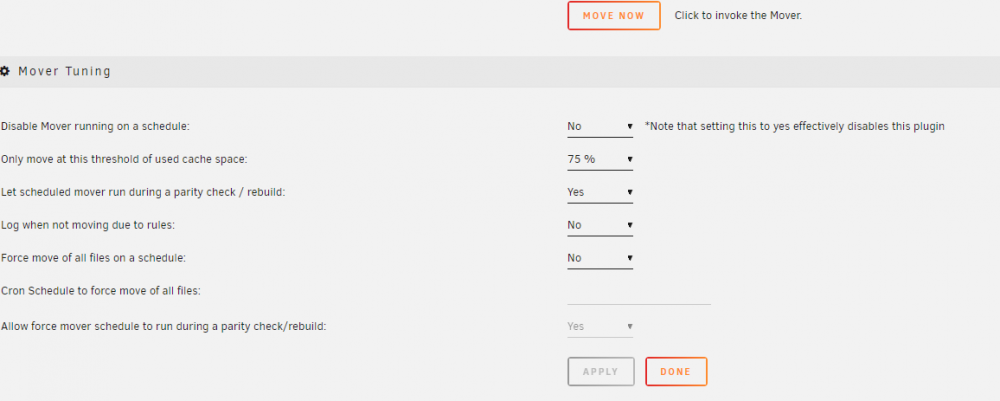
-
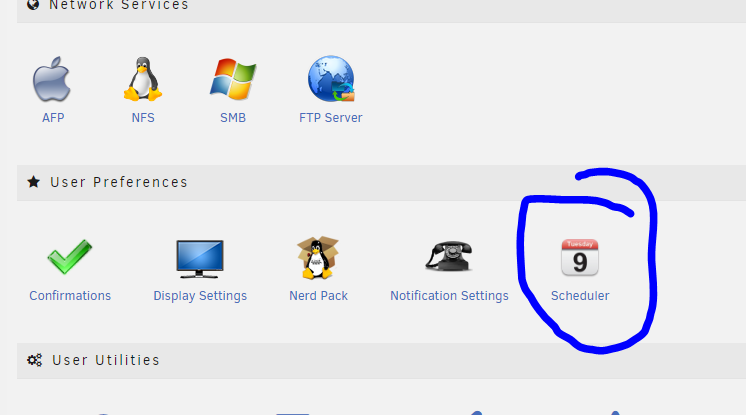
Right here trurl?
-
If i choose for it to run daily. What time does it run?
-
Thank you! Sorry about wrong thread.
-
Having issues with excluding folders with Rclone. If I run it the first time it will exclude it. However if I add a folder like "logs" to the exclude then it wont delete it off the destination. I would manually have to do that. Is this script fine? rclone sync -v --delete-during /mnt/user/backups/Usbdrive NAS:adehaan86/unraidbkup/Usbdrive --exclude "/config/**" --exclude "/logs/**" a work around I can see be would if I add something to the exclude then manually go delete that directory.
-
Dang that was easy!





