




Skip to content
View in the app

A better way to browse. Learn more.

Unraid

A full-screen app on your home screen with push notifications, badges and more.

To install this app on iOS and iPadOS
  1. Tap the Share icon in Safari
  2. Scroll the menu and tap Add to Home Screen.
  3. Tap Add in the top-right corner.
To install this app on Android
  1. Tap the 3-dot menu (⋮) in the top-right corner of the browser.
  2. Tap Add to Home screen or Install app.
  3. Confirm by tapping Install.

DrDevinRX

Members
  • Joined

  • Last visited

  1. No, it's booted into normal mode. It seems like if I boot the docker container with a monitor plugged into the iGPU, it uses that for Moonlight. When I restarted the container with the monitor plugged into the Nvidia GPU, it shows the VNC desktop. I have redirect kb/m inputs enabled, but I can't actually control the desktop over Moonlight.
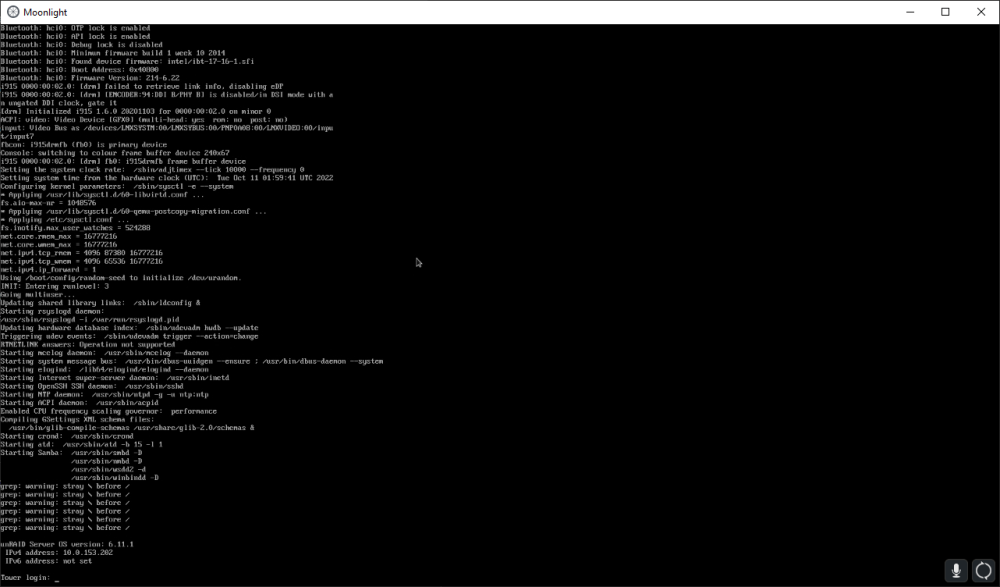
  2. I'm probably doing something wrong, but when I enabled sunshine and connected via Moonlight, I am seeing my Unraid console and not the VNC desktop. Intel iGPU as the primary GPU along with an Nvidia GPU passed through to the container. Any ideas?
Account

Navigation

Search

Search

Configure browser push notifications

Chrome (Android)
  1. Tap the lock icon next to the address bar.
  2. Tap Permissions → Notifications.
  3. Adjust your preference.
Chrome (Desktop)
  1. Click the padlock icon in the address bar.
  2. Select Site settings.
  3. Find Notifications and adjust your preference.