NeodymiumPhish
Members
-
Joined
-
Last visited
-
And as a side-note, I've backed up the important data from this drive, so while I'd love to be able to keep the data on it, that's not a primary concern. The drive in this screenshot is the old Parity drive, but the same thing happens when I attach other drives as well.
-
Hi all! I'm moving my Unraid server to some new hardware due to limitations I experienced with the old server. However, when I connect any of the drives to assign them to the array, I get this [Slash] Array where you'd normally see "Passed" or "Mount" under Unassigned Devices. Can anyone help me figure out how to fix this issue?

-
I currently have a rather large and unwieldly home server with a lot of hardware crammed into it, and a separate desktop just for playing games (99% of the time I only play League of Legends, so nothing hardware-intensive). I've been looking to consolidate my server down to 2 Yottamaster external enclosures (5 bays each) and a mini PC to act as the server, but I recently realized that I might be better off simply moving everything over to the gaming rig (i7-12700K, 96GB RAM, RTX 3070). My thought process is that I could assign the gaming rig access to 4 cores, 32GB RAM, the NVME drive with Windows installed, and the 3070, and keep the remaining hardware for use by UnRAID. The current server has a GTX 980, so I can transfer that over to the gaming rig as well and use it for transcoding and any other tasks requiring GPU access. The current server has an older Ryzen 7 CPU, and I've had lots of random issues with backing up the flash drive, etc, so I'd really like to start fresh with UnRAID and just have the array, Docker containers, and plugins migrated over to the new server. Is this possible without a ton of effort? I love the idea of using this transition as a fresh start. any advice is greatly appreciated. I watched SpaceInvader One's video on the subject, but it seems the intent there is to keep the installation as-is and just change the hardware. In my case, I think the only thing I really want to keep intact are the containers and data, not so much the UnRAID installation necessarily.
-
Hmm, that does appear to have stopped the problem. Are there any potential concerns/lossed functionality asssociated with disabling netbios? Thanks for the help!!
-
@ljm42 Sorry again for the late response. I'm not getting email notifications when there are thread responses, so I missed this. Here's the diagnostic output after: - Removing the Tailscale plugin - Restarting the server Thanks again for your help! unraid-diagnostics-20230725-1042.zip
-
OK, I went through the process of switching to ipvlan and installed the plugin you reccomended. I'm still getting the nmbd errors 4 times per second. Jul 18 21:14:15 UnRAID nmbd[15268]: WARNING: no network interfaces found Jul 18 21:14:15 UnRAID nmbd[15268]: [2023/07/18 21:14:15.474657, 0] ../../source3/lib/interface.c:685(load_interfaces) Jul 18 21:14:15 UnRAID nmbd[15268]: WARNING: no network interfaces found Jul 18 21:14:15 UnRAID nmbd[15268]: [2023/07/18 21:14:15.725570, 0] ../../source3/lib/interface.c:685(load_interfaces) Jul 18 21:14:15 UnRAID nmbd[15268]: WARNING: no network interfaces found Jul 18 21:14:15 UnRAID nmbd[15268]: [2023/07/18 21:14:15.976462, 0] ../../source3/lib/interface.c:685(load_interfaces) Jul 18 21:14:15 UnRAID nmbd[15268]: WARNING: no network interfaces found Jul 18 21:14:16 UnRAID nmbd[15268]: [2023/07/18 21:14:16.227372, 0] ../../source3/lib/interface.c:685(load_interfaces) I've googled similar issues and cannot find anything in common with other questions on linux forums.
-
ljm42, Thanks for the recommendations! I'm switching to ipvlan and looking into that driver now. Out of curiosity, how can I confirm whether that's the NIC on my hardware? It's headless, so I can't check the BIOS.
-
Sorry for the late reply, I've been busy with other stuff. I just went through this process and I'm still getting the `No network interfaces found` lines in my logs. Here's the diagnostics output from 6.12.3 (Stable) unraid-diagnostics-20230715-2053.zip
-
My UnRAID logs keep populating with these lines, nonstop. Does anyone know why or how I can address this? Jul 13 15:37:08 UnRAID nmbd[9226]: WARNING: no network interfaces found Jul 13 15:37:08 UnRAID nmbd[9226]: [2023/07/13 15:37:08.328638, 0] ../../source3/lib/interface.c:685(load_interfaces) Jul 13 15:37:08 UnRAID nmbd[9226]: WARNING: no network interfaces found Jul 13 15:37:08 UnRAID nmbd[9226]: [2023/07/13 15:37:08.579520, 0] ../../source3/lib/interface.c:685(load_interfaces) Jul 13 15:37:08 UnRAID nmbd[9226]: WARNING: no network interfaces found Jul 13 15:37:08 UnRAID nmbd[9226]: [2023/07/13 15:37:08.830366, 0] ../../source3/lib/interface.c:685(load_interfaces) Jul 13 15:37:08 UnRAID nmbd[9226]: WARNING: no network interfaces found Jul 13 15:37:09 UnRAID nmbd[9226]: [2023/07/13 15:37:09.081282, 0] ../../source3/lib/interface.c:685(load_interfaces) Jul 13 15:37:09 UnRAID nmbd[9226]: WARNING: no network interfaces found Jul 13 15:37:09 UnRAID nmbd[9226]: [2023/07/13 15:37:09.332067, 0] ../../source3/lib/interface.c:685(load_interfaces)
-
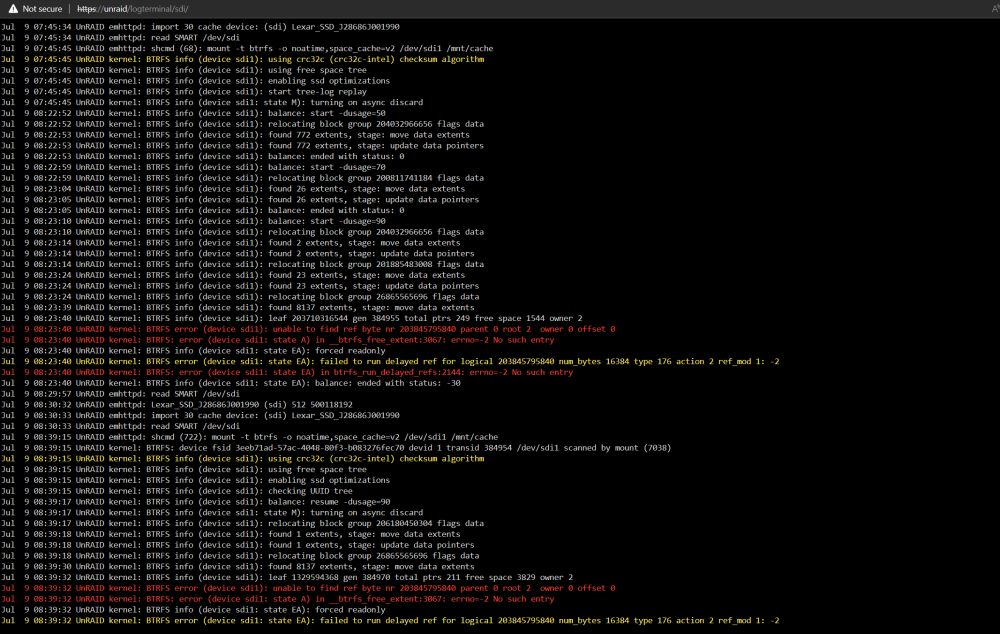
Hello all, I keep getting an issue where the cache drive switches to read-only. As a result, all of my docker containers stop functioning correctly (tend to keep running, but basically unresponsive when I try to access them). Here's a screenshot of the cache drive logs, and I attached a diagnostics output as well. You can see the balance start -dusage=X commands earlier where I was following along in another forum thread, but that's all I've done with the drive and those efforts were to try and fix this issue, not the cause. unraid-diagnostics-20230709-0758.zip
-
Just a follow up in case anyone ever finds this solution useful. It appears binding lo causes some issues with Docker containers accessing the shares. I recommend just including the Tailscale interface name and seeing how well that works before making any additional changes.
-
So this isn't a completely safe fix, but it did the job for fixing my Tailscale SMB connectivity: Add the following to you SMB Extra config in settings - > SMB: You might only need to include the Tailscale interface name, whatever's relevant when you run `IP addr` from the Unraid terminal.
-
I'm on 6.12.2.
-
I'm struggling to get this configured correctly ever since the 6.12 update to UnRAID. Previously, I was using the Tailscale docker container, but I just found this Plugin while I was troubleshooting. Basically, what I need is to configure Tailscale such that when I share my device to other Tailscale users, they can access the UnRAID shares via SMB. This was previously working perfectly by just having the UnRAID server shared to the Tailscale user (my dad), but now I'm able to reach any of the web interfaces via the Tailscale IP, but SMB times out when I try to browse to \\<Tailscale IP>\ or \\<Tailscale IP>\<Share Name> Edit: I experience the same issue when trying to access a share from my phone over SMB as well. So it has nothing to do with the fact that I'm sharing the device over Tailscale to another user.
-
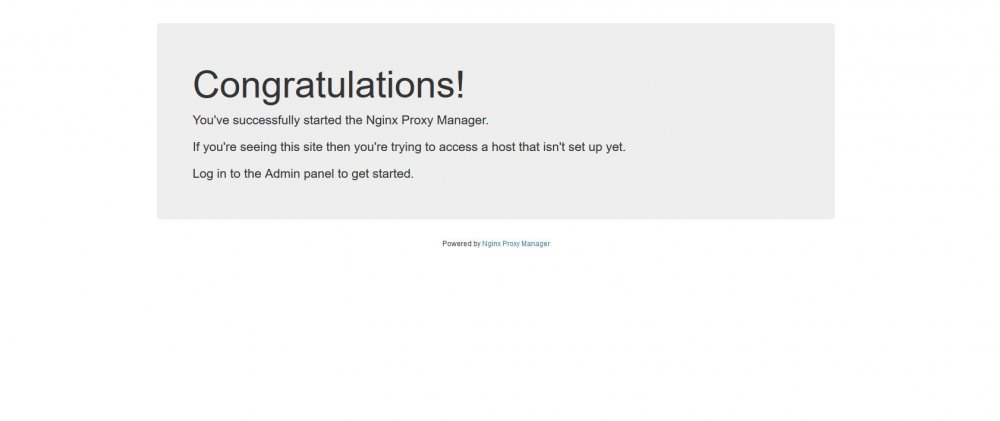
Reading through the readme, I thought it said the container would not work without setting up your own config file. After getting the "internal error" from attempting to create an SSL cert, I assumed that was a potential cause. I did. When I browsed to the DDNS link, it shows the "Congratulations" site indicating Nginx is working and accessible. I see this congrats page, even though I have NPM set to direct this DuckDNS subdomain to one of my Docker apps (Ombi, this time, if that makes a difference). I am. For the sake of simplifying this whole thing, I've gone with ports 80 and 443 directly, and I've ordered my router to point those ports to my unraid server. See above (yes). Thanks for your help!