





Natebur
Members
-
Joined
-
Last visited
Everything posted by Natebur
-
@JPDVM2014 I woke up and saw an update available. It doesn't give that error anymore but now gives the base64 error that is already reported.
-
I have the spotizerr setup, but I get the error below when i try to download. 2025-03-24 18:55:34 [MainProcess:waitress-0] [spotipy.cache_handler] [WARNING] - Couldn't write token to cache at: .cache i tried mapping the cache directory to folder on the host and I still get the error.
-
Any luck on this?
-
I get that all the time and just ignore it. I haven’t had an issue.
-
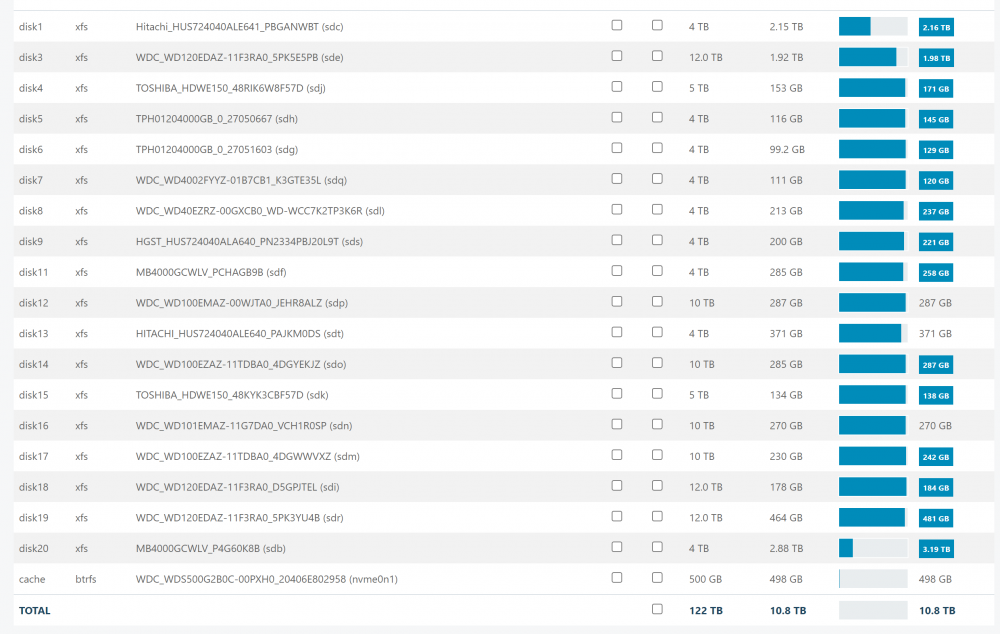
I have a quick question. I appologize if it has been answered as I have not gone through the 67 other pages. When I go to the url for unbalance, it has my disks listed, their total size, their free space, and the plan free space. But this is when I first get to the page before I even select a thing. Is this just a glitch or is does this point to/mean something?
-
Thank you! So I would use the wallet address under keys?
-
I'm sorry if this is a stupid question, but i have it up and running, how would i get the crypto off the wallet thats included?
-
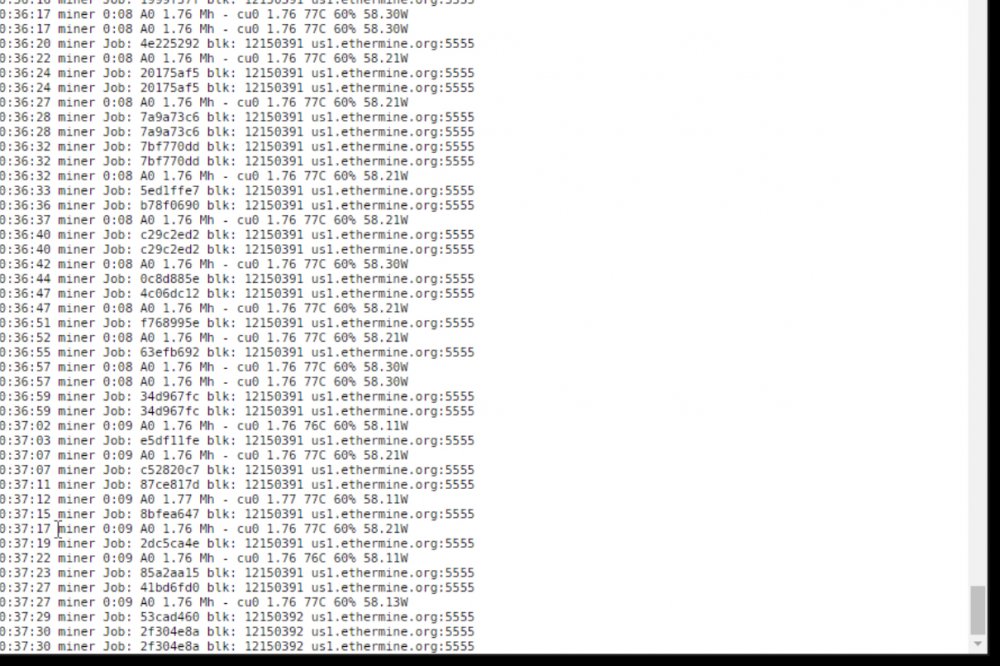
Does this show my hash rate is 1.76?
-
It’s working for me!
-
I’m getting this exact same thing
-
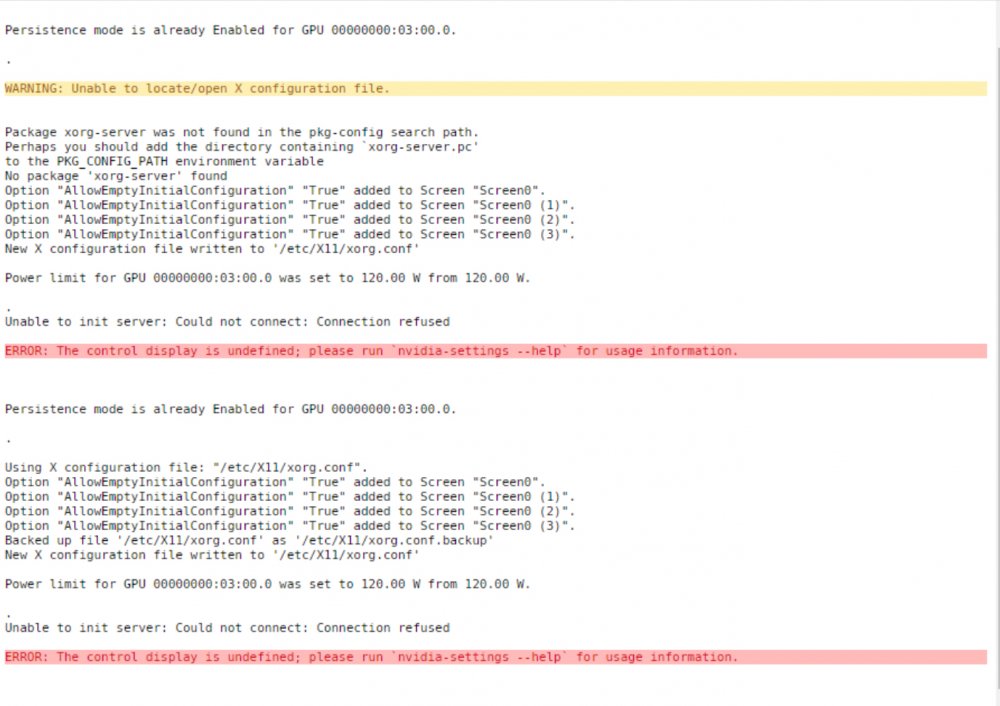
That’s what I thought. Here is the result of that.
-
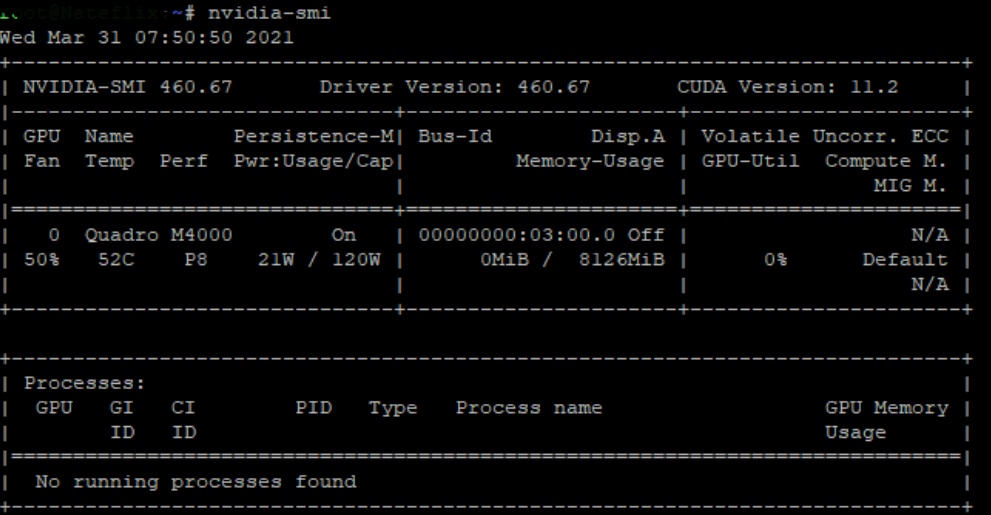
Of this screenshot, what should I put in the GPU variable?
-
What format should the GPU ID be?
-
I’ve already booted into non-GUI mode and the issue continues. I also removed the plug-in GPUstat in case that was causing it, but it continues as well.
-
I had plex using it as well as the os was booted into GUI mode. I have booted the os into standard mode and removed it from plex as well. No VMs.
-
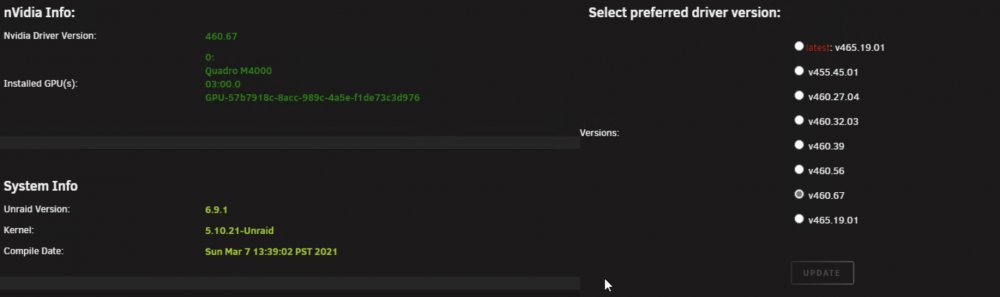
Correct, that is how it’s setup. I did upgrade to 460.67 and I have restarted the system to apply the new driver
-
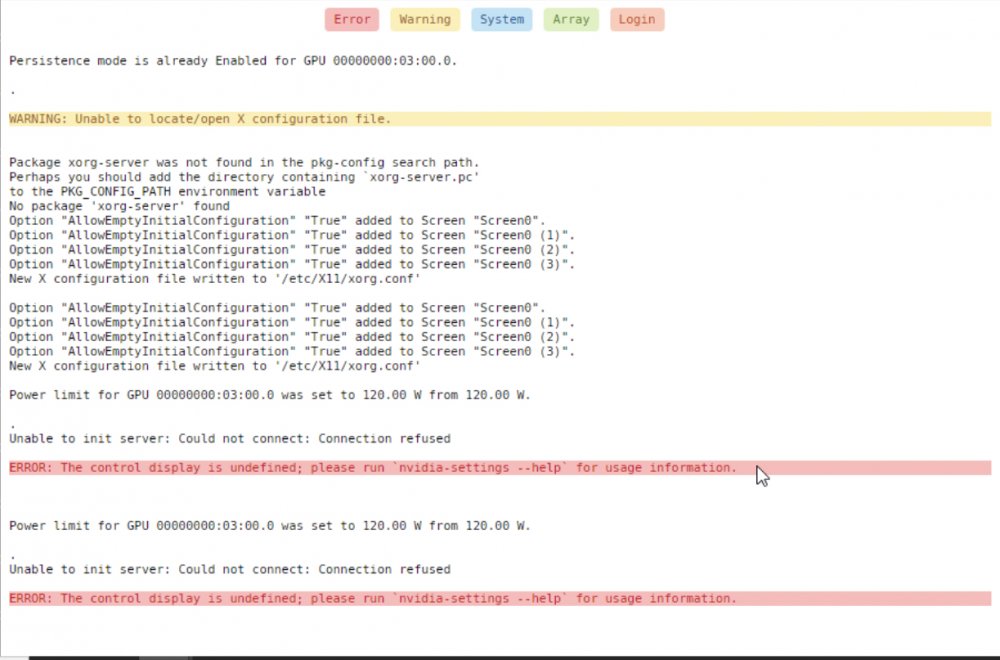
I am having a different issue now though. Have you seen this before?
-
I had the same issue. Try replacing repository with olehj/docker-nsfmineroc:latest
-
Disk usage is showing the correct color bars, but the alerts for the usage do not work unless I set the threshold for each disk individually. nateflix-diagnostics-20210315-2056.zip
-
Thank you.
-
I thought there were 3 values. Docker, stable, and latest (plex pass).
-
Yes I am.
-
I'm having issues with plex updating using the stable branch. Here is the log output "Atempting to upgrade to: stable https://downloads.plex.tv/plex-media-server-new/stable/debian/plexmediaserver_stable_amd64.deb: 2020-04-22 08:01:02 ERROR 404: Not Found. ######################################################## # Upgrade attempt failed, this could be because either # # plex update site is down, local network issues, or # # you were trying to get a version that simply doesn't # # exist, check over the VERSION variable thoroughly & # # correct it or try again later. #" DNS is configured to 8.8.8.8 and 1.1.1.1 Anyone else having this issue?
-
I appreciate the quick response and the corrected location. I will try to do the mem test today. I didn’t know about the cfgs and I will look at this. My docker is currently at 11 gbs. A while back I had an issue with my docker expanding and had it again recently. I didn’t know what to look for as to why.
-
I forgot to state. Running latest. 6.8.0 nvidia. Also happened on 6.8.0 rc9



